10 Best GarageBand Alternatives for Windows Users in 2025

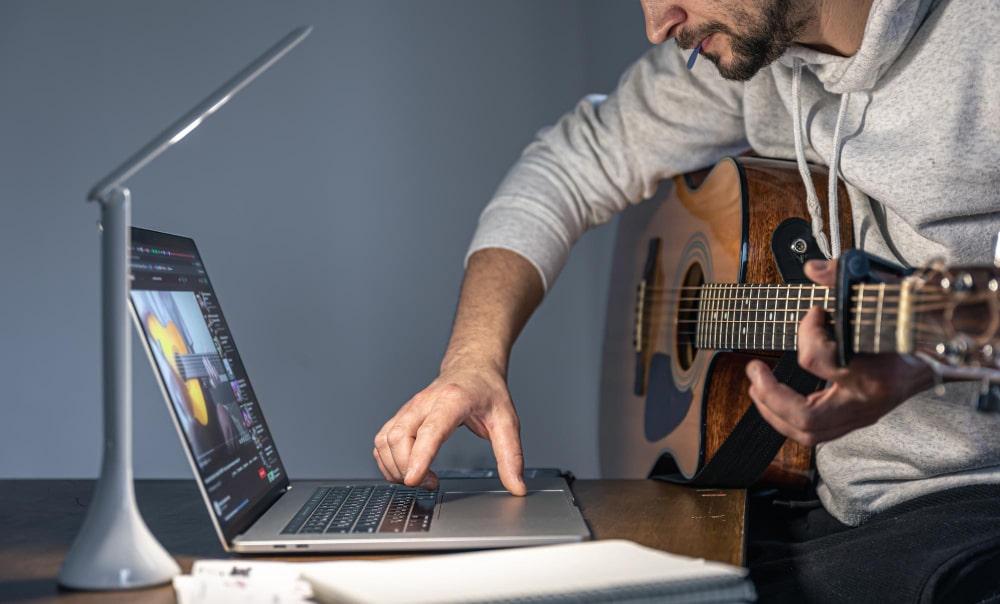
GarageBand’s biggest limitation was never a feature gap, it was the operating system requirement. Apple never brought it to Windows, and it never will, which leaves a lot of musicians who switched platforms or never owned a Mac looking for something that matches its ease of use without the macOS dependency. The good news is that the DAW market on Windows is genuinely deep, from completely free options that rival paid software to professional-grade tools used on commercial releases.
This guide covers ten of the strongest options, what each does particularly well, and who each one actually fits, so the choice comes down to your workflow rather than guesswork.

What Actually Makes a Good GarageBand Replacement
A solid alternative needs to cover the same ground GarageBand does well: an approachable interface, built-in loops and virtual instruments, and solid MIDI support for anyone working with keyboards or controllers. Beyond that baseline, the right choice depends heavily on where you sit on the beginner-to-professional spectrum, since a DAW built for sound design experimentation and one built for quick beat-making solve genuinely different problems.
Price matters too, and the range here runs from completely free to several hundred dollars for a full professional license. Windows compatibility is a given for everything on this list, but plugin support, VST2 and VST3 specifically, varies enough between programs that it’s worth confirming before committing if you already own third-party instruments or effects you plan to keep using.
Ten Strong Alternatives to GarageBand
1. FL Studio
FL Studio has built its reputation over two decades as one of the most widely used DAWs in electronic music, and producers like Martin Garrix built early careers inside it. Its piano roll is genuinely best-in-class for programming melodies and basslines with precision, and its automation tools let you shape nearly every parameter over time without leaving the main workflow.
The lifetime free updates policy is a real differentiator: buy a license once and every future version update is included, which makes FL Studio a legitimately better long-term value than DAWs charging for each major version upgrade. That combination of depth and long-term value is a big part of why it remains a default recommendation for beatmakers moving off GarageBand.
2. Ableton Live
Ableton Live’s Session View is what sets it apart from almost every other DAW on this list: instead of a fixed timeline, it’s a grid of loops and clips you can trigger and rearrange live, which makes it uniquely suited to both electronic music production and actual live performance. Its MIDI mapping is deep enough to turn a hardware controller into a genuinely tactile instrument rather than a mouse-and-keyboard substitute.
The learning curve is real, Live’s workflow doesn’t map directly onto GarageBand’s more linear approach, but producers who invest the time consistently describe it as changing how they think about arranging music, not just how they record it.
Also Read: Best Discord Alternatives 2025
3. Cakewalk by BandLab
Cakewalk is the closest thing on this list to a genuinely free lunch: a fully professional DAW with unlimited audio and MIDI tracks, a proper mixing console, and full VST3 plugin support, distributed at no cost by BandLab after the software’s original commercial life ended. Its mastering tools hold up against DAWs that charge hundreds of dollars for comparable functionality.
For a musician evaluating whether music production software is worth paying for at all, Cakewalk removes the cost barrier entirely while still delivering a workflow serious enough to use on a commercial release, which makes it a genuinely strong starting point regardless of budget.
4. LMMS
LMMS is open-source and free in the fullest sense, no paid tier, no feature gating, with a beat editor and library of preloaded samples aimed at getting a new producer making music quickly. MIDI support covers the basics well enough for hobbyist production and learning fundamentals.
Its interface doesn’t have the polish of commercial DAWs, and power users will hit its ceiling faster than with Cakewalk or Reaper, but as a genuinely zero-cost entry point for someone testing whether music production is a hobby worth pursuing, it does that job honestly.
5. Reaper
Reaper’s defining trait is customization depth paired with an unusually light system footprint. Its routing system lets you build signal chains and workflows that more rigid DAWs simply don’t allow, and it runs smoothly on hardware that would struggle with heavier competitors, a real advantage for anyone on an older laptop.
Its licensing is also notably affordable relative to its capability, and the extended evaluation period lets you genuinely test it on real projects before paying anything. Sound engineers and experienced producers often gravitate toward Reaper specifically because its flexibility rewards deep customization rather than forcing one fixed workflow.
6. Magix Music Maker
Magix Music Maker leans hard into approachability, a genuine drag-and-drop workflow built around sound pools, preloaded loops, and virtual instruments that get a complete beginner to a finished track without needing to understand mixing theory first. It won’t satisfy someone chasing professional depth, but that’s not the audience it’s built for.
For a hobbyist or casual creator who wants to make music for fun without a steep learning curve standing in the way, Magix Music Maker delivers exactly that, which is a legitimate and underrated use case that more feature-dense DAWs don’t serve as well.
7. Tracktion Waveform
Tracktion Waveform doesn’t get the attention FL Studio or Ableton do, but it’s a genuinely capable, modern DAW with unlimited audio and MIDI tracks even on its lower-cost tiers, unusual generosity compared to competitors that gate track counts behind pricier licenses. Its modular mixer and customizable layout give experienced users real control over how the workspace is organized.
For producers who’ve tried the more mainstream options and want something with a distinct workflow philosophy rather than another FL Studio clone, Waveform is worth the trial.
Also Read: 10 Best Character AI Alternatives
8. Studio One
Studio One by PreSonus pairs a genuinely intuitive drag-and-drop interface with the depth serious producers actually need: strong automation, quality built-in instruments, and broad plugin compatibility. It’s one of the rare DAWs that scales cleanly from a beginner’s first project to a professional’s daily workflow without requiring a jarring transition between modes.
Many producers specifically cite Studio One’s ability to get out of the way during the creative process, letting an idea get captured quickly without the interface becoming its own obstacle, as the reason they stuck with it over flashier competitors.
9. Mixcraft
Mixcraft is probably the closest match to GarageBand’s actual feel on this entire list, which makes it a natural landing spot specifically for someone switching from macOS rather than starting from scratch. Its loop library, virtual instruments, and built-in effects cover the same ground GarageBand does, with a comparably gentle learning curve.
Its built-in video editing capability is a genuine bonus most competitors don’t offer, useful for anyone scoring content or working across audio and simple video edits in one program rather than juggling separate software.
10. Reason Studios
Reason takes a fundamentally different approach: its virtual rack system visually mimics a real hardware studio, letting you patch together sound modules, effects, and instruments the way you’d cable together physical gear. That metaphor makes sound design experimentation feel tactile in a way most software DAWs don’t replicate.
The Reason Rack Plugin extends that same instrument and effects library into other DAWs, so producers who prefer Reason’s sound design tools but want a different DAW’s arrangement workflow don’t have to choose one or the other exclusively.
Matching a DAW to Your Actual Workflow
The right choice depends on where you actually sit today, not where you aspire to be in a year. A genuine beginner is better served by Magix Music Maker or Mixcraft, since both minimize the distance between opening the program and finishing a track. Someone comfortable spending nothing but wanting real depth should start with Cakewalk or LMMS, both of which remove cost as a factor entirely while still teaching real production skills.
Electronic music producers and beatmakers get the most direct value from FL Studio or Ableton Live, both purpose-built for that workflow specifically. Anyone who wants maximum control over their setup, running on modest hardware or building unusual signal chains, should look at Reaper or Tracktion Waveform. Studio One splits the difference well for users who want professional depth without professional complexity upfront.

Free vs. Paid: What You’re Actually Trading Off
Cakewalk and LMMS prove that free doesn’t automatically mean limited, but the tradeoffs are still real. Free DAWs generally have a smaller pool of third-party plugins, less frequent feature updates, and thinner official support compared to their paid competitors. Cakewalk mitigates a lot of that with genuine BandLab backing and an active community, while LMMS leans more heavily on volunteer open-source development.
Paid DAWs justify their price primarily through polish, regular feature updates, dedicated support, and often deeper third-party plugin integration. For someone still deciding whether music production is a long-term interest, starting free and upgrading once you’ve outgrown the free tier’s limits is a genuinely reasonable path, not a compromise.
Working With MIDI Controllers and Keyboards
Most DAWs on this list support plug-and-play MIDI over USB for common keyboard controllers, but the depth of that support varies once you go beyond basic note input. Ableton Live’s controller scripts, purpose-built mappings for specific popular hardware, tend to offer the smoothest out-of-box experience for owners of supported controllers, automatically mapping knobs and pads to sensible functions rather than requiring manual assignment. FL Studio and Studio One also support extensive custom MIDI mapping, though the initial setup takes more manual configuration than Ableton’s plug-and-play controller scripts.
If a specific hardware controller is central to your workflow, check the manufacturer’s compatibility list against your shortlist of DAWs before buying either the software or the hardware. A controller advertised as universally MIDI-compatible will technically work everywhere, but the deeper integrations, light-up pads that reflect what’s happening on screen, motorized faders that follow automation, are usually tied to specific DAW partnerships rather than working identically across every program.
Don’t Overlook Plugin Compatibility
If you already own third-party virtual instruments or effects plugins, from a previous DAW or a standalone purchase, confirm VST2 or VST3 compatibility before committing to a new program. Most modern DAWs on this list support VST3 broadly, but older plugins occasionally have compatibility quirks worth testing with a trial version before assuming everything will transfer cleanly. Losing access to a favorite plugin because of a compatibility gap is a frustrating discovery to make after you’ve already committed to a new DAW.
Recording Vocals and Live Instruments, Not Just Programming Beats
GarageBand’s built-in audio interface simplicity, plug in a mic or instrument and record with minimal setup, is one thing Windows users occasionally find rougher on unfamiliar DAWs. The fix usually isn’t the software, it’s the audio interface driver. Windows benefits enormously from ASIO drivers, which cut input latency dramatically compared to the default Windows audio drivers most DAWs fall back to without one. Nearly every audio interface worth buying ships with ASIO drivers, and installing them before your first recording session avoids the delayed, out-of-sync monitoring that makes vocal or guitar recording frustrating on an unoptimized setup.
Reaper and Cakewalk both have particularly good reputations for low-latency recording once ASIO is configured correctly, which matters if your workflow leans more toward tracking real instruments and vocals than programming beats entirely inside the box. FL Studio and Ableton Live can record live audio just as capably, but they’re more commonly associated with programmed, in-the-box production, so budget a little extra setup time if live tracking is your primary use case.
Building a Sample and Loop Library Beyond What’s Included
Every DAW on this list ships with a starter library of loops and sounds, but serious producers eventually build out a much larger sample collection from third-party sources. Splice and Loopmasters are widely used subscription and one-off sample marketplaces that work across all ten of these programs, since audio samples aren’t tied to specific DAW software the way plugins sometimes are. Budget for this as an ongoing cost separate from the DAW license itself if your genre depends heavily on sample-based production, hip-hop and electronic music especially.
Free sample packs are also widely available directly from plugin manufacturers and community sites, and it’s worth building a personal library gradually rather than assuming the DAW’s built-in content will cover every project. A distinct, personal sound library is also one of the more overlooked ways producers develop a recognizable style over time, rather than every track built from the same default factory loops everyone else started with too.
Frequently Asked Questions
Is there a truly free DAW that doesn’t feel limited?
Cakewalk by BandLab is the strongest answer. It’s a fully professional DAW with no paid tier at all, distributed free after its original commercial run ended, and its capability genuinely competes with paid alternatives.
Which of these is easiest for someone switching directly from GarageBand?
Mixcraft is the closest match in overall feel and workflow, making it the most natural landing spot for a Mac-to-Windows switch specifically.
Do I need a powerful computer to run these DAWs?
Not necessarily. Reaper in particular is known for running smoothly on modest hardware. FL Studio and Ableton Live are more demanding, especially with heavy plugin use, so check each program’s system requirements against your actual machine before buying.
Can I switch DAWs later without losing my old projects?
Individual audio and MIDI files transfer between DAWs without much trouble, but a full project file generally doesn’t open natively in a different program. Export stems or bounce final mixes from any project you might want to revisit before moving to a new DAW permanently.
Exporting and Sharing Finished Tracks
A finished project is only useful once it’s out of the DAW in a usable format, and export quality varies more between programs than most beginners expect. Check what export formats a DAW supports natively before committing if you have a specific destination in mind: streaming platforms generally expect high-quality WAV or FLAC masters rather than compressed MP3s, and a DAW that only exports in lower-quality formats without extra plugins creates friction at the exact moment a project is supposed to be finished.
Stem exports, individual track or instrument groups rendered separately rather than one final mixed file, matter too if you plan to collaborate with a mixing engineer or work across multiple programs. FL Studio, Ableton Live, Reaper, and Studio One all handle stem exports cleanly; some of the more beginner-focused options handle it less gracefully, which is worth testing with a trial project before you’re relying on it for a real collaboration deadline.
Finding Your Fit
Every DAW on this list can produce a finished, professional-sounding track in the right hands, the differences are in workflow philosophy, learning curve, and price, not raw capability. Try the free options first regardless of budget, since Cakewalk and LMMS cost nothing to test and will teach you what you actually want from a paid upgrade if you decide to make one.
Most of the paid DAWs on this list offer a trial period. Use it with a real project rather than a demo file, since that’s the only way to know whether a workflow actually fits how you make music, not just how it looks in a walkthrough video.
Whatever you land on, don’t treat the first choice as permanent. Producers commonly start on a free, approachable DAW, learn the fundamentals of arrangement and mixing, and migrate to something more powerful once they’ve hit a real limitation rather than a hypothetical one. That path costs nothing but a little time and produces a far more informed second decision than picking blind from a comparison list, including this one.
Interesting Reads
10 Best Bandcamp Alternatives for Independent Music Distribution in 2025
10 Best BotGhost Alternatives for Building Discord Bots in 2025
10 Best Kaspersky Alternatives for Reliable Cybersecurity in 2025