10 Best Software for Electronic Signature on Document


Printing a contract, signing it by hand, scanning it back in, and emailing it off is still how a surprising number of businesses close deals, and it is slower and less secure than it needs to be in 2026. Electronic signature software fixes that specific bottleneck: it lets you send a document, get it signed by one or more parties from any device, and keep a verifiable audit trail of exactly who signed what and when. Whether you are closing sales contracts, onboarding new hires, or collecting client approvals, the right e-signature tool removes days from a process that used to take days by default.

What electronic signature software actually does
At its core, e-signature software lets you upload a document, mark where signatures, initials, and dates go, and send it to one or more recipients who can sign from a browser or phone without printing anything. Behind that simple workflow sits real infrastructure: encryption protecting the document in transit and at rest, identity verification confirming who actually signed, and an audit trail recording the signer’s IP address, timestamp, and the sequence of actions taken, which is what makes the signature legally defensible if it’s ever challenged.
Why this matters beyond just convenience
Speed is the obvious benefit, but it’s not the only one. Electronic signatures are legally binding in most jurisdictions worldwide, governed in the United States by the ESIGN Act and UETA, and in the European Union by eIDAS, both of which establish that a properly executed e-signature carries the same legal weight as a wet-ink signature. That legal footing is what lets businesses eliminate printing, scanning, and mailing entirely rather than treating e-signatures as a convenience layered on top of a paper process that still exists as a backup. The audit trail these tools generate also tends to hold up better than a paper signature in a dispute, since it captures exactly when and how the signature was applied rather than relying on someone’s memory of a meeting.
What to actually check before picking a tool
Every option on this list handles basic signing well. The differences that matter show up in a handful of specific areas:
- Security: encryption in transit and at rest, two-factor authentication, and a genuinely detailed audit trail, not just a generic completion certificate.
- Legal compliance: confirm the tool explicitly supports the regulations relevant to where your signers are located, since eIDAS in Europe and ESIGN in the US have different specific requirements for qualified versus standard signatures.
- Ease of use: signing itself should take under a minute for the recipient, since a confusing signing flow is the single biggest reason documents sit unsigned in someone’s inbox.
- Integrations: connections to your CRM, cloud storage, or HR system save real time if signed documents need to land somewhere specific automatically.
- Support: responsive support matters more than it sounds like it should, especially the first time a signer gets stuck mid-document during a time-sensitive deal.
The 10 best electronic signature tools in 2026
1. DocuSign, the industry leader in e-signatures
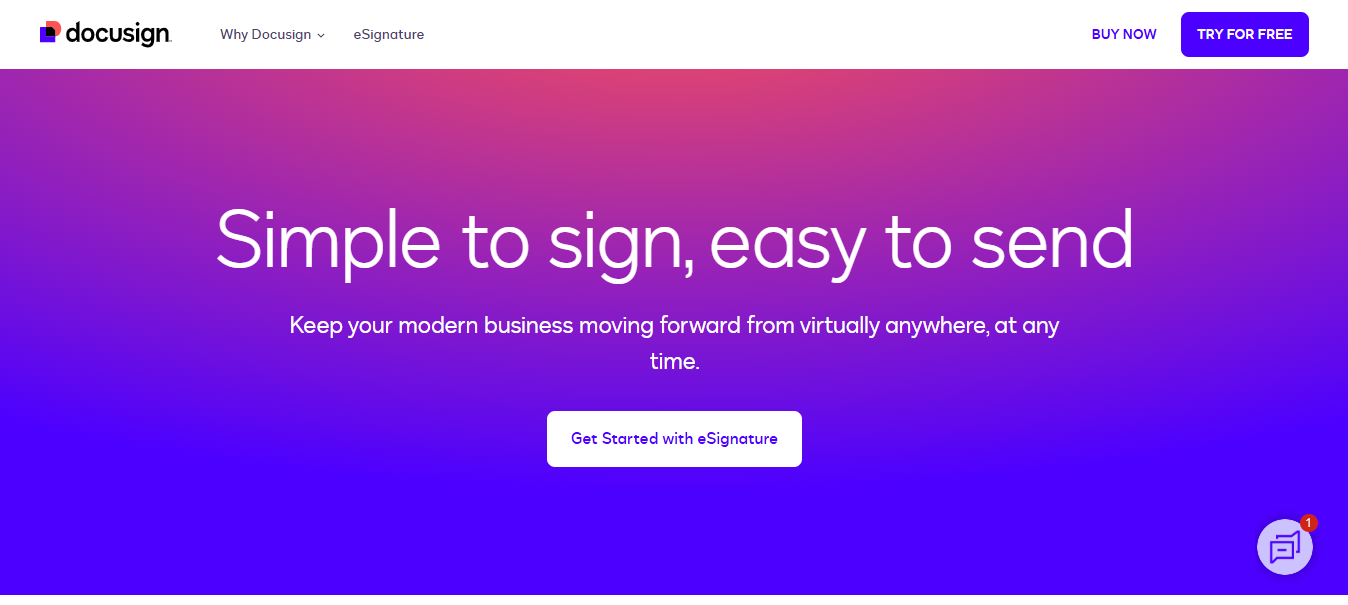
DocuSign remains the name most people default to when they think of e-signatures, and that reputation is earned through scale rather than marketing alone. It has expanded well beyond signing into a broader agreement management platform, but the core signing workflow is still what most businesses use it for, and it remains one of the most trusted, widely recognized names in the category.
Key Features
- Legally binding e-signatures with detailed audit trails
- Customizable templates for repeat document types
- Secure cloud storage for signed documents
- Real-time tracking and notifications
Pros
- User-friendly interface for both senders and signers
- Wide integrations with third-party business apps
- Trusted by millions of users and enterprises globally
Cons
- Higher pricing compared to several alternatives on this list
- Some advanced features are locked behind premium plans
Why It Stands Out
DocuSign’s established reputation, enterprise-grade security, and compliance with global standards make it the safe default choice for businesses that want the most widely recognized option.
Also Read: 10 Best Document Management Software
2. Adobe Acrobat Sign, formerly Adobe Sign
Adobe renamed Adobe Sign to Adobe Acrobat Sign as part of unifying its document tools under the Acrobat brand, and the product still integrates directly with the broader Adobe ecosystem. That makes it a strong fit for teams already working inside Acrobat or Creative Cloud, since signing requests can be sent without leaving a familiar interface.
Key Features
- Cloud-based document signing
- Advanced authentication options
- Deep integration with Adobe Acrobat and Creative Cloud
- Mobile compatibility for signing on the go
Pros
- Easy to use once you’re already in the Adobe ecosystem
- Strong customer support
- Integrates well with other Adobe products by default
Cons
- More expensive than several standalone competitors
- Lower-tier plans limit some features
Why It Stands Out
Adobe Acrobat Sign offers direct, native integration with the Adobe suite, making it a strong option for users who need PDF editing and management tools alongside e-signing rather than a signing-only tool.
3. SignNow, affordable yet genuinely capable
SignNow, part of the airSlate family of products, keeps a good balance of real features and accessible pricing, which is why it consistently shows up as a top pick for small and mid-sized businesses that don’t need DocuSign’s full enterprise depth.
Key Features
- Document templates for quick, repeat signing
- Multi-signature workflows for documents needing several approvers
- Detailed audit trails for legal compliance
- Team management features for shared accounts
Pros
- Competitive pricing relative to feature depth
- Secure, legally binding e-signatures
- Responsive customer service
Cons
- Lacks some of the advanced automation found in pricier tools
- Customization options are more limited than DocuSign’s
Why It Stands Out
SignNow combines affordability with genuinely useful features, offering a strong option for businesses looking for an efficient, cost-effective e-signature platform without enterprise pricing.
4. Dropbox Sign, formerly HelloSign
HelloSign was rebranded to Dropbox Sign after Dropbox acquired it, and the product still delivers the same straightforward, fast signing experience that made HelloSign popular in the first place. If you see “HelloSign” referenced elsewhere, it’s the same product under its current name.
Key Features
- Drag-and-drop document signing
- Native Dropbox cloud storage integration
- Signature requests from multiple parties
- Custom branding on signing pages
Pros
- Very approachable for first-time users
- Reasonable pricing for the feature set
- Supports a wide range of document formats
Cons
- Basic plan limits advanced features
- Fewer third-party integrations than DocuSign or Adobe Acrobat Sign
Why It Stands Out
Dropbox Sign’s simple, easy-to-navigate interface makes it a solid choice for individuals and small businesses that want a straightforward e-signature tool without a steep learning curve.
5. SignEasy, built for quick signing on the go
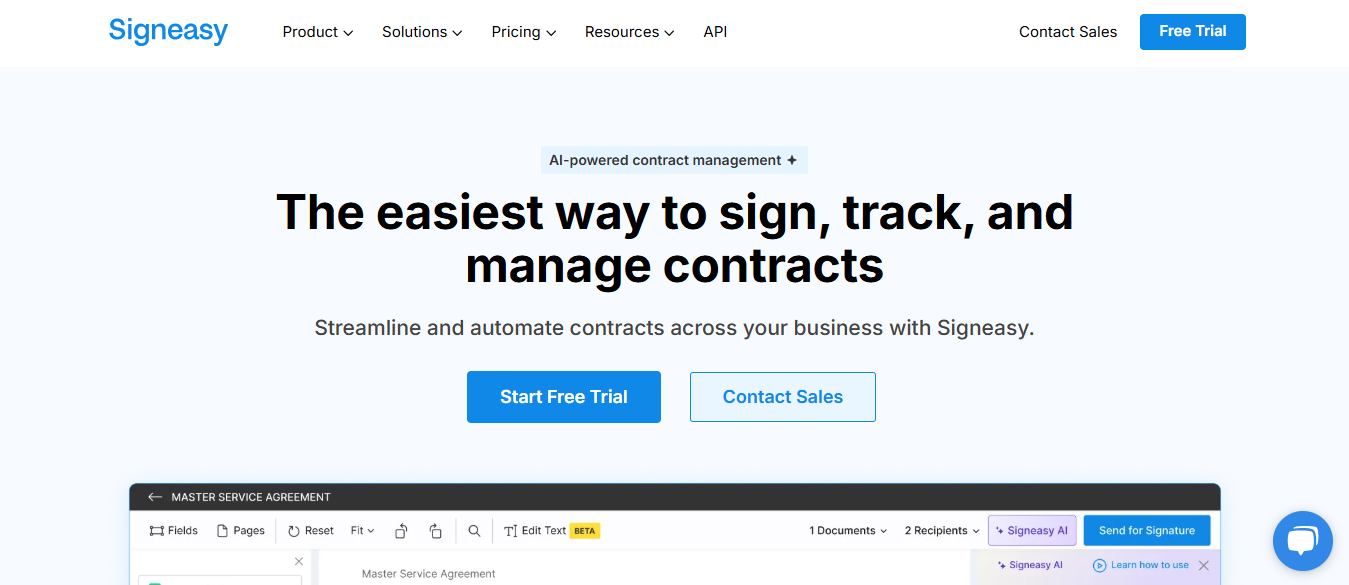
SignEasy has built a solid reputation specifically around mobile-first signing, which matters more than it might sound like for field sales, real estate, and other roles where signers rarely sit at a desk when a document needs signing.
Key Features
- Signing that works equally well on mobile and desktop
- Real-time status notifications
- Customizable document fields
- Cloud storage integration
Pros
- Fast, low-friction signing process
- Strong native mobile apps
- Affordable pricing tiers
Cons
- Fewer advanced workflow features than enterprise tools
- No true offline signing option
Why It Stands Out
SignEasy’s intuitive interface and mobile-first design make it a strong choice for on-the-go professionals who need to close signatures quickly between meetings.
Also Read: 10 Best Software for PDF Editing
6. PandaDoc, the all-in-one document management tool
PandaDoc goes beyond just signing by wrapping the whole document lifecycle, drafting, sending, tracking, and signing, into one platform. It’s a strong fit for sales and proposal-heavy teams that want signing baked into a broader document workflow rather than bolted on as a separate step.
Key Features
- E-signature plus document automation
- Document analytics and open-tracking
- Customizable proposal and contract templates
- Integration with CRMs and payment tools
Pros
- All-in-one document solution beyond just signing
- Strong reporting and tracking features
- Solid integrations with sales tools specifically
Cons
- Steeper learning curve than signing-only tools
- Some features require higher-tier plans
Why It Stands Out
PandaDoc’s broader feature set makes it more than just an e-signature tool. It functions as a full document management system, well suited to businesses looking to streamline proposals and contracts end to end.
7. Signable, simple and UK-focused
Signable is a straightforward e-signature platform that has built its reputation on a genuinely simple signing process and clear, transparent pricing, without the enterprise complexity that larger platforms carry. It’s a reasonable pick for small and mid-sized businesses that want something dependable without a long setup process.
Key Features
- Simple, guided document signing process
- Custom branding on signing requests
- Legally binding e-signatures with audit trails
- Mobile-friendly signing pages
Pros
- Affordable for small businesses
- Quick to set up and use
- Secure and legally compliant
Cons
- Fewer advanced features than the bigger enterprise platforms
- Smaller integration library than DocuSign or PandaDoc
Why It Stands Out
Signable is a solid pick for small businesses seeking a simple, no-nonsense e-signature solution at a genuinely accessible price point.
8. Eversign, fast, secure, and straightforward
eversign is a reliable e-signature platform offering a secure, legally compliant signing process without a lot of extra complexity layered on top. It’s a solid middle-ground option between the simplest tools and the full enterprise platforms.
Key Features
- Real-time document tracking
- In-app signing and document management
- Integration with major cloud storage services
- Detailed audit trails for compliance
Pros
- Fast and easy to use
- Strong security measures throughout
- Affordable pricing plans
Cons
- Lacks advanced document editing tools built in
- Limited support for some less common document types
Why It Stands Out
eversign’s simplicity paired with solid security makes it a strong choice for anyone who needs a fast, secure, legally compliant e-signature solution without paying for enterprise extras they won’t use.
9. Zoho Sign, built for teams already inside Zoho
Zoho Sign is the obvious pick for any business already running on the Zoho ecosystem. It provides a genuinely intuitive e-signature workflow that connects directly with Zoho CRM, Zoho Books, and the rest of the Zoho suite without extra setup.
Key Features
- Easy-to-use document signing
- Real-time document tracking
- Native integration across the Zoho suite plus third-party tools
- Compliance with global e-signature laws
Pros
- Excellent integration with other Zoho apps
- Affordable pricing
- Secure and legally binding
Cons
- Less compelling for businesses outside the Zoho ecosystem
- Fewer customization options than the larger standalone platforms
Why It Stands Out
For businesses already using Zoho products, Zoho Sign is the natural choice for tight native integration and a genuinely user-friendly e-signature experience.
10. OneSpan Sign, an enterprise-grade e-signature solution
OneSpan Sign remains squarely aimed at large organizations with real compliance requirements, offering enterprise-level security and identity verification that smaller tools generally don’t try to match.
Key Features
- Advanced authentication methods, including biometric options
- Integration with enterprise software and identity systems
- Detailed audit logs built for regulated industries
- Secure document management at scale
Pros
- High level of security throughout
- Built for large organizations and regulated industries
- Strong compliance with global regulations
Cons
- Expensive relative to small-business tools
- More complex, and typically requires onboarding or training
Why It Stands Out
OneSpan Sign is built for large enterprises that need a secure, compliant, feature-rich e-signature solution and have the budget and IT support to implement it properly.
Comparison Table
| Name of Tool | Best For | Standout Feature | Pricing |
|---|---|---|---|
| DocuSign | Enterprise-level businesses | Legally binding e-signatures, customizable templates | Higher pricing, premium plans available |
| Adobe Acrobat Sign | Teams already using Adobe tools | Deep Acrobat and Creative Cloud integration | Higher pricing, limited features on lower tiers |
| SignNow | Small to medium businesses | Affordable pricing, solid audit trails | Competitive pricing, some features gated to higher plans |
| Dropbox Sign | Individuals and small businesses | Drag-and-drop signing, native Dropbox integration | Affordable, limited advanced features on basic plan |
| SignEasy | On-the-go professionals | Mobile-first signing, fast turnaround | Affordable, no offline signing |
| PandaDoc | Sales and proposal-heavy teams | All-in-one document lifecycle, CRM integration | Steeper learning curve, advanced features on higher tiers |
| Signable | Small businesses wanting simplicity | Straightforward signing, transparent pricing | Affordable, smaller integration library |
| eversign | Businesses wanting secure, fast e-signatures | Real-time tracking, strong security | Affordable, lacks built-in document editing |
| Zoho Sign | Businesses using Zoho products | Native Zoho suite integration, global compliance | Affordable, limited outside the Zoho ecosystem |
| OneSpan Sign | Large, regulated enterprises | Advanced authentication, enterprise integrations | Expensive, requires onboarding for full use |

What actually happens during an e-signature legal challenge
Businesses sometimes assume an e-signature is weaker evidence than a wet-ink signature if a contract ever gets disputed. In practice, the opposite is usually true. A paper signature relies on someone’s memory and, at best, a witness or a notary stamp. An e-signature from a reputable platform generates a certificate of completion documenting the signer’s email address, IP address, device information, exact timestamp for each action taken, and often a record of whether the signer viewed each page before signing. That level of detail routinely holds up better in court than a paper trail, precisely because it doesn’t depend on anyone’s recollection of a meeting that happened months or years earlier.
That said, not every e-signature carries equal legal weight everywhere. The EU’s eIDAS regulation distinguishes between simple, advanced, and qualified electronic signatures, with qualified signatures, which require a certified digital identity and are typically used for high-stakes transactions like real estate transfers, carrying the strongest legal presumption. Most day-to-day business contracts in the US and most of the EU work fine with a standard e-signature from any tool on this list. Real estate closings, certain government filings, and some high-value international contracts sometimes require a qualified signature or a notarized e-signature specifically, so it’s worth checking your specific document type against local requirements before assuming any tool covers every use case automatically.
A note on a discontinued option you may have seen elsewhere
Older comparisons of this category, including earlier versions of this exact article, often list RightSignature as a standalone e-signature tool. That’s no longer accurate. RightSignature is no longer sold as a separate product; its e-signature functionality has been folded directly into ShareFile, and existing RightSignature customers are directed toward ShareFile’s integrated e-signing feature instead. If you come across RightSignature mentioned as an active standalone option anywhere, treat that as outdated information.
Free versus paid: what you actually get at each level
Most tools on this list offer some form of free tier or trial, but the free tiers are genuinely limited in ways worth understanding before you commit a team to one. Free plans typically cap the number of documents you can send per month, sometimes as low as three to five, and usually strip out advanced features like custom branding, bulk sending, and detailed analytics. That’s fine for occasional personal use, signing a lease or a freelance contract once in a while, but it stops working the moment a business starts sending signature requests regularly.
Paid plans generally start in the range of a modest per-user monthly fee for individuals or very small teams, and scale up meaningfully for business and enterprise tiers that add features like advanced authentication, API access, and bulk sending. For a small business sending a handful of contracts a week, an entry paid plan on SignNow, Signable, Dropbox Sign, or eversign is usually enough. Larger sales or HR teams processing high volumes of documents daily should budget for a business-tier plan on DocuSign, Adobe Acrobat Sign, or PandaDoc instead, since the entry tiers on those platforms cap out fast under real usage.
Choosing the right tool for your needs
Picking the right e-signature software comes down to matching the tool to your actual sending volume, your existing software stack, and how much compliance depth you genuinely need. A freelancer signing the occasional client contract doesn’t need OneSpan Sign’s enterprise authentication layer. A regulated financial services firm shouldn’t rely on a bare-bones free tier for anything with legal weight. The tools listed above cover that full range, from simple platforms built for individuals to enterprise-grade solutions for large, regulated organizations, and most businesses will find a genuinely good fit somewhere in the middle of that spectrum rather than needing the most expensive option by default.
Frequently asked questions
Are electronic signatures legally binding everywhere?
In most jurisdictions, yes, provided the tool you use follows the applicable regulation, ESIGN and UETA in the US, eIDAS in the EU, and similar frameworks elsewhere. A handful of document types, wills, certain family law filings, and some real estate transactions in specific jurisdictions, still require a wet-ink signature or a notarized process, so it’s worth checking local rules for anything unusually high-stakes rather than assuming every document type qualifies.
Can I switch e-signature tools without losing access to old signed documents?
Most platforms let you export signed documents and their completion certificates before you cancel, and it’s worth doing that proactively rather than assuming you’ll always have account access later. Once a subscription lapses, some platforms restrict access to historical documents fairly quickly, so download anything with legal weight while your account is still active if you’re planning to switch tools.
Do free e-signature tools hold up legally the same way paid ones do?
Generally yes, the legal validity comes from how the signature was captured and verified, not from the price of the plan. The practical risk with free tiers is usually a thinner audit trail or fewer authentication options rather than the signature itself being somehow less valid, so a free-tier signature is still legally binding, just with less supporting documentation behind it if it’s ever challenged.
Interesting Reads