15 Best Time Tracking Tools for Digital Agencies and Remote Teams in 2026

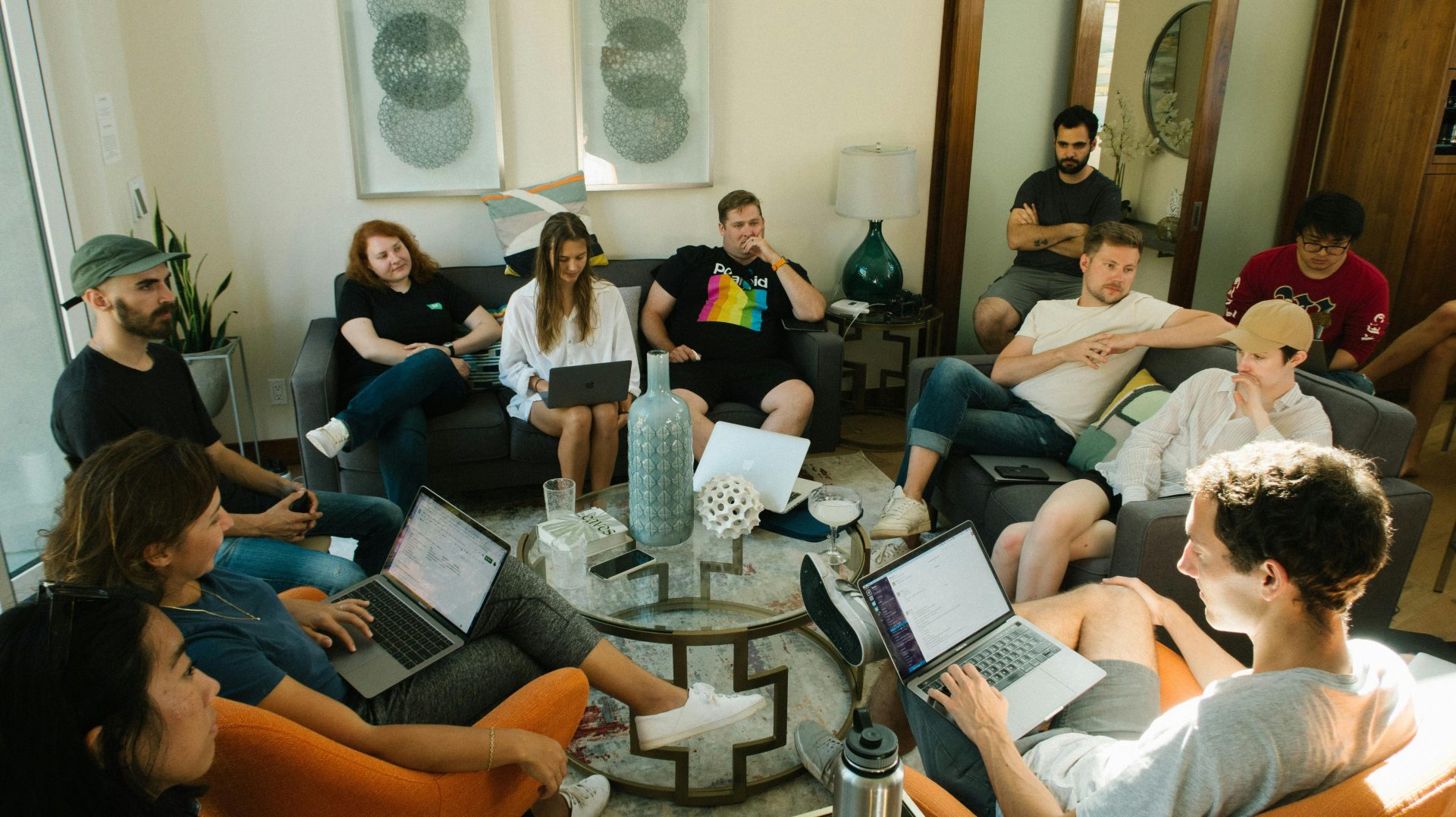
Digital agencies and remote teams live and die by accurate time tracking. Without it, you cannot tell which clients are profitable, which projects bled into nights and weekends, or whether the contractor you onboarded last month is actually pulling their weight. The right tool turns time tracking from a chore into a quiet operating system that runs in the background and surfaces the numbers you need at the end of every week.
This guide compares the 15 best time tracking tools for digital agencies and remote teams in 2026. Whether you are running a five-person plugin shop, a fully distributed design agency, or a solo freelancer billing multiple retainers, one of these will fit. We cover what each tool tracks, how it bills, and where it crosses the line from useful to invasive.
We have refreshed this guide for 2026 with five new entries, including ClickUp at the top, to reflect how time tracking has converged with project operations, AI assistance, and contractor payroll over the past year.
What to Look for in a Time Tracking Tool
Not every tracker fits every agency. The right choice depends on team size, trust level, billing model, and whether contractors are part of your workflow. Before you pick, weigh these factors:
- Billing accuracy: Can it tie hours to client invoices and project budgets without manual exports?
- Adoption friction: Will your team actually start the timer, or will they forget half their hours?
- Monitoring depth: Do you need screenshots and activity scoring, or is that overkill for a trusted in-house team?
- Contractor payroll: Does it pay people through Wise, Payoneer, or PayPal, or do you still need a separate payroll tool?
- Integrations: Does it slot natively into your project manager, accounting tool, and Slack?
- Privacy posture: Is activity data private to the user by default, or visible to admins from day one?
How We Picked These
We narrowed the list from 40+ tools by testing each one against an agency workflow: track a project, assign billable rates, pull a client invoice, and verify activity for two contractors. Tools that required a finance team to translate the data were cut. Tools whose monitoring crossed into surveillance without consent controls were cut. What remained are the 15 platforms that respected both the business and the people doing the work.
1. ClickUp, Best All-in-One Time Tracking + Project Platform
ClickUp packages a native time tracker inside the same platform that runs your projects, docs, and goals, so the hours your team logs are already tied to the tasks they are working on. For digital agencies and remote teams that hate context-switching, the absence of a second app is the entire pitch. Start a timer on a task, switch to another, and the platform stitches the entries into a clean, billable timeline.
Where ClickUp pulls ahead of single-purpose trackers is the layer around the timer: billable rates, project estimates, capacity views, and AI-assisted summaries that turn raw hours into client-ready reports. Free plan is usable, paid tiers start cheap, and the Chrome extension lets you track from Gmail, Figma, GitHub, or wherever the work actually happens.
Key features
- Native time tracker on every task, plus global timer in the Chrome extension
- Billable rates, project estimates, and capacity planning in one view
- AI summaries that turn time entries into invoice line items and client updates
- Time sheets, idle detection, and manual edit history with audit trail
- Integrates with Toggl, Harvest, and Everhour if your team already tracks elsewhere
- Free plan, plus paid tiers from $7/user/month with unlimited tracking
Best for: Agencies that want time tracking, projects, docs, and goals in one platform instead of four. Pricing: Free plan; Unlimited from $7/user/month.
2. Hubstaff, Best for Distributed Agencies with Contractors
Hubstaff sits at the intersection of time tracking, project costing, and team operations. For agencies and remote teams, the standout is how cleanly it ties hours to invoices, budgets, and payroll. Each team member tracks time against a project, optional activity levels and screenshots verify focus, and the platform turns that data into client invoices, freelancer payments, and profitability reports without manual exports.
The platform respects modern team norms: activity monitoring is configurable, screenshots can be disabled per project, and contractor payments through Wise, Payoneer, and PayPal happen on a schedule. For EDD and WooCommerce agencies juggling client retainers, internal product work, and async contractors, Hubstaff replaces three or four spreadsheets with one source of truth.
Key features
- Desktop, web, and mobile time tracking with idle detection
- Optional screenshots and activity levels
- Project budgets and client billing rates
- Automated payroll for contractors via Wise, Payoneer, PayPal
- GPS tracking and geofencing for field teams
- Integrations with Asana, ClickUp, Trello, GitHub, Jira
Best for: Distributed agencies and contractor-led product shops. Pricing: Free for 1 user; Starter from $4.99/user/month.
3. Toggl Track, Best for One-Click Simplicity
Toggl Track is the tool you pick when adoption matters more than depth. The one-button timer in the browser extension is the simplest in this category, and the reporting is friendly enough to use without training. For agencies whose team members already resist time tracking, the low friction is the entire feature set.
The trade-off is the lack of monitoring and payroll. Toggl does not take screenshots, manage contractor payments, or run activity scoring. For trust-based teams that is a feature; for agencies needing accountability across many contractors it is a limit.
Key features
- One-click browser timer across 100+ apps
- Detailed reports and project dashboards
- Billable rates and project budgets
- Pomodoro and idle detection
- Calendar integration
- API and Zapier
Best for: Small trust-based teams who want low-friction tracking. Pricing: Free for up to 5 users; Starter from $9/user/month.
4. Harvest, Best for Client Billing
Harvest is the agency favourite for time tracking that flows directly into client invoices. The integration with Forecast for capacity planning makes it useful beyond just hour logging. For service-led digital agencies whose entire revenue model depends on accurate hours, Harvest is hard to displace.
Where it lags is monitoring and remote contractor workflows. Harvest is a pure time tool, not an operations layer. Pair it with Hubstaff or Toggl for contractor accountability, or use it standalone for trusted in-house teams.
Key features
- Time tracking with client and task tagging
- Native invoicing and online payments
- Expense tracking and reimbursements
- Forecast capacity planning add-on
- Reports for budget burn and profitability
- Integrations with Asana, Trello, Slack
Best for: Service-led agencies that bill clients by the hour. Pricing: Free for 1 user; Pro from $13.75/user/month.
5. Clockify, Best Free Option
Clockify has the most generous free tier in the category. Unlimited users, unlimited projects, and unlimited tracking, without aggressive upsell pressure. For bootstrapped agencies and freelancer collectives, it covers 80% of what paid competitors offer.
Premium features like screenshots, GPS, scheduled reports, and locked timesheets sit behind paid tiers, but the free plan is genuinely usable rather than a teaser. Reports are basic compared with Hubstaff or Harvest.
Key features
- Unlimited users on the free plan
- Project, task, and tag organisation
- Timesheet and Kiosk modes
- Idle detection and Pomodoro
- Optional screenshots and activity (paid)
- Browser, desktop, and mobile apps
Best for: Bootstrapped teams who want a real free time tracker. Pricing: Free; Basic from $3.99/user/month.
6. Timely, Best for Automatic Tracking
Timely tracks time automatically by logging the apps, documents, and sites you work on, then lets you turn that activity timeline into billable entries. For teams that forget to start timers, automatic tracking captures hours that would otherwise be lost. Privacy is local: only the user sees the timeline until they choose what to log.
The trade-off is cost: Timely is one of the pricier tools per seat. For agencies whose hourly rates make that math easy, the recovered hours pay for the tool in a week.
Key features
- Automatic activity capture (private to user)
- AI-suggested time entries
- Project budgets and profitability
- Capacity planning and forecasting
- Desktop and mobile apps
- Integrations with Asana, Trello, GitHub
Best for: Agencies that lose hours to forgotten timers. Pricing: Starter from $11/user/month.
7. TimeCamp, Best for Detailed Reporting
TimeCamp blends automatic and manual tracking with deep reporting and invoicing. For agencies that need to defend hours to clients, the dashboards are some of the most detailed here. Project budgets, billable rates, and pivot-style reports give you the same insight a finance team would build in a spreadsheet.
The interface is less polished than Toggl or Hubstaff, and the mobile app is good rather than great. For desk-based teams that lean on reporting, the substance outweighs the surface.
Key features
- Automatic and manual time tracking
- Detailed reports and dashboards
- Native invoicing
- Productivity scoring
- Attendance and timesheets
- API and 30+ integrations
Best for: Agencies that justify hours through reporting. Pricing: Free; Starter from $3.99/user/month.
8. Everhour, Best Embedded Tracker
Everhour embeds time tracking directly into Asana, ClickUp, Notion, Trello, and Jira. Instead of switching tools, your team starts timers next to the tasks they are already working on. For teams already committed to a project manager, this drops adoption friction to almost zero.
Outside the embedded experience Everhour is functional rather than feature-rich. If you are not married to one of the supported PMs, other tools will serve you better.
Key features
- Embedded timers inside Asana, ClickUp, Notion, Trello
- Project budgets and billable rates
- Reports and dashboards
- Invoicing with QuickBooks and Xero sync
- Capacity and scheduling
- Browser extension
Best for: Teams already using Asana, ClickUp, or Notion. Pricing: Free for 5 users; Team from $8.50/user/month.
9. DeskTime, Best for Productivity Insights
DeskTime sits between time tracking and productivity analytics. It logs app and URL usage, scores activities as productive or unproductive, and turns that into a weekly engagement report. Used carefully it can highlight workflow problems; used carelessly it crosses into surveillance.
Best treated as a coaching tool for teams that have agreed to it, not a monitoring system imposed from above. The features it offers do not exist in Toggl or Harvest, so for teams that want behavioural insight, it has a niche.
Key features
- Automatic app and URL tracking
- Productivity scoring
- Screenshots (optional)
- Project and task time tracking
- Attendance and absence tracking
- Custom reports
Best for: Teams that want consensual productivity insight. Pricing: Lite is free; Pro from $7/user/month.
10. RescueTime, Best for Personal Focus
RescueTime is the personal sibling of the team monitoring tools. It runs quietly in the background, scores your time, and offers nudges to focus when you drift into distraction. For solo agency owners and freelancers, it pairs well with one of the project-level trackers above.
It is not a team time tracker and is not designed to bill clients. Use it for the individual habit layer, not the agency operations layer.
Key features
- Automatic activity tracking
- Focus sessions with website blocking
- Weekly summary reports
- Goal setting and alerts
- Cross-device data sync
- Light Slack and Google Calendar integration
Best for: Solo agency owners and freelancers building focus habits. Pricing: Lite is free; Premium from $12/month.
11. TMetric, Best Value Time Tracker
TMetric covers most of the basics at a price the bootstrapped end of the market can afford. It tracks time, supports project budgets, integrates with major project managers, and includes a screenshot module on higher tiers. For small agencies graduating from Clockify but not yet ready to commit to Hubstaff or Harvest, it is a credible middle ground.
The polish is a notch below the bigger names, but the price-to-feature ratio is one of the strongest on this list.
Key features
- Project budgets and billable rates
- Activity levels and optional screenshots
- Invoicing and payroll
- Integrations with 50+ tools
- Browser extension
- Mobile and desktop apps
Best for: Small agencies that want most features at a lower price. Pricing: Free; Professional from $5/user/month.
12. Time Doctor, Best for Productivity Accountability
Time Doctor leans hardest into the accountability side of tracking. It records active time, idle gaps, screenshots, and websites visited, then aggregates everything into a manager-friendly dashboard. For BPO-style remote teams and agencies running large contractor pools, the visibility removes most of the guesswork from weekly payroll and project reviews.
The tool only really earns its place when monitoring is part of the agreed contract, consent and clarity matter more here than in lighter tools. Used transparently it can replace several admin tools at once; used quietly it will hurt morale faster than any other product on this list.
Key features
- Active and idle time tracking with screenshot intervals
- Distraction alerts and break reminders
- Project and task budgets with billable rates
- Payroll for Wise, Payoneer, PayPal, and ACH
- Client login access for transparency on shared projects
- Integrations with Asana, ClickUp, Jira, Trello, and Slack
Best for: Agencies running large remote contractor teams who need defensible time data. Pricing: Basic from $7/user/month.
13. Memory.ai (Timely AI), Best for AI-First Time Capture
Memory.ai is the engine that powers Timely’s automatic tracking, available as a standalone app for individuals who want their full day captured into a private timeline. Calls, documents, browser tabs, and meetings get sorted into project buckets the AI suggests, and you confirm the entries you actually want to log.
For senior consultants and agency leads who switch projects every 30 minutes, this is the closest the category gets to invisible tracking. The AI suggestions are not perfect, but reviewing them takes a fraction of the time it takes to reconstruct a day from memory.
Key features
- Automatic, private timeline of every app and document
- AI grouping into project entries with confidence scores
- Calendar and meeting capture, including Zoom and Google Meet
- End-of-day review flow that takes minutes, not hours
- Local-first privacy, only confirmed entries leave the device
- Pairs natively with Timely for team rollups
Best for: Founders, leads, and senior consultants who lose hours to context switching. Pricing: From $11/user/month (via Timely).
14. Paymo, Best for Time + Invoicing in One
Paymo bundles time tracking, project management, invoicing, and payments into a single platform priced for small agencies. The timer runs from desktop, browser, or mobile, and the hours flow directly into invoices with tax handling and Stripe or PayPal collection built in. Capacity views and Gantt scheduling round it into a real ops tool, not just a tracker.
It will not replace a heavy PM like ClickUp for product-led teams, but for service agencies that just need to track, plan, and bill in one place, Paymo removes two or three tools from the stack.
Key features
- Desktop, web, and mobile time tracking with auto-pause
- Project management with Kanban, Gantt, and list views
- Invoicing with multi-currency and online payments
- Resource scheduling and capacity planning
- Client portal for shared timelines and invoices
- Integrations with Slack, Google Calendar, Xero, and QuickBooks
Best for: Small service agencies that want tracking, planning, and invoicing in one tool. Pricing: Free for freelancers; Starter from $5.95/user/month.
15. TrackingTime, Best Lightweight Team Tracker
TrackingTime is the quiet middle option in this category, no monitoring, no surveillance, just a clean shared timer with project tagging, billable rates, and a team timeline you can actually read. The browser extension hooks into 50+ apps including Asana, Trello, Notion, and Gmail, so timers start where the work happens.
If Hubstaff feels too heavy and Clockify feels too bare, TrackingTime is the comfortable middle. It will not replace a full operations stack, but for small teams that need a shared timer and a clean weekly report, it does the job at a fair price.
Key features
- Shared team timeline with billable rates
- Browser extension for 50+ apps including Asana, Trello, Notion
- Project budgets, estimates, and time-off tracking
- Manual timesheet edits with audit history
- Reports for client billing and internal productivity
- Lightweight mobile apps for iOS and Android
Best for: Small teams that want a shared timer without surveillance baked in. Pricing: Free for 3 users; Pro from $5.75/user/month.
How to Choose the Right Time Tracking Tool for You
Start with how your team bills, not the feature list. Agencies that bill hourly need tight invoice integration (Harvest, Paymo, ClickUp). Agencies that bill fixed fees need capacity and profitability views (Hubstaff, Timely, ClickUp). Solo operators need automatic capture (RescueTime, Memory.ai). Distributed contractor teams need monitoring and payroll (Hubstaff, Time Doctor).
Pilot with one project for two weeks before rolling out. The right tool is the one your team actually uses on a Friday afternoon, not the one with the longest feature list. If adoption is shaky after two weeks, switch. The cost of the wrong tool compounds every week you keep it.
Frequently Asked Questions
Why do digital agencies need time tracking?
Without it you cannot tell which clients and projects are profitable. Agencies that bill hourly need tracking for invoices; agencies that bill fixed fees need it for project margins and pricing future work.
Are screenshots and activity monitoring necessary?
Only when you work with contractors you do not yet trust. For in-house teams, screenshots create more friction than value. Hubstaff, Time Doctor, and others let you turn monitoring on per project, but it should always be agreed in the contract.
How do I get my team to actually track time?
Pick a tool with low friction (Toggl, Everhour, ClickUp, or Hubstaff) and tie tracking to a tangible benefit: payroll, performance pay, or honest project retros. Mandates without value rarely stick.
Can I integrate time tracking with my project manager?
Yes. ClickUp tracks natively. Everhour, Hubstaff, Toggl, and Harvest all integrate with Asana, ClickUp, Trello, Jira, and Notion. Pick a tool whose integration with your PM is native rather than via Zapier.
Which tool should I start with today?
For digital agencies and remote teams that want tracking and project ops in one place, start with ClickUp’s free plan. If you need contractor payroll and activity monitoring on top of tracking, layer in Hubstaff or Time Doctor.
Final Thoughts
The right time tracker depends on how much your team trusts the system. Trust-based teams thrive on Toggl, Harvest, and ClickUp. Contractor-heavy and distributed agencies usually need Hubstaff or Time Doctor for the deeper monitoring and payroll layer. Bootstrapped collectives can build a working operation on Clockify or TrackingTime and migrate later.
If you are picking today, ClickUp is the strongest all-in-one option for digital agencies and remote teams, tracking, projects, docs, and AI-assisted reporting in one platform. Start the free plan, get one project tracked end-to-end, and run your next invoice through it. The tool earns its place when you stop manually reconciling hours.