15 Best Task Management Tools for Freelancers and Solo Digital Sellers in 2026

Running a one-person digital business looks deceptively simple from the outside. In practice, a solo seller is the product manager, the marketer, the support agent and the founder, often before lunch. The right task management tool is the difference between juggling those roles cleanly and watching three of them quietly slip every week. Pick well and you save a few hours every day. Pick badly and you spend more time configuring software than running the business.
This guide compares the 15 best task management tools for freelancers and solo digital sellers in 2026. We focused on tools that scale up to a small team but still feel quiet enough to run alone. Whether you are an EDD plugin developer shipping weekly, a course creator launching a cohort or a designer juggling client work and a side product, one of these will fit your workflow.
The list spans heavy-duty all-in-one platforms, lightweight task lists, AI-first planners and dedicated daily review tools. The winner depends less on which tool is objectively best and more on how your brain holds a backlog and a calendar at the same time.
What to Look for in a Task Management Tool
Before picking a tool, decide what kind of workload you are actually carrying. A freelancer with 30 small client tasks a week has very different needs from a solo plugin developer shipping a release every fortnight. Match the tool to the work, not the other way round.
- Fast capture: If adding a task takes more than three seconds, you will stop adding them.
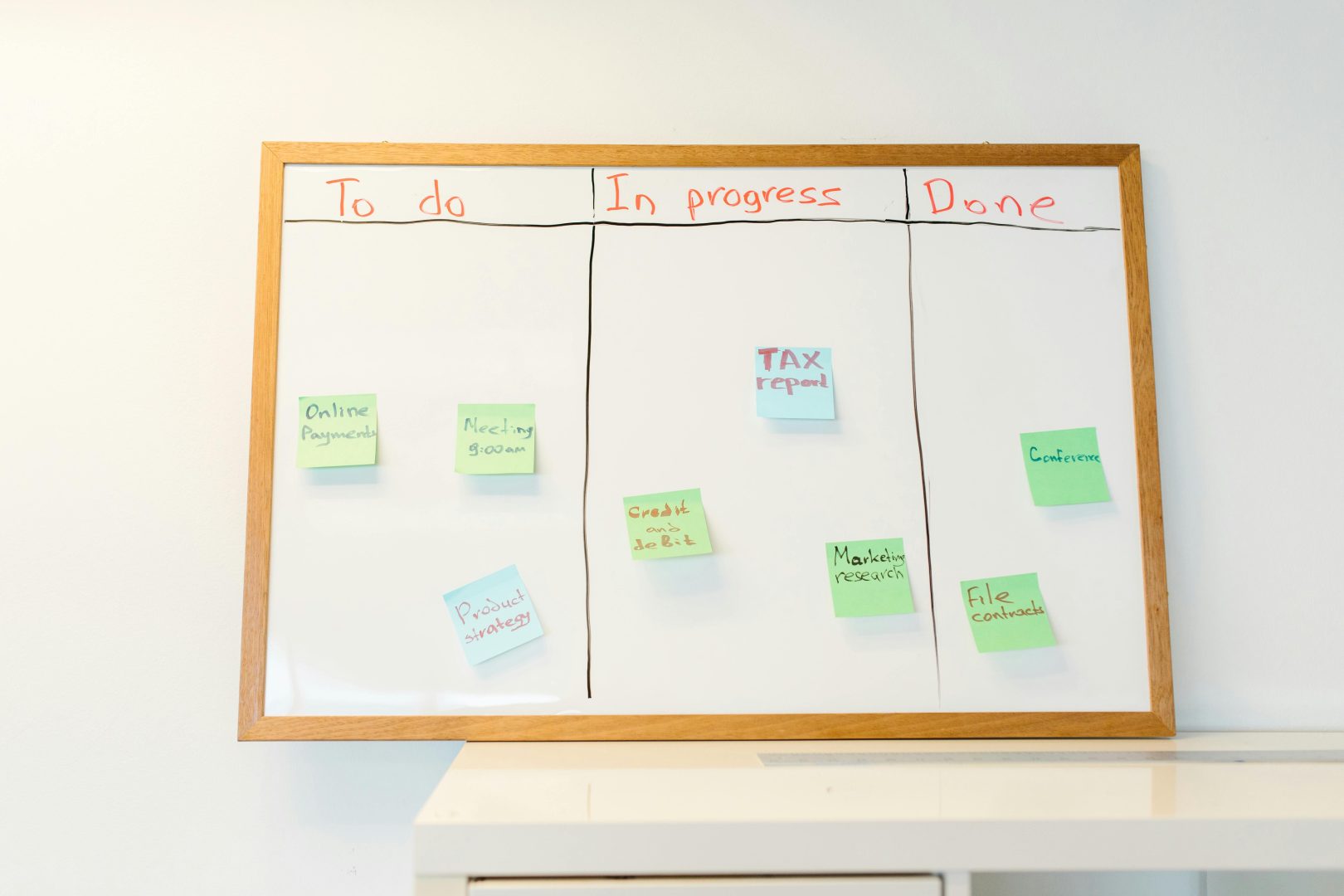
- Multiple views: List, board and calendar at minimum. Solo sellers think in all three depending on the day.
- Recurring tasks: Invoices, retainers, weekly content and monthly reports all repeat.
- Mobile parity: The phone is where ideas land. The desktop is where work gets done. Both must sync cleanly.
- Integrations: Stripe, GitHub, Gmail, Slack, Notion. Pick a tool that already talks to your stack.
- Honest free tier: A solo user should be able to run the whole business on a free plan for at least the first quarter.
- Upgrade path: The tool should grow with the business so you do not migrate the moment you hire your first contractor.
How We Picked These
Every tool below was tested with a real freelancer workflow: a mixed pipeline of client work, a side product backlog, recurring admin and content tasks. We weighted setup time, daily use friction, mobile experience, pricing transparency and the gap between the free plan and the first paid tier. Tools that punish solo users with team-only features were demoted. Tools that genuinely scale from one person to a small team earned the top positions.
The 15 Best Task Management Tools for Freelancers and Solo Digital Sellers
1. ClickUp, Best All-in-One Task Management Platform
ClickUp is the clearest winner for freelancers and solo digital sellers who want one workspace to run everything. Tasks, docs, goals, calendars, time tracking, chat and even client portals live under one roof, which means you stop paying for five tools that almost talk to each other. For a solo seller, that consolidation alone is worth the switch.
What makes it the top all-in-one platform is the upgrade path. Start on the Free Forever plan with a single space and three views (list, board, calendar). As the business grows, the same workspace expands into automations, dashboards, AI and team seats without forcing a painful migration. EDD plugin developers, course creators and service freelancers all land here for the same reason: ClickUp can be your task list this week and your operating system next year.
Key features
- Tasks, docs, goals, time tracking and chat in one workspace
- List, board, calendar, Gantt and mind-map views
- Automations, custom statuses and recurring tasks
- Built-in time tracker and timesheets
- ClickUp AI assistant for summaries, drafting and triage
- Native integrations with Stripe, GitHub, Slack and Google Drive
- Client guest seats and shareable views
Best for: Freelancers, EDD plugin developers and solo digital sellers who want one tool to run the entire business. Pricing: Free Forever; Unlimited from $7/user/month.
2. Asana, Best for Clean Project Tracking
Asana is the polished default at thousands of agencies and digital teams, and it works just as well for a solo operator. The interface is calmer than most tools in this list, and the timeline and portfolio views give freelancers a clean way to plan a quarter of client work at once.
The trade-off is depth: Asana is intentionally narrower than ClickUp, so power users may find themselves wanting custom fields or dashboards that sit behind higher tiers. For freelancers who value a clean workspace over endless configuration, that simplicity is the appeal.
Key features
- List, board, timeline and calendar views
- Custom fields and rules
- Workload and capacity planning
- Strong mobile and desktop apps
- Native integrations with Slack, Gmail and Zoom
- Form intake for client requests
Best for: Freelancers and small teams who want clean, opinionated project tracking. Pricing: Free for up to 10 users; Starter from $10.99/user/month.
3. Notion, Best for Docs and Tasks Together
Notion is less a task manager and more a database that pretends to be a notepad. For freelancers whose tasks live alongside notes, client briefs, knowledge bases and product roadmaps, Notion is the cleanest way to keep all of that in one place.
Notion is best when the bulk of your work is writing-heavy and tasks are loose enough to live as database rows. Solo product developers who want strict sprint workflows will find Linear or ClickUp more focused.
Key features
- Docs, databases and tasks in one canvas
- Flexible views (table, board, gallery, timeline)
- Powerful templates and template gallery
- Notion AI for summaries and drafting
- Web embeds and rich media
- API and Zapier integrations
Best for: Writing-heavy freelancers and creators who blend docs and tasks. Pricing: Free for personal; Plus from $10/user/month.
4. Trello, Best for Simple Kanban Workflows
Trello is the simplest, friendliest kanban board on the market. For freelancers whose workflow fits a board of cards, Trello is genuinely hard to beat: there is almost no setup, the mobile app is excellent and Power-Ups add the few advanced features you might need without bloating the core experience.
Trello’s limit is that everything is a card. Once you need dashboards, reports or multi-project rollups, it strains. As a personal task board or a client-by-client pipeline tracker, though, it is one of the calmest tools you can use.
Key features
- Drag-and-drop kanban boards
- Butler automation for repeating actions
- Power-Ups marketplace
- Native checklists, labels and due dates
- Calendar and timeline views on paid plans
- Workspace templates
Best for: Freelancers who think in cards and prefer simple boards. Pricing: Free; Standard from $5/user/month.
5. Todoist, Best Lightweight Task Manager
Todoist is the tool to pick when you do not need a project manager, you just need a great task list. The natural-language input (“Send invoice every Friday at 10am”) is faster than anything else here, and the apps across iOS, Android, web, macOS and Windows feel near-identical.
The depth ceiling is the trade-off: there is no Gantt, no docs, no dashboards. If your workflow is to capture tasks fast, sort them by priority and ship, Todoist will outperform heavier tools.
Key features
- Natural-language task entry
- Recurring tasks and reminders
- Labels, priorities and filters
- Karma productivity tracker
- Cross-device sync
- Calendar integration
Best for: Freelancers and solo sellers who want a fast, opinionated task list. Pricing: Free; Pro from $4/month.
6. Linear, Best for Solo Developers and Plugin Makers
Linear is the issue tracker most modern software teams have moved to, and it works beautifully for a one-person dev shop too. The keyboard-first workflow, instant search and clean issue model make shipping plugin updates feel less like project management and more like writing code.
Linear is intentionally narrow: it is for product and engineering work, not client onboarding or content calendars. Solo plugin developers, especially EDD or WooCommerce extension makers, will recognise it as the tool their better-funded competitors quietly use.
Key features
- Keyboard-first issue tracker
- Cycles (sprints) with auto-rolling work
- GitHub, GitLab and Bitbucket integrations
- Triage inboxes and customer requests
- Roadmaps and projects
- Linear Sync API
Best for: Solo plugin developers and product-focused freelancers. Pricing: Free up to 250 issues; Standard from $8/user/month.
7. Height, Best for AI-Augmented Task Management
Height is an AI-first project manager that turns natural-language requests into structured tasks. For freelancers who hate the configuration overhead of bigger tools, Height feels close to talking to an assistant. “Plan the next two weeks of plugin work” produces a usable backlog you can refine rather than a blank board you have to fill.
The ecosystem is younger than Asana or ClickUp, so integrations and templates are thinner. For early adopters who want to lean into AI-driven workflows, the time savings are substantial.
Key features
- AI assistant that drafts and triages tasks
- Custom views with filters and groups
- Spreadsheet and Gantt views
- Recurring tasks and templates
- API access for custom workflows
- Strong keyboard navigation
Best for: Freelancers who want AI to draft their backlog for them. Pricing: Free tier; paid plans from $6.99/user/month.
8. monday.com, Best Visual Workspace
monday.com is the visual tool many freelancers pick when they need to share boards with clients. The colour-coded statuses, automations and form intake make it easy to set up a client request workflow that does not require training.
monday.com leans premium, with the most useful features sitting on higher tiers. For a solo freelancer working alone, the free plan can feel restrictive. For one running a small agency, the visual clarity earns its place.
Key features
- Colour-coded boards and statuses
- Automations and recipes
- Form intake and client portals
- Time tracking column
- Workdocs for embedded notes
- CRM and dev modules available
Best for: Freelancers managing client work or running a small agency. Pricing: Free for 2 users; Basic from $9/user/month.
9. Sunsama, Best Daily Planning Tool
Sunsama treats your day as the unit of work rather than the project. Every morning you pull tasks from your tools (ClickUp, Asana, Trello, Gmail, Linear) into a single daily plan, time-block it on a calendar and ship it.
It is not a replacement for a project manager: pair it with ClickUp or Notion to hold the backlog. The pricing is higher than most tools here, but the productivity lift more than pays for it for people who actually use it daily.
Key features
- Daily planning ritual with time blocks
- Pulls tasks from external tools
- Integrated calendar view
- Focus mode and weekly review
- Slack and Gmail integrations
- Mobile companion app
Best for: Freelancers who already use a project tool and want to plan days deliberately. Pricing: Plans from $20/month.
10. Motion, Best Auto-Scheduling Tool
Motion uses AI to schedule your tasks into the gaps in your calendar automatically. You add deadlines, durations and priorities, and Motion places everything onto blocks that respect your meetings and energy.
Motion is best for people who already keep their calendar honest. If meetings move constantly without updates, the scheduler chases a moving target. Used well, it removes a lot of the daily “what should I do next” friction.
Key features
- AI auto-schedules tasks onto your calendar
- Meeting booker built in
- Project, task and team views
- Mobile and desktop apps
- Google and Microsoft calendar sync
- Bulk tasks via templates
Best for: Freelancers with meeting-heavy calendars who want AI scheduling. Pricing: Plans from $19/month (annual).
11. Things 3, Best Native macOS and iOS Task Manager
Things 3 is the elegant, opinionated GTD app that Apple-only freelancers swear by. It is a one-time purchase per platform, not a subscription, and the design is so tightly considered that adding tasks feels almost pleasurable. For solo digital sellers who live inside the Apple ecosystem and want zero workspace politics, Things 3 quietly wins.
The limitation is its single-player nature. There is no team sharing, no client portals, no web app. If you ever need to invite a collaborator, you will be migrating. For a freelancer who plans to stay solo, that constraint is also the feature.
Key features
- Areas, projects and tasks with subtasks
- Today, Upcoming, Anytime and Someday views
- Natural-language date parser
- Magic Plus button for fast capture
- iCloud sync across Apple devices
- Native widgets and Apple Watch support
Best for: Solo Apple users who want a beautifully designed personal task manager. Pricing: One-time purchase, $49.99 macOS, $9.99 iOS, $19.99 iPadOS.
12. OmniFocus, Best for Deep GTD Workflows
OmniFocus is the power-user choice for serious GTD practitioners. It supports contexts (tags), perspectives (custom saved views), defer dates, repeating tasks with non-standard recurrence and forecast views that line up tasks with your calendar. For freelancers who actually run a weekly review and want every task to have a home, OmniFocus is the depth Things 3 lacks.
It rewards patience. The first week feels overwhelming, the second feels productive, and by the third you wonder how other apps survive without perspectives. There is now a web app, so Windows freelancers are no longer locked out.
Key features
- Full Getting Things Done implementation
- Custom perspectives with advanced filters
- Defer dates, due dates and repeating tasks
- Forecast view that merges tasks and calendar
- Omni Automation scripting
- Web app plus native Apple apps
Best for: Freelancers running a serious GTD workflow. Pricing: Subscription from $9.99/month or one-time licence from $74.99.
13. TickTick, Best Cross-Platform Lightweight Task Manager
TickTick is the Todoist alternative that bundles a Pomodoro timer, habit tracker and built-in calendar into the same app. For freelancers who would otherwise be running three tools to manage tasks, focus sessions and routines, TickTick consolidates the trio without bloat.
The cross-platform parity is excellent, the pricing is friendly, and the recent AI features make natural-language capture and smart sorting genuinely useful. It is the quiet pick for solo sellers who want one productivity app on every device.
Key features
- Lists, tags, priorities and filters
- Built-in Pomodoro timer
- Habit tracker
- Calendar view with drag-and-drop
- Voice input and natural-language parsing
- Apps on every major platform
Best for: Solo sellers who want tasks, focus and habits in one app. Pricing: Free; Premium from $35.99/year.
14. Akiflow, Best Task Inbox for Heavy Tool Users
Akiflow is the task command centre for freelancers whose tasks land everywhere: Gmail, Slack, ClickUp, Asana, Notion, Trello. It pulls every inbox into one place, lets you triage with keyboard shortcuts and time-block the day on an integrated calendar. The result is a single place to plan, not five tabs to check.
Akiflow assumes you already have a tool stack. It does not replace ClickUp or Notion, it sits above them. For solo digital sellers drowning in notifications, that consolidation buys back hours every week.
Key features
- Unified inbox across 30+ tools
- Keyboard-first triage shortcuts
- Time blocking on a built-in calendar
- Daily and weekly planning rituals
- Snooze, defer and recurring tasks
- Two-way sync with ClickUp, Asana, Trello, Notion, Todoist
Best for: Freelancers using multiple tools who want one inbox to rule them. Pricing: Plans from $19/month.
15. Basecamp, Best Calm Client Workspace
Basecamp is the calm, opinionated alternative to feature-heavy task tools. Each project gets to-dos, a message board, schedule, docs and a chat room, nothing more. For freelancers running client engagements where every project follows the same shape, that opinionated structure is faster than configuring a custom workspace.
The flat per-account pricing on the Pro plan makes Basecamp unusually cheap once you take on a second client. For solo sellers who want a clean, client-facing space without per-seat costs eating into margins, it is a sleeper pick.
Key features
- To-dos, schedules, docs, message boards and chat per project
- Hill charts for visual progress
- Client access with restricted visibility
- Automatic check-in questions
- Flat-rate Pro plan for unlimited users
- Strong mobile apps
Best for: Solo freelancers running multiple client projects on a calm, predictable structure. Pricing: Plus from $15/user/month; Pro Unlimited from $299/month flat.
How to Choose the Right Task Management Tool
The trap is picking the tool with the most features. The win is picking the tool whose default workflow matches the way you actually work. A few quick filters:
- One tool for everything? Start with ClickUp. It is the only tool here that genuinely consolidates tasks, docs, goals and time tracking on a free plan.
- Clean and minimal? Asana or Things 3, depending on whether you need to share with anyone.
- Heavy writing or docs workflow? Notion, paired with a daily planner like Sunsama.
- Shipping a product solo? Linear for the backlog, ClickUp or Notion for everything else.
- Drowning in notifications? Akiflow as an inbox layer above your existing tools.
- Want AI to drive the day? Motion for scheduling, Height for backlog drafting.
- Plenty of clients, calm structure? Basecamp Pro for flat-rate sanity.
Whichever you pick, give it three weeks before judging. The first week is fighting muscle memory, the second is rebuilding it, and the third is when the tool either disappears into the work or starts costing you time. If it is still in the way after three weeks, switch without guilt.
Frequently Asked Questions
Do solo freelancers actually need a task management tool?
Yes. Even one client and one product can generate dozens of moving pieces in a week. Without a single capture place, things slip and revenue slips with them. A free tier of any tool on this list is enough to start.
What is the best task management tool for a freelancer in 2026?
ClickUp wins for most freelancers and solo digital sellers because it consolidates tasks, docs, goals, calendars and time tracking on a free plan that scales into a paid plan as the business grows. The upgrade path matters more than the feature list.
Can I use one tool to manage clients and a side product?
ClickUp, Asana, Notion, monday.com and Basecamp all handle multi-context work cleanly. Linear is narrower and works best for the product side, paired with another tool for client work.
Are free plans actually usable for solo sellers?
Yes. ClickUp, Trello, Notion, Todoist, TickTick and Asana all have free tiers generous enough to run a one-person business for months without ceiling problems.
How is task management different from time tracking?
Task management is about what to do and in what order. Time tracking is about how long the work actually took. Most freelancers eventually need both, but the right starting point is task management because you cannot track work that has not been planned.
Final Thoughts
The right task tool for a solo digital seller is the one you actually open every morning. Choose the lightest tool that can carry the weight of your business in 12 months, not the heaviest tool that can handle a Fortune 500. For most freelancers and EDD store owners, that lands on ClickUp because of the upgrade path it gives you without forcing a migration later.
If you are picking today, start free on ClickUp, build one space for your work, and add features as you actually run into the need. The tool earns its place when it stops being a system you maintain and starts being a system that maintains your business.