Build a Creator Directory for Your Digital Product Marketplace


Why Every EDD Marketplace Needs a Creator Directory
If you run a digital product marketplace powered by Easy Digital Downloads, you already know that the products themselves are only half the story. Behind every great WordPress plugin, theme, online course, or digital download is a creator whose reputation, expertise, and track record matter to buyers.
Think about how you shop on platforms like Envato, Creative Market, or Gumroad. You don’t just look at the product listing. You check out the seller’s profile, read their reviews, browse their other products, and decide whether this is someone you can trust with your money. That trust layer is what separates a basic download shop from a thriving marketplace, and it’s usually the piece store owners bolt on last, after the checkout flow and the product catalog are already working.
The problem is that Easy Digital Downloads doesn’t ship with robust seller profiles out of the box. You get basic author pages, but nothing that helps creators stand out, build credibility, or attract a following. That gap is exactly what BuddyPress Business Profile fills.
In this guide, we’ll walk through how to build a full-featured creator directory for your EDD marketplace, giving every plugin developer, theme designer, and course creator the professional presence they need to grow their business on your platform.
What Is BuddyPress Business Profile?
BuddyPress Business Profile is a WordPress plugin that adds professional business profiles to any BuddyPress-powered community. When paired with Easy Digital Downloads, it transforms your marketplace from a simple product catalog into a creator-first platform where sellers can build their brand, attract followers, and earn trust through reviews and activity feeds.
The plugin adds business-specific fields to member profiles, including business name, description, categories, contact information, operating hours, location maps, and more. It also integrates a review system, follower/following functionality, and activity feeds that keep your marketplace community engaged and active, along with schema markup that helps creator pages show up correctly in search results.
Setting Up Business Profiles for Plugin and Theme Creators
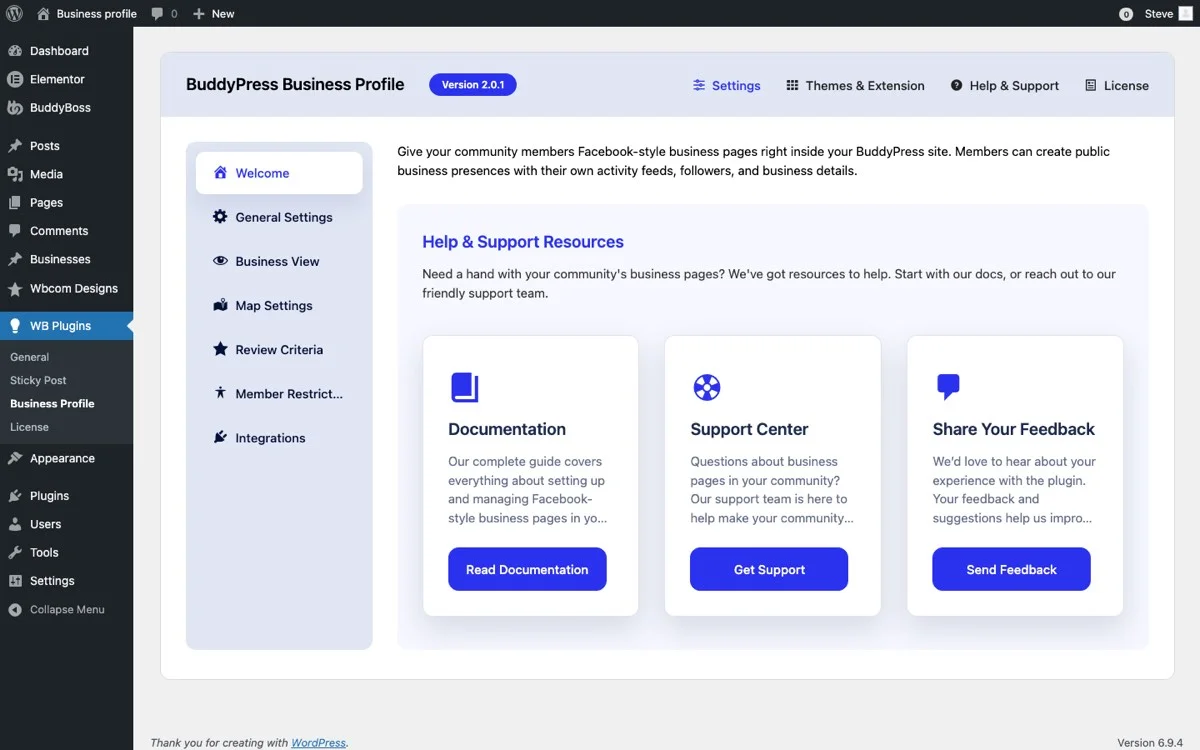
Getting started with BuddyPress Business Profile on your EDD marketplace takes just a few steps. Once installed and activated, head to the plugin settings to configure how creator profiles will work on your site.
Essential Profile Fields for Digital Product Sellers
For a digital product marketplace, you’ll want to configure profile fields that are relevant to software developers, designers, and content creators. Here are the key fields to enable:
- Business Name: The creator’s brand or studio name (e.g., “Starter Templates Studio” or “DevCraft Labs”)
- Business Description: A rich-text area where creators can describe their expertise, development philosophy, and what makes their products unique
- Business Category: Predefined categories that help buyers find the right type of creator (more on this below)
- Website URL: Link to the creator’s external portfolio or company site
- Social Media Links: GitHub, Twitter/X, LinkedIn, and other platforms relevant to your creator community
- Contact Email: For direct business inquiries and custom project requests
The beauty of this setup is that every creator on your marketplace gets a standardized, professional profile without having to build their own website. For new sellers especially, this lowers the barrier to entry and makes your marketplace more attractive to join.
Configuring Profile Visibility and Permissions
Not every user on your marketplace should have a business profile. In most EDD setups, you’ll want to restrict business profiles to users who have actually published products, or to users with specific roles like “Vendor” or “Creator.”
BuddyPress Business Profile lets you configure which user roles can create and display business profiles. For a marketplace, a practical setup is:
- Administrators and Editors: Full access to all profile features
- Vendors/Creators: Can create and manage their own business profile
- Subscribers/Customers: Can view profiles but not create one
This keeps your directory focused on actual sellers, which improves the browsing experience for buyers who are looking for reputable creators.
Organizing Creators with Business Categories
A creator directory is only useful if buyers can find what they’re looking for. Business categories are the backbone of discoverability on your marketplace.
Creating Product-Type Categories
For an EDD marketplace, think about the types of digital products your creators sell and build your category structure around that. Here’s an example taxonomy:
- WordPress Plugins: Developers who build and sell plugins
- WordPress Themes: Designers who create themes and templates
- Online Courses: Educators who sell training materials and video courses
- Graphics and Design Assets: Illustrators and designers who sell visual assets
- eBooks and Documentation: Authors who sell written digital content
- Software and SaaS: Developers who sell standalone applications or services
- Audio and Music: Musicians and sound designers who sell audio products
- Photography: Photographers who sell stock photos and presets
Creators can select one or more categories that describe their product offerings. When buyers browse the directory, they can filter by category to find exactly the type of creator they need.
Subcategories for Specialization
If your marketplace is large enough, consider adding subcategories for more granular filtering. Under “WordPress Plugins,” for example, you might have subcategories like WooCommerce Extensions, BuddyPress Add-ons, SEO Tools, Security Plugins, and so on.
This level of detail helps buyers who know exactly what they’re looking for find specialized creators quickly, rather than scrolling through a generic list.
Reviews as Social Proof for Product Creators
Reviews are the single most powerful trust signal on any marketplace. When a buyer sees that a creator has dozens of five-star reviews, it dramatically reduces purchase hesitation.
How the Review System Works
BuddyPress Business Profile includes a built-in review system that allows community members to leave star ratings and written reviews on any creator’s profile. This isn’t tied to individual products but rather to the creator’s overall reputation.
Think of it like the difference between reviewing a specific book on Amazon versus reviewing the author’s overall body of work. Product-specific reviews tell you about a single item. Creator reviews tell you about the person behind the products, their support quality, update frequency, code standards, and overall reliability.
Building a Review Culture on Your Marketplace
Getting reviews started can be the hardest part. Here are proven strategies for encouraging reviews on your EDD marketplace:
- Post-purchase follow-up: Send automated emails asking buyers to review the creator after a purchase
- Review prompts: Display gentle prompts within product download pages encouraging users to share their experience
- Featured reviewers: Highlight active reviewers in your community to encourage participation
- Creator responses: Enable creators to respond to reviews, which shows engagement and builds trust
Over time, your review ecosystem becomes a self-sustaining trust engine that benefits both buyers and sellers. Buyers get the confidence they need to purchase, and sellers get the social proof that drives more sales.
Moderation and Quality Control
No review system is complete without moderation. BuddyPress Business Profile gives administrators the ability to moderate reviews before they go live, report and remove inappropriate content, and ensure that reviews are genuine and helpful. This is especially important on a marketplace where reviews directly impact sales.
Activity Feeds for Product Updates and Announcements
One of the most underappreciated features for marketplace engagement is the activity feed. When creators can post updates about their products, share release notes, announce sales, and interact with their community directly from their profile, it creates a dynamic, living marketplace rather than a static catalog.
What Creators Can Share
With BuddyPress activity integration, creators on your marketplace can post:
- Product launch announcements: “Just released version 3.0 of my SEO plugin with AI-powered meta descriptions!”
- Update notifications: “Security patch released for all my themes. Update now for improved protection.”
- Behind-the-scenes content: “Working on a new WooCommerce extension. Here’s a sneak peek at the dashboard.”
- Community engagement: Responding to questions, sharing tips, and helping other community members
- Sale announcements: “Black Friday sale: 40% off all plugins this weekend!”
This turns your marketplace into a social platform where buyers don’t just visit to purchase but come back regularly to see what’s new from their favorite creators.
Activity Feed Best Practices
Encourage creators to post regularly but not excessively. A good cadence is two to three updates per week. Make sure the activity feed is prominently displayed on creator profiles so visitors see recent activity immediately. This signals that the creator is active and their products are maintained.
The Follower System: Building Creator Audiences
Every successful marketplace has a mechanism for buyers to follow their favorite sellers. The follower system in BuddyPress Business Profile lets community members follow creators they’re interested in and receive updates whenever those creators publish new content or products.
Why Followers Matter for EDD Marketplaces
The follower system creates a direct channel between creators and their audience. Here’s why that matters:
- Repeat purchases: Followers are significantly more likely to purchase new products from creators they follow
- Product launches: Creators can effectively announce new products to an audience that’s already interested
- Community stickiness: Users who follow creators are more likely to return to your marketplace regularly
- Social proof: A creator with 500 followers appears more credible than one with zero, even before you read their reviews
Follower Notifications
When a user follows a creator, they can receive notifications about new products, activity updates, and special announcements. This keeps your marketplace top-of-mind and drives ongoing engagement without the creator having to build an external email list.
For marketplace operators, the follower system provides valuable data about which creators are most popular, which product categories attract the most interest, and where to focus marketing efforts.
Search and Discovery: Helping Buyers Find the Right Creator
A directory is only as good as its search and filtering capabilities. BuddyPress Business Profile includes robust search functionality that lets buyers find creators by name, category, location, or keyword.
Search Features for Marketplace Directories
The directory supports several search and filtering mechanisms:
- Keyword search: Search across business names, descriptions, and categories
- Category filtering: Browse creators by product type (plugins, themes, courses, etc.)
- Rating filtering: Show only creators with a minimum star rating
- Alphabetical sorting: Browse all creators in alphabetical order
- Recently active: See which creators have been most active recently
- Most followed: Discover the most popular creators on the platform
These filters work together to help buyers narrow down their search quickly. A buyer looking for a highly-rated WooCommerce plugin developer can filter by category and rating to get a short list of qualified creators in seconds.
Directory Layout and Presentation
The front-end directory displays creators in a clean, card-based layout with key information visible at a glance: business name, category, star rating, follower count, and a brief description. Clicking into a creator’s profile reveals the full business profile with all the details, reviews, activity feed, and product listings.
Linking Business Profiles to EDD Products
The real power of combining BuddyPress Business Profile with Easy Digital Downloads comes when you connect creator profiles directly to their product listings.
Profile-to-Product Integration
When a buyer visits a creator’s business profile, they should be able to see all the products that creator has published on your marketplace. This creates a seamless browsing experience where buyers can:
- Discover a creator through the directory
- Read their reviews and check their credentials
- Browse all their available products in one place
- Make a purchase without leaving the creator’s profile area
This creator-centric shopping experience mirrors what successful platforms like the WordPress.org plugin directory do: let users find trusted developers first, then explore their products.
Cross-Promotion Opportunities
When creators have comprehensive business profiles, you can feature them in multiple places across your marketplace:
- Homepage featured creators: Showcase top-rated or newly joined creators on your homepage
- Product page author boxes: Enhanced author information on individual product pages
- Category landing pages: Feature top creators within each product category
- Email marketing: Highlight popular creators in your marketplace newsletter
Each of these touchpoints reinforces the creator’s brand and drives more traffic to their profile and products.
Growing Your Marketplace with a Creator-First Approach
Building a creator directory isn’t just about adding a feature to your EDD site. It’s about shifting your marketplace strategy to be creator-first. When you invest in tools that help creators build their reputation and audience on your platform, several good things happen:
- Creator retention improves: Creators who have invested in building their profile and following on your platform are less likely to leave for a competitor
- Product quality increases: The review and reputation system incentivizes creators to maintain high standards
- Buyer confidence grows: A marketplace with transparent creator profiles and reviews feels more trustworthy than one without
- Network effects kick in: As more creators join and more buyers follow them, your marketplace becomes increasingly valuable to everyone
Common Mistakes When Launching a Creator Directory
A few patterns show up repeatedly when marketplaces roll out a creator directory for the first time, and most of them are avoidable if you know to watch for them.
The most common mistake is opening business profiles to every registered user instead of restricting them to actual sellers. A directory padded with empty profiles from customers who never published a product looks abandoned rather than active, and it buries the creators buyers are actually trying to find. Set the role-based restriction outlined earlier before you announce the directory publicly, not after.
The second mistake is launching with zero reviews and hoping they accumulate naturally. Reviews rarely show up on their own in the first few weeks. Seed the directory by reaching out to your most established creators directly and asking a handful of their existing customers to leave a review, so new visitors don’t land on a directory full of unrated profiles.
The third mistake is treating the category taxonomy as a one-time setup task. As your marketplace grows into new product types, a category list built for your first ten creators stops fitting your next hundred. Revisit the taxonomy every few months and split out subcategories once a single category holds too many unrelated creators to browse usefully.
Measuring Whether the Directory Is Actually Working
A creator directory is worth the setup effort only if it changes buyer behavior, so it helps to track a few numbers rather than assuming it’s helping by default.
- Profile completion rate: The percentage of active creators who have filled out a business name, description, and category. A low completion rate usually means the profile setup process is too long or wasn’t explained clearly at onboarding.
- Directory-to-product click-through: How often a visitor who lands on a creator profile clicks through to an actual product listing. This tells you whether profiles are functioning as a discovery layer or just a dead end.
- Review velocity: New reviews per week across the marketplace. A flat or declining trend signals your review-prompt strategy needs a refresh, whether that’s better post-purchase emails or more visible prompts on download pages.
- Follower growth: Total follows per month, and which categories generate the most. This often reveals which product types have the most engaged buyer base, which is useful for deciding where to recruit new creators.
None of these numbers matter in isolation. A marketplace with high profile completion but low click-through has a discovery problem, not a creator-participation problem, and the fix is different depending on which one you’re actually facing. Check these figures monthly rather than daily; review and follower counts move slowly enough that daily tracking mostly measures noise.
Getting Started Today
Setting up a creator directory on your EDD marketplace doesn’t require a custom development project or a huge budget. With BuddyPress Business Profile, you can have a fully functional creator directory running in an afternoon.
Start by installing BuddyPress and the Business Profile plugin, configure your business categories to match the types of products on your marketplace, and invite your existing creators to fill out their profiles. As reviews and followers accumulate, your directory will become an increasingly powerful asset for attracting both new creators and new buyers to your platform.
Give the rollout a few weeks before judging results. Profile completion and the first wave of reviews tend to lag behind the initial announcement, since creators need a nudge or two before filling out a full business profile, and buyers need to see a critical mass of populated profiles before browsing the directory becomes a habit rather than a one-off visit.
The marketplaces that win in the long run are the ones that make their creators successful. A professional creator directory is one of the best investments you can make in your marketplace’s future, and it compounds: every new creator who joins with a filled-out profile and a first review makes the whole directory more credible for the next buyer who lands on it.
Get BuddyPress Business Profile and start building your creator directory today.