10 Best Software for PPC Campaign Management

What Is PPC Campaign Management and Why Does It Matter?
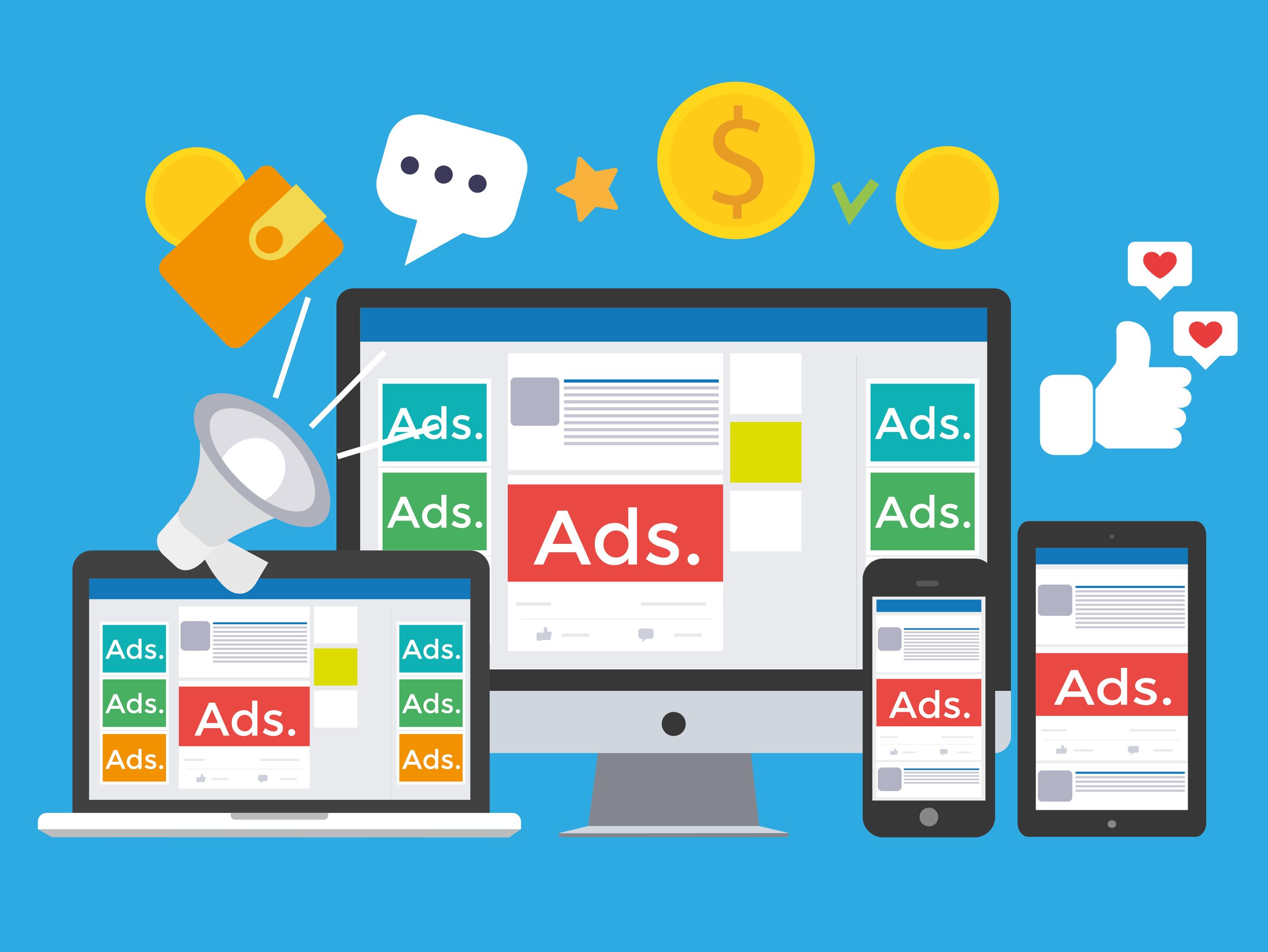
Pay-per-click advertising has become one of the more measurable pillars of digital marketing, mostly because you only pay when someone actually clicks. That sounds simple in theory. In practice, running PPC without dedicated management software means manually checking bids, guessing at keyword overlap, and finding out your budget burned through at 2 a.m. on ads nobody converted from. That’s where software for PPC campaign management earns its keep.
Good PPC software does more than track performance after the fact. It helps with keyword research, ad copy testing, bid strategy, and automating the repetitive parts of account management that eat up hours every week. Whether you’re a small business running your first Google Ads campaign or an agency juggling forty client accounts, the right tool changes how much of your week goes to babysitting spreadsheets versus actually improving results.

How to Choose the Right PPC Management Tool
Picking PPC software isn’t a one-size-fits-all decision. Some tools are built around automation and rule-based bidding, others around competitive research, and a few try to do everything at once and end up mediocre at most of it. Start with what actually matters for your situation: are you managing one account or dozens? Do you need deep keyword and competitor insight, or straightforward campaign automation? Does the tool need to work across Google, Microsoft, and Meta ads, or just one platform?
Your team’s experience level matters too. A solo marketer running their first campaigns usually does better with an intuitive dashboard and pre-built templates than with a tool built for enterprise agencies. Someone managing paid spend for a living usually wants granular control over bid rules, budget pacing, and account structure that beginner-friendly tools deliberately hide. And of course there’s budget: PPC software ranges from free (Google Ads Editor) to several hundred dollars a month for enterprise platforms, so match the spend to the account size you’re actually managing.
Why Automation Matters More Than It Used To
Automation in PPC stopped being optional a while ago. Search and social ad platforms change their auction dynamics constantly, and manually adjusting every bid, budget cap, and ad rotation across multiple campaigns just doesn’t scale past a handful of accounts. Rule-based automation can pause underperforming ads, shift budget toward what’s converting, and flag anomalies before they burn through a week’s spend.
This isn’t about replacing a human strategist. It’s about freeing that strategist from repetitive account maintenance so they can spend time on the decisions that actually require judgment, like creative testing and audience strategy. Most of the tools below lean on some form of machine learning to surface patterns a person checking dashboards once a day would likely miss.
What Separates a Good PPC Tool From a Forgettable One
A genuinely useful PPC tool fits the way your team actually works rather than forcing a new workflow on top of an existing one. Features worth prioritizing include campaign optimization suggestions grounded in your actual account data (not generic tips), multi-channel support if you run ads on more than one platform, competitor visibility, and clear budget tracking that doesn’t require exporting to a spreadsheet to understand.
Support quality matters more than most buyers realize until they need it. A responsive support team and an active user community save real time when a bid strategy behaves unexpectedly or a sync with an ad platform breaks. Look for a tool that will still make sense to use a year from now, not just one that looks good in a demo.
1. Google Ads Editor
Google Ads Editor is Google’s own free desktop tool for managing campaigns offline, and it remains one of the most efficient ways to bulk-edit large accounts. You can work offline, make sweeping changes across dozens of campaigns, and import or export files to test changes before pushing them live. For anyone managing more than a handful of campaigns, it’s close to essential.
The interface can feel dense for a first-time user, but the payoff is control: copying campaigns, adjusting bids in bulk, and managing keywords across an entire account from one screen instead of clicking through the web interface hundreds of times. It’s free, which makes it an easy first tool regardless of what else you add to your stack.
2. SEMrush
SEMrush built its reputation on SEO, but its PPC toolkit holds its own. It supports deep keyword research, competitor ad benchmarking, and visibility into what competitors are actually spending and bidding on. That competitive layer is the real draw: you’re not just optimizing your own account in a vacuum, you’re seeing what’s working for the businesses bidding on the same terms.
It integrates with Google Ads and Microsoft Ads, so account data doesn’t live in a separate silo from the research. For teams that want PPC and SEO insight from a single subscription rather than two separate tools, SEMrush covers both reasonably well.
3. WordStream
WordStream targets small and mid-sized businesses specifically, and its “20-Minute Work Week” feature is built around that audience: a short list of prioritized actions instead of an overwhelming dashboard of every possible metric. Performance scores give a quick read on account health without requiring a deep dive into raw data every time.
It covers Google Ads, Facebook, and Bing from one place, with automated recommendations that function more like a checklist than a black-box algorithm. For a business owner managing PPC themselves without a dedicated marketing hire, that structure is genuinely useful.
4. SpyFu
SpyFu is built almost entirely around competitive intelligence. It shows which keywords competitors bid on, roughly how much they spend, and how their ad copy and rankings have shifted over time. That’s valuable information before launching a new campaign, since it cuts down on the trial-and-error cost of finding out which keywords actually convert in your market.
Beyond keyword research, SpyFu tracks ranking history and estimated competitor clicks, giving you a rough blueprint of what’s already working for others in your space rather than starting from a blank page.
Also Read: Best Software for Cinematic Video Editing
5. Optmyzr
Optmyzr is built for people who need granular control and heavy automation, which usually means agencies managing multiple client accounts. Rule-based optimization, structured A/B testing, and custom alerts give experienced PPC managers the levers they actually want, and it integrates with Google, Microsoft, and Amazon Ads.
Its PPC Investigator feature is particularly useful for diagnosing why performance dropped rather than just flagging that it did, and one-click optimizations help apply fixes across accounts quickly. It’s not the cheapest tool on this list, but the time saved on account audits usually justifies the cost for agencies managing volume.
6. Adzooma
Adzooma aims for an all-in-one dashboard without sacrificing depth, linking Google, Facebook, and Microsoft ads into a single view with actionable, specific recommendations rather than generic best-practice reminders. The interface stays approachable even as the underlying feature set grows.
What stands out about Adzooma is how little PPC expertise it assumes from the user. It walks through optimization opportunities step by step, which makes it a reasonable starting point for a team that’s new to structured campaign management.
7. Skai (formerly Kenshoo)
Skai is built for enterprise brands and agencies managing large, complex ad spend across multiple channels. It offers AI-driven insights, predictive forecasting, and omnichannel campaign management that extends beyond search into e-commerce and social advertising.
The platform leans heavily on data-driven budget allocation, helping large advertisers direct spend toward what’s actually converting rather than spreading it evenly across channels out of habit. If your ad budget runs into six figures a month, Skai’s level of control starts to justify its enterprise pricing.
8. Marin Software
Marin Software is built around data-heavy campaign management, with strong integration across search, social, and e-commerce ad platforms. Segmenting, scheduling, and automating campaigns all flow through the same analytics layer, so decisions are grounded in one consistent data set instead of reconciling numbers from separate platforms.
Customizable dashboards and flexible bidding strategies are Marin’s strongest features, along with support for audience targeting and product feed management, which makes it a solid fit for advanced marketers running both search and shopping campaigns.
9. Facebook Ads Manager
For any brand advertising on Meta’s platforms, Facebook Ads Manager isn’t optional. It handles campaign creation, monitoring, and optimization across Facebook, Instagram, and Messenger, with targeting options and audience insights that are still hard to replicate with third-party tools.
The learning curve is real, especially around audience overlap and campaign structure, but for businesses where social ads are a primary channel, mastering it directly usually beats routing everything through a third-party layer that adds latency to reporting.
10. AdEspresso
AdEspresso, built by Hootsuite, focuses on simplifying Facebook, Instagram, and Google ad creation and testing for small to mid-sized advertisers. Its split-testing interface makes it straightforward to test dozens of creative and audience combinations without manually building each variation inside the native ad platform.
Its reporting is visual and digestible, which matters for teams that need to explain PPC performance to stakeholders who don’t live in ad platforms daily. It won’t replace Optmyzr or Skai for enterprise-scale accounts, but for a growing business testing creative at a moderate scale, it fills a real gap.

Common PPC Management Mistakes These Tools Help Avoid
Even with good software, PPC accounts fail in predictable ways. Broad match keywords left unchecked burn budget on irrelevant searches. Ad groups that mix unrelated keywords produce mediocre quality scores and higher costs per click. Campaigns that never get negative keywords added keep bidding on the same wasteful searches month after month. And accounts that set a budget once and never revisit it miss the compounding effect of reallocating spend toward what’s actually converting.
The tools above catch different pieces of this. SpyFu and SEMrush help avoid keyword mistakes before a campaign launches. Optmyzr and Adzooma catch structural account issues after the fact. None of them replace the judgment of actually reading the reports they generate, but they make it far less likely that a mistake goes unnoticed for weeks.
There’s also a subtler failure mode worth naming: tool sprawl. It’s tempting to add a new platform every time a blog post recommends one, and end up paying for four overlapping subscriptions where two would cover the same ground. Before adding a new tool to your stack, check whether an existing subscription already covers that function, even partially. SEMrush’s PPC module, for instance, overlaps meaningfully with what a standalone competitive research tool like SpyFu does, and running both rarely adds proportional value.
Signs Your Current PPC Process Needs Better Software
Plenty of small accounts run fine on spreadsheets and native dashboards for a while. A few signals usually mean it’s time to bring in dedicated software instead of pushing through with manual tracking:
- You’re checking multiple platform dashboards separately every day. If your morning routine involves logging into Google Ads, then Facebook Ads Manager, then Microsoft Ads to piece together one picture of performance, a unified dashboard will save real hours every week.
- Bid adjustments happen reactively, days after a problem started. Without automated alerts or rules, underperforming ad groups can quietly drain budget for a week before anyone notices the CPA has doubled.
- You have no visibility into what competitors are bidding on. Launching new campaigns without competitive keyword research means paying to learn lessons that tools like SpyFu or SEMrush could have surfaced for a fraction of the cost.
- Reporting takes hours to compile for stakeholders. If putting together a monthly performance summary means manually exporting and reformatting data from three platforms, that’s time a decent reporting dashboard gets back immediately.
- Account structure has grown messy over time. Ad groups mixing unrelated keywords, campaigns with overlapping targeting, and neglected negative keyword lists are exactly the kind of structural problems tools like Optmyzr are built to surface and fix.
None of these signs mean you need the most expensive enterprise tool on this list immediately. They’re a signal that the manual approach has hit its ceiling, and even a mid-tier tool will likely pay for itself within a month or two through time saved and wasted spend avoided.
Pricing at a Glance
Budget shapes this decision as much as feature lists do, so here’s a rough sense of where each tool sits. Prices shift often enough that you should confirm current numbers directly with each vendor before committing, but the general tiers hold steady:
- Free: Google Ads Editor and Facebook Ads Manager cost nothing to use, since they’re native platform tools rather than third-party layers.
- Entry-level ($30-$100/month): Adzooma and AdEspresso sit in the range most small businesses and solo marketers can justify without a dedicated PPC budget line.
- Mid-tier ($100-$300/month): WordStream and SEMrush’s PPC toolkit (bundled into its broader marketing suite) land here, reasonable for a growing business running several active campaigns.
- Agency and enterprise (custom pricing, often $500+/month): Optmyzr, Marin Software, and Skai price based on ad spend under management, which usually only pencils out once you’re managing accounts in the tens of thousands of dollars a month or more.
A useful gut check before signing up for any paid tier: calculate what a 5-10% efficiency gain on your current ad spend is actually worth in dollars. If the software costs less than that gain, it pays for itself. If it costs more, you’re either managing too small a budget for that tier of tool, or the vendor’s pricing doesn’t match your account size yet.
Frequently Asked Questions
Do I need paid PPC software, or can I manage campaigns natively?
For a single small campaign, the native Google Ads or Facebook Ads Manager dashboards are enough. Once you’re running multiple campaigns, multiple platforms, or need competitive research beyond what the ad platforms disclose, dedicated software starts paying for itself in time saved and mistakes avoided.
Can PPC software fully automate campaign management?
No tool on this list runs campaigns without oversight, and none should. Automation handles the repetitive parts (bid adjustments, pausing underperformers, budget pacing), but strategy decisions like audience targeting, creative direction, and overall budget allocation still need a person making the call based on business goals the software doesn’t know about.
Is it worth using more than one PPC tool at a time?
Often, yes. A common setup pairs a research tool like SEMrush or SpyFu for competitive intelligence with an execution tool like Optmyzr or Adzooma for day-to-day account management. They solve different problems, and the overlap in cost is usually smaller than the value of having both angles covered.
Find the Tool That Fits Your PPC Workflow
Navigating PPC software can feel overwhelming with this many options, but the right tool turns campaign management from a time sink into a genuine strategic advantage. The best software for PPC campaign management helps you work with better information, not just faster clicks through a dashboard.
If you’re new to paid ads, start with something approachable like Adzooma or WordStream. As accounts grow more complex, tools like Optmyzr, Marin, or Skai make more sense. The goal isn’t managing more campaigns for the sake of it. It’s spending the same ad budget more precisely and knowing, with actual data, why one campaign outperforms another.
Interesting Reads:
Best Software for Screen Mirroring
Best Video Compression Software