

Why Quizzes Are the Highest-Converting Content Type
Content marketers have tested every format: blog posts, infographics, videos, podcasts, webinars. And yet, one format consistently outperforms them all in terms of engagement and conversion rates. Quizzes.
The data behind this is compelling. Interactive quiz content generates conversion rates between 30 and 50 percent, compared to the 3 to 5 percent typical of static landing pages. That is not a small improvement. That is an order of magnitude difference in how many visitors take the action you want them to take.
Why do quizzes work so well? Three psychological principles are at play:
- Curiosity gap: People want to know the answer. Once they start a quiz, the desire to see their result drives them to complete it. Abandonment rates on quizzes are far lower than on long-form content.
- Self-discovery: People are drawn to content that tells them something about themselves. “Which template suits your business?” is inherently more engaging than “10 Templates for Your Business” because the first one promises a personalized answer.
- Reciprocity: After a quiz gives someone useful information (their result), they feel a natural inclination to give something back. That is why email opt-in rates after quiz completion are so much higher than rates on standard lead magnets.
For digital product sellers using Easy Digital Downloads, quizzes represent an untapped channel. Most EDD stores rely on product pages, blog posts, and email marketing. Adding quiz-based content creates a new entry point that attracts visitors who would never click on a standard product listing. If you already have a daily marketing routine for your EDD business, quiz creation slots right into that workflow.
Building Product Recommendation Quizzes
The most directly profitable quiz type for digital product sellers is the recommendation quiz. This format guides visitors through a series of questions and then recommends specific products from your catalog based on their answers.
Mapping Your Product Catalog to Quiz Outcomes
Before you build the quiz, map out which products match which customer needs. Start by listing your products and the key attributes that differentiate them:
- Identify your top 4 to 8 products or product categories
- For each product, list the ideal customer profile: their experience level, project type, budget sensitivity, and priorities
- Find 3 to 5 questions that distinguish between these customer profiles
- Create a scoring matrix that links answers to product recommendations
Writing Effective Quiz Questions
Good quiz questions feel like a conversation, not an interrogation. Here are principles that work:
- Start easy: Open with a simple question that builds momentum. “What type of project are you working on?” is low-friction and gets people clicking.
- Use visual answers: Where possible, use images or icons as answer options. A picture of a portfolio site versus an e-commerce store is faster to process than text descriptions.
- Keep it short: Five to seven questions is the sweet spot. Fewer than five and you cannot differentiate well. More than seven and completion rates drop.
- Avoid jargon: Your quiz takers might be beginners. “What CMS do you use?” works better as “Where is your website hosted?” with options like “WordPress,” “Shopify,” or “I am not sure.”
Designing the Results Page
The results page is where conversion happens. Structure it to maximize the chance that the visitor clicks through to a product:
- Lead with a clear recommendation: “Based on your answers, the best fit for you is [Product Name]”
- Explain why this product matches their needs, referencing specific answers they gave
- Include a direct link to the EDD product page with a clear call-to-action
- Show one or two alternatives in case the primary recommendation does not quite fit
- Add an email opt-in for a related guide or bonus content
Creating Niche Trivia That Drives Traffic
Not every quiz needs to sell a product directly. Niche trivia quizzes build brand awareness, drive social sharing, and attract new visitors to your site. The indirect conversion path works like this: trivia quiz attracts visitor, visitor discovers your brand, visitor explores your products, visitor buys.
Choosing Trivia Topics
Your trivia topic should sit at the intersection of your niche expertise and your audience’s interests. For digital product sellers, good trivia topics include:
- WordPress knowledge quiz: “How Well Do You Know WordPress?” tests visitors on WordPress history, features, and best practices. It positions your brand as a WordPress authority.
- Design trends quiz: “Can You Identify These Design Trends?” works well for theme and template sellers. Show design examples and ask visitors to name the trend.
- Industry statistics quiz: “Do You Know These E-Commerce Stats?” tests knowledge of market data relevant to your customers’ businesses.
- Tool identification quiz: “Match the Tool to the Task” works for plugin sellers. Present common tasks and ask which tool solves them.
Structuring Trivia for Shareability
Trivia quizzes spread when people want to share their results. Design for this by including:
- A score that people want to brag about (“You got 9 out of 10!”)
- A fun title for each score range (“WordPress Guru,” “Theme Wizard,” “Code Apprentice”)
- A pre-formatted share message that includes the score and challenges friends
- A comparison element (“You scored better than 85% of quiz takers”)
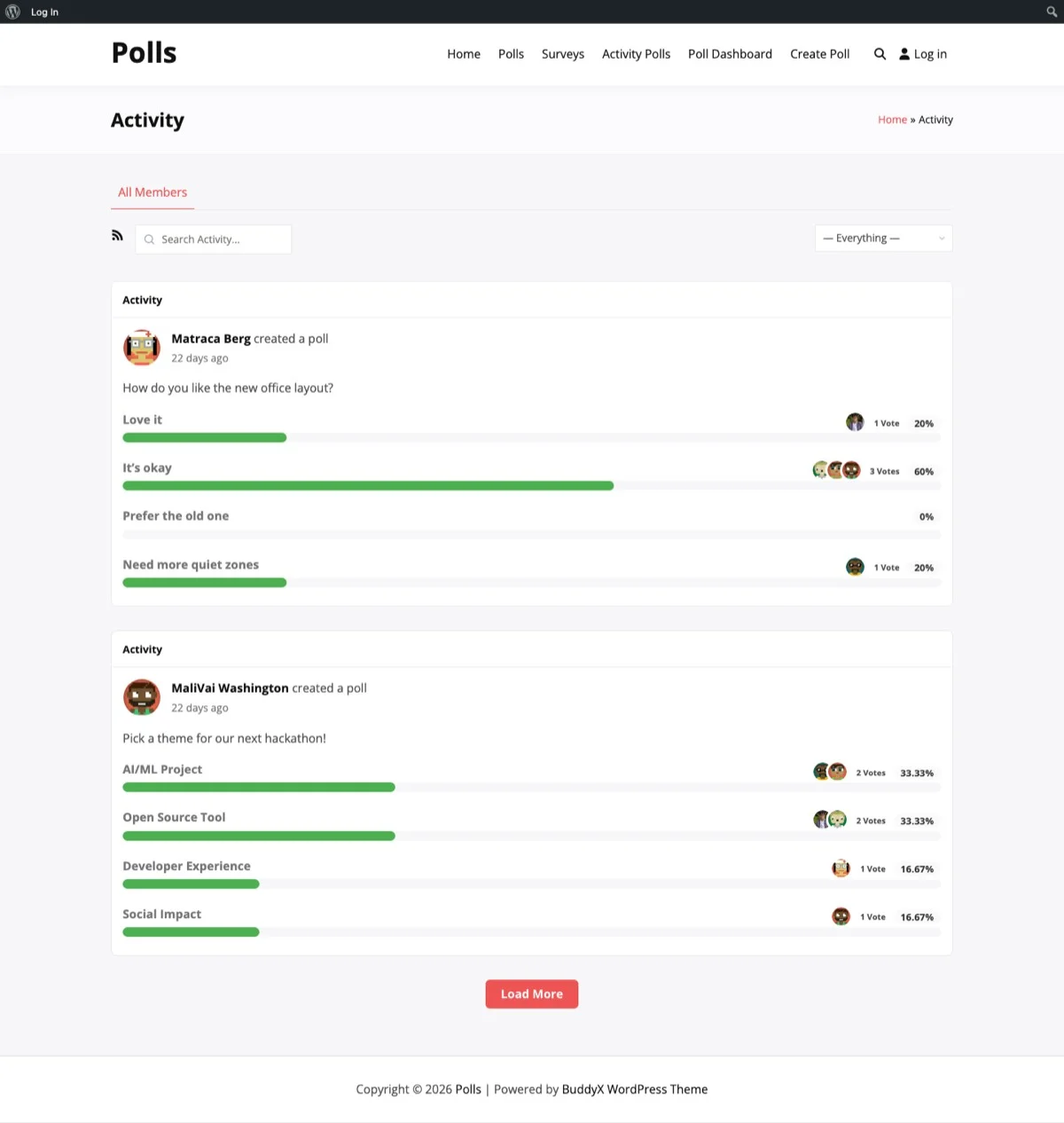
WB Polls integrates with the BuddyPress activity feed, making quiz activity visible to the entire community and encouraging more participation.
Embedding Quizzes in Landing Pages
Where you place your quiz determines how many people see it and take it. Here are the highest-converting placements for digital product stores:
Product Category Pages
Place a recommendation quiz at the top of category pages. If someone lands on your “WordPress Themes” category page, a quiz that asks “Which theme matches your brand?” converts better than a grid of 50 themes that the visitor has to browse manually.
Homepage Feature Section
Add a quiz section to your homepage below the hero area. A prominently placed “Find Your Perfect [Product Type]” quiz gives new visitors an immediate interactive experience. This is especially effective for stores with large catalogs where new visitors might feel overwhelmed.
Blog Post Integration
Embed relevant quizzes within blog posts. If you write a post about “Choosing the Right WordPress Theme for Your Business,” embed your theme recommendation quiz midway through the article. Readers who are engaged enough to read the post are prime candidates for the quiz.
Exit Intent Popups
When a visitor is about to leave your site, present a quiz instead of a discount popup. “Before you go, find out which product is right for you” is more engaging than “Wait! Here is 10% off.” It keeps the visitor on your site longer and guides them toward a purchase without devaluing your products.
Email Campaign Integration
Include quiz links in your email newsletters. “Take our 2-minute quiz to discover your ideal toolkit” drives click-through rates two to three times higher than standard product links. Email subscribers are already warm leads, and a quiz gives them a reason to re-engage with your site.
Capturing Leads From Quiz Participants
One of the most valuable aspects of quiz marketing is lead generation. Someone who has completed a quiz has already told you about their needs, preferences, and experience level. That information is marketing gold.
The Gate Placement Decision
You have three options for where to place your email opt-in gate:
- Before results: Require an email to see results. Highest capture rate but also highest abandonment. Use this only for high-value quizzes where the result is genuinely worth an email address.
- With results: Show results and offer to email a detailed report. Good balance of capture and completion. Works well when you can offer additional analysis beyond the basic result.
- After results: Show full results and offer a related lead magnet. Lowest capture rate but best user experience. Works when the lead magnet is clearly valuable, like a personalized guide based on quiz answers.
Segmenting Leads by Quiz Answers
Do not just capture email addresses. Capture quiz answers alongside them. When someone completes your “Which Theme Suits Your Business?” quiz and tells you they are building a photography portfolio, that person goes into a different email segment than someone building an e-commerce store.
This segmentation lets you send targeted follow-up sequences:
- Product recommendations based on their quiz result
- Content that matches their stated needs
- Promotional offers for the specific products they are most likely to buy
- Upgrade offers when you release new products in their category
Follow-Up Sequences
Build a 3 to 5 email sequence that follows up on quiz results:
- Email 1 (immediate): Recap their quiz result with a link to the recommended product
- Email 2 (day 2): Share a case study or tutorial related to their quiz answers
- Email 3 (day 5): Offer a limited-time incentive to purchase the recommended product
- Email 4 (day 8): Share a related resource and mention alternative products
- Email 5 (day 14): Final check-in with a broader catalog overview
Sharing Results for Viral Reach
The viral potential of quizzes is what makes them uniquely powerful as a marketing tool. When someone shares their quiz result, they are effectively marketing your brand to their entire network for free.
Designing Shareable Results
Results that people share have specific characteristics:
- They flatter the sharer: Results that make people look smart, creative, or knowledgeable get shared. Results that make people look bad do not.
- They spark conversation: “I got WordPress Wizard, what did you get?” starts a conversation. “Your result is Product A” does not.
- They include a visual: A branded result card with the person’s score and title gets shared far more than a plain text result.
Platform-Specific Sharing
Optimize your share options for each social platform:
- Twitter/X: Pre-populate a tweet with the result, score, and quiz link. Keep it under 200 characters to leave room for the person to add their own commentary.
- Facebook: Use Open Graph tags to generate a rich preview when the quiz link is shared. The preview image should show the result title and branding.
- LinkedIn: For professional quizzes (industry knowledge, skills assessment), LinkedIn sharing can drive significant traffic from a high-value audience.
Three Quiz Templates for Digital Sellers
Here are three ready-to-use quiz frameworks that you can adapt for your EDD store using WB Polls. Whether you sell online courses or run a music and audio store, these templates can be customized to fit your catalog.
Template 1: The Product Finder
Purpose: Guide visitors to the right product
Format: 5 to 7 multiple-choice questions
Questions to include:
- What is your primary project type? (e.g., blog, portfolio, e-commerce, community)
- What is your experience level with WordPress?
- What is your most important priority? (speed, design, features, ease of use)
- What is your budget range?
- Do you need any specific integrations?
Result: A specific product recommendation with a link to the product page and a “Why this is right for you” explanation.
Template 2: The Knowledge Challenge
Purpose: Build brand awareness and drive social sharing
Format: 10 true/false or multiple-choice trivia questions
Questions to include:
- Industry-specific facts that surprise people
- Common misconceptions in your niche
- Historical facts about your industry or tools
- Statistics that challenge assumptions
- “Did you know” style questions
Result: A score with a fun title, a comparison to other quiz takers, and a link to your blog for more knowledge.
Template 3: The Needs Assessment
Purpose: Generate qualified leads with detailed need profiles
Format: 6 to 8 questions mixing multiple-choice and rating scales
Questions to include:
- How would you rate your current solution?
- What is your biggest challenge with [category]?
- How much time do you spend on [task] each week?
- What features would make the biggest difference for you?
- When are you planning to make a change?
Result: A detailed needs assessment summary with prioritized recommendations from your product catalog and a gated detailed report via email.
Getting Started With Quiz Marketing
Quiz-based marketing is not a future trend. It is a proven strategy that top digital product sellers are already using to generate leads, drive traffic, and convert visitors into customers. The combination of high engagement rates, natural sharing mechanics, and rich lead data makes quizzes one of the most effective tools in your marketing toolkit.
WB Polls gives you the foundation to build quiz-style polls that integrate directly with your WordPress site and BuddyPress community. Start with a simple product recommendation quiz for your best-selling category and measure the results. Most sellers see engagement rates that far exceed their existing content marketing efforts.
Ready to start using quizzes to promote your digital products? Get the WB Polls plugin and build your first quiz today.