10 Best AI Tools for Audio Repair


When it comes to improving audio quality, the need for high-performance tools has never been more important. Whether you’re a podcaster, musician, or sound engineer, finding the best AI tools for audio repair can make all the difference in your production. These tools use artificial intelligence to clean up background noise, enhance clarity, and repair distorted audio, saving you time and effort that used to go into manual spectral editing. In this post, we cover ten tools currently on the market, what each one is actually built for, and current pricing verified directly against each vendor’s site rather than recycled from an older roundup.

What Makes a Tool Qualify for This List?
These tools use machine learning models, trained on large datasets of clean and degraded audio, to identify problems and reverse them automatically. That is a meaningfully different approach from the manual EQ notching and gating that audio engineers relied on before neural-network-based repair became practical. Whether you are dealing with background hums, clicks, pops, static, room reverb, or muffled dialogue, these tools use AI to fix the problem with far less manual work than the older generation of restoration plugins required.
Why Reach for an AI Tool Instead of Manual Repair?
Audio repair by hand is tedious, especially with a poor-quality recording. Without AI-assisted tools, cleaning up a single interview episode can take hours of manual spectral editing, and even careful manual work does not always match what a well-trained noise model can do automatically. AI-powered audio repair tools provide automatic noise removal, click removal, and dialogue enhancement in a fraction of that time.
Using an AI-powered tool saves significant time and effort while delivering professional-grade results that can elevate the quality of your projects. Whether you are a working audio professional or a hobbyist podcaster, these tools help you achieve cleaner, clearer sound with a fraction of the manual effort older workflows demanded.
Key Features to Look for in an AI Audio Repair Tool
When choosing among the best AI tools for audio repair, here are the features worth prioritizing:
- Noise Reduction – the tool should automatically identify and reduce background noise while leaving speech or music intact.
- Click and Pop Removal – the ability to eliminate unwanted clicks, pops, and other transient distractions.
- Intuitive User Interface – a workable interface that does not demand a steep learning curve for the basics.
- Real-Time or Fast Offline Processing – faster processing means quicker turnaround on deadline-driven work.
- Customization Options – the ability to fine-tune AI-driven repairs rather than accept a one-size-fits-all result.
- File Format Compatibility – broad support for common audio formats so the tool fits into an existing workflow.
With these features in mind, here are the ten AI audio repair tools worth evaluating right now.
1. iZotope RX 12
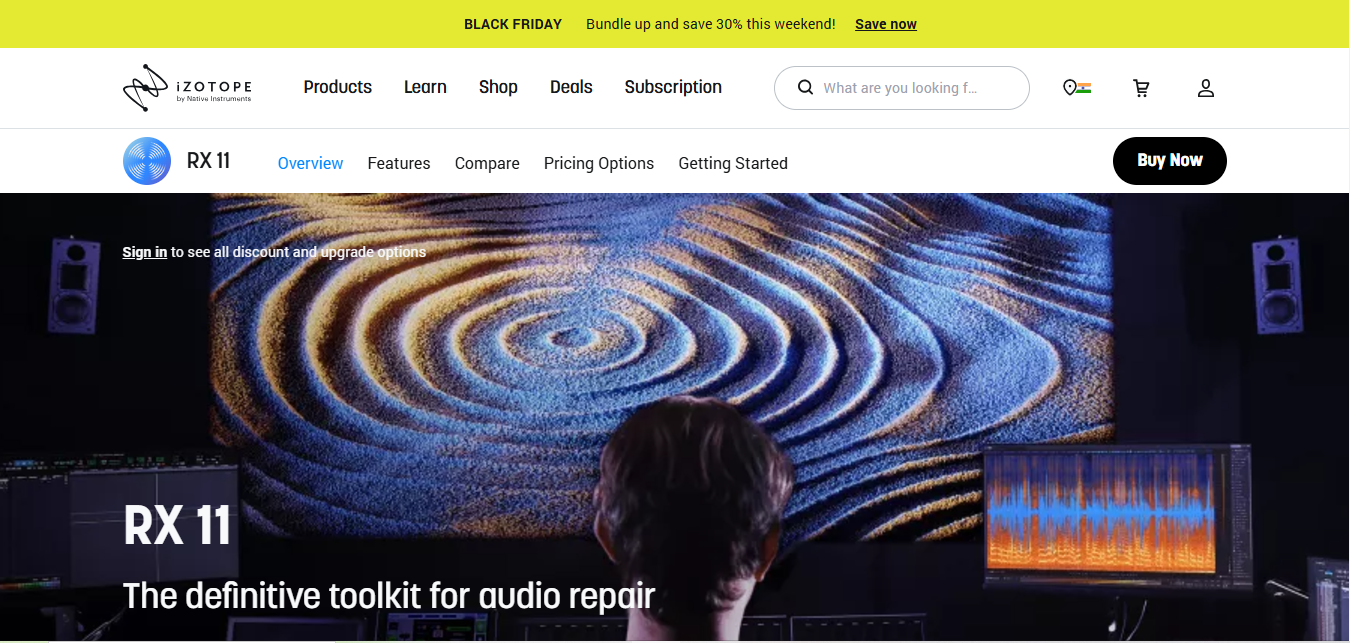
iZotope RX, now on version 12, remains the industry-standard AI tool for professionals in film, broadcast, and music post-production. It offers precise, AI-driven noise reduction alongside a genuinely deep spectral editor for problems automation cannot fully solve.
Key Features
- Intelligent noise reduction and de-clicking tools
- Advanced spectral editor for manual, in-depth repair
- Dialogue isolation for clearer speech in noisy location recordings
Pros
- Excellent at cleaning up complex, layered audio problems
- The interface stays usable despite the depth of the toolset
- Trusted as the default choice by working audio professionals
Cons
- The top Advanced tier is genuinely expensive for a casual user
- The full toolset can overwhelm a first-time user
Why It Stands Out
RX 12 sells in three tiers: Elements at roughly $99 for essential repair tools, Standard at roughly $399 with the full restoration toolkit, and Advanced at roughly $1,399 with the complete 50-plus tool suite used in professional post-production. That range means there is a legitimate entry point for a solo podcaster and a professional tier for a studio, both under the same product family.
Also Read: 10 Best Software Websites
2. Acon Digital Restoration Suite
Acon Digital’s DeNoise is no longer sold as a lone plugin; it now ships as one of four plugins inside the Restoration Suite, alongside DeHum, DeClick, and DeClip. Together they cover most of the common audio-repair scenarios a podcaster or musician runs into.
Key Features
- Effective broadband and tonal noise reduction via DeNoise
- Dedicated tools for hum, clicks, and clipping distortion, not just background noise
- Real-time processing with minimal audible artifacts
Pros
- Affordable for a bundle covering four distinct repair problems
- High-quality noise removal with a genuinely simple interface
- Fast, efficient processing that doesn’t demand a powerful machine
Cons
- Lacks the deep spectral-editing depth of iZotope RX
- Best suited to common repair problems rather than complex, layered restoration
Why It Stands Out
The Restoration Suite currently runs about $69 to $99 depending on active promotions, with a free upgrade to the next major version included on purchase. It is the strongest value pick on this list for anyone who wants four dedicated repair tools rather than one generalist plugin.
3. Adobe Audition
Adobe Audition is a full audio editing application with AI-powered repair features built in, making it a strong pick for anyone who wants repair tools alongside a complete editing workflow rather than a standalone plugin.
Key Features
- Auto Heal for automatic spot-repair of short audio defects
- Essential Sound panel for quick, guided audio cleanup
- Multi-track editing for full podcast or video-production projects
Pros
- A genuinely comprehensive tool for all-around audio editing needs
- AI-driven noise reduction and enhancement built into the core app
- Integrates directly with the rest of Adobe Creative Cloud
Cons
- Subscription-based pricing, which adds up for a casual user
- The full editing surface can be a lot for someone who only needs repair
Why It Stands Out
Adobe Audition is the strongest pick for anyone who wants AI-driven repair inside a complete audio editing application rather than a single-purpose plugin, particularly for users already paying for other Creative Cloud apps.
4. Waves Clarity Vx
Waves Clarity Vx is a neural-network-based tool built specifically for vocal recordings, which makes it a strong fit for podcasting and voiceover work rather than general music restoration.
Key Features
- AI-driven noise reduction and voice enhancement powered by Waves’ neural network models
- Automatic noise detection for quick, low-effort fixes
- Purpose-built for podcast and voiceover audio rather than full-mix restoration
Pros
- Genuinely focused on speech clarity rather than trying to do everything
- Fast processing suited to deadline-driven podcast production
- Intuitive interface with minimal setup
Cons
- Only available as a plugin inside a compatible host, no standalone app
- Narrow focus on vocals means it is not a general audio repair tool
Why It Stands Out
Waves now sells Clarity Vx primarily through its subscription plans, Waves Essential runs about $14.99 a month and Waves Ultimate about $24.99 a month, with occasional individual-plugin sale pricing outside those subscriptions. That is a real shift from the old one-time-purchase plugin model, worth knowing before you budget for it.
5. Adobe Podcast Enhance Speech
Adobe Podcast’s Enhance Speech is a free, browser-based AI tool that cleans up spoken-word audio in a single upload, no plugin, no DAW, no purchase required. It has become one of the most widely used quick-fix tools for creators who need a recording cleaned up in minutes rather than a full editing session.
Key Features
- One-click AI enhancement that removes room noise, echo, and background hum from spoken audio
- Browser-based, no software installation required
- Free to use, with an Adobe account
Pros
- Genuinely free, not a limited trial of a paid product
- Extremely fast for a single interview or voice memo
- No technical audio knowledge required to get a usable result
Cons
- Limited to speech enhancement, not a full restoration toolkit for music or complex noise
- Less control than a dedicated plugin offers over how aggressively the AI processes the file
Why It Stands Out
For anyone who just needs a single noisy recording cleaned up without buying software, Adobe Podcast Enhance Speech is the fastest path from “unusable” to “publishable” on this entire list, and it costs nothing.
6. Cleanvoice AI
Cleanvoice AI takes a different angle from the plugins above: instead of just cleaning noise, it is built specifically for podcast post-production, automatically removing filler words, long pauses, mouth sounds, and breaths in addition to background noise.
Key Features
- Automatic filler-word and long-pause removal
- Background noise, mouth-sound, and breath removal
- An API option for teams processing audio at scale
Pros
- Solves a problem (filler words and dead air) that pure noise-repair tools don’t touch
- A genuine free tier, 30 minutes of audio, with no credit card required, to test it first
- Web-based, so there’s nothing to install
Cons
- Aggressive automatic editing occasionally cuts a pause a host actually wanted to keep
- Not built for music restoration or complex multi-track repair
Why It Stands Out
Cleanvoice AI is the pick for podcast producers whose real bottleneck is editing time, not just noise, since it automates the tedious filler-word and pause-cutting pass that traditionally eats the most hours in podcast post-production.
7. Zynaptiq UNVEIL
Zynaptiq UNVEIL is a real-time, AI-driven de-mixing plugin built for a problem most repair tools handle poorly: excessive room reverb baked into a recording.
Key Features
- Proprietary de-mixing AI for attenuating or reshaping reverb inside a mixed signal
- Removes unwanted room noise and reverb in real time
- Supports VST, AU, and AAX formats on Mac and PC
Pros
- Genuinely effective for fixing reverb-heavy location audio
- Real-time processing with high-quality results
- Works for both music and spoken-word recordings
Cons
- A narrow specialist tool, not a general repair suite
- Priced at a premium relative to broader multi-tool bundles
Why It Stands Out
UNVEIL currently sells for about $269, with a 30-day free trial available before you buy. If reverb removal is your actual problem, and it is a problem few other tools on this list handle as well, this is the specialist worth the price.
8. Descript Studio Sound
Descript’s Studio Sound is a regenerative AI feature built into the Descript video and podcast editor. Rather than filtering noise out the traditional way, it regenerates the voice signal to sound cleaner, which avoids the thin, processed quality that older noise-gate-based tools sometimes produce.
Key Features
- One-click background noise and echo removal
- Regenerative processing rather than simple filtering
- Works on any audio or video file, inside Descript’s broader editing workflow
Pros
- Extremely easy to use, one click inside an editor you may already have open
- Avoids the artificial, tinny sound of older-generation noise reduction
- Bundled with a full transcript-based video and podcast editor
Cons
- Full access requires a paid Descript plan (Hobbyist starts around $16/month), the free tier only offers limited trial access
- Tied to the Descript ecosystem rather than usable as a standalone plugin
Why It Stands Out
For creators already editing podcasts or videos inside Descript, Studio Sound removes the need for a separate repair pass entirely, since the enhancement happens in the same tool doing the rest of the edit.
9. Cedar DNS One
Cedar DNS One is a specialized noise-suppression tool from Cedar Audio, a company with decades of history in professional broadcast and film restoration, and it remains a strong fit for post-production audio that needs difficult, broadband noise removed cleanly.
Key Features
- Real-time noise suppression for both music and speech
- Minimal latency, which matters for live broadcast applications
- Supports stereo and multi-channel audio formats
Pros
- Excellent at reducing noise that other tools struggle with
- Real-time processing without sacrificing output quality
- Trusted by professionals in broadcast and film post-production
Cons
- Priced for professional studios, not casual users
- Narrowly focused on noise suppression rather than broader restoration
Why It Stands Out
Cedar DNS One is the choice for broadcast and film professionals dealing with genuinely difficult noise problems that consumer-grade tools cannot fully resolve.
10. Waves X-Noise
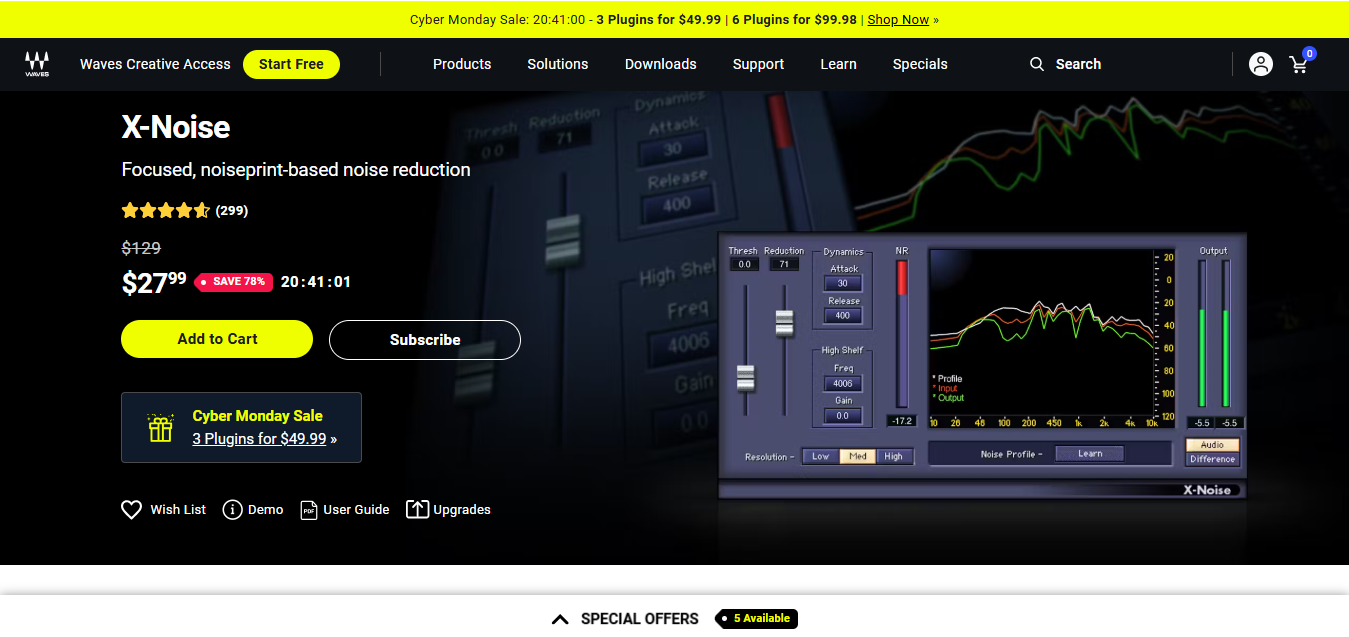
Waves X-Noise is a noiseprint-based reduction tool: it samples a section of pure noise from your recording and builds a targeted profile to remove that specific noise pattern throughout the file.
Key Features
- Noiseprint-based noise reduction with intuitive, guided controls
- Eliminates hiss, hum, and other common recording artifacts
- Suitable for both music and speech recordings
Pros
- Efficient, fast processing
- Straightforward interface that doesn’t require deep audio-engineering knowledge
- Available through Waves’ subscription plans alongside hundreds of other plugins
Cons
- Fewer advanced controls than iZotope RX’s noise-reduction module
- Less effective on complex, layered noise than a dedicated spectral editor
Why It Stands Out
Waves X-Noise is a solid, no-fuss choice for users who need quick, reliable noise reduction without learning a full spectral-editing workflow.
Comparison Table
| Name of Tool | Best For | Standout Feature | Pricing |
|---|---|---|---|
| iZotope RX 12 | Professional audio repair | Intelligent noise reduction and spectral editor | Elements ~$99, Standard ~$399, Advanced ~$1,399 |
| Acon Digital Restoration Suite | Affordable multi-problem repair | DeNoise, DeHum, DeClick, and DeClip in one bundle | ~$69–$99 |
| Adobe Audition | All-in-one audio editing | AI-driven noise reduction inside a full editor | Subscription-based |
| Waves Clarity Vx | Vocal recordings (podcasts, voiceovers) | Neural-network vocal noise reduction | From ~$14.99/month (Waves Essential) |
| Adobe Podcast Enhance Speech | Fast, free speech cleanup | One-click browser-based AI enhancement | Free |
| Cleanvoice AI | Podcast filler-word and pause removal | Automatic filler word, pause, and mouth-sound removal | Free tier (30 min), paid tiers beyond that |
| Zynaptiq UNVEIL | De-reverberation | AI de-mixing to reduce room reverb | ~$269 |
| Descript Studio Sound | One-click cleanup inside an editor | Regenerative AI noise and echo removal | Free tier limited, paid from ~$16/month |
| Cedar DNS One | Professional broadcast noise suppression | Real-time suppression of difficult broadband noise | Professional/studio pricing |
| Waves X-Noise | Basic noise reduction | Noiseprint-based targeted noise removal | Available via Waves subscription plans |

Choosing Between These Ten Tools
If you’re a working audio professional handling complex restoration across film, broadcast, or music mastering, iZotope RX 12 is still the tool to beat, and the Elements tier makes it accessible even outside a studio budget. If your problem is specifically podcast production, the pairing of Adobe Podcast Enhance Speech for a quick free clean-up and Cleanvoice AI for cutting filler words and dead air covers most of what a solo podcaster actually needs, at close to zero cost to start.
If reverb is your specific enemy, echoey room recordings, muddy location audio, Zynaptiq UNVEIL is worth its premium price precisely because so few other tools handle de-reverberation well. And if you want one affordable bundle that covers the four most common repair problems without a steep learning curve, Acon Digital’s Restoration Suite remains the best value pick on this list.
A Note on Tools That Have Disappeared From This Category
Worth flagging directly: Accusonus, maker of the once-popular ERA Bundle, was acquired by Meta in 2022, and the standalone Accusonus product line and website are no longer operating. If you see the ERA Bundle recommended in an older buying guide, including an earlier version of this one, treat that as outdated. This is a useful reminder that AI audio tools are a fast-moving category; before buying any plugin based on an older recommendation, it is worth confirming the vendor’s site is still live and the product is still for sale.
How Much Repair Actually Needs a Human Ear
It is worth being honest about what AI repair tools do well and where they still fall short. Consistent, identifiable problems, a steady hum, a repeated click, broadband hiss from a cheap microphone preamp, are exactly what these models were trained on, and modern AI tools handle them close to perfectly with minimal manual tuning. Intermittent or unusual problems are a different story. A single loud dog bark in the middle of a sentence, a phone buzzing on a desk, or a door slam mid-recording often still needs a human to isolate the moment and apply a targeted fix rather than trusting a blanket AI pass across the whole file.
The practical workflow most professionals settle into is a hybrid one: run an AI pass first to knock out the bulk of the consistent noise, then do a second manual pass with a spectral editor for the handful of one-off problems the AI missed or over-corrected. Treating AI repair as a first-pass tool rather than a fully automated finish line produces noticeably better results than either extreme, running everything manually or trusting a single AI pass blindly.
Frequently Asked Questions
Is a free tool like Adobe Podcast Enhance Speech good enough for a published podcast? For a single-speaker or two-person interview with moderate background noise, yes, it produces a genuinely broadcast-usable result. For heavily degraded audio, multiple overlapping noise sources, or music restoration, a dedicated paid tool like iZotope RX or the Acon Digital Restoration Suite will get further.
Do I need iZotope RX if I already use Adobe Audition? Not necessarily. Audition’s built-in AI repair tools cover a large share of common problems. RX earns its price when you’re dealing with more complex restoration, dialogue buried under heavy noise, or need the deeper spectral-editing control that a general editor doesn’t offer.
What’s the difference between noise reduction and de-reverberation? Noise reduction targets a consistent, identifiable noise source (hum, hiss, air conditioning) and removes it. De-reverberation, which Zynaptiq UNVEIL specializes in, addresses the reflected sound bouncing around a room that makes a recording sound distant or echoey, a fundamentally different and harder problem for AI to solve well.
For creators building an audio editing workflow around these repair tools, our companion guide to 10 Best AI Tools for Audio Editing covers the broader editing and transcription side of the process. And if you’re selling finished audio products, albums, beats, sample packs, or podcast episodes, our guide to building a music and audio store with Easy Digital Downloads covers turning that repaired, polished audio into a sellable product.