10 Best Software for Fashion Design in 2025

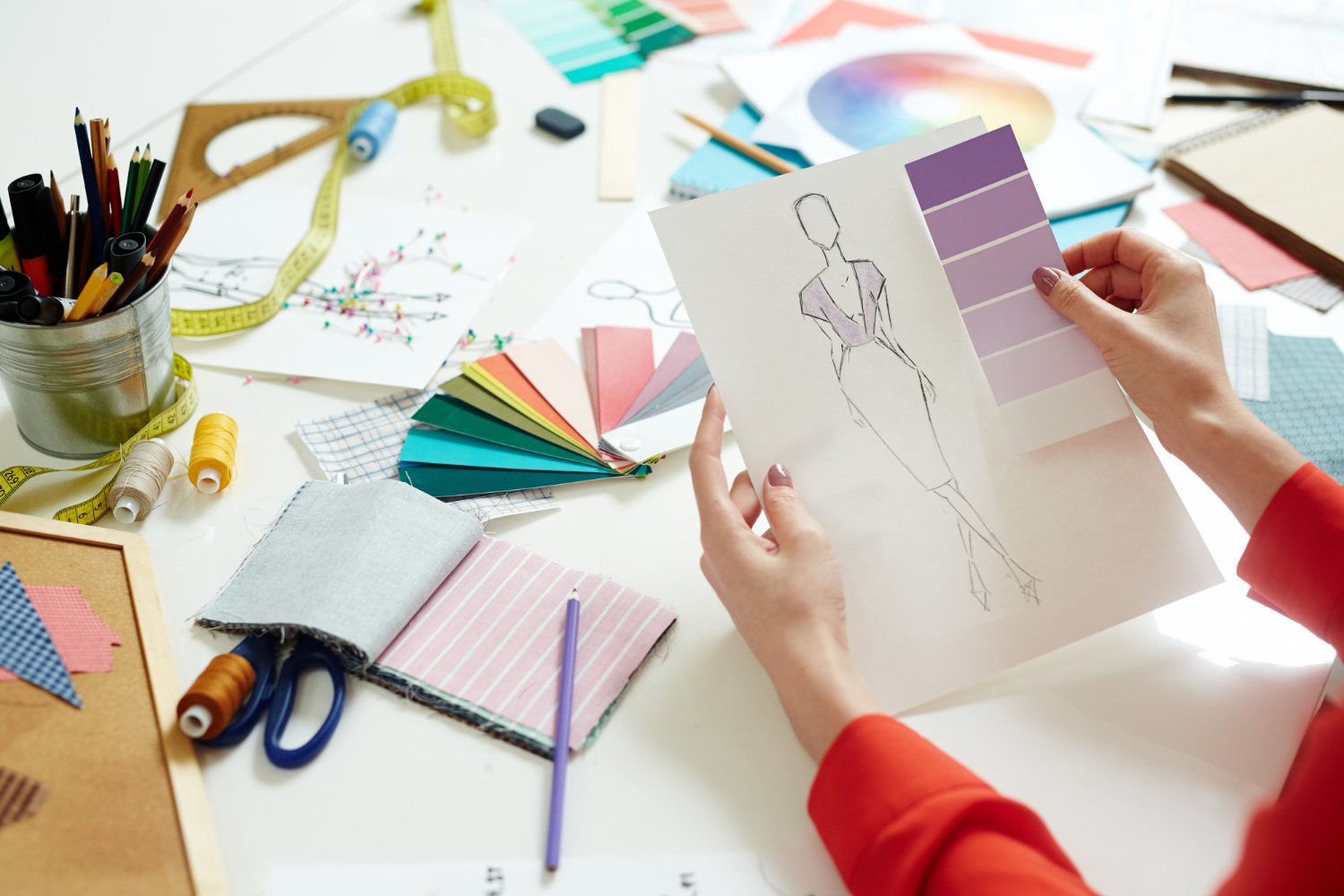
Fashion design used to mean pencils, dot paper, and a lot of trial and error with muslin. That has changed fast. A designer working today can drape a virtual garment on a 3D avatar, test five fabric weights without cutting a single yard, and send a production-ready pattern to a factory before lunch. The tools below cover that whole range, from vector sketching programs that have been industry staples for two decades to newer AI-assisted platforms that turn a rough sketch into a rendered garment in seconds.

What Fashion Design Software Actually Does
Fashion design software covers a wide spread of tools, and lumping them all together hides how different they are. Some programs are built for flat sketching and technical drawings. Others simulate cloth physics so you can see how a silk blouse will fall on a moving body before a single seam is sewn. A third group focuses purely on pattern math: grading a size run from a base pattern, nesting pieces onto fabric to reduce waste, or generating a marker for a cutting table.
What ties them together is the shift away from paper. A pattern that lives in a file can be resized instantly for a plus-size range, sent to a manufacturer overseas without shipping physical samples, and archived for reuse on next season’s collection. That single change, having the design as editable data instead of a fixed object, is why studios that adopted these tools years ago rarely go back to hand-drafting for anything beyond initial concept sketches.
How to Pick the Right Tool for Your Workflow
The honest answer is that no single program does everything well, and most working designers end up using two or three tools together. Start by identifying the stage of the process you actually need help with. If you’re stuck at the idea stage and need to get concepts on paper fast, a sketching tool like Adobe Illustrator or an AI concept generator will matter more than a pattern-grading suite. If you already have a strong hand-drawn process and the bottleneck is turning approved sketches into a first sample, a 3D simulation platform like CLO 3D or Browzwear will save you the most time.
Budget and team size change the calculus too. A solo designer selling on Etsy or through a small studio doesn’t need the same pattern-grading horsepower as a manufacturer producing thousands of units across a dozen sizes. Independent designers are usually better served starting with a free or low-cost open-source pattern tool and a general illustration program, then upgrading to a commercial 3D suite once volume justifies the cost. Larger teams should weigh how well a tool integrates with their existing PLM (product lifecycle management) system, since re-entering data between disconnected programs is one of the biggest hidden time costs in a production pipeline.
Also factor in the learning curve honestly. CLO 3D and Browzwear both have real depth, and getting fluent enough to trust the fit simulation over a physical sample takes weeks of practice, not a weekend. If your team is on a tight launch timeline, budget for that ramp-up period rather than assuming the software will pay for itself immediately.
1. CLO 3D
CLO 3D is the tool most 3D-fashion conversations start with, and for good reason. It renders garments on a digital avatar with cloth physics that account for weight, stretch, and drape, so a puffy taffeta skirt behaves differently on screen than a stretch jersey dress. Designers use it to catch fit problems, like a sleeve that pulls or a hem that sits unevenly, long before a physical sample gets cut.
The pattern pieces inside CLO 3D are still real, 2D technical patterns underneath the 3D render, which means the software doubles as a genuine pattern-making tool, not just a visualization toy. Studios that adopt it seriously usually see the biggest gains in sample reduction: instead of five or six physical rounds to nail a fit, teams often get there in two or three because most of the obvious issues get caught in simulation first.
The interface takes real time to learn, particularly the fabric physics settings, but CLO offers structured training paths and an active user community, which shortens the ramp-up considerably compared to teaching yourself from scratch.
2. Adobe Illustrator
Illustrator isn’t fashion-specific software, but it’s so embedded in the industry that skipping it would be a mistake. Its vector engine is what most technical flats, spec sheets, and print-ready illustrations are built in, and its precision with paths and anchor points makes it far more accurate than freehand digital sketching for anything that needs to go to a factory.
What makes it durable is the ecosystem around it. Fashion-specific plug-ins, croquis template packs, and pattern brush libraries built by other designers plug directly into Illustrator, and its file compatibility with Photoshop and InDesign means a tech pack can move from illustration to layout without conversion headaches. For designers who need to produce professional-looking flats and mood boards regularly, it remains close to a baseline requirement rather than an optional extra.
The tradeoff is that Illustrator has nothing to do with garment construction or fit. It’s purely a drawing and layout tool, so it needs to be paired with a pattern or 3D program for anything beyond the visual side of design.
3. Browzwear VStitcher
Browzwear plays in the same space as CLO 3D but leans harder into enterprise production work. VStitcher’s fit validation tools are built around the kind of size-inclusivity and grading accuracy that large apparel brands need when a single style has to look right across a dozen body types and sizes, not just one sample size.
Its fabric simulation library is deep, with physical fabric data that can be matched to real mill swatches, which matters a lot when a brand needs the on-screen garment to match what actually ships. Browzwear also integrates tightly with retail and PLM systems that large manufacturers already run, which is a big part of why it shows up more often at bigger apparel companies than at small independent studios.
For a solo designer or a small label, VStitcher is probably more software than you need, and the licensing reflects that scale. It earns its place on this list because of how thoroughly it’s used at the commercial end of the industry, where the cost of a bad size grade is measured in returns and chargebacks, not just an awkward sample.
4. TUKAcad
TUKAcad focuses on the unglamorous but essential math of production: drafting, grading, and marker making. Grading, taking a base pattern and scaling it accurately across a size run, is genuinely difficult to do well by hand, and errors compound fast across a dozen sizes. TUKAcad automates that scaling with rules that account for how different body measurements grow at different rates.
Marker making, the process of laying pattern pieces onto fabric to minimize waste, is where the software pays for itself at scale. A marker efficiency improvement of even a few percentage points translates directly into fabric cost savings once you’re cutting hundreds or thousands of units. For factories and mid-size labels running real production volume, that efficiency gain alone often justifies the software cost within a season or two.
5. Tailornova
Tailornova takes a different approach by generating patterns automatically from a designer’s measurements and style choices, which makes it well suited to made-to-measure and custom-tailoring businesses rather than mass production. A designer picks a garment style, adjusts sliders for fit and proportion, and the software generates a matching pattern rather than requiring manual drafting from scratch.
Because it runs in a browser and doesn’t require heavy local hardware, it’s accessible to small custom-order businesses that need to turn around personalized patterns quickly without a dedicated pattern-making department. The tradeoff is that it’s more of a specialized tool for made-to-measure work than a general-purpose design platform, so it’s rarely someone’s only piece of software.
Also Read: 10 Best AI Websites to Help Find a Job
6. Digital Fashion Pro
Digital Fashion Pro is aimed squarely at beginners and people launching a clothing line without a formal design background. It ships with pre-built templates, fabric and print libraries, and a library of garment silhouettes that can be customized rather than drawn from a blank canvas, which lowers the barrier to producing something that looks professional.
The step-by-step tutorials that come bundled with it are genuinely useful for someone who has an idea for a t-shirt or streetwear line but has never used design software before. It’s not going to replace CLO 3D for garment engineering or Illustrator for precise technical flats, but as an entry point for a first-time designer trying to get a concept to a printable file, it does that job well.
7. NewArc.ai
NewArc.ai represents the newer wave of AI-assisted concept tools. Feed it a rough sketch or even a text description, and it generates rendered visual interpretations of the garment almost instantly, which is useful for rapidly exploring variations, different colorways, silhouettes, fabric treatments, before committing time to a detailed technical drawing.
The honest limitation of tools in this category is that the output is a visual reference, not a construction-ready pattern. It’s genuinely good for mood boards, pitch decks, and early-stage ideation where speed matters more than production accuracy, but the design still needs to pass through a pattern-making tool before it can actually be sewn. Treat it as a brainstorming accelerator rather than a replacement for technical design work.
8. Gerber AccuMark
Gerber AccuMark has been a backbone of industrial pattern making for a long time, and its longevity comes from doing the production-side work reliably at scale: pattern digitizing, grading, and marker making with the kind of precision manufacturers depend on for consistent output across large runs.
Its PLM integrations make it a natural fit for larger operations that already have a structured production pipeline, since pattern data can flow directly into planning and costing systems without manual re-entry. This is not a beginner tool, and the learning curve plus licensing cost put it firmly in the territory of established manufacturers and larger design houses rather than independent designers just starting out.
9. Seamly2D
Seamly2D is open-source pattern-drafting software, and it fills a real gap for designers who want serious pattern-making capability without a commercial license fee. It supports drafting from a wide range of measurement systems and includes tools for creating custom patterns with a level of precision that holds up against paid alternatives for straightforward garment types.
Being community-driven means development pace and polish vary compared to a funded commercial product, and documentation can require some patience to work through. For students, hobbyists, and independent designers who need real pattern-drafting tools on a tight budget, it’s one of the more capable free options available, and the active user community around it is a genuine resource when you get stuck.
10. Valentina
Valentina, sometimes distributed as Seamly2D’s sibling project, blends parametric pattern design with support for both modern and historical drafting methods. Parametric design means patterns are built from formulas tied to measurements, so adjusting a single measurement automatically ripples through every dependent pattern piece instead of requiring manual redrafting.
That makes it particularly useful for costume designers and historical reenactment work, where accurate period drafting methods matter, alongside more conventional modern garment work. Its cross-platform support and multilingual interface have made it a go-to for an international community of independent pattern makers who want depth without a subscription fee.

Free and Open-Source Options Worth Trying First
If budget is the main constraint, start with Seamly2D or Valentina for pattern work and pair either one with a free vector tool for sketching before paying for anything. Neither will match CLO 3D’s fabric simulation, but for a designer still working out whether fashion design is a serious career path or a hobby worth pursuing, spending months learning free tools before committing to a paid subscription is a reasonable way to avoid buyer’s remorse. Many independent designers who now run studios on Browzwear or CLO 3D started exactly this way, learning pattern fundamentals on free software before the production volume justified the upgrade.
Where Fashion Design Software Is Heading
The clearest trend across this list is the shrinking gap between sketch and sample. AI concept tools like NewArc.ai cut ideation time from days to minutes, while 3D simulation platforms like CLO 3D and Browzwear are steadily reducing how many physical prototypes a garment needs before production sign-off. Expect that trend to keep accelerating as fabric physics engines get more accurate and AI rendering tools get better at respecting real garment construction rather than just generating a plausible-looking image.
Sustainability pressure is pushing adoption too. Every physical sample that gets skipped because a 3D simulation caught the problem first is fabric, shipping, and labor that didn’t get wasted. Brands under pressure to cut their environmental footprint have a direct financial incentive to invest in simulation tools now, not just a design-efficiency one.
What These Tools Cost You Beyond the License Fee
Sticker price is only part of the real cost of adopting fashion design software, and it’s the part most comparison articles stop at. The bigger cost, especially for the 3D simulation tools, is training time. Getting a team fluent enough in CLO 3D or Browzwear to trust the fabric physics over a physical sample typically takes several weeks of dedicated practice, and during that ramp-up period productivity actually dips before it improves. Budget for that transition honestly rather than expecting an immediate return the week a license activates.
Hardware is the other overlooked line item. 3D simulation software with realistic cloth physics is genuinely demanding on a graphics card, and running CLO 3D or Browzwear smoothly on an underpowered laptop is a common source of frustration that gets blamed on the software when it’s really a hardware bottleneck. Check the minimum and recommended system specs before buying a license, not after.
Finally, factor in how a tool talks to the rest of your pipeline. A pattern file that can’t export cleanly to the format your factory expects, or a PLM system that doesn’t accept your grading software’s output, creates manual rework that eats into whatever time the software saved in the first place. Ask specifically about export formats and integration options before committing, especially if you’re working with an overseas manufacturer who has their own established software standard.
Frequently Asked Questions
Do I need 3D software if I only sketch and outsource pattern-making?
Not necessarily. If your workflow ends at a detailed technical sketch and a manufacturer handles patterns, a strong illustration tool like Adobe Illustrator may be all you need on the design side. 3D tools earn their cost once you’re personally responsible for fit and construction decisions.
Can I run a small clothing brand using only free software?
Yes, at small volume. Seamly2D or Valentina for patterns plus a free illustration tool covers the basics. The tradeoff shows up as volume grows, since free tools generally lack the grading automation and PLM integrations that save real time at scale.
Is CLO 3D worth learning if I’m not doing 3D rendering for clients?
Often yes, because the fit-simulation side reduces physical sampling regardless of whether you ever deliver a 3D render to anyone. Many studios use it purely as an internal fit-checking tool.
Bringing It Together
None of these tools replace design judgment, and none of them will fix a garment concept that doesn’t work structurally. What they do is compress the distance between an idea and a wearable, sellable product. A solo designer starting out is usually better off with Illustrator for sketching and Seamly2D or Valentina for patterns, upgrading to CLO 3D or Browzwear once sample costs and production volume justify it. A larger studio or manufacturer gets more immediate value from the production-grade end of the list: Gerber AccuMark, TUKAcad, and Browzwear, where grading accuracy and marker efficiency have a direct line to cost savings.
Try a couple of these before committing to a paid license. Most of the commercial options offer trial periods, and the time spent testing whether a tool actually fits your workflow is far cheaper than discovering six months into a subscription that it doesn’t.
Interesting Reads:
10 Best Architectural Design Software