10 Best Motion Alternatives for Stunning Video Creation in 2026

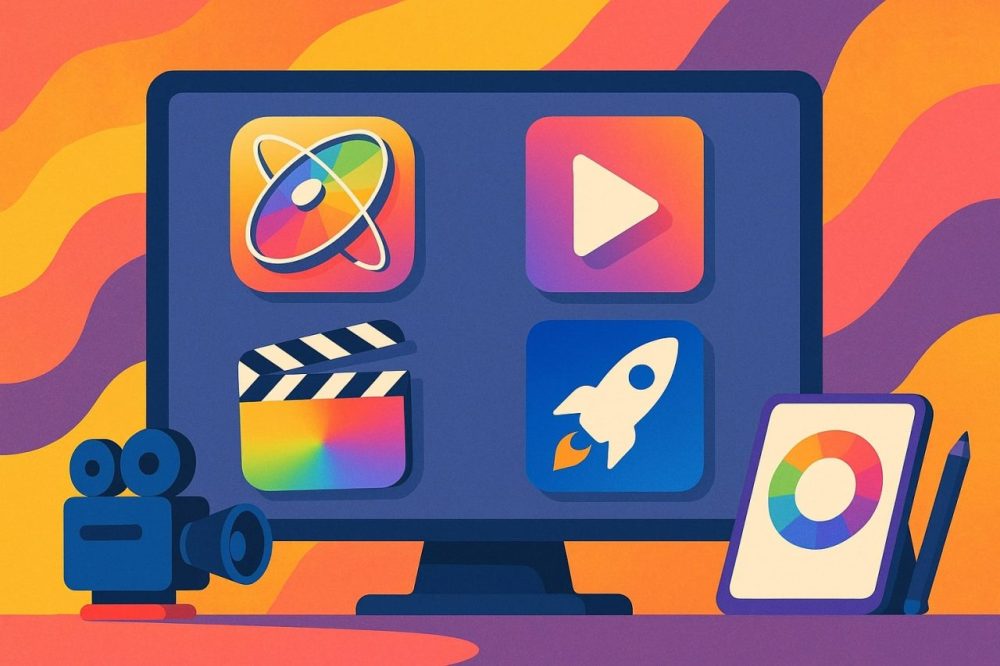
Apple Motion has been a reliable name in motion graphics for a long time, particularly for editors already working inside Final Cut Pro who wanted a lighter, more accessible way to add titles, transitions, and simple effects without stepping into After Effects. It’s still a genuinely capable tool for that specific workflow. But it’s also Mac-only, tied fairly closely to Apple’s editing ecosystem, and built around a design philosophy that hasn’t changed dramatically as creator expectations have shifted toward cross-platform tools, AI-assisted editing, and real-time collaboration. Here’s an honest look at what else is worth considering for video creation in 2026.
What creators expect from a video tool now
The baseline for what counts as a capable video tool has moved considerably since Motion first carved out its niche. Cross-platform availability matters more now that creative teams mix Mac and Windows users routinely, and cloud-based collaboration has gone from a nice-to-have to something teams genuinely expect when multiple people need to work on the same project. AI-assisted features, from auto-captioning to motion tracking that used to require real manual keyframing, have also become table stakes rather than a premium differentiator.
None of this makes Motion obsolete for what it does well. If you’re already deep in the Final Cut Pro ecosystem and mostly need lightweight titling and simple motion graphics, it still does that job efficiently. The alternatives below matter most for creators whose needs have outgrown that specific lane, whether that’s because they need heavier VFX work, cross-platform flexibility, mobile-first editing, or collaborative workflows that Motion was never built to support.
What to weigh before switching tools
Ease of use matters more than most feature comparisons give it credit for, especially for creators without a formal editing background who just want to start producing without weeks of tutorials first. A tool with a slightly smaller feature set that you can actually use confidently within a day beats a more powerful one that takes a month to feel comfortable in, particularly if you’re producing content on a regular publishing schedule where consistency matters more than any single video being technically perfect.
Flexibility across devices and workflows is the other real consideration. If you’re working solo on a single machine, that flexibility matters less. If you’re part of a team mixing Mac and Windows users, or you need to jump between a desktop for serious work and a phone for quick social content, the tools that support that range comfortably, like CapCut or VEED.io, will save real friction compared to something built around a single platform. Pricing model matters too, since a $20-a-month subscription and a one-time $295 purchase can end up costing about the same over roughly a year, but they hit a budget very differently depending on whether you’d rather spread the cost or pay once and be done.
10 best Motion alternatives for video creation in 2026
1. Adobe Premiere Pro
Premiere Pro is the industry standard for timeline-based video editing, used across film, television, and online content at every scale. Unlike Motion, which leans toward motion graphics and light effects work, Premiere Pro specializes in the actual cutting, trimming, color correction, audio editing, and multi-camera work that makes up the bulk of most editing jobs. Deep integration with the rest of Adobe Creative Cloud, especially After Effects for heavier motion work, makes it a natural hub for a full production pipeline rather than an isolated tool, and proxy workflows keep even large 4K projects manageable on modest hardware. The learning curve is real for anyone new to professional editing software, and the subscription pricing starting around $20.99 a month adds up over time, but for editors and filmmakers who need serious control over footage and timelines, it remains the most complete option on this list.
2. Blender
Blender is a full 3D content creation suite, covering modeling, sculpting, animation, motion tracking, and video editing in one integrated pipeline. It’s genuinely free and open-source, which is remarkable given how much capability it packs in, and an active development community keeps it improving steadily rather than stagnating, releasing major updates on a predictable cadence that rivals what paid commercial software offers. The interface is intimidating for anyone coming from a simpler editing tool, and serious rendering work demands real hardware to run smoothly, so it rewards a real time investment more than it rewards a quick weekend project. For creators who want to fold 3D animation and simulation into their video work without paying for a separate specialized tool, it’s hard to beat at any price, let alone free.
3. DaVinci Resolve Fusion
Fusion, the compositing and VFX module built into DaVinci Resolve, is a node-based tool used extensively in high-end post-production for compositing, keying, rotoscoping, particle effects, and genuinely deep 3D motion graphics work. Having it live inside the same environment as Resolve’s editing and color grading tools means a full post-production pipeline can happen without switching software at any stage, which removes the file-compatibility headaches that come with bouncing footage between separate editing and VFX applications. The node-based interface takes real time to learn if you’re used to layer-based tools like Motion or After Effects, but the one-time purchase model, with a capable free version and a $295 Studio upgrade, is a genuine relief compared to ongoing subscription costs elsewhere on this list.
4. Canva Pro Video Editor
Canva’s video editor trades depth for speed, offering a drag-and-drop environment loaded with templates, stock assets, and basic motion effects built specifically for people who need a video out the door quickly rather than a polished cinematic piece. Brand kit support keeps output consistent across a marketing team without anyone needing real design training, and because it shares the same platform as Canva’s graphic design tools, teams already using Canva for static content have essentially zero additional onboarding to do. It’s genuinely limited on detailed animation control, so anyone who needs Motion’s precision keyframing will find it frustrating fast, but for social media marketers and entrepreneurs producing volume content on a deadline, that tradeoff is usually worth it. A free plan covers basic use, with Pro starting around $12.99 a month.
5. Wondershare Filmora Pro
Filmora Pro sits in a comfortable middle ground, offering motion tracking, color correction, audio editing, and keyframe animation without the steep learning curve of a fully professional suite. The interface stays clean and approachable throughout, which is a deliberate design choice for vloggers and educators who want real editing capability without investing weeks in learning the software first, and a large built-in library of royalty-free music and sound effects removes another common friction point for solo creators. It’s genuinely more limited than higher-end tools once you push into advanced motion graphics work, but for creators who want solid, capable editing without professional-grade complexity, it hits a real sweet spot. Pricing starts around $49.99 a year, notably cheaper than most subscription-based competitors.
6. Alight Motion
Alight Motion brings genuinely professional-grade vector and bitmap animation tools to mobile, supporting layers, keyframe animation, blending modes, and color correction with export in multiple formats including GIF and MP4. For mobile creators and short-form video editors who want real motion design capability without opening a desktop app, it’s one of the few mobile tools that doesn’t feel like a stripped-down compromise, and a genuinely active community shares preset packs and project files that shortcut a lot of the setup work for common effects. The free version carries a watermark, with Premium starting around $4.99 a month to remove it, but regular updates and a solid preset library keep it competitive against desktop tools for the specific job of editing on the go.
7. Animaker
Animaker focuses specifically on explainer-style animation, offering a wide selection of characters, icons, pre-built scenes, and voiceover tools built for storytelling and business explainer content rather than cinematic video work. Educators, startups, and HR teams building training or explainer videos tend to get the most out of it, since the drag-and-drop design lets non-designers produce something polished without touching a timeline in the traditional sense, and the built-in voiceover options mean a video can go from script to finished product without recording any original audio at all. Creative control is genuinely limited for advanced users who want precise custom animation, so it’s a poor fit for anyone with detailed motion graphics needs. A free plan is available, with paid tiers starting around $10 a month.
8. Adobe Express Video
Adobe Express Video is built for speed and simplicity, letting users assemble polished short-form videos from ready-made templates, voice narration, and basic animations without a steep learning curve. Brand kit support and integration with the wider Adobe ecosystem make it a natural fit for small business owners and personal brands who want consistent output without hiring a dedicated editor, and files can move into Premiere Pro or Photoshop later if a project outgrows what Express itself can handle. The editing capability is genuinely basic compared to anything else on this list, so it works best as a fast content-production tool rather than a creative platform. A free plan covers light use, with the full version starting around $9.99 a month.
9. VEED.io
VEED.io is a browser-based editor built around basic editing, subtitling, screen recording, and simple animation, with real-time cloud collaboration that makes it popular with teams producing educational and marketing videos together. Auto-captioning and brand kit support round out a genuinely useful toolkit for distributed teams who need to work on the same project without emailing files back and forth, and because everything runs in the browser, there’s no software to install or keep updated across a team’s various machines. Motion graphics customization is limited compared to a dedicated animation tool, so it’s a better fit for content teams than for anyone doing serious motion design work. A free basic plan is available, with Pro starting around $12 a month.
10. CapCut
CapCut, built by ByteDance, has become the default editor for social-first creators and mobile influencers, offering AI-powered motion tracking, auto-captioning, green screen editing, and video effects that make short-form content genuinely fast to produce. It’s surprisingly capable for a completely free tool, and its tight integration with TikTok and other short-form workflows makes it a natural fit for creators whose primary output is vertical video, with trending effect templates that update constantly to match whatever style is currently popular on the platform. It’s not built for long-form or cinematic editing, so anyone working on longer projects will hit its limits quickly, but for fast, trend-driven short-form content, it’s hard to beat given the price.
Choosing the right video creation tool for you
The right tool depends heavily on the kind of video you’re actually making, not just the biggest feature list you can find. Cinematic or long-form projects benefit most from Premiere Pro or DaVinci Resolve Fusion, both of which handle serious production pipelines that lighter tools simply weren’t built for. Quick-turnaround marketing and social content is usually better served by Canva, Adobe Express, or CapCut, where speed matters more than granular control. If you’re doing genuine 3D or heavy VFX work, Blender is the strongest free option by a wide margin, and mobile-first creators specifically should look at Alight Motion or CapCut before anything desktop-based.
Test a few candidates against your actual workflow rather than committing based on a feature comparison alone. Most of these tools offer a free tier or trial, and the fastest way to know whether a tool fits is to run one real project through it end to end, from raw footage to final export, rather than judging it on a demo video someone else made.
Export compatibility is worth checking early too, particularly if your final destination is a specific platform with its own format and aspect ratio requirements. A tool built primarily for vertical short-form content, like CapCut or Alight Motion, will export cleanly for TikTok or Reels without much thought, while getting the same platform-native result out of a desktop tool built for traditional widescreen editing sometimes takes extra configuration you won’t discover until your first upload gets flagged for the wrong aspect ratio.
Don’t underestimate how much a template library speeds up production once you’re publishing regularly rather than making a single video. Tools like Canva, Adobe Express, and Animaker lean heavily on templates specifically because rebuilding a similar structure from scratch every time is where a lot of a creator’s time actually goes, far more than the editing itself once a workflow is established.
If your video work overlaps with adjacent content creation tasks, a few related reads on this site are worth a look: best Loom alternatives for screen recording specifically, best Otter.ai alternatives if transcription and captions are a bigger pain point than editing itself, and best VMate AI alternatives for adjacent AI video tools. For more specialized editing needs, best software for cinematic video editing and best Final Cut Pro alternatives cover deeper comparisons in the same category.
Frequently asked questions
What’s the best free alternative to Apple Motion?
Blender is the strongest fully free option, offering genuine 3D animation and motion graphics capability, though it comes with a real learning curve compared to Motion’s more approachable interface.
Which tool is best for short-form, mobile-first content?
CapCut and Alight Motion are both built specifically for mobile and short-form workflows, with CapCut leaning toward speed and trend-driven editing and Alight Motion offering deeper motion design control.
Is there a Motion alternative that works on Windows?
Nearly every tool on this list works on Windows, unlike Motion itself, which is Mac-exclusive. Premiere Pro, Blender, and DaVinci Resolve are all strong cross-platform options for serious editing work.
What’s the best option for a team that needs to collaborate in real time?
VEED.io is built specifically around real-time cloud collaboration, making it the strongest choice here for distributed teams working on the same project simultaneously.
Do any of these tools avoid a subscription entirely?
Blender is completely free with no subscription, and DaVinci Resolve Fusion offers a one-time purchase option for its Studio tier rather than an ongoing monthly fee.
Which alternative is closest to Motion’s actual feature set?
DaVinci Resolve Fusion is the closest match in terms of dedicated motion graphics and compositing capability, though its node-based workflow feels quite different from Motion’s layer-based approach.
How much hardware do I need for serious motion graphics work?
Blender and DaVinci Resolve Fusion both benefit significantly from a dedicated GPU and ample RAM, especially for 3D rendering and complex compositing. Lighter tools like Canva or CapCut run comfortably on far more modest hardware, including phones.
Can I mix tools rather than committing to just one?
Many creators do exactly this, editing primarily in Premiere Pro or DaVinci Resolve and dropping into Blender or Fusion only for specific VFX or 3D shots that the main editing tool can’t handle on its own.
Is it worth paying for a subscription tool if I only edit occasionally?
Usually not. A free tool like Blender, CapCut, or DaVinci Resolve’s free tier covers most occasional editing needs without an ongoing cost, and it’s worth confirming a paid tool’s features are genuinely necessary before committing to a recurring subscription for infrequent use.