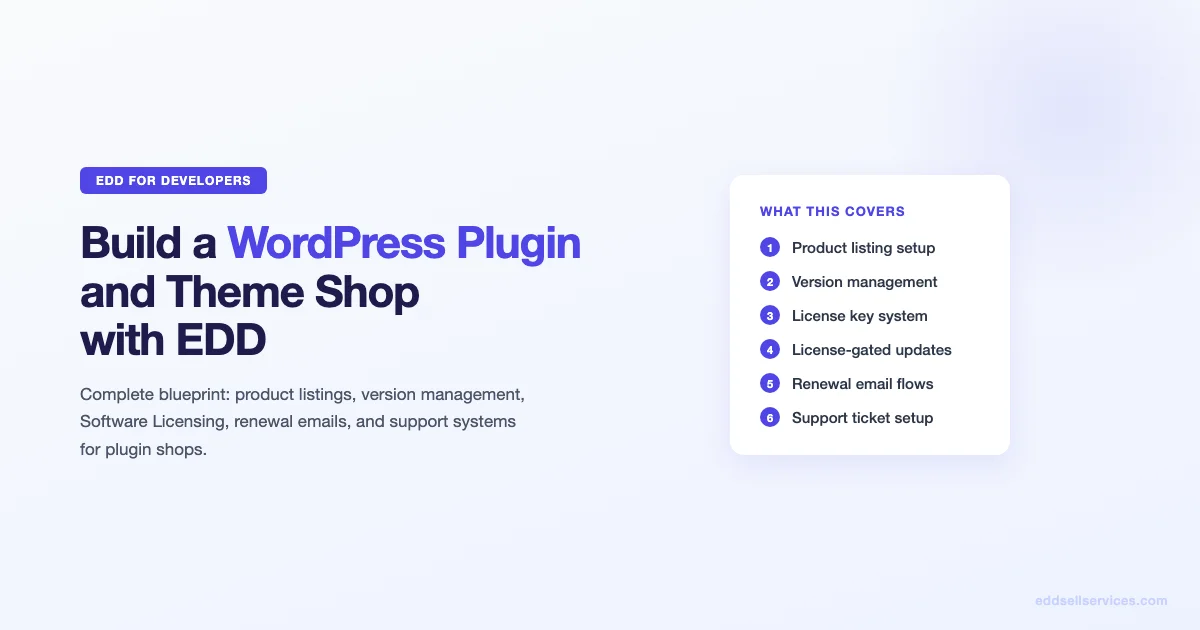
How to Build a WordPress Plugin and Theme Shop with Easy Digital Downloads (Complete Blueprint)

We have been selling WordPress plugins via Easy Digital Downloads for years. The setup is not complicated, but there are decisions you make in the first week that either cost you customers later or make the operation run cleanly for years. This is the blueprint, written from actual experience running a plugin shop on EDD.
Why EDD Is the Right Platform for a Plugin or Theme Shop
WooCommerce can technically sell digital products, but it is built around physical product workflows. EDD was designed specifically for digital files, and that shows in the download management, license key handling, and customer purchase history. For a plugin or theme shop, EDD gives you:
- Per-product download access control without a separate membership plugin
- License key generation and validation via EDD Software Licensing
- Version-specific download management (customers can download older versions if needed)
- Per-site license activation limits that you can set per product
- Renewal reminders and recurring revenue via EDD Recurring
None of those features require significant custom development. They are available as official EDD extensions and they work together cleanly.
Step 1: Product Listing Setup That Converts
Product pages for plugins and themes have to do more selling work than most digital products because the buyer cannot touch or immediately experience the product before purchasing. The listing needs to convey: what it does, who it is for, what they get, and why it is worth the price.
Essential Elements of a Plugin Product Page
- Product name and one-line description above the fold. “BuddyPress Profile Tabs – Add custom tabs to member profiles with one click.” Specific, not generic.
- Feature list with outcomes, not features. “Save 3 hours per site launch” beats “includes 47 settings”.
- Compatibility information. WordPress version tested up to, PHP version requirements, and which major plugins it integrates with.
- Pricing tiers with license limits clearly labeled. Single site, 5 sites, unlimited. Make the value of each tier explicit.
- Changelog link. Buyers want to see that you ship updates regularly. Link to a changelog page, not just to a release date.
- Support policy. Spell out how support works: forum, email, ticket system, and what is and is not in scope.
Screenshot and Demo Strategy
Screenshots are more persuasive than any amount of copy for plugin and theme buyers. Show the settings page, show the frontend output, and if possible link to a live demo site. A demo site on a subdomain (demo.yoursite.com) that runs your plugin with dummy content lets buyers test before buying, which significantly reduces pre-sales questions and support tickets from buyers who bought the wrong thing.
Step 2: Version Management in EDD
This is where EDD plugin shops differ most from other digital product types. A PDF or course does not have versions. A plugin has v1.0, v1.1, v2.0, and customers on older WordPress installs sometimes need to download a previous release.
How EDD Handles Versioned Downloads
Each EDD download can have multiple file attachments. The Software Licensing extension adds a version field to each file. The EDD SL update server reads the current version from these file records and serves the correct zip to wp-admin’s plugin updater. Customers with active licenses get update notifications directly in their WordPress dashboard, same as with wordpress.org plugins.
Version Rollback Policy
Decide upfront how many previous versions you will keep available. Keeping the last two major versions is a reasonable standard. It handles the common scenario where a customer is on an older WordPress version and cannot use the latest release. Keeping every version creates a support burden as customers run into bugs in abandoned releases.
Step 3: License Key Management with EDD Software Licensing
EDD Software Licensing is the add-on that turns EDD into a proper software sales platform. It generates license keys on purchase, validates them from the customer’s WordPress site, and restricts activations to the number of sites the customer paid for.
License Activation Limits
Set activation limits in the pricing tier configuration. Single-site licenses get 1 activation. Agency licenses get unlimited activations. The plugin on the customer’s site calls your EDD installation via the REST API to check if the license is valid and active before enabling premium features.
| License Tier | Activation Limit | Typical Price Ratio |
|---|---|---|
| Personal / Single Site | 1 | 1x base price |
| Developer / 5 Sites | 5 | 2-2.5x base price |
| Agency / Unlimited | Unlimited | 4-5x base price |
Handling License Deactivations
Customers migrate sites, delete staging installs, and change hosting. They will hit their activation limit and contact you asking for a deactivation. You can handle this via EDD’s admin interface manually or enable self-service license management via the customer dashboard. Self-service saves significant support time as your customer base grows.
Step 4: License-Gated Updates
License-gated updates mean that customers with expired licenses cannot download new versions of your plugin. Their existing installation continues to work, but they stop receiving updates until they renew. This is the standard model in the WordPress plugin shop ecosystem and it is what EDD Software Licensing implements out of the box.
The Update Server Endpoint
When you install EDD Software Licensing, it adds a REST API endpoint to your site that acts as an update server. Your plugin’s PHP file points to this endpoint via the EDD SL plugin updater class (which you include in your plugin). The updater class handles the wp_remote_get call, parses the response, and tells WordPress’s core plugin updater whether an update is available and whether the current license allows downloading it.
Communicating the License-Gated Update Policy to Customers
Be explicit about this on the product page and in purchase confirmation emails. The most common support ticket in plugin shops is customers confused about why they are not receiving updates. A one-sentence explanation in the renewal reminder email eliminates most of those tickets.
Step 5: Support Ticket System for Plugin Shops
Plugin and theme shops have a higher support volume than most digital products because buyers are installing software into live sites and running into configuration issues, conflicts, and bugs. A clear support workflow is essential from day one.
Support Channels That Work at Scale
- Helpdesk ticket system: Zendesk, Freshdesk, or Help Scout. Ticket threads keep the entire conversation in one place and are searchable later.
- Knowledge base: A documentation site reduces first-line support volume dramatically. Every ticket that repeats a common question is documentation that needs writing.
- License verification at ticket submission: Require customers to enter their license key when submitting a support request. This filters out non-customers and flags expired licenses before your support team wastes time on them.
Scope of Support Policy
Define what you support before you get a support request. In-scope: installation issues, configuration help, confirmed bugs, license management. Out of scope: third-party plugin conflicts where the conflict is the other plugin’s bug, custom development, and “make it do something it was not designed to do” requests. A clear policy on your product page reduces support tickets by 20-30% in our experience.
Step 6: Renewal Revenue and License Expiry Emails
Renewal revenue is the metric that determines whether your plugin shop is a business or a side project. A plugin with 1,000 customers and a 60% annual renewal rate generates predictable recurring revenue. One with a 20% renewal rate is constantly on the treadmill of acquiring new customers to replace churned ones.
Renewal Email Sequence
| Timing | Content | |
|---|---|---|
| Renewal reminder 1 | 30 days before expiry | Highlight new features added in the past year, link to renewal |
| Renewal reminder 2 | 7 days before expiry | Reminder that updates will stop, no pressure messaging |
| Expiry notification | Day of expiry | License expired, updates paused, renewal link |
| Win-back email | 30 days after expiry | One-time 20% discount for lapsed customers |
EDD Recurring and EDD Software Licensing together handle this flow automatically when configured correctly.
Real Examples: What Works in Plugin Shops
From operating plugin shops via EDD, these are the practices that made a measurable difference:
- Changelogs as marketing. Publishing detailed changelogs on a public URL (not just in the plugin readme.txt) gives renewal reminder emails a compelling reason to renew. Customers want to see what they have been missing.
- Annual pricing anchoring. Showing the monthly equivalent of an annual license on the pricing page consistently increases annual plan selection. “$79/year (just $6.58/month)” converts better than just “$79/year”.
- Lifetime license tier. A premium lifetime tier (typically 3-4x the annual price) converts a segment of heavy users who want to avoid renewal decisions entirely. It also spikes revenue in launch periods.
- Pre-launch list building. Before releasing a new plugin, build an email list of interested buyers via an early-access signup page. The first 48 hours of sales at launch are what drive third-party reviews and word-of-mouth.
Technical Setup Checklist for a Plugin Shop
- Install EDD core and configure payment gateways (Stripe is the standard for plugin shops)
- Install EDD Software Licensing and configure the license key format
- Create product listings with pricing tiers and activation limits
- Bundle the EDD SL plugin updater class into your plugin
- Test: purchase a license, activate it on a test site, verify update server responds correctly
- Install EDD Recurring and configure renewal periods
- Set up renewal email sequence (30 days, 7 days, expiry day, win-back)
- Create a customer dashboard page for self-service license management
- Set up your support ticket system with license key validation at submission
- Publish a documentation site or knowledge base
- Set up EDD Google Analytics integration for conversion tracking
Common Problems in New Plugin Shops
- Update server not responding after site migration. Check that the EDD Software Licensing endpoint URL in your plugin’s updater class matches your production domain, not a staging URL you tested on.
- License activation limits too low. Customers with large portfolios hit activation limits fast. Consider offering a higher-tier license rather than manual overrides.
- Renewal emails going to spam. Transactional emails need proper SPF, DKIM, and DMARC configuration. Use a dedicated sending domain (notifications.yoursite.com) separate from your main domain.
- No changelog = no renewal argument. If you have been shipping updates for a year but have no public changelog, customers have no reason to renew. Write the changelog retrospectively and publish it before your next renewal campaign.
Build the Shop Right the First Time
The decisions that matter most in a plugin shop are made in the first month: how you structure license tiers, how you handle version management, and how you communicate your renewal value. Get those three right and the operational complexity stays manageable even as your customer count grows.
A plugin shop built on EDD with proper licensing and renewal automation can run at 80% of its revenue with minimal manual intervention. The initial setup investment pays back within the first renewal cycle.
For more on EDD setup and the specific extensions that power plugin shops, explore the EDD Plugins category. If you are weighing EDD against WooCommerce before committing to a platform, the detailed comparison of how EDD outperforms WooCommerce for software and plugin sales covers the specific areas where EDD wins on licensing, update delivery, and renewal mechanics. Once your shop is live, the guide on integrating email marketing with EDD for automated customer nurture shows you how to wire renewal reminders and win-back campaigns to run without manual intervention.
Scaling a Plugin Shop Beyond Your First Product
Most plugin shops start with a single product. Scaling to a multi-product catalog introduces complexity that a single-product operation does not face. License management becomes more complex when buyers hold licenses for multiple products. Support becomes harder to route when a ticket could be about any of several products. Marketing requires segmentation rather than a single list blast.
Product Line Architecture
Before launching a second product, define your product line architecture. The most common models in the WordPress plugin ecosystem are:
- Core + add-ons: A base plugin with separate purchased add-ons. EDD itself uses this model. Revenue is spread across many smaller purchases, and buyers commit to your ecosystem with each add-on they buy.
- Suite licensing: One purchase gives access to multiple related plugins. Higher initial price, simpler customer experience, but requires each plugin in the suite to be independently useful.
- Tier-gated features: One plugin with features locked behind license tiers. The simplest from a technical standpoint and the model used by most SaaS-style plugins.
Choose your model before you build the second product, not after. Changing license architecture mid-customer-base is painful and creates customer confusion.
Maintaining Development Velocity Across Multiple Products
The biggest challenge in a multi-product plugin shop is maintaining update cadence across all products simultaneously. Customers expect regular updates. If a product goes six months without a release, renewal rates for that product drop significantly because buyers question whether it is still maintained.
The practical approach for a small team is a rotating release schedule rather than simultaneous updates across all products. Assign each product a release window: Product A gets updates in months 1, 4, 7, 10; Product B gets updates in months 2, 5, 8, 11; and so on. This gives each product a predictable maintenance cadence without requiring simultaneous development across the full catalog.
Pricing Psychology in Plugin and Theme Shops
Pricing a plugin is one of the highest-leverage decisions in your shop, and most plugin developers underprice. The instinct to price low to build market share ignores the support cost economics: a $29 single-site license costs the same amount to support as a $99 one. Price compression that comes from competing on price rather than on value leads to a high-volume, low-margin business that is exhausting to operate.
Value-Based Pricing for WordPress Plugins
The right pricing framework for plugins is value-based: what is the outcome worth to the buyer, and what is the cost of the alternative? A plugin that saves a developer 10 hours of custom development work is worth far more than $49, even if $49 is what the market “expects” for WordPress plugins. Buyers who are evaluating your plugin against custom development are comparing against thousands of dollars, not against other plugins in the $49 range.
Communicate this in your pricing page. “Equivalent custom development: $2,000-$5,000. Our plugin: $149/year.” This anchors your price against the right comparison and makes the value explicit for buyers who have already been through the custom development experience.
The Lifetime License Tier Decision
Lifetime licenses are a polarizing topic in plugin shops. The argument against: you trade recurring revenue for a one-time payment, which hurts predictability and long-term cash flow. The argument for: lifetime buyers are your most loyal customers, they require no renewal work, and a well-priced lifetime tier (3-4x annual price) can significantly boost launch-period revenue.
The hybrid approach that works for many shops: offer lifetime licenses only during launch periods or via a dedicated upgrade path for long-tenured annual subscribers. This captures the revenue spike benefit without permanently cannibalizing your renewal base.
Customer Onboarding for Plugin and Theme Buyers
Activation rate is a hidden predictor of renewal rate in plugin shops. Buyers who never install or configure your plugin after purchase are your most likely churners. A structured onboarding sequence that guides buyers from purchase to first successful use dramatically improves renewal rates.
Purchase Confirmation Email as Onboarding Step One
The purchase confirmation email is the most-opened email you will ever send a customer. It is also where most plugin shops waste the opportunity. A standard confirmation email says: “Thank you for your purchase. Here is your download link and license key.” A high-performing onboarding email says: “You now have [Product Name]. Here is what to do in the next 10 minutes: 1. Download and install, 2. Enter your license key at Settings > [Product] > License, 3. [Specific first action that delivers immediate value].”
The goal of the purchase confirmation is not confirmation. It is activation. Guide the buyer to the first moment of value as quickly as possible.
Day-3 and Day-7 Onboarding Emails
Buyers who have not activated by day 3 are at risk of churning at renewal. A day-3 follow-up email asking “Have you had a chance to install [Product Name]?” with a link to your getting started guide and a one-click link to your support ticket system recovers a significant portion of these buyers. Day-7 escalates to a personal-feeling message: “I noticed you have not installed yet. Is there something blocking you? Reply to this email and I will help directly.” The personal touch at day 7 converts buyers who feel uncertain about getting support.
In-Plugin Onboarding
The best plugin shops have an in-plugin setup wizard for first-time installation. An admin notice with three required configuration steps, a setup progress bar, and a dismiss option for users who know what they are doing. This reduces support tickets from buyers who installed but do not know how to configure the plugin, and it signals professionalism that contributes to renewal confidence.
Marketing Your Plugin Shop Without a Big Budget
Plugin shops with limited marketing budgets rely primarily on three channels: organic search, word of mouth in WordPress communities, and content marketing on their own site. Each of these is more effective when you have a clear positioning statement that distinguishes your plugin from alternatives.
SEO for Plugin Product Pages
Plugin product pages have a specific SEO opportunity: buyers search for very specific queries like “[use case] WordPress plugin”, “[competitor plugin] alternative”, and “[specific feature] plugin for WordPress”. These are high-intent queries with lower competition than generic WordPress queries.
Create a dedicated page for each primary keyword variant. Your main product page targets the head term. Separate landing pages can target “alternative to [competitor]” queries, “[use case] for WooCommerce” queries if applicable, and “how to [task] in WordPress without coding” queries that your plugin solves.
WordPress Community Presence
The WordPress plugin ecosystem has active communities where genuine participation builds credibility faster than advertising. The WordPress.org support forums, the Advanced Custom Fields and Gravity Forms communities (if your plugin integrates with either), and relevant subreddits and Facebook groups are the primary venues. The rule in all of these is: help first, mention your product only when directly relevant and only after you have established credibility through genuine contributions.
A plugin developer who answers 20 WordPress.org forum questions per month, most of which have nothing to do with their own plugin, builds a reputation that drives referrals organically. This is slow but compounding. It is also the approach that large plugin shops used to build their initial user bases before paid acquisition became viable. If you need a team to build the plugin itself rather than just the shop infrastructure, Wbcom Designs offers WordPress plugin development as a core service.