How to Use EDD Analytics and Conversion Tracking to Make Data-Driven Growth Decisions

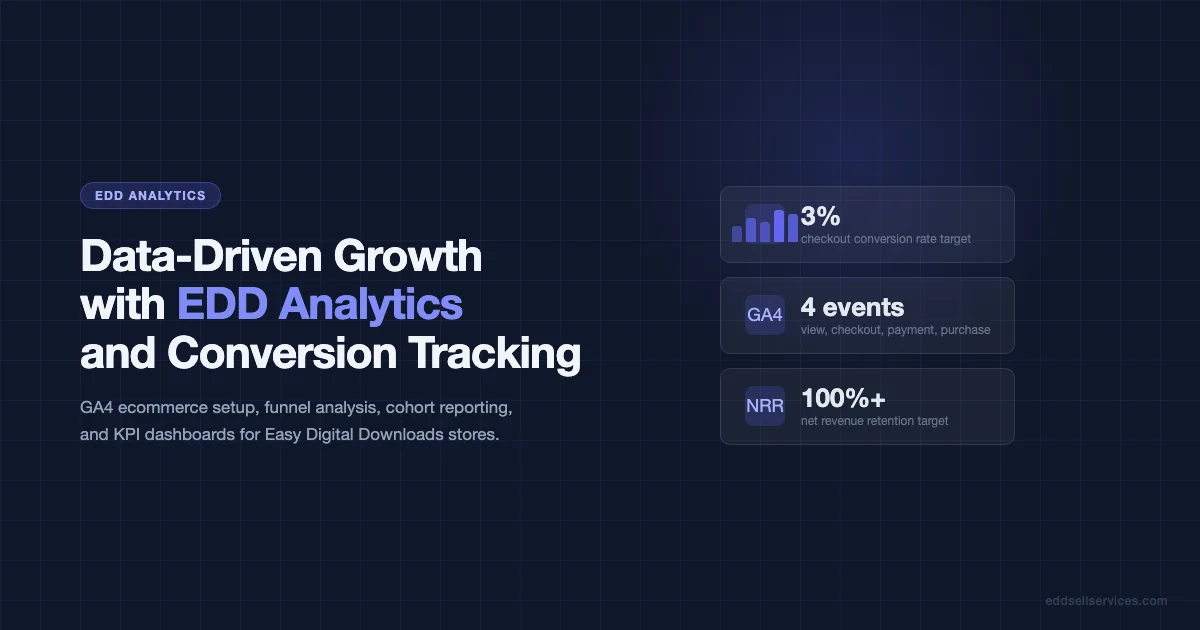
Most EDD store owners check their revenue total once a week and call that analytics. That is not analytics. That is scorekeeping. The difference between a store that grows and one that plateaus is usually whether the owner can answer: where do buyers drop off, which products drive renewals, and which traffic source actually converts? This guide shows you how to get those answers.
What EDD’s Built-In Reporting Actually Covers
EDD ships with a Reports section in wp-admin that gives you a solid baseline. It is worth understanding what it tracks well and where it falls short before you bolt anything on top.
What the Native Reports Cover Well
- Earnings by date range: Daily, weekly, monthly, and custom date ranges. Exportable to CSV.
- Sales count and refund rate: Total transactions and refund volume. Useful for spotting problem periods.
- Per-product performance: Revenue, sales count, and earnings per download for each product individually.
- Customer report: Total customers, new vs returning, lifetime value per customer.
- Download activity: How often each product is downloaded after purchase.
What Native Reports Miss
- Traffic source attribution (which campaigns, search queries, or referrals drove actual sales)
- Checkout funnel drop-off (where buyers leave before completing purchase)
- Cohort analysis (do buyers who come from Google Search renew at higher rates than buyers from social?)
- Multi-product purchase behavior (which products get bought together)
For those gaps, you need Google Analytics 4 ecommerce tracking wired up to EDD.
Setting Up Google Analytics 4 Ecommerce Tracking for EDD
GA4 ecommerce tracking for EDD requires two things: a GA4 property connected to your site, and the EDD GA4 integration firing the right events. There are two ways to set this up.
Option A: Use the EDD Google Analytics Add-On
EDD has an official Google Analytics add-on that pushes purchase events, refund events, and download events directly to GA4. Once configured, it fires the GA4 ecommerce schema automatically: view_item, add_to_cart, begin_checkout, purchase. This is the cleanest path if you do not want to touch JavaScript.
Option B: Google Tag Manager with Custom Triggers
If you are using GTM already, you can fire GA4 ecommerce events by listening for EDD’s JavaScript hooks. EDD triggers custom events on the checkout page that GTM can catch. This approach is more flexible if you have existing tag setups or want to send events to multiple analytics platforms.
The key events to track:
| GA4 Event | EDD Trigger | Business Value |
|---|---|---|
| view_item | Product page load | Which products get viewed most |
| begin_checkout | Checkout page load | Checkout initiation rate vs views |
| add_payment_info | Payment form interaction | Payment step completion rate |
| purchase | Payment success | Revenue, transaction ID, products |
| refund | EDD refund webhook | Refund rate and refund revenue impact |
Building a Conversion Funnel in GA4
Once your ecommerce events are firing, set up a funnel exploration in GA4. This is the single most useful view for an EDD store because it shows exactly where buyers drop off between product view and purchase.
Create a funnel with these four steps:
- Event: view_item (product page view)
- Event: begin_checkout (checkout page reached)
- Event: add_payment_info (payment info entered)
- Event: purchase (completed)
The step between begin_checkout and add_payment_info is where most EDD stores lose buyers. If that drop-off is above 40%, investigate your checkout form length, payment options, and page load speed. A 40-60% drop at this step is common; above 60% indicates a specific problem worth diagnosing.
Customer Cohort Reporting for Digital Product Stores
Cohort analysis answers the question: do customers acquired in January have better 6-month retention than customers acquired in March? For EDD stores that sell annual licenses, this is a critical metric.
How to Run a Cohort Report in EDD
EDD’s Recurring Payments extension tracks renewal behavior. Export the customer list with acquisition date and renewal status. Group by acquisition month. Calculate the percentage of each cohort that renewed at the 12-month mark. This tells you whether your renewal rate is improving over time and whether specific campaigns or traffic sources produce higher-value cohorts.
Using GA4 Retention Reports
GA4 has a built-in retention report under Lifecycle that shows user return rates over 90 days. While this is not as precise as license renewal tracking, it does tell you whether buyers who purchased are returning to your site (for support docs, updates, or upgrade consideration). A store where buyers never come back after purchase has a different upsell opportunity than one with regular returnees.
Revenue Attribution: Which Traffic Sources Actually Convert
GA4’s traffic acquisition reports, combined with ecommerce tracking, let you see revenue broken down by source. For EDD stores, the typical breakdown looks like this:
| Traffic Source | Typical EDD Store Share | Conversion Rate Benchmark |
|---|---|---|
| Organic search | 40-60% | 1.5-3% |
| Direct | 15-25% | 3-6% (return visitors) |
| Referral | 10-20% | 2-4% |
| 5-15% | 4-8% | |
| Social | 5-10% | 0.5-1.5% |
If email has only 5% of your traffic but 15% of your revenue, that is a strong signal to invest more in email list growth. Attribution data tells you where to put your next marketing dollar.
Setting Up a KPI Dashboard for Your EDD Store
A KPI dashboard is not a vanity metrics page. It is the five to eight numbers that, if they all move in the right direction, mean your business is healthy. For an EDD store, those numbers are:
- Monthly Recurring Revenue (MRR): Total from active recurring subscriptions. Tracked in EDD Recurring + your payment processor.
- Net Revenue Retention (NRR): (Revenue at end of period from original cohort) / (Revenue at start of period). Above 100% means expansion revenue is offsetting churn.
- Checkout Conversion Rate: (Completed purchases) / (Checkout page views). Target 2-4% of site visitors, 20-40% of checkout initiators.
- Average Order Value (AOV): Total revenue / total orders. Track whether upsells and bundles are moving this number.
- Cart Abandonment Rate: 1 – (completed purchases / checkout initiations). Target under 65%.
- License Renewal Rate: (Renewals) / (Licenses due for renewal). Target 60%+ for annual licenses.
- Refund Rate: (Refunds) / (Total sales). Above 5% warrants investigation.
Build this dashboard in Google Looker Studio (formerly Data Studio) using the GA4 connector plus a Google Sheets connector for EDD export data. It takes a few hours to set up once and then runs automatically.
Tracking Conversion Funnels Beyond the Checkout
The checkout funnel is not the only funnel worth tracking. For EDD stores with a content-driven acquisition model, track the full content-to-customer path:
- Blog post view to product page visit rate
- Product page to checkout initiation rate
- Free download (lead magnet) to paid purchase conversion rate
- Email subscriber to first purchase conversion rate
Each of these rates tells you where your marketing funnel is leaking. A high blog-to-product-page rate but low checkout initiation rate means the product page is the problem. A high email subscriber count but low conversion rate means your email sequence is not converting.
A/B Testing With Analytics Data
Once you have baseline conversion data, A/B testing becomes possible. Without baseline data, you are testing blind. With it, you can prioritize what to test based on where the biggest gaps are.
High-value tests for EDD stores:
- Product page headline and price display: Changing how price is presented (annual vs monthly equivalent, with vs without comparison) often moves conversion rate by 10-20%.
- Checkout field reduction: Removing non-essential fields from the checkout form. Each field removed reduces abandonment slightly.
- Social proof placement: Moving testimonials or review counts closer to the buy button vs below the fold.
- Bundle offers at checkout: Adding a one-click upsell or bundle offer on the checkout page.
Practical Analytics Setup Checklist
- Create GA4 property and install on EDD site
- Configure GA4 ecommerce tracking via EDD add-on or GTM
- Verify purchase events are firing (test with GA4 DebugView)
- Set up conversion funnel exploration in GA4
- Export EDD customer data monthly, tag with acquisition source
- Build KPI dashboard in Looker Studio
- Set up monthly review cadence: check dashboard, identify one improvement to test
- Track cohort renewal rates quarterly
Common Analytics Mistakes EDD Store Owners Make
- Not filtering out own traffic. Your own visits skew session data and inflate traffic numbers. Add an IP exclusion filter in GA4.
- Measuring revenue in GA4 only. GA4 can under-report revenue due to ad blockers and cookie consent issues. Use EDD Reports as your authoritative revenue number; GA4 is for trends and attribution.
- Ignoring refund events. Not tracking refunds means your revenue data looks better than it is. Wire up refund events from the start.
- Not setting up goals before optimizing. Optimization without a defined target metric is busy work. Decide what you are trying to improve before you start testing.
Start With the Data You Have
You do not need a perfect analytics setup to start making better decisions. Start with EDD’s native reports today. Identify which product has the highest revenue but the lowest renewal rate. That is your first optimization target. Set up GA4 ecommerce tracking this week. Run the checkout funnel report after 30 days. Then build the KPI dashboard.
Data does not make decisions for you. It tells you which decisions to prioritize. That distinction matters when you are a one-person EDD operation with limited time to experiment.
Explore more EDD growth strategies in the Online Marketing category. Once your analytics are tracking correctly, the natural next step is setting up post-purchase email sequences that act on your data. The guide on integrating email marketing with EDD for automated customer nurture sequences covers how to wire purchase events and renewal triggers to your email platform.
Integrating EDD Data With External Business Intelligence Tools
For stores with more complex reporting needs, feeding EDD data into a dedicated business intelligence platform opens up analysis that GA4 and Looker Studio cannot easily provide. The most common BI integrations for EDD stores are Metabase, Redash, and for larger operations, Tableau or Power BI.
Exporting EDD Data for BI Analysis
EDD’s Reports section has CSV export functionality for most of its reports. For automated feeds into a BI tool, the better approach is querying the EDD database tables directly. The key tables are edd_payments, edd_payment_meta, edd_customers, edd_customer_addresses, and edd_logs. A scheduled SQL export from these tables to your BI platform gives you a live data feed without relying on manual CSV exports.
If you are on Cloudways or a managed host, use a cron job to push daily exports to an S3 bucket or a Google Cloud Storage bucket that your BI tool reads from. This setup requires minimal ongoing maintenance once configured.
Revenue Forecasting From EDD Data
Once you have 12+ months of EDD data in a BI tool, you can build simple revenue forecasts based on renewal cohort behavior. The core model: take your current active license count, apply your observed renewal rate by cohort, and project forward 12 months. Factor in your average new customer acquisition rate from the past 90 days. The result is a rough MRR forecast with confidence intervals.
This kind of forecast is particularly valuable when deciding whether to invest in a new product, a feature expansion, or a marketing push. Knowing your renewal revenue floor lets you size discretionary spending against a realistic base.
Custom Events and EDD Hooks for Advanced Analytics
Beyond the standard ecommerce events that the EDD Google Analytics add-on fires, there are EDD-specific events worth tracking that give you more granular insight into buyer behavior.
Download Events After Purchase
EDD fires a download event every time a purchased file is accessed. Tracking this in GA4 as a custom event tells you two things: whether buyers are actually downloading what they purchased (a proxy for activation rate and real-world use), and whether certain products are downloaded multiple times (a signal that buyers are re-using them on multiple projects, which justifies higher license pricing).
The WordPress hook to listen for is edd_process_download_headers. Pass the download ID and customer ID to a custom GA4 measurement protocol call when this fires. This gives you download data that the standard GA4 ecommerce events do not capture.
License Activation Events
If you use EDD Software Licensing, every license activation is a meaningful event. A buyer who activates a license is an engaged user. A buyer who has never activated is a churn risk. Sending a license activation event to GA4 lets you segment your customer base by activation status and target unactivated license holders with a specific onboarding or support email.
The EDD Software Licensing hook is edd_sl_post_set_status when the status changes to “active”. Wire this to a GA4 measurement protocol call with the license tier and product ID as event parameters.
Conversion Rate Optimization Based on Analytics Findings
Analytics data is only useful if it drives action. Here is a structured approach to turning EDD analytics findings into concrete conversion rate improvements.
The Weekly Analytics Review Routine
Set aside 30 minutes on Monday morning to review the previous week’s numbers on your KPI dashboard. Your review should answer four questions: Did revenue hit last week’s target? What was checkout conversion rate, and is it trending up or down? Which product drove the most revenue, and was it the expected one? Did any product have a spike or drop in refund rate?
These four questions identify the highest-priority issue to investigate each week. The goal is not to act on every data point but to identify one thing to test or fix per week.
Price Page Optimization From Analytics Data
Your product page analytics will typically show you that a large percentage of buyers spend time on the pricing section of the page before either starting checkout or leaving. Use GA4’s scroll depth tracking and heat map tools (Hotjar or Microsoft Clarity, both free) to see where buyers stop reading on the pricing page.
Common findings from EDD product page analytics:
- Buyers scroll past the pricing table without converting when the value proposition for each tier is not clear enough
- The middle tier in a three-tier pricing structure gets the most attention but not necessarily the most conversions (the so-called “decoy effect” is real but inconsistent in digital products)
- Long-form FAQs below the pricing table reduce refund rates but can also reduce total conversions by introducing doubt for buyers who were already ready to purchase
Analytics tells you what buyers are doing; user testing tells you why. Run an analytics review first to identify the high-priority pages, then run a five-person user test on those pages specifically.
Funnel Drop-Off Diagnosis
When GA4 funnel analysis shows a significant drop between two steps, the diagnosis follows a standard process. First, rule out technical issues: does the checkout page load correctly on the devices where the drop-off is highest? Is there a JavaScript error in the console on that step? Second, look at the demographic breakdown: are buyers from a specific country or device type dropping off at higher rates? A checkout that fails to load on mobile in India because of a font CDN timeout is a very different problem than a pricing concern among European enterprise buyers.
The third step is testing a change. Do not change the page just because you spotted a drop-off. Confirm the hypothesis first with a small user test or a quick survey on the exit page. Then run the test for at least two weeks before drawing conclusions.
Building a Data Culture in Your EDD Operation
For solo operators or small teams, the risk is over-measuring and under-acting. Having too many reports and dashboards without a clear decision framework leads to analysis paralysis. The antidote is a simple rule: every analytics report should be connected to a specific decision. If you cannot name the decision a report helps you make, remove it from your regular review.
The decisions that matter most for an EDD store are: where to invest the next marketing dollar, which product to update next, whether to launch a new product, and whether to change pricing. Structure your analytics practice around answering those four questions. Everything else is optional reporting.
When to Hire an Analytics Specialist
Most EDD store owners at under $10,000 per month in revenue can manage their own analytics with the setup described in this guide. Above that threshold, the complexity increases: multiple products with different funnel stages, more complex renewal modeling, multi-currency reporting with real attribution across geographies.
The signal that it is time to bring in a specialist is not revenue size but data complexity. If you are spending more than two hours per week trying to make sense of your analytics data without clear action items coming out of it, the investment in a part-time analytics consultant will pay back quickly.
Measuring the Impact of Content Marketing on EDD Sales
Many EDD stores use content marketing (blog posts, tutorials, comparison guides) as their primary acquisition channel. Measuring the actual revenue impact of content requires connecting GA4 traffic data with EDD purchase data at the individual customer level, which is more work than standard ecommerce tracking.
The practical approach for most stores: use GA4’s landing page report filtered by conversions to see which content pieces drive actual purchases within a 7-day attribution window. Content that drives traffic without driving purchases within 7 days may still be valuable for brand building and SEO, but it should not be prioritized for CRO investment over content that has a measurable conversion pathway.
Track your top-five revenue-generating content pieces. When a piece starts declining in conversion rate, investigate first: has the competitive landscape changed? Has a competitor published a better alternative? Is the product page it links to outdated? Often the problem is not the content but the destination page it drives buyers to.
Key Takeaways for EDD Analytics Setup
Start with EDD’s native reports for revenue and refund tracking. Add GA4 ecommerce tracking to understand conversion funnels and traffic attribution. Build a 7-metric KPI dashboard in Looker Studio and review it weekly. Run cohort analysis quarterly to measure renewal rate trends by acquisition period. Use the data to prioritize one improvement per week, not to generate reports that no one reads.
The EDD stores that grow consistently are the ones that have a clear decision framework connected to their analytics, not just a collection of dashboards. Pick your five most important metrics, understand what moves them, and focus your optimization efforts on those levers. Everything else is useful context, not the main event. If you want the tracking, automation triggers, and renewal sequences set up correctly from the start, Wbcom Designs offers marketing automation setup for EDD stores and digital product businesses.