How to Launch a Stock Photo Store with Easy Digital Downloads and Automated Licensing

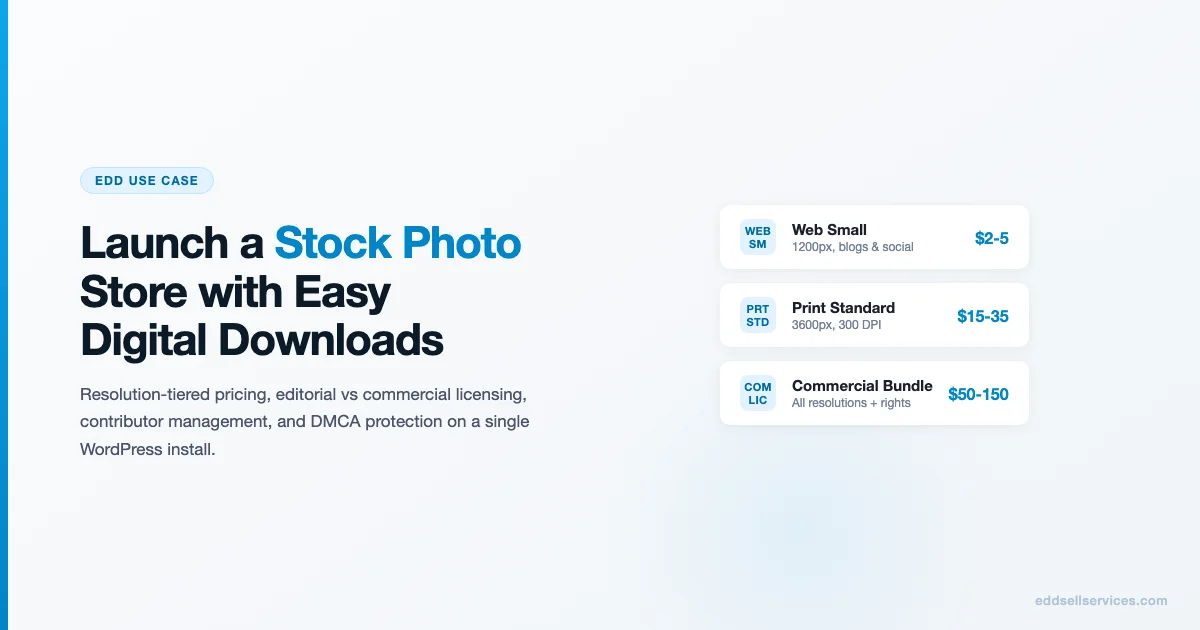
A stock photo store on Easy Digital Downloads is a different problem than a plugin shop. Instead of selling one or two products with license keys, you are managing a catalog of potentially thousands of assets, each with multiple pricing tiers based on resolution and usage rights. The good news is EDD handles this model well if you structure your products correctly from day one.
Why Stock Photo Stores Work on EDD
EDD’s core download management system is file-based, which suits stock photography well. Each photo can have multiple file attachments (web resolution, print resolution, RAW file) with separate access rules tied to pricing tiers. EDD’s purchase receipt automation delivers the correct file access based on what the buyer paid for, without any custom coding.
The key EDD features for stock photography:
- Variable pricing per product (one product, multiple price points, different file access per tier)
- Download access expiry or unlimited downloads per purchase (configurable per product)
- Customer purchase history showing every asset purchased
- Per-purchase download limits (optional: prevent unlimited re-downloads)
- Discount codes for bulk buyers, subscribers, and contributors
Step 1: Resolution-Tiered Pricing Structure
The standard tiering model for stock photography maps price to resolution and usage rights. Here is a pricing structure that works for independent stock photo stores competing below the major stock agencies:
| Tier | Resolution | Use Case | Typical Price Range |
|---|---|---|---|
| Web Small | 1200px wide, 72 DPI | Blog posts, social media | $2-$5 |
| Web Large | 2400px wide, 72 DPI | Web banners, email headers | $5-$12 |
| Print Standard | 3600px, 300 DPI | Brochures, magazine editorial | $15-$35 |
| Print Premium | Full RAW or max resolution | Large format, commercial print | $35-$80 |
| Editorial Bundle | All resolutions, editorial use only | News, education, editorial | $20-$50 per image |
| Commercial Bundle | All resolutions, commercial use | Advertising, product packaging | $50-$150 per image |
In EDD, each row in this table is a price variation on a single product. The product is the photo; the variations are the access tiers. When a buyer selects a tier, EDD gives them access only to the file(s) attached to that tier.
Step 2: Editorial vs Commercial Licensing
The licensing distinction between editorial and commercial use is the most important legal decision you make when launching a stock photo store. Getting it wrong creates liability.
Editorial Use License
Editorial use permits the buyer to use the image to illustrate factual or news content. They cannot use it in advertising, product packaging, or any commercial context that implies endorsement. Editorial licenses are typically lower priced because the use case is narrower.
Editorial-only images are usually those depicting recognizable people without model releases, or properties without property releases. The editorial restriction is your protection against someone using that image in a way that creates liability for you or the subject.
Commercial Use License
Commercial use permits advertising, product marketing, merchandise, and business promotion. For a commercial license to be valid, you need:
- Model releases for any recognizable person in the image
- Property releases for any privately-owned property, artwork, or branded items in the image
- Your own rights to the image (you must own the copyright or have a license that permits sub-licensing)
How to Tag Images Correctly
Mark each EDD product with a custom field or tag indicating its license type. Display the license type prominently on the product page. Buyers making commercial purchases need to verify eligibility before purchasing; hiding this information leads to chargebacks.
Step 3: Bulk Download Packages
Bulk download packages let buyers pre-purchase a credit bundle (e.g., 25 image downloads) and draw down from it over time. For buyers who use stock photos regularly, this is more convenient than buying one image at a time and usually improves your average order value significantly.
Implementing Credits with EDD
EDD does not have a native credits system, but there are two approaches that work:
- EDD Purchase Rewards: Gives buyers store credit that can be applied to future purchases. Not quite credits but works for simpler implementations.
- Third-party credits plugin: Plugins like Points and Rewards for WooCommerce have EDD equivalents, or you can implement credits via EDD’s API hooks.
- Subscription model: EDD Recurring with a monthly download limit per plan. Buyers pay monthly and get a fixed number of downloads per billing cycle. This is cleaner than a credits system for most stock photo stores.
Step 4: Keyword Tagging and Search
Stock photo buyers search for specific images by keyword, not by browsing. If your site search is weak, buyers leave. This is the single biggest operational difference between a stock photo store that converts and one that does not.
WordPress-Native Search Options
WordPress’s default search searches post titles and content. For stock photos, you need to search tags, custom fields, and attachment metadata. Options:
- Relevanssi: Replaces WordPress’s search with a relevance-ranked, indexed search that includes custom fields and taxonomies. The best option for stock photo stores that want to stay on WordPress without a separate search service.
- SearchWP: Paid plugin that provides weighted search across post types, taxonomies, and custom fields. More configuration options than Relevanssi.
- Elastic Search via ElasticPress: For catalogs above 10,000 images, a proper search index becomes necessary. ElasticPress connects WordPress to a managed Elasticsearch instance.
Keyword Tagging Workflow
Create a taxonomy for keywords (or use WordPress native tags) and apply at minimum 10-20 keywords per image. Include:
- Subject matter (“woman”, “laptop”, “coffee”)
- Setting (“office”, “outdoor”, “studio”)
- Mood/style (“warm”, “minimal”, “bright”)
- Color palette (“blue”, “neutral”, “dark”)
- Use case (“business”, “blog hero”, “social media”)
Step 5: Contributor Management
If your store accepts photographer submissions, you need a contributor management workflow. This is optional for stores with a single photographer (yourself) but essential for multi-contributor catalogs.
Contribution Intake
Use a form-based submission process (Gravity Forms or WS Form work well) where contributors upload images, titles, keywords, and confirm they have the necessary releases. Do not open an FTP upload or give contributors direct wp-admin access.
Revenue Split and Payout
The standard contributor split for independent stock sites is 30-50% of the net sale price to the contributor. Manual payout via PayPal or bank transfer is workable at small scale. For larger contributor networks, look at EDD Commissions (official extension) which tracks per-product commissions and can generate payout reports.
Contributor Portal
Give contributors a view of their submission status, sales count, and pending earnings. EDD Commissions has a frontend dashboard for this. Without transparency, you will spend significant time responding to contributor inquiries about their earnings.
Step 6: DMCA and Copyright Protection
Copyright infringement is a reality for stock photo stores. Images get scraped and republished without a license. A few protection measures reduce the problem significantly.
Watermarking Preview Images
Display a watermarked version of every image on the product page. The watermark does not have to be aggressive; a subtle diagonal text overlay is enough to prevent casual theft while still letting buyers see the image clearly. Tools that handle this automatically for WordPress include Watermark RELOADED and WP Image Watermark.
Right-Click Disable
Disabling right-click on preview images prevents casual image saving but does not stop anyone determined. Implement it via a lightweight script on EDD download pages only, not site-wide (site-wide right-click disabling is a usability problem).
DMCA Takedown Process
Register with the US Copyright Office if you are US-based. Create a DMCA policy page listing your designated agent contact information. When you find your images used without a license, send a DMCA takedown notice to the hosting provider. Google also accepts DMCA notices for removing infringing URLs from search results.
Reverse Image Search Monitoring
Set up Google Alerts for unique filenames or use a service like TinEye Alerts or Pixsy to monitor for unauthorized use of your images across the web. Pixsy in particular automates the monitoring and legal follow-up process for a monthly fee.
Launch Checklist for a Stock Photo Store on EDD
- Install EDD core and configure Stripe as payment gateway
- Create pricing tiers as EDD variable pricing options
- Upload first batch of images with watermarked previews as featured media
- Attach full-resolution files to appropriate pricing tiers
- Tag each image with 10-20 keywords
- Install Relevanssi and configure to search by tags and custom fields
- Write and publish your license terms page (editorial and commercial, clearly separated)
- Write and publish your DMCA policy page
- Set up purchase receipt emails that include license confirmation text
- Test the full purchase flow: buy a web tier, verify correct file access, verify license email
- Set up contributor management workflow if accepting submissions
- Configure Google Analytics ecommerce tracking
Scaling the Catalog
The difference between a stock photo store with 100 images and one with 10,000 is not just quantity. At larger catalog sizes, the operational challenges shift. Search quality becomes the primary driver of sales. Upload workflow automation (bulk import with CSV-based metadata) becomes necessary. CDN delivery for preview images becomes a performance requirement.
Plan for scale in your initial architecture even if you are launching with a small catalog. Using a custom post type for photos (instead of EDD downloads for everything) gives you more control over the display logic and search indexing as your catalog grows.
A stock photo store built right on EDD can handle a 10,000-image catalog with a single WordPress install. The database handles it well; search is the bottleneck, not storage or transaction volume.
Start Building Your Stock Photo Store
Stock photography is a high-margin business once the catalog is established. EDD gives you the licensing and delivery infrastructure. Your job is the catalog quality, the keyword tagging, and the legal framework. Start with 50-100 well-tagged, properly licensed images and build from there.
For more on EDD store setup and digital product sales strategies, browse the Ecommerce category on EDD Sell Services. Not yet sure which store model fits your business? The breakdown of EDD use cases for freelancers, agencies, and SaaS founders shows how different operator types use EDD and where it outperforms alternatives. If you are migrating from an existing WooCommerce setup, the guide on migrating from WooCommerce to Easy Digital Downloads without losing sales data covers the full transfer process including customer records and purchase history.
Driving Traffic to a Stock Photo Store
A stock photo store has different traffic acquisition dynamics than a software plugin shop. Buyers search for images by subject matter, not by the platform they are sold on. Your SEO strategy should target the descriptive queries buyers actually use: “minimal office photo free download”, “diverse team meeting stock image commercial license”, “food photography dark background buy”.
Long-Tail Image Search SEO
Each photo in your catalog is a potential landing page for a long-tail search query. The product page title, alt text, and surrounding description content should include the specific subject matter, setting, mood, and use case of that image. A product page titled “Minimal Home Office Workspace Photo – Royalty Free Commercial License” will rank for queries that a generic image platform product page never will, simply because it is more specific and less competitive.
Build a consistent naming convention for your images from the start. [Primary subject] + [Setting/background] + [Use case] + [License type]. This naming convention feeds directly into your product page titles, alt text, and file names, all of which contribute to image SEO.
Pinterest as a Discovery Channel
Pinterest drives significant traffic to stock photo stores because it is itself an image-first platform and its users are often looking for visual inspiration before searching for licensable images. Creating boards organized by theme, style, and use case puts your catalog in front of designers, content marketers, and small business owners at the moment they are developing visual concepts.
The workflow: create a Pinterest business account, create theme boards that match your catalog categories, pin your watermarked preview images with links back to the product pages, and include keyword-rich pin descriptions. Pins from an active, well-organized business account accumulate saves over months and drive sustained traffic without ongoing effort after the initial setup.
Pricing Strategy for Stock Photo Collections
Individual image pricing (described in the earlier section of this guide) is the most common model for independent stock photo stores. But there are three alternative pricing models that perform well in certain niches and are worth evaluating before you lock in your pricing architecture.
Subscription Bundles
A subscription model gives buyers a fixed number of downloads per month at a flat fee. For buyers who use stock photos regularly (social media managers, content teams, email marketers), the subscription model is more convenient than buying images individually and often generates higher lifetime value per customer than pay-per-download.
Implement subscriptions in EDD via the Recurring Payments extension. Set the download limit per billing cycle as a custom field on the subscription product. A simple implementation: create a “Basic” subscription (10 downloads/month, $19/month) and a “Pro” subscription (50 downloads/month, $49/month). Track remaining downloads per subscriber via EDD’s customer meta or a simple custom database table that decrements on each download event.
Collection Bundles
Collection bundles sell a thematically grouped set of images at a flat price: “20 Minimal Office Photos – Commercial License – $99.” This pricing model works well for niches with a strong professional buyer base (real estate photography collections, food photography series, corporate headshots) where buyers want multiple images from a consistent visual style.
Bundles convert at higher average order values than individual image sales and reduce the decision overhead for buyers who know they need multiple images on a single theme. The conversion rate on a well-positioned bundle page can be 2-3x higher than the conversion rate on an equivalent set of individual product pages.
Extended License Upsells
An extended license tier (sometimes called an enhanced license) covers uses that go beyond standard commercial rights: unlimited print runs, use in resold products (templates sold on marketplaces), broadcast television use, and large-scale out-of-home advertising. Extended licenses are priced substantially higher than standard commercial licenses, typically 5-10x.
Most stock photo store buyers never need an extended license, but the segment that does (commercial template designers, ad agencies, broadcast producers) will pay significantly for proper rights coverage. Adding an extended license tier to your product pricing as a visible option, even if most buyers never select it, also signals to professional buyers that you understand the licensing landscape and are a serious supplier rather than an amateur side project.
Automating the Upload and Metadata Workflow
Manually uploading and tagging stock photos is the biggest operational bottleneck in a growing catalog. Once you have more than a few hundred images, manual per-image uploads become prohibitively time-consuming. Automating the workflow requires some upfront development investment but pays back quickly in catalog growth speed.
Bulk Import Via WP REST API
EDD exposes a REST API that accepts product creation and file attachment calls. A bulk import script can read from a CSV file (columns: title, description, keywords, price tiers, file paths) and create EDD products programmatically. This reduces a day of manual upload work to a few minutes of script execution.
The CSV format for a bulk import script needs at minimum: product title, short description, tag list (comma-separated), price per tier, file path for each tier’s downloadable file, and the watermarked preview image path. The script calls the EDD REST API create endpoint for each row, attaches the files, and assigns tags from the tag list column.
Automated Watermarking in the Upload Pipeline
Manual watermarking of preview images before upload is error-prone and slow. Automate it as part of your upload pipeline. When a new full-resolution image lands in a designated upload folder (local or S3), a script applies a standard watermark overlay and saves the watermarked version to a separate preview folder. The bulk import script then uses the preview folder path for the product thumbnail and the original folder path for the paid download files.
ImageMagick handles the watermarking step on any Linux-based server. A two-line command combines the original image and a semi-transparent watermark PNG at a specified opacity and position. This can be wrapped in a file watcher script that runs automatically whenever new files appear in the upload folder, making the watermarking step completely hands-off.
Building a Loyal Buyer Base in a Competitive Market
The stock photo market is dominated by large platforms with millions of images. Competing on catalog size alone is not viable for an independent store. The sustainable competitive position for an independent stock photo store is a specific niche, a distinctive visual style, and a level of service quality that large platforms cannot match at their scale.
Niche positioning means choosing a subject matter area where you have genuine expertise or access: food photography if you have a commercial kitchen and styling skills, architecture and real estate if you have a portfolio of property photography, diversity and inclusion-focused business imagery if you have a network of models and a strong editorial perspective on representation. In a niche, buyers who need exactly what you offer will find you, come back, and recommend you to others in the same field.
The secondary differentiation is quality and consistency. Large stock platforms accept a wide range of quality levels because volume is their priority. An independent store can reject images that do not meet a defined standard and maintain a curated quality level that professional buyers are willing to pay a premium for. That premium pricing, sustained by genuine quality and niche expertise, is what makes an independent stock photo store a viable long-term business on EDD.
Frequently Asked Questions About Stock Photo Stores on EDD
Do I need model releases for every photo? Only if you plan to sell commercial licenses for images that include recognizable individuals. Photos without identifiable people, or editorial-licensed images, do not require model releases.
Can one WordPress install handle a 10,000-image EDD catalog? Yes, with proper database optimization, caching, and a good search plugin. The WP_Posts table handles large volumes well. Performance issues at scale usually come from poor search queries or uncached product thumbnails rather than from EDD itself.
What image formats should I sell? JPEG for photography (highest compatibility, smallest file size at quality settings), PNG for graphics and illustrations that need transparency. Offer RAW files only in your highest-priced tier and only if your buyers are professional photographers who need them.