How EDD Delivers Better Performance Than WooCommerce for Digital-Only Stores

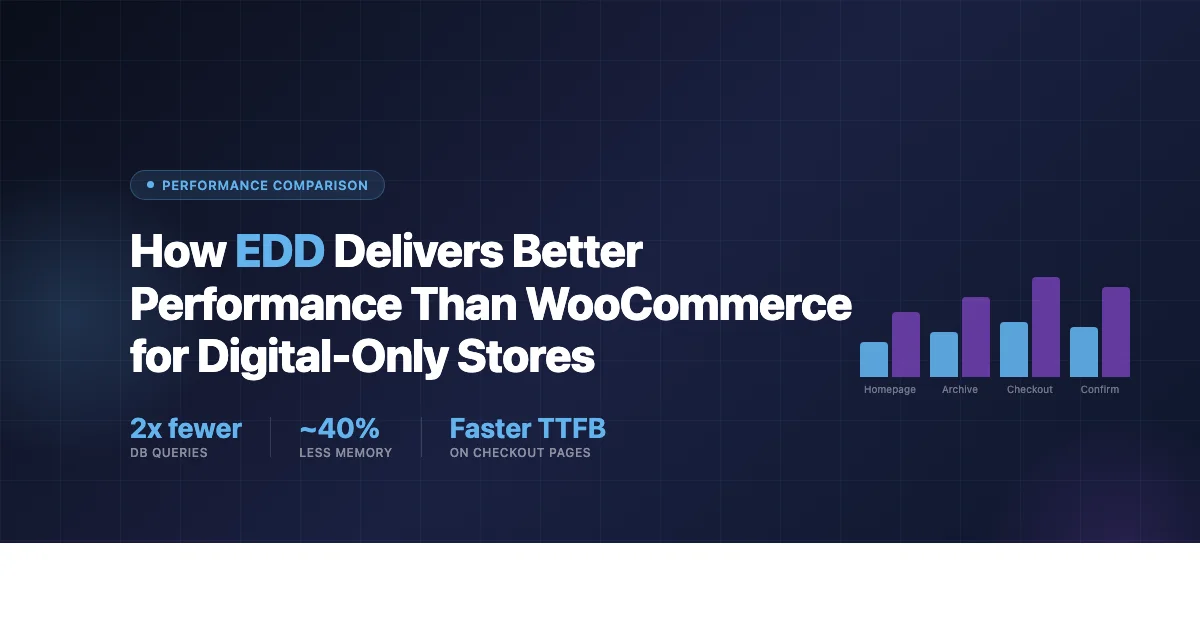
If your store sells only digital products, the performance question between Easy Digital Downloads and WooCommerce comes down to one thing before any benchmark matters: what each plugin was actually built to do. WooCommerce was built to sell physical and digital goods together, with shipping, inventory, and fulfillment baked into its core assumptions. EDD was built specifically for digital downloads and nothing else. That difference in scope shows up directly in how much code runs on every page load, how orders get stored in the database, and how much weight your server carries at checkout.
This is not a claim that WooCommerce is slow. Plenty of WooCommerce stores run fast, well-optimized checkouts, and a poorly configured EDD store can absolutely run slower than a well-tuned WooCommerce one. The point is narrower and more structural: a plugin built to handle shipping zones, stock levels, and physical fulfillment carries infrastructure a pure digital store never uses, and that infrastructure has a cost even when it sits idle, regardless of how well the rest of the store is optimized around it.
Why Plugin Architecture Affects Store Performance
WooCommerce loads a substantial codebase on every WordPress page it touches, including pages that have nothing to do with your store. It registers dozens of post types, taxonomies, and meta structures at init, and every page request runs through that full bootstrap regardless of whether a visitor is reading a blog post or checking out.
EDD takes a narrower approach by design. It registers fewer post types, and since version 3.0 it has relied on a dedicated set of custom database tables for orders rather than storing payment records as WordPress posts. That distinction matters more than it sounds. WooCommerce, historically, stores every order as a custom post type with a long tail of corresponding rows in wp_postmeta for billing details, line items, and status history. On a store with a large order history, that adds up to a lot of postmeta rows that every order lookup has to sift through. If you are weighing this tradeoff for a course marketplace specifically, our guide on building a digital course marketplace with Easy Digital Downloads walks through how EDD’s structure holds up with a large catalog.
WooCommerce’s Order Storage, Before and After HPOS
Under WooCommerce’s original, post-based order storage, a single order creates a post row, a substantial number of postmeta rows for billing and shipping fields, payment method, and customer data, plus additional rows in the order items and order item meta tables for each line item purchased. That structure was never built with digital-only stores in mind; it inherited its shape from WooCommerce’s physical-goods roots.
WooCommerce addressed a real part of this with High-Performance Order Storage, known as HPOS, which landed in WooCommerce 8.2 in 2023. HPOS moves orders into dedicated custom tables rather than the posts and postmeta structure, which meaningfully reduces the query overhead per order. It helps a great deal, but two caveats remain. First, for stores that existed before HPOS shipped, migration is opt-in rather than automatic, and plenty of established stores have not made the switch. Second, even with HPOS enabled, WooCommerce still registers its full suite of post types and physical-goods infrastructure on every request, because that code exists to support shipping and inventory features a digital-only store never touches.
EDD’s Custom Table Structure Since Version 3.0
EDD 3.0, released in 2021, moved payment records into a dedicated order system built from the ground up around digital sales: dedicated tables for order headers, line items, billing addresses, discounts and tax adjustments, and additional order metadata. Because this structure was designed as a clean break rather than a retrofit, looking up an order means a direct, indexed query against a purpose-built table instead of a join across the general-purpose posts and postmeta tables that WordPress uses for everything else on the site.
What Actually Drives the Difference in Query Load
Rather than quoting specific query counts as though every install behaves identically, which they do not, it is more honest and more useful to explain the mechanisms that separate the two plugins, so you can measure the difference on your own store with Query Monitor rather than trusting a number from somewhere else.
WooCommerce runs additional queries at initialization that a pure digital store never needs: session handling for the cart, stock level checks, shipping zone lookups, and tax jurisdiction calculations tied to physical delivery addresses. Even on a store that sells only digital goods, this infrastructure loads because WooCommerce cannot know in advance that you will never use it. EDD does not carry equivalent session overhead on pages where a customer is not actively mid-checkout, because its core was never built to track a physical cart that might sit unpurchased in a warehouse queue.
The most well-documented example of this overhead is WooCommerce’s cart fragments script. By default, WooCommerce enqueues a cart fragments AJAX call on every page of the site to keep a live cart widget updated, whether or not the visitor has anything in their cart, and whether or not they are logged in. This has been flagged repeatedly across the WordPress performance community as a common source of an extra HTTP request site-wide, and disabling it requires either a code snippet or a dedicated plugin, since it ships on by default. EDD has no equivalent floating-cart mechanism pinging the server on every page load, because its default checkout flow for digital goods does not assume a persistent cart the customer might return to later the way a physical-goods cart does.
If you want to see the actual difference on your own server rather than trusting a generic figure, install Query Monitor, load a product page and a checkout page on a fresh install of each plugin with no other plugins active, and compare the query panel directly. Real numbers vary enormously by theme, hosting environment, PHP version, and which extensions you have active, which is exactly why a single quoted benchmark from an unrelated site rarely tells you what your own store will experience.
The Cart Flow Difference Matters for Conversions, Not Just Speed
WooCommerce defaults to a multi-page cart flow: product page, cart page, checkout page, order confirmation. That sequence makes sense for physical goods, where a customer might reasonably want to review an order before entering a shipping address. For digital products, that extra step is friction without a corresponding benefit. A customer buying a PDF, a plugin license, or a course does not need to review a shipping estimate that does not exist.
EDD supports a more direct flow for many setups: product page with a buy button straight through to checkout, skipping the intermediate cart review entirely when a store owner configures it that way. WooCommerce can achieve something similar with a “direct checkout” configuration, but it generally requires either custom development or a third-party plugin to bypass the cart step WooCommerce assumes by default. On EDD, skipping the cart is a built-in setting rather than an add-on. For stores selling online courses with Easy Digital Downloads, that shorter path from discovery to access removes a step buyers were never going to use anyway.
Where WooCommerce Wins: Being Honest About the Trade-offs
EDD has real architectural advantages for a pure digital store, but WooCommerce earns its dominant market position honestly, and it is worth naming where it wins outright.
Ecosystem size. WooCommerce’s extension and theme ecosystem dwarfs EDD’s. If your store needs a specific payment gateway, a niche shipping integration, or a third-party tool connection that only exists as a WooCommerce plugin, EDD’s extension library has grown substantially over the years but still has fewer native options for edge-case integrations.
Theme compatibility. Far more commercial WordPress themes are built and tested against WooCommerce than against EDD. If you are starting from a purchased theme rather than a custom build, WooCommerce compatibility is the safer bet by a wide margin.
Mixed physical and digital stores. If you plan to sell physical products alongside digital ones, WooCommerce handles that combination natively and well. EDD can technically be extended toward physical goods, but that is not the use case it was designed for, and WooCommerce’s shipping and fulfillment tooling is simply more mature for that job.
Community and hiring pool. Finding a freelancer or agency with deep WooCommerce experience is easier than finding equivalent EDD expertise, purely as a function of WooCommerce’s much larger install base and longer track record as the default WordPress ecommerce choice.
Caching Compatibility
Both plugins work with standard WordPress page caching tools like WP Rocket, W3 Total Cache, and LiteSpeed Cache, and both require checkout and account pages to be excluded from page-level caching, which is standard practice for any ecommerce site regardless of platform.
WooCommerce’s cart fragments script complicates caching specifically because it is an AJAX call running independently of the cached page, which is why many caching plugins ship dedicated WooCommerce-specific handling to prevent stale cart data from showing to customers. EDD’s simpler default checkout flow avoids this particular complication for stores that have not layered on cart-persistence extensions of their own, which generally makes the caching setup less fragile to maintain over time. Object caching through Redis or Memcached benefits both plugins, though EDD’s more direct query patterns tend to make better use of it, since there is less transient-based session data competing for cache space.
Scalability Considerations at Higher Traffic
At low to moderate traffic, both plugins run a digital storefront without meaningful issues on any reasonably configured VPS or managed host. The gap becomes more visible as concurrent traffic climbs, largely because WooCommerce’s baseline per-request overhead, the extra initialization work described above, multiplies across every simultaneous visitor rather than staying fixed.
This matters most during traffic spikes that digital sellers specifically encounter: a limited-time discount, a product launch, or a large email campaign landing all at once. EDD’s lighter baseline footprint gives it more headroom under the same hosting resources during exactly those spikes, when checkout and order-confirmation pages, the pages that cannot be page-cached for logged-in users, are taking the brunt of the traffic.
Hosting Requirements
Because EDD carries less unused infrastructure, a digital-only store built on it can generally run comfortably on a smaller, less specialized hosting plan than the same store would need on WooCommerce, particularly once traffic grows past a hobby level. WooCommerce runs fine on the same tiers of hosting, but the performance headroom is narrower, and you tend to hit resource limits sooner as traffic scales, which is part of why an entire managed WooCommerce hosting niche exists: WooCommerce’s resource needs are higher on average and benefit more from hosting specifically tuned around them.
How Order History Compounds Over Time
Performance differences that look minor on a brand-new install tend to widen as a store accumulates order history. Every additional order under the old post-based storage model adds another set of rows to wp_postmeta, a table that already carries the metadata for every other post type on the site, pages, blog posts, product descriptions, and everything else WordPress stores there by default. As that table grows, individual lookups against it, even indexed ones, generally get somewhat slower simply because there is more data for the database engine to sift through and more index maintenance overhead on every write.
A dedicated order table, whether that is EDD’s native structure or WooCommerce’s HPOS tables, sidesteps this specific problem because order data lives in its own table rather than sharing space with every unrelated post type on the site. This is one of the reasons HPOS existed as a WooCommerce roadmap priority in the first place, and it is worth checking, if you run an established WooCommerce store, whether HPOS is actually enabled rather than assuming it is on by default. Stores that migrated to WooCommerce before 8.2 need to opt in manually, and a surprising number never have.
What to Actually Measure Before You Decide
Rather than picking a platform based on anyone’s general reasoning, including the argument made in this article, a short hands-on test tells you more about your specific situation than any comparison piece can.
Set Up a Clean Comparison Environment
Spin up two throwaway WordPress installs on the same hosting environment, one with EDD and a single sample digital product, one with WooCommerce configured for digital delivery only, with the same theme active on both and no unrelated plugins running. This isolates the plugin’s own overhead from noise introduced by your theme, other plugins, or hosting quirks.
Use Query Monitor, Not Guesswork
Install the free Query Monitor plugin on both installs and load the same three page types, homepage, single product page, and checkout, on each. Query Monitor shows you the actual query count, total query time, and peak PHP memory for that specific page load on your specific server. This is the only way to get a number that means anything for your situation, since hosting configuration, PHP version, and object caching all shift the raw numbers dramatically from one environment to the next.
Test Under Realistic Conditions
A single page load on an idle server tells you less than you might expect. If you can, run a basic load test with a tool like k6 or Apache Bench against the checkout page specifically, since that is the page neither plugin can serve from a full-page cache for a logged-in customer, and it is where the architectural differences described above actually show up under pressure rather than sitting invisible on a static, cached page.
FAQ
Is EDD always faster than WooCommerce?
Not automatically, and not in every configuration. The architectural case favors EDD for a pure digital catalog because it carries less unused infrastructure by default, but a poorly configured EDD store with too many active extensions can still run slower than a lean, well-cached WooCommerce store with HPOS enabled. Architecture sets the ceiling; configuration determines whether you actually reach it.
Does enabling HPOS close the performance gap with EDD?
It closes a meaningful part of it, since HPOS removes the post-and-postmeta overhead that used to define every WooCommerce order. It does not remove the rest of WooCommerce’s physical-goods infrastructure, shipping calculations, stock management, and the cart fragments script among them, which still runs by default even on a store that sells only digital goods.
Should an existing WooCommerce store migrate to EDD purely for performance?
Usually not on performance grounds alone. Migrating an established store carries real risk and real work, and the performance gap, while genuine, is rarely large enough by itself to justify that disruption for a store that is otherwise running well. The stronger case for EDD is at the decision point before you have built anything: choosing the right foundation for a brand-new digital-only store.
Choosing Between Them for a Digital-Only Catalog
For a store that sells only digital products, the architectural case for EDD is real and grounded in how each plugin is actually built, not in a single unverifiable benchmark. Fewer post types registered at init, a purpose-built order table structure instead of a retrofitted post-based one, no default cart-fragments overhead, and a shorter checkout path all point the same direction: less server work per request for the same digital-only job.
None of that makes WooCommerce a poor choice. It makes WooCommerce a tool carrying weight that a pure digital catalog never asked for. If your roadmap includes physical products, a large existing WooCommerce investment, or a theme that only supports WooCommerce, the performance gap is unlikely to be the deciding factor and probably should not be. But if your catalog is entirely digital and you are choosing a platform from scratch, EDD was built for exactly the job you are doing, and that focus shows up in fewer resources spent on infrastructure your store will never use.
Existing WooCommerce store owners weighing whether to switch face a different calculation than someone starting from scratch. Migration carries its own cost in time, testing, and risk of lost data, so the decision usually comes down to whether you are already fighting performance problems severe enough to justify that disruption, or whether a few configuration changes, enabling HPOS, disabling cart fragments where they are not needed, tightening your caching setup, would close most of the gap without a platform change at all. For a brand-new store with no legacy data to migrate, that calculation is simpler: pick the tool built for the job you are actually doing.
Before committing either way, run your own comparison rather than trusting anyone’s numbers, including this article’s reasoning. Spin up a clean install of each plugin with your actual theme, load Query Monitor, and look at your own checkout page. That fifteen-minute test tells you more about your specific hosting environment than any generic benchmark could, and it is the only number worth trusting when the decision is about your store specifically rather than a hypothetical one.