How to Decide If EDD Is Right for Your Use Case: Freelancers, Agencies, and SaaS Founders

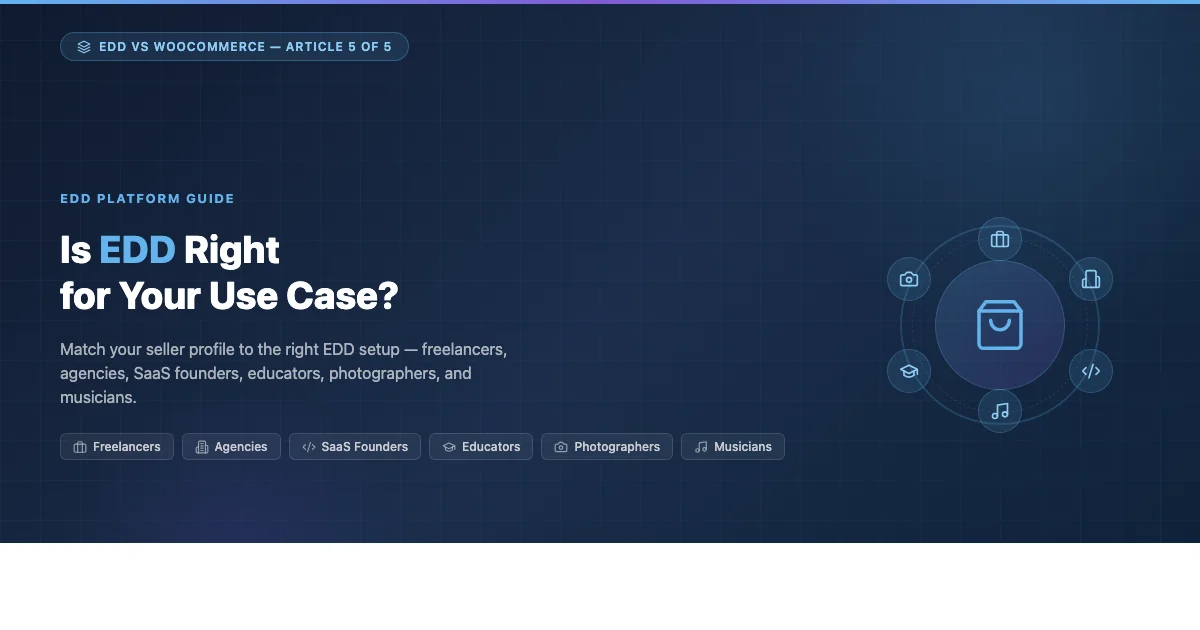
Easy Digital Downloads fits a wide range of digital sellers, but it fits some far better than others. This guide walks through six distinct seller profiles and shows exactly how EDD maps to each one, from solo freelancers packaging their first digital product to SaaS founders billing recurring subscribers at scale.
This is Article 5 in our EDD vs WooCommerce series. If you have not read the earlier pieces, start with our 8-criteria decision framework for choosing between EDD and WooCommerce and how EDD outperforms WooCommerce for software and plugin sales. This article focuses on matching the platform to the person, not just the product type.
Who This Guide Is For
EDD is not a single-size platform. The core free plugin handles file delivery and payment collection. Beyond that, the feature set you get depends on which paid extensions you add. That means the platform scales up or down depending on your needs, but it also means you need to think through your use case before you commit.
Six profiles appear consistently among EDD users:
- Freelancers building a digital product store on the side
- Agencies setting up white-label client stores
- SaaS founders using EDD as a billing layer
- Educators and course creators
- Photographers selling presets, prints, or licensing packages
- Musicians and audio creators distributing tracks and sample packs
Each one has a different set of priorities. Let us go through them one at a time.
Freelancers: Selling Digital Products Without the Overhead
Freelancers typically come to EDD from one of two directions. Either they have been providing a service and want to productize part of what they do, a template pack, a checklist, a set of Notion dashboards, or they have built something once and want to sell it repeatedly without doing the work again each time.
What freelancers need from a store
The freelancer use case is shaped by a few consistent constraints:
- Low maintenance overhead. A freelancer’s time is already committed to client work. The store has to run with minimal babysitting.
- Simple product catalog. Most freelancers start with 1-10 products. They do not need complex inventory systems or product variants.
- Immediate payout. Cash flow matters. Stripe and PayPal pass through revenue quickly. Marketplaces hold funds for days or weeks.
- Control over pricing and delivery. Freelancers want to set their own prices, offer discount codes for email subscribers, and bundle products together without paying a marketplace cut.
How EDD fits the freelancer profile
EDD’s core plugin covers everything a freelancer needs to get started: file upload, payment via Stripe or PayPal, automatic delivery via email, a basic customer dashboard, and download access management. Setup time for a simple store is under two hours if you already have WordPress running.
The discount codes system is built in. Email delivery is handled by EDD’s own delivery layer, no third-party integration needed. And because the store runs on your own WordPress install, you pay no platform fee beyond payment processor fees.
For a freelancer selling a small catalog of digital files, EDD Free is often enough to start. The upgrade path is clear: add the Recurring Payments extension when you want subscriptions, add the Software Licensing extension when you want to gate access by license key.
Where freelancers sometimes struggle
The main friction point is setup cost relative to alternatives. Gumroad or Lemon Squeezy let you sell your first product in 20 minutes with zero configuration. EDD on WordPress requires a hosting account, domain, SSL, WordPress setup, and then EDD itself. That is a meaningful investment of time for a first-time seller who is not sure their product will sell.
The payoff for that setup cost is full ownership of your customer list, your files, and your pricing. If you are building this as a long-term income stream rather than testing a single product, EDD wins on total cost of ownership within the first year.
Freelancers who are serious about passive income from digital products get more control and better margins with EDD than with any hosted marketplace, provided they are willing to invest a few hours in setup.
Agencies: Building White-Label Digital Product Stores for Clients
Agencies are a distinct EDD user category because they are almost never the end seller. They are building and managing stores on behalf of clients. That changes the decision calculus significantly.
What agencies need from a digital store platform
Agency requirements are shaped by client relationships and operational scale:
- Repeatable setup. An agency building their fifth EDD store needs a process that is faster and more reliable than the first one.
- Client handoff quality. The finished store has to be something a non-technical client can manage day to day without calling the agency every week.
- White-label presentation. The client’s brand should be front and center. EDD’s admin surfaces are WordPress-native, which means they can be reskinned or hidden behind custom admin panels.
- Developer control. Agencies want hook-based customization, not drag-and-drop editors. EDD’s action and filter system is well documented and consistent across versions.
How EDD fits the agency workflow
EDD is a strong agency choice for several structural reasons. It is a WordPress plugin, which means agencies can manage it through the same workflow they use for every other WordPress project. The admin interface is familiar to clients who already use WordPress. And the plugin’s extensibility, through its own extension ecosystem as well as direct PHP hook customization, means an agency can tailor the store to meet specific client requirements without forking the plugin or writing brittle workarounds.
The EDD licensing model for developers (the pass license) lets an agency install EDD and its paid extensions across unlimited client sites for a flat annual fee. That is a meaningful operational advantage over per-site licensing models.
For agency-built stores that sell software or SaaS tools, the Software Licensing extension is the key piece. It handles license key generation, activation limit enforcement, and automatic update delivery, all without the agency needing to build custom licensing infrastructure for each client.
Agency anti-patterns to avoid
Agencies sometimes over-customize EDD stores in ways that create ongoing maintenance problems. A few patterns to avoid:
- Heavy theme customization of EDD templates. Override template files using EDD’s official template override path (copy to
/your-theme/edd/), not by editing plugin files directly. Plugin updates will not break your customizations this way. - Blocking EDD extension updates. Some agencies lock extension versions to prevent breaking changes. This creates security risk. Test updates in staging instead of blocking them.
- Building checkout flows in page builders. EDD’s checkout is a PHP template. Page builder elements layered on top of it can conflict with the checkout JavaScript. Use child theme overrides instead.
SaaS Founders: Using EDD as a Billing Layer
This use case is less common but increasingly relevant. SaaS founders who build their application outside of WordPress, a standalone web app, a tool, a service, sometimes use EDD as the billing and license management front end rather than building payment infrastructure from scratch.
Why SaaS founders look at EDD
Building billing from scratch is expensive and time-consuming. Stripe alone requires significant custom code to handle subscription management, failed payment retries, dunning, license key generation, and customer portal features. EDD, specifically EDD with Recurring Payments and Software Licensing, handles all of that out of the box.
The pattern works like this: EDD handles the WordPress-based sales front end and billing management. The SaaS application connects to EDD via the REST API or direct database queries to verify license status before granting access. When a customer purchases or renews through EDD, the application gets notified and updates access accordingly.
What this setup requires
This architecture requires more engineering than a typical EDD store setup. You need:
- A WordPress install running EDD that is separate from your application
- EDD Recurring Payments for subscription management
- EDD Software Licensing for license key management
- Custom code on the application side to call the EDD Software Licensing API and validate keys
- Webhook handling to keep subscription status in sync between EDD and your application
That is a real engineering investment. The payoff is that you get a proven billing system with a customer portal, subscription management, failed payment handling, and email notifications, all without building any of that yourself.
When this architecture makes sense
This setup is a good fit when:
- Your team already knows WordPress and PHP and does not want to build a custom billing stack
- Your product is sold as a licensed software download, not as a cloud-only subscription (though it works for both)
- You want to offer lifetime deals, bundle pricing, or upgrade paths that are easier to manage in EDD than in a raw Stripe integration
- You are a solo founder or small team that cannot justify the engineering time for a custom billing system
When to skip EDD and use Stripe directly
If your SaaS product is purely subscription-based with no downloadable files, no license key verification, and no need for a storefront with multiple products, a direct Stripe integration with Stripe’s Customer Portal is likely a simpler path. EDD adds value primarily when you need the downloadable file delivery, license key system, or multi-product storefront that it provides.
Educators and Course Creators: Selling Knowledge with EDD
Educators who sell digital products face a different challenge than software developers. Their products are often a mix of file-based content, PDFs, workbooks, templates, audio files, video downloads, combined with access to gated resources or community spaces. EDD handles the file-based side well. The gated access side depends on what integrations you add.
EDD for simple digital course materials
If you sell downloadable course materials, workbooks, slide decks, audio recordings, video files, EDD core handles this without any additional extensions. You upload the files, set a price, and buyers get a download link after purchase. The download can be time-limited and access can be revoked if needed.
This is a strong choice for educators who are not running a full learning management system but want to sell standalone products: a single workshop recording, a worksheet bundle, a resource library.
EDD with Restrict Content Pro for membership-based courses
Educators running ongoing subscription-based content, monthly lesson releases, paid community access, dripped content, pair EDD with Restrict Content Pro, which integrates directly with EDD purchases to control WordPress page and post access. A purchase in EDD can trigger a membership level in Restrict Content Pro, giving the buyer access to gated sections of the site.
This setup does not include a dedicated LMS interface with progress tracking, quizzes, or certificates. For those features, a purpose-built LMS plugin like LearnDash or LifterLMS is a better choice. But for educators whose primary output is content access rather than structured learning paths, the EDD plus Restrict Content Pro stack is lighter and easier to manage.
Pricing strategies that work well for educators
- All-access pass. Sell a single product that grants access to all current and future content. EDD handles this via Restrict Content Pro with an active subscription.
- Workshop bundles. Use EDD’s bundled products feature to group multiple downloads into a single purchase at a discount.
- Pay-what-you-want pricing. EDD supports minimum price with open-ended payment above the minimum. This works well for community-supported educators.
- Cohort pricing. Use discount codes with usage limits to offer cohort-specific pricing without exposing the discounted price publicly.
Photographers: Portfolio Stores, Print Licensing, and Preset Sales
Photographers have a specific set of needs that EDD addresses well: selling high-resolution files, controlling download access by license type, and managing multiple pricing tiers for the same image (personal use vs. commercial use, for example).
Selling presets and Lightroom catalogs
Lightroom presets, Photoshop actions, Capture One styles, these are straightforward file downloads. EDD handles them well with no additional extensions. You upload the preset pack as a ZIP file, set a price, and buyers download it immediately after checkout.
The discount code system is particularly useful here. Preset creators often build their following on Instagram or YouTube before launching a product. EDD’s built-in discount codes let you create launch codes for followers without needing a separate coupon management tool.
Digital print licensing and image downloads
For photographers selling licensed images, stock photography, fine art prints for digital download, or commercial licensing, EDD’s variable pricing feature lets you set different price points for different usage licenses within a single product listing. A buyer chooses whether they want personal use or commercial use, and pays accordingly.
This is cleaner than running separate product listings for each license tier. It also means the download URL is the same file, but the purchase record reflects which license was purchased, useful if a buyer later asks for confirmation of their license level.
Physical print fulfillment alongside digital downloads
Photographers who sell physical prints alongside digital files face a limitation: EDD is built for digital delivery. It does not handle shipping, fulfillment, or print-on-demand integrations the way WooCommerce does. If your product mix includes physical prints that you ship yourself or through a print lab, you will need to manage those orders separately from your EDD store, or run WooCommerce alongside EDD for the physical side.
Most photographers who have used both tools settle on EDD for digital files (presets, downloads, licensing) and a separate system for physical products. The two do not conflict when run on the same WordPress install, but they do require separate customer records and order management workflows.
Musicians: Track Sales, Sample Packs, and Distribution
Musicians and audio creators are one of the use cases where EDD’s simple delivery model is a near-perfect fit. The product is a file, an MP3, a WAV, a ZIP of stems or samples, and the transaction is straightforward. Buy, pay, download.
Selling beats and instrumentals
Beat sellers who run their own store rather than relying entirely on platforms like BeatStars or Airbit use EDD to keep the full sale price minus payment processor fees. The setup mirrors the freelancer scenario: set up WordPress, install EDD, upload your files, and start selling.
EDD’s variable pricing is particularly useful here. Beat licensing typically has three or four tiers: MP3 lease, WAV lease, tracked out stems, exclusive rights. You can configure all four as price options on a single product listing, each delivering a different file or set of files on purchase.
Sample pack stores
Sample pack creators who sell through their own store rather than platforms like Splice or Loopmasters get two structural advantages with EDD:
- No platform revenue share. Splice and Loopmasters take a cut of every sale. EDD charges no platform fee, you pay only the payment processor (Stripe or PayPal).
- Customer ownership. When you sell through a platform, the platform owns the customer relationship. When you sell through EDD, you have the buyer’s email address, purchase history, and full control over follow-up communication.
The tradeoff is discoverability. Platforms bring buyers to you. Your own EDD store does not. The musicians who get the most out of EDD are typically those who already have an audience, a YouTube channel, an Instagram following, a newsletter list, and want to convert that audience to direct customers rather than platform subscribers.
Subscription sample libraries
Musicians who release new samples or loops on a regular schedule, monthly packs, weekly content drops, can use EDD Recurring Payments to charge subscribers monthly or annually. Each release goes up as a new download inside a restricted content area, and active subscribers get automatic access.
This is a solid recurring revenue model for producers who are consistently creating. The Recurring Payments extension handles failed charges, dunning emails, and subscription lifecycle management without custom code.
The Decision Matrix: Matching Your Profile to EDD
Every seller profile above has a slightly different list of required features. Here is a consolidated view of which EDD extensions each profile typically needs and whether EDD is a strong fit, a conditional fit, or a stretch for that use case.
| Seller Profile | Core Plugin Enough? | Key Extensions | EDD Fit |
|---|---|---|---|
| Freelancer (small catalog) | Yes, for basic setup | Discount codes (built in) | Strong |
| Freelancer (subscriptions) | No | Recurring Payments | Strong |
| Agency (client stores) | No | Software Licensing, pass license | Strong |
| SaaS founder (billing layer) | No | Recurring Payments + Software Licensing + REST API | Conditional |
| Educator (file downloads only) | Yes | None required | Strong |
| Educator (membership/gated) | No | Restrict Content Pro | Strong |
| Photographer (presets) | Yes | None required | Strong |
| Photographer (physical prints) | Partial | Separate physical system needed | Conditional |
| Musician (beat licensing) | Yes | Variable pricing (built in) | Strong |
| Musician (subscriptions) | No | Recurring Payments | Strong |
Four Questions to Ask Before You Commit to EDD
Before setting up your store, work through these four questions. They will tell you whether EDD is the right tool or whether you should be looking at a different platform.
1. Are your products purely digital?
EDD is built for digital delivery. If your product line is entirely digital files, software, audio, video, documents, templates, images, EDD handles this natively. If you sell physical goods alongside digital products, you will need a separate system for the physical side, or you will need to use WooCommerce, which handles both. Mixed physical/digital catalogs are WooCommerce territory.
2. Do you need license key management?
If your product is software, a WordPress plugin, a desktop app, a web app, and you want to control how many sites or users can activate each license, EDD Software Licensing is one of the cleanest ways to do this on WordPress. WooCommerce has license key plugins, but they are third-party add-ons with varying levels of support. EDD’s Software Licensing extension is first-party and deeply integrated with the EDD data model.
3. Do you already have an audience?
EDD gives you a store. It does not give you customers. If you are starting from zero with no existing audience, no email list, no social following, no SEO presence, selling through an established marketplace (Gumroad, Lemon Squeezy, Etsy for digital goods, BeatStars for music) will get you in front of buyers faster. Build your EDD store when you are ready to convert your own audience to direct customers.
4. Are you comfortable with WordPress administration?
EDD is a WordPress plugin. Running it means managing WordPress updates, plugin updates, backups, security, and hosting. If you are not comfortable with that or do not want to deal with it, a managed platform like Lemon Squeezy, which handles all of that for you, is a better starting point. The tradeoff is platform fees and less control over your store’s design and data.
The Series in Summary: EDD vs WooCommerce
This article wraps up our five-part series on EDD vs WooCommerce. Here is where each article focused:
- Article 1: 8-criteria decision framework for choosing between EDD and WooCommerce
- Article 2: How EDD outperforms WooCommerce for software and plugin sales
- Article 3: How to migrate from WooCommerce to EDD without losing sales data
- Article 4: How EDD delivers better performance than WooCommerce for digital-only stores
- Article 5: This article, matching EDD to specific seller profiles
Ready to Set Up Your EDD Store?
If EDD fits your use case based on what you have read here, the next practical step is setting up the core plugin and connecting a payment gateway. The EDD documentation covers the initial configuration in detail, payment gateway setup, file upload limits, checkout page configuration, and email delivery settings.
For sellers who want license key management from day one, add the Software Licensing extension during setup rather than retrofitting it later. The same applies to Recurring Payments, the subscription data model integrates more cleanly when it is part of the initial build rather than added to an existing store.
If you are still deciding between EDD and WooCommerce, start with the decision framework in Article 1 of this series. It covers the eight criteria that separate the right choice for digital-only sellers from the wrong one.