10 Best Software for 3D Modeling in 2025

What Is 3D Modeling Software and Why Does It Matter?
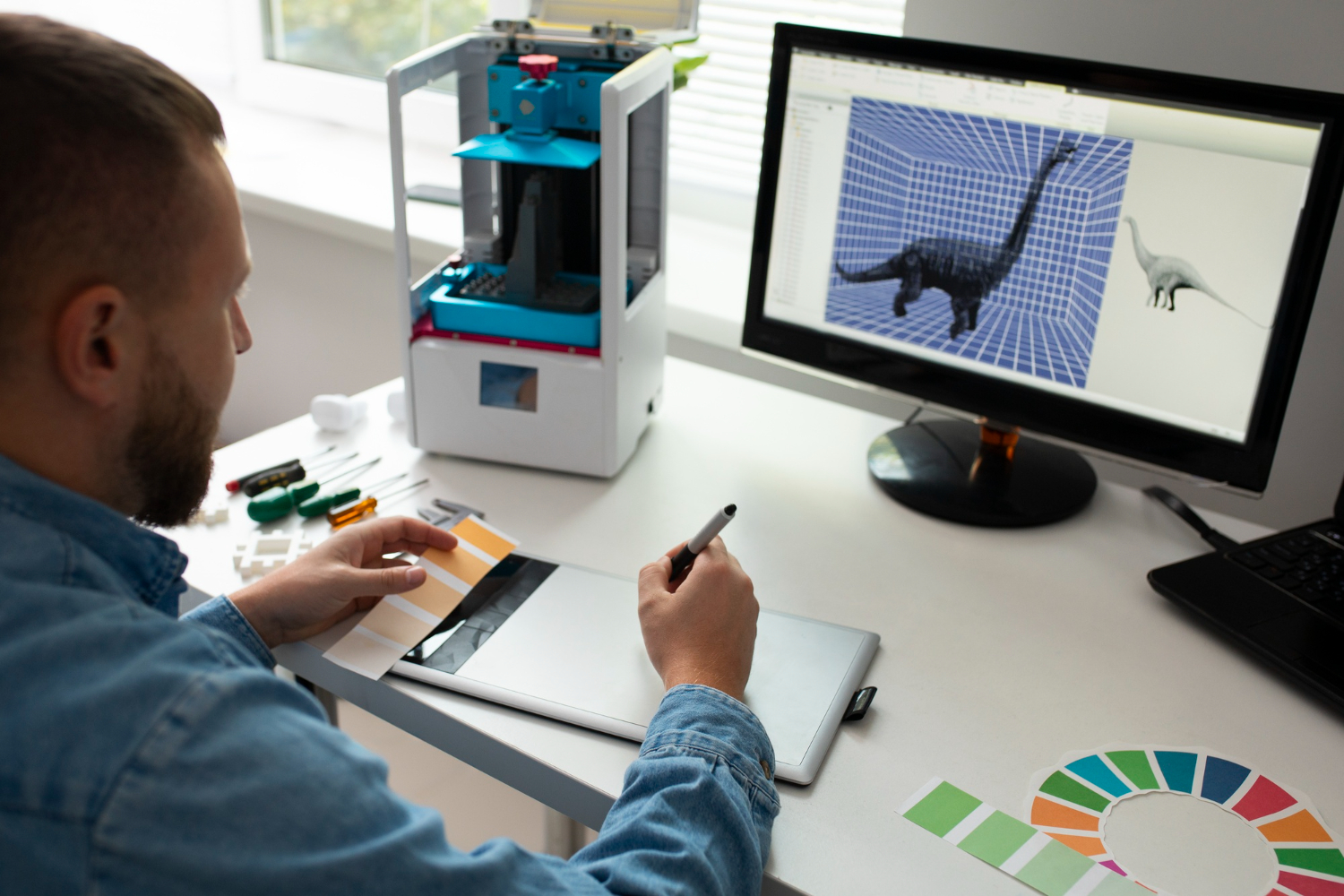
3D modeling software lets you build, shape, and render objects in three-dimensional space on a screen instead of a workbench. Whether you’re sculpting characters for a video game, drafting architectural blueprints, or prototyping a physical product before it’s manufactured, this category of software is where the actual design work happens, long before anything gets rendered, printed, or built.
The demand for this skill keeps climbing as AR/VR content, game assets, and product visualization become standard parts of how businesses show and sell things. Learning a 3D modeling tool well enough to be useful takes real time, which makes picking the right one from the start worth the extra research up front rather than switching platforms six months into a project.

How to Choose the Right Software for 3D Modeling
Choosing 3D modeling software can feel overwhelming given how many options exist, so start by defining the actual work you’ll be doing. Animation, game asset creation, product visualization, and architectural rendering each favor different tools, and a piece of software that’s excellent for one of these is often mediocre or actively frustrating for another. Picking a tool that matches your specific goal matters more than picking the “most powerful” option on paper.
The learning curve is the next filter. Some tools pack in advanced, industry-standard features that take months to feel comfortable with; others prioritize an approachable interface and a gentler ramp, at the cost of some depth. Budget matters too. Some genuinely capable tools are free and open-source, while others require ongoing subscriptions that only make sense once you’re generating revenue from the work. Trying a free trial or demo before committing beats reading feature comparisons alone, since interface feel is hard to judge from a spec sheet.
Why the Right Tool Choice Compounds Over Time
3D software changes constantly: rendering engines improve, AI-assisted modeling features get added, and integrations with animation or VR platforms keep expanding. Sticking with a tool that gets consistent updates and has an active development team matters more than it seems early on, because switching platforms after a year of built-up muscle memory and project files is genuinely painful.
Newer versions also tend to bring better performance and stability, which matters once your project files get large and complex. Staying current with the tool you’ve chosen, rather than chasing every new release across different software, tends to produce better long-term results than spreading attention thin across multiple platforms.
1. Blender
Blender is free, open-source, and covers modeling, sculpting, animation, and rendering in one application, which is unusual for a tool that costs nothing. It’s become the default recommendation for anyone starting out, not because it’s the easiest option, but because there’s no financial risk in trying it seriously.
Its community is one of its biggest assets. Tutorials cover nearly every workflow imaginable, from hard-surface modeling to game asset pipelines, and the update cadence has been consistent for years. Beginners can start with basic shapes and grow into compositing or full animation pipelines without ever switching software, which is rare in this category.
2. Autodesk Maya
Maya is the tool behind a large share of the animation and VFX work you’ve seen in theaters and AAA games. It handles complex character rigging, realistic simulations, and high-end rendering at a level most other tools don’t attempt to match.
The learning curve is real and the subscription cost is significant, but professionals who rely on Maya daily tend to point to its scripting capabilities (via MEL and Python) and advanced dynamics systems as the reason they stay. If a career in film or high-end animation is the goal, Maya is close to an industry requirement rather than just an option.
3. Cinema 4D
Cinema 4D built its reputation on a smoother interface than most competitors in its tier, paired with strong motion graphics tools. Designers producing product animations, broadcast graphics, or dynamic simulations tend to prefer it for exactly that combination of speed and reliability.
Its biggest advantage for newcomers is approachability. The interface doesn’t front-load intimidating complexity the way Maya or Houdini can, and its tight integration with Adobe’s Creative Cloud makes it a natural fit for designers already working in After Effects or Photoshop.
4. ZBrush
ZBrush is built around digital sculpting rather than traditional polygon modeling, which makes it the standard choice for character design and creature work. It mimics the feel of shaping clay while adding digital advantages like perfect symmetry and extremely high-resolution detailing.
What sets ZBrush apart is how much it encourages experimentation. Artists can push a form in a dozen directions before settling on a final design, without the technical constraints that traditional modeling software imposes. It’s respected across game and film studios specifically for producing lifelike, detailed characters.
Also Read: 10 Best Software for Task Automation
5. Autodesk 3ds Max
3ds Max leans toward architectural visualization, product rendering, and engineering applications rather than character animation. Its modeling precision and rendering quality make it a common choice for professionals producing static or animated visualizations for clients.
It stands out for its scripting language and broad plugin ecosystem, and while it’s more popular among Windows users specifically, its lighting and rendering capabilities are hard to match at its price point. Architects and product designers appreciate how cleanly it fits into existing CAD workflows.
6. Rhino 3D
Rhino, or Rhinoceros, is a precision modeling tool built around NURBS geometry, giving designers mathematically accurate control over curves and surfaces. It shows up constantly in product design, architecture, and even jewelry design, where dimensional accuracy isn’t optional.
It handles large, complex files without choking, and pairs well with rendering plugins like V-Ray for photorealistic output. Its plugin ecosystem and long-standing user base make it a dependable choice for designers who need exact geometry over flashy sculpting tools.
7. Tinkercad
Tinkercad is a free, browser-based modeling tool built by Autodesk specifically for beginners, students, and educators. Its drag-and-drop interface removes almost all of the intimidation factor that comes with more advanced 3D software.
Despite the simplicity, it produces genuinely usable models, especially for 3D printing projects. It’s also one of the better tools for teaching spatial reasoning and basic geometry to students who have never touched CAD software before, without requiring an install or a powerful computer.
8. Fusion 360
Fusion 360 combines CAD, CAM, and CAE into a single cloud-based platform, which makes it particularly strong for product design and engineering work that needs to go from concept to manufacturable part. Its parametric modeling system supports precise, editable designs, and its cloud-based collaboration tools work well for small teams.
Makers and engineers taking a design from sketch to prototype to production tend to appreciate having simulation, generative design, and version control built into one subscription instead of stitched together from separate tools.
9. Houdini
Houdini takes a procedural, node-based approach that’s fundamentally different from most modeling software on this list. It’s the tool of choice for particle systems, fluid dynamics, and destruction simulations in major film and game productions.
The learning curve is steep, and the node-based workflow takes time to feel intuitive, but the flexibility it offers once you’re comfortable with it is hard to replicate elsewhere. Anyone serious about a career in VFX eventually runs into Houdini as a required skill, not just an option.
10. SketchUp
SketchUp remains one of the most approachable tools for architectural and interior design modeling, favored by architects, interior designers, and hobbyists who need to communicate spatial ideas quickly without a steep technical ramp. Its push-pull modeling approach makes basic 3D forms fast to build compared to more technical CAD tools.
It’s not built for organic character sculpting or high-end VFX, but for floor plans, furniture layouts, and quick architectural massing studies, it remains hard to beat for speed. The free web-based version and the paid Pro desktop version cover most use cases from hobbyist to small studio.

Matching Software to Skill Level and Budget
If you’re just starting out and don’t want to spend money before you know whether 3D modeling is for you, Blender and Tinkercad cost nothing and cover very different ends of the complexity spectrum: Tinkercad for absolute beginners, Blender for anyone willing to invest real time into learning a professional-grade tool. Fusion 360 offers a middle ground for makers who want CAD precision without Rhino or 3ds Max’s steeper learning curve.
For working professionals, the choice usually comes down to industry convention more than personal preference. Film and high-end animation studios standardize on Maya and Houdini. Architecture and product design firms lean on Rhino, 3ds Max, and SketchUp. Character artists in games gravitate toward ZBrush paired with a rigging tool like Maya or Blender. Matching your software choice to the industry you’re targeting makes portfolio work and eventual job applications considerably smoother, since studios often expect familiarity with their standard pipeline.
Common Mistakes Beginners Make With 3D Modeling Software
A few patterns show up repeatedly among people just starting out, regardless of which tool they pick. Recognizing them early saves months of frustration that often ends in someone quitting before they’ve actually given the craft a fair shot.
- Jumping straight to advanced tutorials. Watching someone sculpt a photorealistic character in ZBrush is inspiring, but attempting that as a first project instead of building basic shapes first usually ends in frustration rather than progress. Fundamentals like topology, proportions, and basic navigation need to become automatic before advanced techniques make sense.
- Switching software too often. Chasing every new tool that looks impressive in a demo video resets your learning curve each time. Sticking with one platform long enough to build real muscle memory beats sampling five tools shallowly.
- Ignoring topology until it becomes a problem. Clean, efficient geometry matters far more than most beginners realize until they try to animate or 3D print a model built with messy, overlapping geometry and hit a wall.
- Skipping reference images. Modeling from memory or imagination alone, especially for organic or mechanical objects, produces noticeably weaker results than working from real reference photos or blueprints pinned next to the viewport.
- Underestimating render times. A scene that looks fine in the viewport can take hours to render at production quality. Beginners frequently plan projects without accounting for render time, then scramble against a deadline that the software itself, not the modeling work, ends up eating.
None of these mistakes are permanent setbacks. They’re closer to a rite of passage that almost everyone in this field goes through, and recognizing them early just shortens the road to actually enjoying the process instead of fighting the software.
Hardware Considerations Before You Commit
3D modeling software, especially anything involving sculpting, simulation, or high-poly rendering, is demanding on hardware in ways that basic productivity software isn’t. A dated laptop can technically run Blender or SketchUp, but sculpting in ZBrush or running fluid simulations in Houdini on underpowered hardware turns every action into a waiting game that kills momentum and motivation.
Before investing serious time into any of these tools, check the minimum and recommended specs against your actual machine, particularly GPU memory for rendering and RAM for handling large scene files. It’s a more practical first step than debating software features, since even the best-suited tool becomes unusable if your hardware can’t keep up with it.
File Formats and Moving Work Between Tools
Almost nobody stays inside a single piece of software for an entire project pipeline. A character sculpted in ZBrush might get retopologized in Blender, rigged in Maya, and rendered somewhere else entirely. Understanding file format compatibility upfront saves a lot of frustration mid-project.
OBJ and FBX remain the most universally supported formats for moving static and animated models between applications, though FBX handles rigging and animation data more reliably. glTF has become the standard for web and real-time applications, particularly AR/VR content, because it’s lightweight and renders efficiently in browsers. STL is the format 3D printing workflows revolve around, though it strips out color and material data that formats like OBJ preserve. Native formats (.blend.ma.max.3dm) retain the most editing flexibility but only open reliably in their own software, which matters if you’re collaborating with someone using a different tool than you are.
Before starting a project that will move between multiple tools, confirm the export path works cleanly rather than discovering halfway through that your rigging data doesn’t survive the format conversion. A quick test export and reimport at the start of a project catches these issues before hours of work depend on it working.
Where 3D Modeling Skills Lead Professionally
3D modeling opens into several distinct career paths that don’t always overlap as much as newcomers expect. Game studios hire character artists, environment artists, and technical artists as separate specializations, each leaning on a different subset of the tools covered here. Film and animation studios similarly separate modeling, rigging, and lighting into distinct roles rather than expecting one person to do everything.
Product design and architecture visualization form a separate track entirely, closer to engineering than to character art, where precision and adherence to real-world measurements matter more than artistic sculpting ability. Freelance work spans all of these categories, from small businesses needing a single product render to indie game developers needing a full asset set, and freelancers often need working familiarity with two or three tools rather than deep mastery of just one.
Understanding which direction interests you before committing months to a specific tool helps avoid the common trap of mastering, say, ZBrush sculpting when the actual goal was architectural visualization, which draws almost entirely on a different skill set and different software entirely.
Frequently Asked Questions
Which 3D modeling software is best for complete beginners?
Tinkercad for the gentlest possible start, especially if 3D printing is the eventual goal. Blender for beginners willing to invest more time upfront in exchange for a tool that scales into professional-grade work without ever needing to switch platforms.
Do I need to pay for professional results?
No. Blender produces professional-quality output and is used commercially by studios and freelancers alike. Paid tools like Maya or Houdini matter more for specific industry pipelines and collaboration standards than for raw output quality.
How long does it take to become proficient in 3D modeling software?
Basic competency in tools like Tinkercad or SketchUp can come within days. Genuine proficiency in Blender, Maya, or ZBrush realistically takes months of consistent practice, and mastery of more complex tools like Houdini can take years, similar to any other deeply technical creative skill.
Crafting Your Future with the Right Software for 3D Modeling
Choosing the right software for 3D modeling can shape your creative trajectory for years, whether you’re a hobbyist exploring a new medium, a student entering digital design, or a professional pushing into more advanced visual work. Each tool covered here brings a genuinely different strength to the table rather than being interchangeable options with different branding.
For those just starting out, Blender, Tinkercad, and Fusion 360 offer accessible entry points with real room to grow into more advanced work later. For more experienced users with specific professional needs, Maya, ZBrush, or Houdini unlock capabilities the beginner-friendly tools simply don’t attempt to match. The right move is picking one, committing to it long enough to get past the frustrating early stage, and building from there.
Momentum matters more than perfection at the start. A rough first model finished and shared beats an ambitious project abandoned halfway through because the software felt unfamiliar. The tools on this list will still be here, with better features and larger communities, whenever you’re ready to move past the basics into more specialized work.
None of these tools reward a passive approach. Reading about Blender’s sculpting brushes or Rhino’s NURBS precision won’t teach your hands what a hundred small projects will. Pick the tool that matches where you’re starting from, open it today, and build something small before worrying about mastering every feature on the list.
Interesting Reads:
10 Best Software for Email Organization