10 Best Software for Subtitles and Captions

What Makes Good Subtitle and Caption Software Essential Today
A video without captions loses a measurable slice of its potential audience before anyone even hits play. Some of that audience is deaf or hard of hearing. A much larger share is simply watching on mute, scrolling a feed during a commute or sitting in a meeting they should probably be paying attention to. Either way, if the words on screen do not carry your message, you have already lost them before the point of the video ever lands.
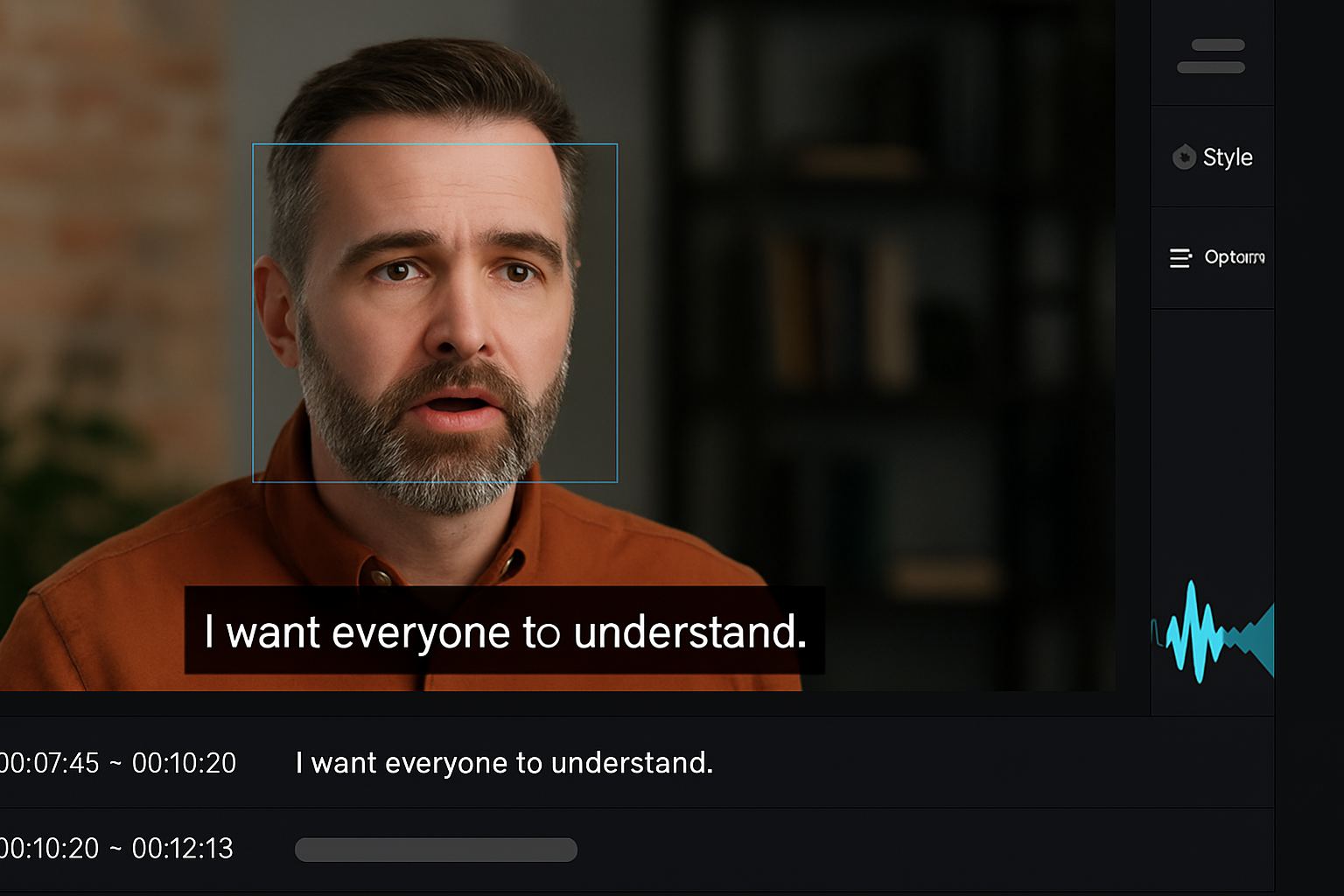
Good subtitle and captioning software does more than place text under a frame. It transcribes speech automatically, syncs timing down to the frame, applies styling that matches a brand, and in the better tools, translates into other languages without a separate export step. The right tool saves real editing time and catches accessibility gaps that would otherwise slip through unnoticed until a viewer complains.

Why Subtitles and Captions Matter
Accessibility is the foundational reason captions exist at all, and it is not a niche concern. Deaf and hard-of-hearing viewers depend on captions to access video content at all, and legal accessibility requirements in several countries now specifically require captions on public-facing video for exactly this reason.
Beyond accessibility, captions carry real SEO and engagement value that has nothing to do with hearing ability. YouTube indexes caption text, which means a well-transcribed video can rank for search terms that never appear in the title or description. Viewers watching on mute, which studies on social platforms consistently put at a substantial share of mobile video views, simply cannot follow a video without on-screen text. Multilingual subtitles extend that reach further still, opening a video up to audiences who would otherwise skip past it entirely because the spoken language is not one they understand.
How to Choose the Best Software for Subtitles and Captions
The right tool depends on what a project actually needs, not on which option has the flashiest demo video. Automatic transcription accuracy matters most for anyone working with clear, single-speaker audio in a common language. Frame-level manual timing control matters more for anime fansubbing, music videos, or any project where creative timing is part of the craft rather than an afterthought.
Workflow fit matters just as much as raw features. A solo social media creator needs speed and simple styling far more than professional editing integration. A documentary editor working inside a larger post-production pipeline needs a tool that exports clean, industry-standard formats and plays well with the rest of that pipeline. Budget splits along similar lines: strong free and open-source options exist, and premium tools generally earn their price through automation quality, turnaround speed, or human review rather than gatekeeping basic functionality.
Kapwing
Kapwing runs entirely in the browser and generates AI-based subtitles from an uploaded video in a few clicks, with editing and styling handled in the same interface afterward. It exports to SRT, VTT, and hardcoded formats, which covers most of what a social media creator needs without ever touching a desktop application.
The styling options lean toward bold, platform-native looks that read well on a phone screen, which is exactly the audience Kapwing is built for. Anyone needing frame-level manual timing control or deep customization will eventually find its feature set narrower than a dedicated desktop tool, but for fast social content, that narrower scope rarely gets in the way.
VEED.IO
VEED.IO automatically transcribes audio, syncs the resulting captions, and offers a reasonably deep set of styling controls without requiring any prior editing experience. It handles the short-form formats, Reels, TikToks, and YouTube Shorts, that a lot of creators are producing daily.
Multilingual auto-captioning and team collaboration features push it a step past a purely solo-creator tool, and either exporting subtitle files separately or burning captions directly into the video are both supported. The interface stays fast and uncluttered even as more features get added, which is not something every browser-based editor manages to keep true over time.
Subtitle Edit
Subtitle Edit is a free, open-source desktop application built for frame-level precision, and it supports nearly every subtitle format in common use, including SRT, SUB, VTT, and ASS. Waveform and spectrogram views let an editor sync text to audio with a level of accuracy that browser-based auto-generators rarely match.
The learning curve is real for anyone coming from a fully automated tool, since Subtitle Edit expects the user to understand timing and formatting concepts directly rather than hiding them behind an automated workflow. For subtitlers willing to invest that time, it remains one of the most capable free tools available for manual, precise caption work.
Aegisub
Aegisub has a long-standing following among anime fansubbers and creators who need tight timing control paired with expressive typography. It is free, offers millisecond-level timing precision, and gives full control over text positioning and styling rather than relying on templates.
Unlike the auto-generation tools on this list, Aegisub starts from a blank canvas and expects manual work throughout. That tradeoff suits creators for whom the subtitles themselves are part of the creative expression, such as stylized captions on a music video or an art film, rather than a purely functional accessibility layer.
Rev
Rev operates as both a software platform and a paid transcription service, offering fast AI-generated captions alongside professionally reviewed, human-verified subtitle files for a fee. That hybrid model lets a user choose speed or accuracy depending on what a specific project actually needs.
Integration with Zoom, Vimeo, and YouTube, along with support for industry-standard subtitle formats, makes Rev a practical choice for businesses that want to hand off captioning entirely rather than manage it in-house.
Also Read: Best Architectural Design Software
Otter.ai
Otter.ai started as a meeting transcription tool and has since become a genuinely useful subtitle generator by extension. It transcribes Zoom calls, webinars, and lectures in real time and lets a user export that transcript as caption-ready text with minimal cleanup.
Speaker identification and real-time collaborative editing round out the feature set, which makes Otter especially useful for educators and corporate teams recording recurring sessions rather than one-off video projects.
Descript
Descript’s core idea is editing video by editing a text transcript: delete a word from the transcript, and the corresponding audio and video are removed automatically. Because that transcript already exists as the editing interface, generating, editing, and exporting captions is built into the normal workflow rather than a separate step.
Its AI voice tools, previously branded as Overdub and now offered under Descript’s Regenerate Speech and AI speech features, allow a creator to smooth over audio edits or generate a cloned voice reading new text. For podcasts, talking-head videos, and tutorials, the combined transcript-based editing and caption generation make Descript one of the more efficient all-in-one options on this list.
Happy Scribe
Happy Scribe offers both automatic and human-made subtitles across more than 120 languages, exporting to SRT, VTT, or embedded formats with accurate timecodes. The web interface makes timestamp correction and text editing straightforward, without requiring any separate software.
Its language coverage and human-review option make it a strong fit for journalists, researchers, and documentary editors who need reliable multilingual subtitles and cannot afford accuracy errors in the final delivery.
Subtitle Horse
Subtitle Horse is a browser-based tool built for manual subtitle timing and export, without any AI auto-generation layered on top. It suits smaller projects, or situations where a transcript already exists and just needs to be synced against the video timeline.
It is less automated than most of the other tools on this list by design, which makes it a reasonable utility for precise manual work rather than a full production platform.
Amara
Amara is a community-driven subtitling platform built specifically around collaborative, volunteer-powered accessibility work. Solo creators and nonprofits alike can build out subtitles in dozens of languages, with volunteers translating, editing, and reviewing from anywhere in the world.
Styling options are limited compared to the more commercial tools on this list, but Amara’s real strength is its accessibility-first mission and the crowd-sourced quality control that comes with it, which makes it a natural fit for educational institutions and nonprofit organizations working with limited budgets.

Automatic Transcription vs Manual Timing: Which Matters More?
Most creators default to whichever tool auto-generates captions fastest, and for a lot of content, that is the right call. AI transcription accuracy has improved enough over the past few years that clear, single-speaker audio in a common language now transcribes with very few errors, and tools like VEED.IO, Kapwing, and Otter.ai handle that case well without much manual cleanup needed afterward.
Manual timing tools like Subtitle Edit and Aegisub still earn their place for a specific reason: automated transcription struggles with overlapping speakers, heavy accents, background music, or stylized typography that needs to match a creative vision rather than sit in a default template. Knowing which category a project falls into before picking a tool saves the frustration of fighting an auto-generator that was never built for the kind of audio being fed into it.
A useful test before committing to a workflow: run five minutes of representative audio, the messiest section of the actual project rather than the cleanest, through an auto-generator and see how much manual correction it needs afterward. If the corrections take longer than typing the captions from scratch would have, that is a clear signal to shift toward a manual tool for this particular project rather than fighting an automated one that was never suited to the material.
Accuracy, Turnaround, and When to Pay for Human Review
Free AI transcription tools now regularly claim accuracy rates in the range of 90 to 95 percent on clean audio, which sounds high until that error rate is multiplied across a full-length video. A 20-minute video at 92 percent accuracy still contains dozens of errors, and for content where precision genuinely matters, legal proceedings, medical content, or anything published under an organization’s name, that error margin is not acceptable without a review pass.
Turnaround time is the other half of the tradeoff. A free AI-only caption pass through Kapwing or VEED.IO typically finishes in a few minutes, while a human-reviewed file from Rev or Happy Scribe can take anywhere from several hours to a full day depending on video length and how busy their review queue is at the time. Planning that turnaround into a publishing schedule, rather than discovering it the night before a deadline, avoids the scramble of needing accurate captions faster than a human review service can realistically deliver them.
Rev and Happy Scribe both offer paid human review specifically for this reason, and the added cost is generally worth it for any content where a caption error could misrepresent what was actually said. For casual social content where a viewer skims captions rather than reads every word carefully, a fast AI-only pass from a free tool is usually good enough, and the time saved outweighs the marginal accuracy gap.
Caption Requirements Vary by Platform
Instagram and TikTok both handle burned-in captions well and often reward them algorithmically, since a viewer scrolling with sound off is far more likely to keep watching a video whose text is already visible on screen. YouTube, by contrast, handles separate SRT and VTT files natively and lets viewers toggle captions on or off, which makes uploading a clean caption file alongside the video generally the better approach there rather than burning text permanently into the frame.
LinkedIn and Facebook sit somewhere in between, supporting native caption files but with video players that a meaningful share of the audience will scroll past without ever noticing the caption toggle. For content published simultaneously across several platforms, exporting both a burned-in version for short-form social platforms and a separate caption file for YouTube and long-form uploads covers the gap without extra manual work, since most of the tools on this list support both export formats from the same edited caption track.
Common Questions About Subtitle and Caption Software
What’s the difference between subtitles, captions, and closed captions?
Subtitles typically assume the viewer can hear the audio and just need the spoken dialogue translated or transcribed, often for a foreign-language video. Captions include dialogue plus non-speech audio information, like a description of background music or a sound effect, specifically for viewers who cannot hear the audio at all. Closed captions can be toggled on or off by the viewer, while open captions are burned permanently into the video frame and cannot be turned off. Most of the tools on this list can produce any of the three, but the distinction matters when deciding what to actually export.
Should captions be burned into the video or kept as a separate file?
Burned-in, or open, captions guarantee every viewer sees them regardless of platform support, which matters for social platforms that do not always handle uploaded caption files reliably. Separate caption files, like an SRT or VTT export, keep the option open for viewers to toggle captions off, support multiple language tracks from a single video file, and stay editable after the fact without re-exporting the whole video. For platforms like YouTube that handle separate caption files well, keeping them separate is generally the more flexible choice; for platforms with unreliable native caption support, burning them in removes the risk entirely.
Do auto-generated captions hurt or help SEO if they contain errors?
Search engines generally reward the presence of caption text over its absence, but a caption file riddled with transcription errors muddies the keyword signal a platform like YouTube is trying to extract from it. A quick manual pass to fix obvious errors, particularly around proper nouns, brand names, and technical terms an AI transcriber is likely to mishear, protects both the viewer experience and the SEO value of publishing captions in the first place.
Is there a genuinely free option for someone just starting out?
Subtitle Edit and Aegisub are both completely free with no paid tier at all, though both expect a manual, hands-on workflow rather than one-click automation. Among the automated tools, Kapwing, VEED.IO, and Otter.ai all offer usable free tiers with caps on video length or export options, which is generally enough to test whether a heavier workflow or a paid subscription is worth it before committing to anything.
The Subtle Power of Subtitles
Captions look like a small, mechanical detail next to the actual creative work of a video, but their effect on reach is disproportionate to how much attention they usually get. They open content to deaf and hard-of-hearing viewers, to anyone watching on mute, and to audiences who speak a different language entirely, all without changing a single frame of the original footage.
The best software for subtitles and captions is not the one with the longest feature list; it is the one that fits the actual project and the actual workflow around it. AI-driven tools like VEED.IO and Descript cover the bulk of everyday content quickly. Community-first platforms like Amara serve a different, mission-driven need. Pick based on what the project actually requires, not on which tool has the most polished marketing site.
Start with a free tier on whichever tool best matches your content type, run one real project through it end to end, and only then decide whether a paid plan or a switch to a different tool is worth the added cost. A caption workflow that feels smooth on a single test video tends to stay smooth once it becomes your weekly habit, which is really the whole point of picking the right tool for you in the first place.
Interesting Reads:
Best Software for T-Shirt Design