

Why EDD Sites Leave Serious Ad Revenue on the Table
If you run a digital product store on Easy Digital Downloads, your entire revenue strategy probably looks something like this: create a product, list it, promote it, sell it, repeat. And that makes sense. Product sales are your bread and butter.
But here is the uncomfortable truth: the vast majority of your website traffic never buys anything. Industry benchmarks for digital product stores hover around 1-3% conversion rates. That means 97-99% of your visitors browse, read your blog posts, check out your product pages, and leave without opening their wallets.
That traffic is not worthless. Far from it. Every visitor who lands on your site represents attention, and attention has value. Advertisers, affiliate partners, and complementary businesses would pay real money to get in front of those eyeballs.
The problem? Most EDD store owners have been conditioned to think of advertising as something that cheapens their brand or distracts from sales. They worry about looking unprofessional, about driving visitors away, or about cannibalizing their own conversions.
These concerns are valid, but they are also solvable. With the right strategy and the right tools, you can layer a secondary revenue stream onto your existing site that generates meaningful income without touching your product sales.
In this guide, we will walk through exactly how to do that using WB Ad Manager Pro, a WordPress plugin built specifically for this kind of strategic ad management.
The Math Behind Your Missed Revenue
Before we get into tactics, let us put some numbers on the table. Understanding the actual dollars you are leaving behind makes the case for action far more compelling than abstract arguments about diversification.
Consider a typical EDD site with 10,000 monthly visitors. Here is what the revenue landscape looks like:
Current state (product sales only):
- 10,000 monthly visitors
- 2% conversion rate = 200 sales
- $29 average product price = $5,800/month in revenue
- Revenue per visitor: $0.58
With strategic ad monetization added:
- Sidebar ads (3 placements): $2-5 CPM = $60-150/month
- In-content blog ads (2 per post, ~60% of traffic): $5-12 CPM = $180-432/month
- Category-targeted product page ads: $8-20 CPM = $80-200/month
- Newsletter/footer ad space: $3-8 CPM = $30-80/month
Total additional revenue: $350-862/month from display ads alone
Now add affiliate integrations, sponsored content placements, and direct advertiser deals, and that number climbs to $500-3,000+/month depending on your niche and traffic quality.
That is $6,000-36,000 per year in revenue that requires zero additional product creation, zero additional marketing spend, and zero additional customer support.
Ad Placements That Actually Work on Download Sites
Not all ad placements are created equal, especially on digital product sites. The layout and user journey on an EDD store differs significantly from a standard blog or news site. Your visitors are there with purchase intent, which means ad placement strategy needs to account for that intent rather than fight against it.
The Homepage: Your Highest-Traffic, Lowest-Intent Page
Your homepage gets the most eyeballs but typically has the lowest direct purchase intent. Visitors are orienting themselves, figuring out what you sell and whether they trust you. This makes it an ideal location for brand awareness ads and broader promotions.
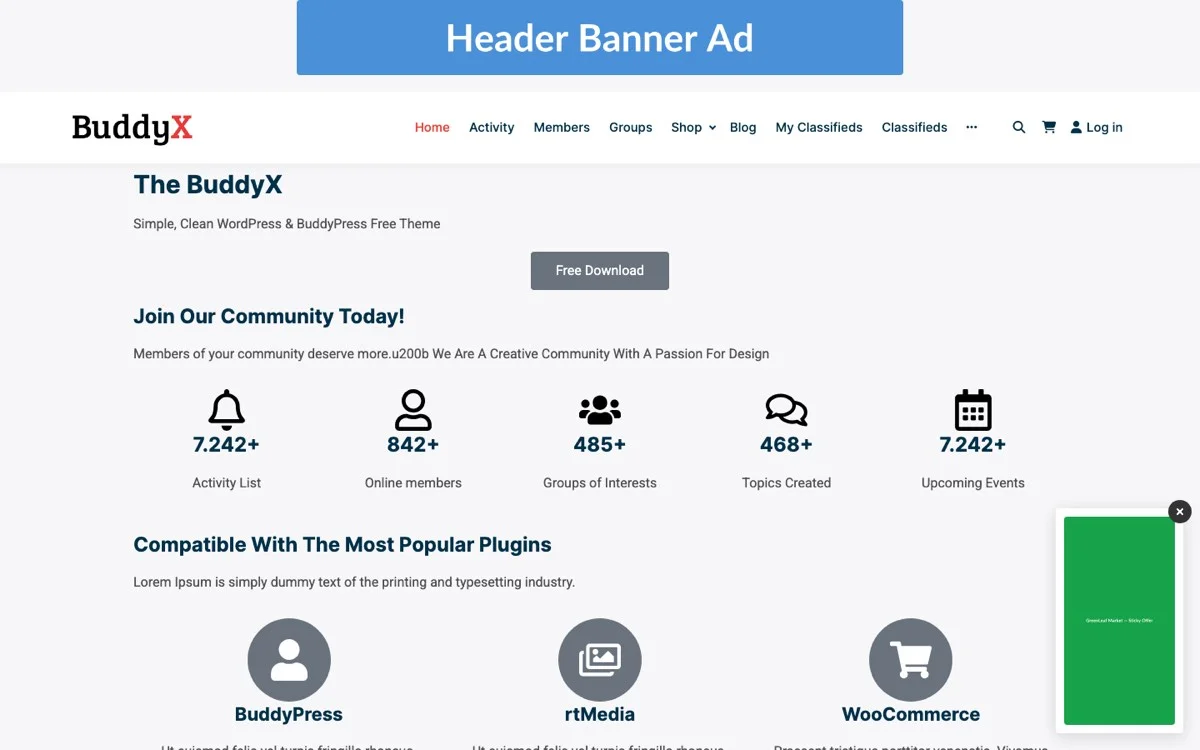
Recommended homepage placements:
- Header banner (728×90 or responsive): Premium placement for direct advertisers. Charge $100-500/month depending on traffic.
- Sidebar widget ads: Ideal for affiliate products, complementary tools, or hosting partners. These stay visible as users scroll.
- Below featured products: Place ads between your product grid and your blog section. Users who scroll past your products are less likely to buy anyway and are prime candidates for ad engagement.
Product Pages: High-Intent, Handle with Care
Product pages are your money pages. Visitors here are actively evaluating a purchase decision. This is where most store owners get nervous about ads, and rightfully so. You never want an ad to pull someone away from a product they are about to buy.
The safe approach:
- Place ads below the purchase button and product description, never above or alongside them.
- Use ads for complementary products only. If someone is looking at a WordPress theme, show them ads for hosting or page builders, not competing themes.
- Limit to one ad placement per product page. Less is more when purchase intent is high.
Blog Posts: Your Ad Revenue Gold Mine
If your EDD site has a blog (and it should), this is where your biggest ad revenue opportunity lives. Blog visitors are in content-consumption mode, not purchase mode. They are reading tutorials, how-to guides, and industry insights. Their attention pattern is linear and predictable, making in-content ads highly effective.
Optimal blog ad placements:
- After the second paragraph: Catches readers who are engaged but have not hit the content meat yet.
- Mid-content (after 40-50% of the article): Reaches readers who are clearly invested in the content.
- End of post, before comments: Natural pause point where an ad feels like a recommendation rather than an interruption.
Targeting Ads by Product Category and Customer Status
Generic, untargeted ads are a race to the bottom. They pay poorly, perform poorly, and annoy visitors. The real revenue gains come from targeting, and EDD sites have a unique advantage here: you know what your visitors are interested in based on which products and categories they browse.
Category-Based Ad Targeting
With WB Ad Manager Pro, you can assign different ads to different product categories. This means:
- Visitors browsing WordPress themes see ads for hosting companies, design tools, and page builders.
- Visitors browsing WooCommerce extensions see ads for payment processors, shipping tools, and inventory software.
- Visitors browsing LMS plugins see ads for video hosting, email marketing for course creators, and webinar platforms.
Category-targeted ads routinely outperform generic ads by 2-5x in click-through rate, which means higher CPMs from ad networks and more revenue from direct advertisers.
Customer Status Targeting
Another powerful targeting dimension: whether the visitor is an existing customer or a prospect. You might show different ads to:
- Logged-in customers: Upgrade offers, complementary products, premium support plans, or partner deals.
- Non-customers: Lead magnets, free trials, or awareness campaigns from advertisers targeting your audience.
- Cart abandoners: Retargeting placements that bring them back to complete their purchase (this is an ad for yourself, but it works the same way).
This kind of segmentation transforms ads from noise into value. When the ad matches what the visitor actually needs, engagement goes up and annoyance goes down.
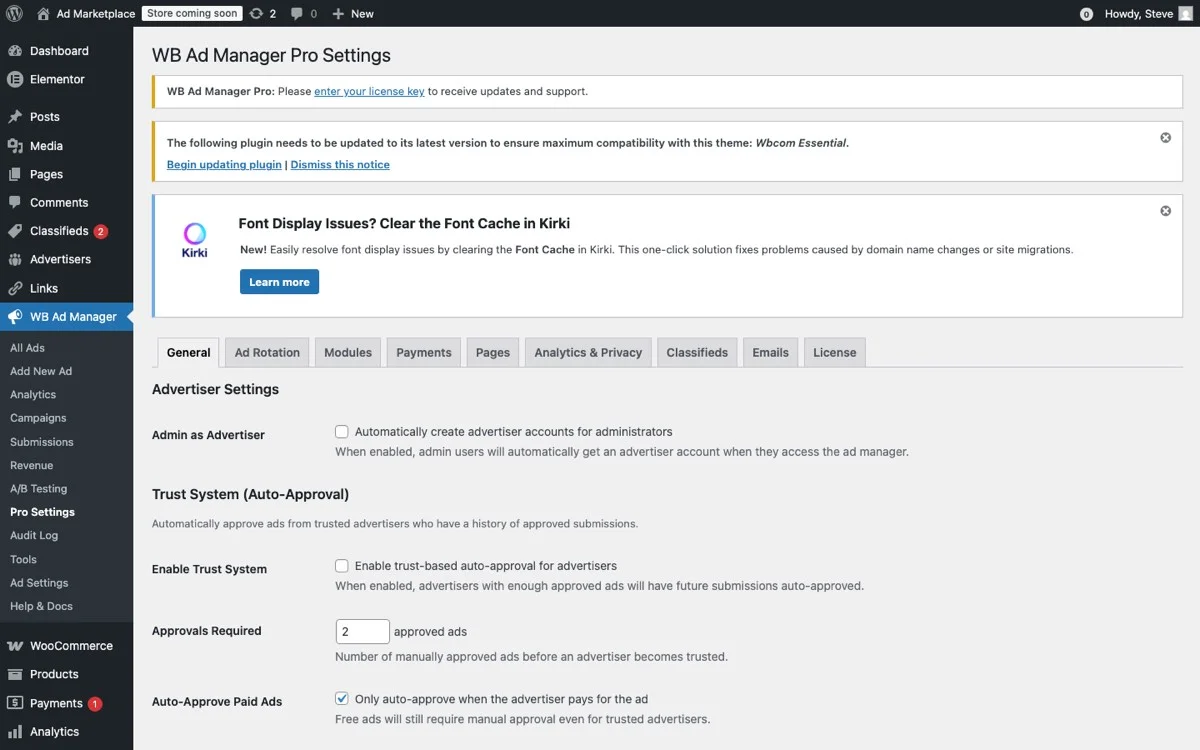
Pro Settings, configure ad targeting rules, placement positions, and billing models
In-Content Ads for Blog Posts: The Setup That Prints Money
Your blog posts are content assets that continue to drive traffic for months or years after you publish them. With proper in-content ad placement, every evergreen blog post becomes a long-term revenue generator.
How In-Content Ads Work
In-content ads are injected automatically into your blog posts at predefined positions. Instead of manually editing every post to add ad code, you configure rules once and the plugin handles the rest.
With WB Ad Manager Pro, you can set rules like:
- Insert an ad after every 3rd paragraph in posts longer than 1,000 words.
- Show a specific ad in posts tagged with a certain category.
- Display a maximum of 3 ads per post regardless of length.
- Rotate between multiple ads to prevent banner blindness.
Revenue Expectations for In-Content Blog Ads
In-content ads typically generate the highest RPM (revenue per thousand impressions) of any placement type because they are embedded within the content the visitor is actively reading. Here is what to expect:
- Google AdSense in-content: $3-12 RPM depending on niche
- Premium ad networks (Mediavine, AdThrive): $10-30 RPM
- Direct advertiser placements: $15-50 RPM
- Affiliate product recommendations (contextual): $5-25 RPM
For a blog generating 6,000 monthly pageviews (60% of 10,000 total visitors), in-content ads alone can add $18-300/month. Scale that to 50,000 monthly visitors and you are looking at $90-1,500/month from blog content alone.
Placements to Avoid: Do Not Cannibalize Your Sales
Strategic ad monetization is about adding revenue, not redistributing it. Some placements will actively hurt your product sales, and no amount of ad revenue will compensate for lost conversions. Here are the placements to avoid.
Never Place Ads Above the Product Purchase Button
This is the number one rule. Anything that appears between your product description and the buy button creates friction. Even a well-targeted ad can distract a ready buyer. The purchase flow should be frictionless.
Avoid Interstitial or Popup Ads
Full-screen takeovers and popup ads have their place on content-only sites, but on a digital product store, they are conversion killers. A visitor who was about to click Add to Cart should never be interrupted by an ad for someone else’s product.
Skip Auto-Playing Video Ads
Nothing erodes trust faster than an auto-playing video ad on a professional software or digital product site. Your visitors are evaluating whether to trust you with their money. A blaring video ad sends the opposite signal.
Do Not Place Competing Product Ads on Product Pages
This seems obvious, but ad networks will happily serve competitor ads if you do not configure exclusions. Make sure to:
- Block competitor domains in your ad network settings.
- Use category exclusions to prevent competing product types from appearing.
- Review auto-served ads regularly to catch any that slip through.
Limit Checkout Page Ads to Zero
Your checkout page has one job: collect payment. Any ad on this page is a distraction that can cost you a sale worth far more than the ad impression.
Revenue Projections for 10,000 Monthly Visitors
Let us build a realistic revenue projection for a site with 10,000 monthly visitors, broken down by placement type and monetization method.
Conservative Estimate (Low Traffic Quality, General Niche)
| Placement | Impressions/Month | RPM | Revenue |
|---|---|---|---|
| Header Banner | 10,000 | $2 | $20 |
| Sidebar Ads (2) | 15,000 | $2 | $30 |
| In-Content Blog (3 per post) | 18,000 | $4 | $72 |
| Below Product Descriptions | 4,000 | $5 | $20 |
| Footer Ad | 10,000 | $1 | $10 |
| Total | $152/month |
Moderate Estimate (WordPress/Tech Niche, Some Direct Deals)
| Placement | Impressions/Month | RPM | Revenue |
|---|---|---|---|
| Header Banner (Direct) | 10,000 | $8 | $80 |
| Sidebar Ads (2) | 15,000 | $5 | $75 |
| In-Content Blog (3 per post) | 18,000 | $10 | $180 |
| Category-Targeted Product Ads | 4,000 | $12 | $48 |
| Footer/Newsletter Ad | 10,000 | $3 | $30 |
| Affiliate Link Revenue | – | – | $200 |
| Total | $613/month |
Optimistic Estimate (High-Value Niche, Premium Advertisers)
| Placement | Impressions/Month | RPM | Revenue |
|---|---|---|---|
| Header Banner (Premium Direct) | 10,000 | $20 | $200 |
| Sidebar Ads (Direct Sponsors) | 15,000 | $12 | $180 |
| In-Content Blog (Premium Network) | 18,000 | $25 | $450 |
| Category-Targeted Product Ads | 4,000 | $25 | $100 |
| Sponsored Content Slots | – | – | $500 |
| Affiliate Revenue (Targeted) | – | – | $600 |
| Total | $2,030/month |
The key takeaway: even the conservative estimate adds nearly $1,800 per year to your bottom line. The moderate scenario adds over $7,000. And if you invest in building direct advertiser relationships, you could add over $24,000 annually.
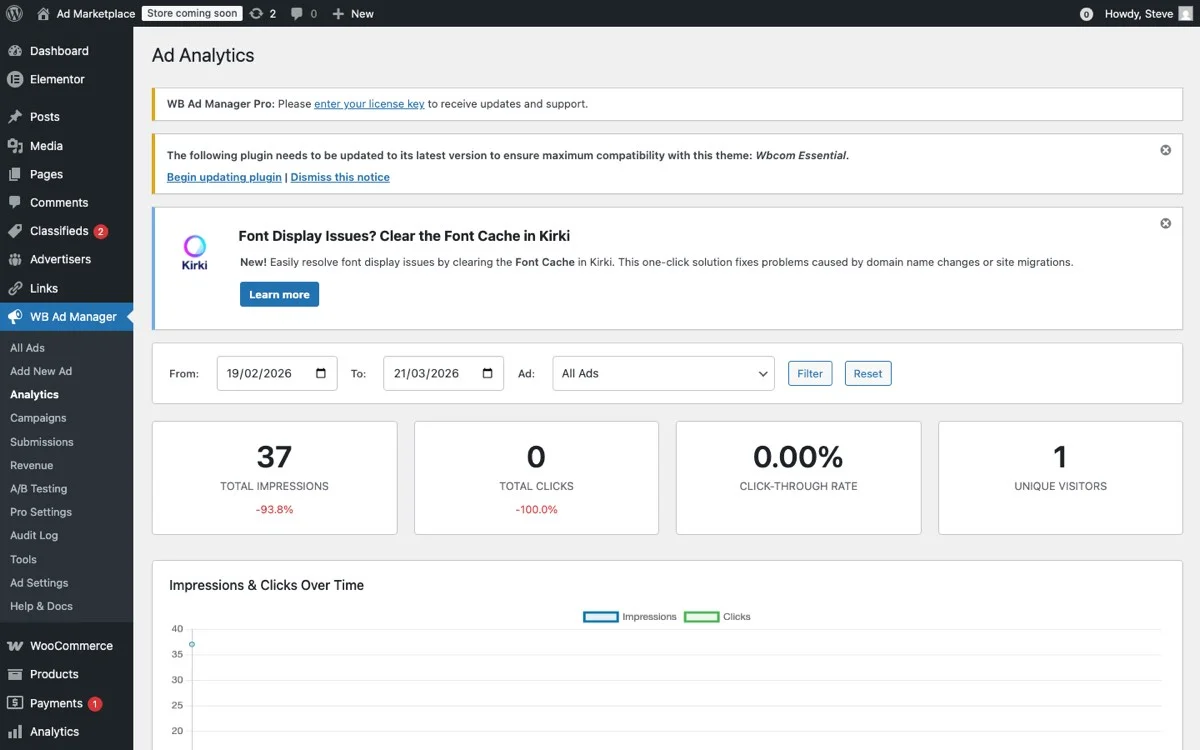
Analytics dashboard, track exactly how much each ad placement earns with impressions, clicks, and CTR
Setting Up Your Ad Strategy with WB Ad Manager Pro
Getting started does not require a complete site overhaul. Here is a phased approach that lets you start earning immediately while building toward the higher-revenue tiers.
Phase 1: Foundation (Week 1)
- Install and configure WB Ad Manager Pro on your EDD site.
- Set up 3 core placements: header banner, sidebar widget, and one in-content blog position.
- Connect your ad network (Google AdSense is the easiest starting point).
- Configure exclusions: no ads on checkout, no competitor ads, no product page above-fold ads.
Phase 2: Optimization (Weeks 2-4)
- Add category-based targeting to show relevant ads on product pages.
- Set up in-content blog ads with automatic insertion rules.
- A/B test placements to find what works for your audience.
- Review analytics to identify your highest-RPM placements.
Phase 3: Scale (Month 2+)
- Approach direct advertisers in your niche with your traffic data and placement options.
- Create a media kit with your traffic stats, audience demographics, and pricing.
- Add affiliate integrations for contextual product recommendations.
- Explore sponsored content partnerships for the highest RPM.
Common Objections and Why They Do Not Hold Up
Let us address the elephants in the room.
“Ads make my site look unprofessional.” Poorly implemented ads do. Strategic, well-designed ad placements that match your site’s aesthetic look like curated recommendations. WB Ad Manager Pro gives you full control over ad styling and placement, so they blend naturally with your design.
“Ads will slow down my site.” Lazy-loaded ads with asynchronous loading have minimal impact on page speed. WB Ad Manager Pro supports lazy loading out of the box, so ads only load when they scroll into view.
“My visitors will hate it.” Your visitors are already seeing ads on every other site they visit. They have ad blindness for bad ads and genuine interest in relevant ones. The key is relevance, and category-based targeting ensures you are showing ads that match what visitors are already looking for.
“It is not worth it for my traffic level.” Every traffic level has a break-even point, and for most EDD sites, it is surprisingly low. Even 1,000 monthly visitors can generate $15-60/month in ad revenue. That covers your hosting costs and then some.
The Bottom Line: Stop Leaving Money on the Table
Your EDD site’s traffic is an asset. Every visitor who does not buy a product is currently generating zero revenue. With strategic ad placements powered by WB Ad Manager Pro, you can turn that wasted traffic into a meaningful secondary income stream.
The key principles are straightforward:
- Place ads where they add value, not where they create friction.
- Target ads by category and customer status for maximum relevance and revenue.
- Protect your purchase flow at all costs. Never let ads interfere with product sales.
- Start simple, then optimize based on data.
- Build toward direct advertiser relationships for premium rates.
The sites that thrive long-term are the ones that diversify their revenue beyond a single channel. Product sales will always be your primary income, but ad revenue, affiliate partnerships, and sponsored content can add 10-40% on top of that with minimal additional effort.
Stop leaving money on the table. Your traffic has already done the hard part by showing up. Now give it a chance to pay you twice.
Get WB Ad Manager Pro and start monetizing your EDD site’s full potential today.