
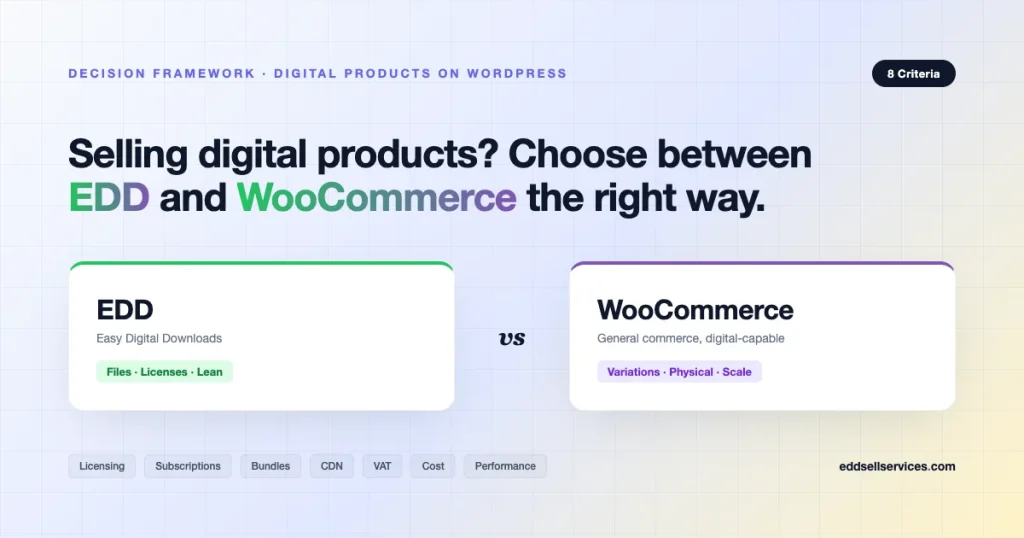
Choosing the right platform for selling digital products on WordPress is a decision that ripples through every part of your store: file delivery, licensing, tax handling, extension costs, performance, even the shape of your support tickets. Easy Digital Downloads (EDD) and WooCommerce dominate this conversation, and both can technically sell a PDF, a plugin, or a software license. The question is which one makes selling digital goods feel natural, and which one makes you fight the system.
This guide gives you a decision framework built from eight real criteria, with side-by-side comparisons grounded in current extension names and pricing. By the end, you will know which platform fits your roadmap, where a hybrid setup makes sense, and what a migration actually costs.
TL;DR: Quick Answer Table
| If your store sells… | Pick | Why |
|---|---|---|
| Ebooks, PDFs, audio, stock media | EDD | Built for files, clean checkout, lean stack |
| WordPress plugins or themes with licensing | EDD | Software Licensing is the category standard |
| Subscriptions for digital-only products | EDD | Recurring Payments + Software Licensing are tight |
| Digital + physical mixed catalog | WooCommerce | Shipping, inventory, POS are native |
| Complex product variations | WooCommerce | Attributes and variations are a first-class feature |
| Marketplace with vendors | Either (lean EDD for digital-only) | FES for EDD, Dokan/WCFM for Woo |
| Global store, heavy tax compliance | WooCommerce | Bigger tax ecosystem, more integrations |
| SaaS-style API access, metered usage | Neither, build custom | Both need heavy customization |
Most stores selling purely digital products will be happier on EDD. Most stores selling anything that ships will be happier on WooCommerce. The interesting cases are in the middle, and that is where the framework below earns its keep.
The Decision Framework: 8 Criteria
Work through these in order. The first three usually decide the platform on their own.
1. Product Type and Catalog Shape
Start with what you actually sell. Not what you might sell in two years, not what a competitor sells. Today.
EDD: Every product is a digital download. No weight, no dimensions, no stock status by default. The core data model assumes a file, a price, maybe some variable prices (think “Personal License / Team License / Agency License”). This constraint is the point. You do not wade through shipping fields, tax classes for physical goods, or inventory logic you will never use.
WooCommerce: Supports “Simple”, “Variable”, “Grouped”, “External”, and “Virtual/Downloadable” product types. Digital goods live inside a system designed for physical commerce. You can hide shipping fields per product, but the data model still carries that weight. Variations are powerful: a template with 3 colors x 4 file formats x 2 license tiers is 24 SKUs Woo handles natively, while EDD would need variable pricing plus Custom Prices or a workaround.
Verdict: Pure digital, simple pricing tiers, go EDD. Heavy variations, mixed physical/digital, go Woo.
2. Licensing for Software, Plugins, Themes
If you sell anything that needs an activation key, a site limit, or automatic updates to end users, licensing is not optional.
EDD Software Licensing ($199/year, single site): This is the reference implementation for WordPress plugin and theme sellers. It handles license key generation, activation/deactivation per site, renewal pricing, upgrade paths between tiers, and most importantly, secure automatic plugin updates through the EDD_SL_Plugin_Updater class that thousands of plugin authors already bundle. When a plugin author says “it just works,” this is what they mean.
WooCommerce API Manager ($149/year): Third-party, maintained by Todd Lahman. Solid product, but you are opting into a smaller ecosystem. Integrations with page builders, license portals, and customer-facing license management are less common than on EDD. WooCommerce Software Add-on exists but is legacy and thin.
Verdict: Selling plugins or themes with licensing? EDD wins decisively. This is not close.
3. Subscriptions and Recurring Revenue
EDD Recurring Payments ($199/year): Works with Stripe, PayPal, and a few regional gateways. Handles free trials, signup fees, and tight integration with Software Licensing so subscription end triggers license expiration. The recurring payments setup + licensing combo is the backbone of the “annual license” plugin business model.
WooCommerce Subscriptions ($279/year): The gold standard for subscription commerce on WordPress. Broader gateway support, more mature failed-payment retry logic, synced renewals, prorated switches between plans, and a massive ecosystem of add-ons (Subscriptions Gifting, Subscriptions Downloads, etc.). If you run a membership site mixed with digital products, this is hard to beat.
Verdict: Software subscriptions tied to licenses go EDD. Any other subscription model, especially one mixing physical goods or complex billing, go Woo.
4. Bundles, Cross-sells, Upsells
EDD Content Restriction + EDD All Access ($249/year): All Access is the power move. One product unlocks everything in a category or tag, renewable or lifetime, with download limits per period. For “buy one membership site that unlocks the library” businesses, this is cleaner than stitching together WooCommerce Memberships and WooCommerce Subscriptions.
EDD Cross-sell and Upsell ($79/year): Basic but functional for checkout bumps and product page recommendations.
WooCommerce Product Bundles ($49-$249): Industry-leading bundle builder. Group products, optional items, bundled discounts, and stock syncing if any physical inventory is involved. Pairs with Composite Products for build-your-own configurations.
Verdict: “Unlock the whole library” model goes EDD All Access. Custom-built digital bundles with complex logic go WooCommerce.
5. File Delivery, CDN, and Download Security
How your files actually reach the customer matters more than most founders realize until the first 500MB ebook crashes a shared host.
EDD: Uses signed, expiring URLs with configurable expiry windows and download limits per purchase. Built-in support for Amazon S3 via EDD Amazon S3 ($99/year), which signs URLs directly from S3 so your WordPress server never touches the file bytes. This is the right architecture for stores selling anything over 50MB.
WooCommerce: Downloads work out of the box with “Force Downloads”, “X-Accel-Redirect”, or “Redirect only” modes. S3 integration typically requires Amazon S3 Storage ($79/year) or a third-party plugin. Woo’s file-per-product model is fine for small files, but large files on default Force Downloads can choke PHP workers. Configure your delivery method thoughtfully.
Verdict: Both handle CDN offload, but EDD’s S3 integration is battle-tested for large-file stores. Slight edge to EDD if file size and download volume are central.
6. Tax, VAT, and Global Compliance
Digital goods trigger tax complications almost immediately. EU VAT MOSS, US economic nexus, UK digital services tax, Canadian GST/HST, Australian GST on low-value imports. You cannot hand-wave this.
EDD: Core tax rates by country/state. EU VAT handling is available via EDD EU VAT (free/community) with VIES number validation and reverse charge. TaxJar integration exists but the ecosystem is smaller than Woo’s.
WooCommerce: Larger tax ecosystem. Native WooCommerce Tax (via Jetpack), plus paid integrations for Avalara AvaTax, TaxJar (Stripe Tax), Quaderno, and Octobat. For a global store doing serious volume across multiple jurisdictions, Woo’s ecosystem saves real accountant hours.
Verdict: Small digital catalog, mostly US or single-region? EDD is fine. Global, multi-region, high-volume? WooCommerce’s tax tooling is stronger.
7. Extension Pricing and Total Cost of Ownership
Both platforms follow the open-core + paid extension model. Budgets diverge fast.
Typical EDD digital software store (year one):
- EDD Pro bundle (or individual): Software Licensing $199 + Recurring Payments $199 + Reviews $79 + Amazon S3 $99 = approximately $576/year, or the EDD All Access Pass at $999/year covers everything.
Typical WooCommerce equivalent store (year one):
- WooCommerce Subscriptions $279 + WooCommerce API Manager $149 + Product Bundles $49 + Amazon S3 Storage $79 + TaxJar/Avalara variable = approximately $556+/year before tax integration.
Pricing is close on paper. The real difference is in integration effort. Gluing WooCommerce API Manager, WooCommerce Subscriptions, and a file delivery stack together takes more custom code than EDD Software Licensing + EDD Recurring, which are built by the same team to talk to each other.
Verdict: Costs are comparable. EDD wins on developer hours saved for software/plugin businesses. Woo wins on ecosystem breadth.
8. Performance and Hosting Footprint
WooCommerce carries real weight. Product variations, shipping calculations, stock reservations, coupon logic, and tax calculations all run on every cart update. For a store selling 3 PDFs, that is overhead you pay for nothing.
EDD: Leaner core, fewer tables, simpler cart logic. Stores on $20/month VPS tiers run comfortably through launch traffic spikes.
WooCommerce: Requires more careful hosting, object caching, and often a dedicated cart/checkout cache exclusion strategy. HPOS (High-Performance Order Storage) has improved this significantly since 2023, but the baseline is heavier.
Verdict: For pure digital stores, EDD uses less CPU per sale. At scale, both need proper infrastructure.
When to Pick EDD
Pick EDD when every product you sell fits in a file or a license key. Specifically:
- You sell WordPress plugins or themes and need licensing, auto-updates, and renewal pricing. EDD Software Licensing is the category standard, full stop.
- You sell ebooks, audio files, stock video, presets, LUTs, or design assets. EDD’s All Access model is purpose-built for “buy once, download the library.”
- You want a lean stack and minimal tech debt. Fewer extensions, less object cache configuration, faster admin.
- Your team is small and you prefer opinionated defaults over infinite configurability.
- You sell digital services with time-limited access, like course bundles or training video libraries.
When to Pick WooCommerce
Pick WooCommerce when at least one of these is true today or clearly on your 12-month roadmap:
- You sell physical products, even as a small percentage of revenue. Merch, printed books, USB drives with digital content.
- You need complex product variations with attributes that multiply (size x color x format x license).
- You operate globally with serious tax complexity and need Avalara, Quaderno, or TaxJar in the workflow.
- You are building a marketplace with many vendors who need dashboards, payouts, and commission tracking. Dokan and WCFM are more mature than EDD’s Frontend Submissions.
- You want the broadest gateway and shipping carrier support on WordPress, including region-specific options in markets WooCommerce dominates.
- You need integrations with CRMs, ERPs, ad platforms, and analytics tools at the widest breadth.
Hybrid and Migration Considerations
Real businesses do not always fit a clean bucket. Here is what actually happens in practice.
Running Both on One WordPress Install
It is technically possible. EDD and WooCommerce can coexist on the same site. You pay a performance tax, and your admin UI gets cluttered with two “Products” menus. Only do this if you have a compelling reason, like selling physical merch on Woo while running a plugin business on EDD, and even then consider a multisite network or two separate installs with a shared auth layer.
Migrating EDD to WooCommerce
Usually driven by adding physical products, needing a specific gateway, or consolidating onto one stack. Tools like EDD to WooCommerce Migrator plugins exist but expect to do significant manual work for: customer download history, license keys (API Manager uses a different data structure), subscription renewal dates, and product URLs (slugs differ). Budget two to six weeks for a serious migration, including regression testing and redirect maps.
Migrating WooCommerce to EDD
Less common. Usually driven by a business pivot: dropping physical goods and going all-digital. The migration is easier in one direction (fewer edge cases on the EDD side) but you lose variation data, subscription history beyond what EDD Recurring can model, and some reporting. Redirects are mandatory.
Headless or Decoupled Architectures
Both support headless setups. EDD has a cleaner REST API surface area for pure digital flows. WooCommerce has WooGraphQL and a larger headless ecosystem. If you are building a Next.js storefront, Woo has more prior art to borrow from.
Real-World Examples
Plugin and theme shops that run on EDD: AffiliateWP, Pippins Plugins, Restrict Content Pro (now owned by StellarWP), Barn2 Plugins, MemberPress (partially), and most of the StellarWP commerce stack itself. These businesses chose EDD because Software Licensing + Recurring Payments is the fastest path to a working plugin subscription business.
Digital creator stores that run on EDD: Indie author shops, photographer preset stores, audio sample libraries, and WordPress developer resource sites. The All Access model drives repeat purchases.
Mixed catalogs that run on WooCommerce: Publishing houses selling print + ebook bundles, musician stores selling vinyl + lossless digital downloads + merch, and creator brands running courses + physical journals. WooCommerce handles the inventory complexity their business actually requires.
Enterprise digital stores on WooCommerce: Large media companies, B2B report publishers, and stock asset marketplaces often land on Woo because the integration ecosystem (Salesforce, HubSpot, NetSuite, Avalara) meets IT requirements out of the box.
A Practical Decision Process
Run these four questions in order. The first “yes” decides your platform.
- Do I sell any physical products today, or am I certain I will within 12 months? Yes, go WooCommerce.
- Am I selling software (plugins, themes, SaaS-adjacent tools) that needs licensing and auto-updates? Yes, go EDD.
- Is my catalog mostly files (PDFs, audio, video, design assets) with simple pricing? Yes, go EDD.
- Do I need deep tax integrations, complex variations, or a mature marketplace layer? Yes, go WooCommerce.
If you are still tied, pick EDD. Digital-first stores are easier to scale on EDD, and if you outgrow it, the migration path to Woo is well-worn. The reverse is rarer and usually signals a business pivot, not a platform problem.
Common Mistakes Founders Make
A few patterns show up in nearly every platform regret story we see in the WordPress digital goods community.
Choosing WooCommerce “Just in Case” You Add Physical Later
This is the single most common overcorrection. A founder planning to sell PDFs picks WooCommerce because “maybe one day I will sell merch.” Two years later, they have never added a physical product, but they have paid for an oversized stack, wrestled checkout caching, and watched Core Web Vitals lag behind simpler EDD competitors. If physical goods are a vague possibility rather than a concrete roadmap item, build for today and migrate if the day comes. Migrations are finite projects. Performance and UX debt compounds.
Underestimating Extension Compatibility
Not every EDD or WooCommerce extension plays well with every other extension. The “happy path” is the official bundle (EDD’s All Access Pass or Woo’s Subscriptions + Subscriptions-compatible add-ons). Third-party combinations, especially on WooCommerce, can create subtle bugs: a subscription renewal triggers twice, a tax calculation ignores VAT reverse charge, a license key generates for the wrong variation. Before you commit, check each extension’s changelog for active maintenance and look at its support forum for red flags.
Ignoring the Checkout Experience on Mobile
Both platforms have default checkouts that perform adequately on desktop. Mobile is a different story. EDD’s default checkout is shorter and friendlier out of the box, which matters when 60% of your traffic is mobile. WooCommerce checkout needs either the Cart/Checkout Blocks (newer, under active improvement) or a custom checkout plugin like CartFlows or FunnelKit to hit modern conversion benchmarks. Factor that extension into your cost comparison.
Building a Marketplace Prematurely
Founders sometimes pick the platform with the best marketplace add-on (Dokan on Woo, FES on EDD) because they plan to “open it up to vendors later.” Marketplaces are a fundamentally different business than a single-vendor store. Build the single-vendor store first, validate the catalog, then evaluate marketplace platforms as a greenfield decision. Do not tax your launch with marketplace-grade complexity you do not yet need.
Gateway and Payment Considerations
Both platforms support Stripe and PayPal as first-class citizens. Beyond those, the picture diverges.
EDD: Stripe Pro ($149/year) adds Apple Pay, Google Pay, and SEPA, plus better 3D Secure handling. PayPal Commerce is built-in. Regional gateways like Razorpay (India), Mollie (EU), and Paystack (Africa) have community or paid integrations, but the catalog is smaller than Woo’s.
WooCommerce: Essentially every gateway on earth has a WooCommerce integration, often official and first-party. If you need Klarna, Afterpay, Authorize.Net, Square, or niche regional options, Woo is the safer bet. WooCommerce Payments (Stripe-powered) is decent for simple stores but still trails Stripe’s direct integration in features.
For a global digital store taking payments from 40+ countries, WooCommerce’s gateway breadth can be the deciding factor, even over every other criterion in this framework.
Support, Documentation, and Community
Platform choice is also a community choice. Where will you look when something breaks on a Friday evening?
EDD: Smaller, more focused community. Official docs are competent. Third-party tutorials are fewer, but the signal-to-noise ratio is high because most content is from actual EDD practitioners (plugin and theme sellers). Paid support from StellarWP is responsive.
WooCommerce: Massive community, massive documentation, massive variation in quality. You will find tutorials for nearly any problem, but half of them are outdated or written by SEO farms. Official Woo support is strong, and agencies specializing in WooCommerce are easy to hire. For edge cases, Stack Overflow and the WooCommerce GitHub repo are your friends.
If your team is small and inexperienced with WordPress, EDD’s narrower surface area is easier to master. If you have a dev team that already knows Woo, continue that momentum.
Frequently Asked Questions
Is EDD free to use?
Yes. Core EDD is free on the WordPress plugin repository. Paid extensions unlock Software Licensing, Recurring Payments, All Access, and commercial gateways. Most serious stores spend between $400 and $1000 per year on extensions, either by buying the All Access Pass or picking extensions individually.
Can I switch from WooCommerce to EDD later without losing customers?
You can, but you will lose more than you expect unless you plan carefully. Customer accounts, download history, subscription renewal dates, and product URLs all need explicit migration. Budget four to eight weeks and expect to build a redirect map. Email existing customers before the switch with new login instructions.
Does EDD handle EU VAT?
Yes, through the EDD EU VAT plugin (community-maintained) with VIES validation and reverse charge logic. It is not as polished as Avalara or TaxJar on WooCommerce, but it is adequate for stores processing under a few thousand EU sales per year. For larger stores, consider TaxJar integration or a dedicated compliance tool.
Which platform is faster?
EDD is lighter out of the box for digital-only stores. WooCommerce performs well at scale if you invest in HPOS, object caching, and proper hosting. If you are on a $10-$30/month host and selling 50 products, EDD will feel noticeably snappier in admin and on product pages.
Can I run a marketplace with multiple vendors on EDD?
Yes, using EDD Frontend Submissions (FES). It is functional but less feature-rich than Dokan or WCFM on WooCommerce. If your marketplace vision involves vendor storefronts, complex commission tiers, or multi-vendor shipping, WooCommerce + Dokan is the stronger stack. For a curated digital-only marketplace with a few trusted vendors, FES on EDD is plenty.
Final Take
EDD and WooCommerce are not interchangeable with slightly different skins. They are different philosophies. EDD is a focused tool that assumes you sell files and licenses, and every feature reinforces that assumption. WooCommerce is a general commerce platform where digital goods are one supported configuration among many.
The cost of picking the wrong one is measured in extension sprawl, custom dev hours, and checkout friction your customers feel but cannot articulate. Take an hour with the eight-criteria framework before you install anything, and your future self will thank you.
If you already know you are going EDD, the next decisions are which extensions ship in your launch bundle, how you architect your file delivery, and how you price your license tiers. Those are the battles worth fighting.