
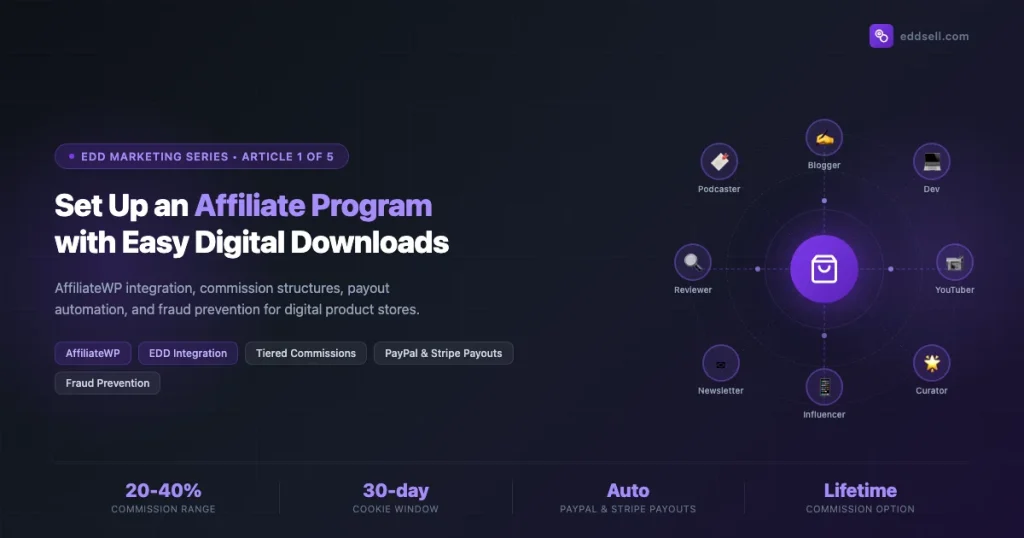
Digital products are the best category for affiliate marketing. There is no inventory to manage, no shipping delay, and every sale a partner sends you generates instant revenue at near-zero marginal cost. That math makes affiliate programs a high-leverage growth channel for Easy Digital Downloads (EDD) store owners.
This guide walks through the complete setup of an affiliate program using AffiliateWP, the leading affiliate management plugin for WordPress and EDD’s most tightly integrated partner. By the end you will have a working program: commissions configured per product, affiliates equipped with their own dashboard and referral links, automated payouts scheduled, and fraud prevention active.
This is Article 1 of the EDD Marketing and Growth Series. Later articles cover email automation, upsells and product bundles, pricing experiments, and launch strategies.
Why Affiliate Programs Work So Well for Digital Products
Physical product stores face hard limits on affiliate economics. Margins get compressed by manufacturing, warehousing, and returns. A 10% commission on a $40 physical item leaves $4 for the partner after a $30 cost of goods. That is a tough sell.
Digital products flip that math. A $49 plugin or course with a 30% delivery cost means you can offer 30-40% commissions and still keep strong margins. That commission rate attracts serious affiliates. Serious affiliates drive real volume.
Three properties of digital products make affiliate programs especially powerful:
- Instant delivery. The buyer gets the download link seconds after purchase. No waiting means no buyer’s remorse window for affiliates to manage.
- Infinite inventory. You can handle 10 sales or 10,000 sales from a single affiliate blast without operational strain. Scale is uncapped.
- Compounding reach. Affiliates often publish reviews, tutorials, and comparison posts that live on Google for years. One affiliate partnership can generate referrals for 36 months from a single piece of content.
EDD makes this even cleaner because every purchase is tracked digitally from the start. AffiliateWP hooks directly into EDD’s purchase flow, capturing referral cookies before the transaction completes and writing commission records the moment EDD records the sale.
Installing AffiliateWP and Connecting It to EDD
AffiliateWP requires a paid license. Plans start at $149/year for a single site. The EDD integration is bundled in all plans, so no separate add-on is needed for basic commission tracking. For per-product commissions and tiered rates you need the Pro plan or a standalone “Tiered Rates” add-on license.
Step 1: Install and Activate AffiliateWP
- Download AffiliateWP from your account at affiliatewp.com.
- Go to Plugins > Add New > Upload Plugin in your WordPress admin.
- Upload the zip and activate.
- You will be redirected to the AffiliateWP license screen. Enter your license key and click Activate License.
Step 2: Connect AffiliateWP to Easy Digital Downloads
Navigate to AffiliateWP > Settings > Integrations. You will see a list of supported platforms. Check the box next to Easy Digital Downloads and click Save Changes.
That single checkbox activates two hooks in EDD’s purchase flow:
edd_purchase_complete— fires when EDD marks a payment complete. AffiliateWP listens here to record the referral commission.edd_payment_refunded— fires on refund. AffiliateWP uses this to reverse the commission, keeping your payout records clean.
After saving, visit AffiliateWP > Settings > General and configure the core options:
| Setting | Recommended Value | Notes |
|---|---|---|
| Cookie Expiration | 30 days | Standard window; extend to 60 for high-ticket products |
| Credit Last Referral | Enabled | Prevents affiliate wars over who gets credit |
| Disable Affiliate on Refund | Enabled | Auto-disables affiliates with high refund rates |
| Require Approval | Enabled (recommended) | Lets you vet affiliates before they go live |
| Default Referral Rate | 20% | Override per-product or per-affiliate as needed |
Step 3: Verify the Integration Is Working
Create a test coupon in EDD. Then create a test affiliate account. Copy the affiliate’s referral URL. Open a private browser window, visit your store via that URL, and complete a test purchase (you can use EDD’s test mode). Go to AffiliateWP > Referrals. You should see a new referral record with status Unpaid tied to your test affiliate. If it appears, the integration is live.
Commission Structures: Flat Rate, Percentage, Tiered, and Lifetime
AffiliateWP supports four commission models. Choosing the right one (or combining them) shapes how affiliates behave and which products they promote.
Flat Rate Commissions
A flat rate pays a fixed dollar amount per sale regardless of order value. Use flat rates when you have variable pricing or bundles where a percentage might overpay on large orders. Set it at AffiliateWP > Settings > General > Default Referral Rate Type > Flat. Enter the dollar amount in the rate field.
For per-product flat rates, open the EDD download editor, scroll to the Affiliate Rates metabox (added by AffiliateWP), set the rate type to Flat, and enter the fixed amount. This overrides the global rate for that specific product.
Percentage Commissions
A percentage commission pays a fraction of each sale. This is the most common model for digital products because it scales naturally with price. If you run a sale at 50% off and a commission is 30%, your payout is 30% of the discounted price, not the full price. That keeps margins predictable.
Per-product percentage rates live in the same Affiliate Rates metabox in each EDD download. Set a higher rate on your flagship product to steer affiliate promotion toward it. Set a lower rate on lower-margin add-ons.
Tiered Commissions
Tiered commissions reward affiliates who drive more sales with higher rates. This is one of the most effective affiliate retention tools available. An affiliate who sends 10 sales a month at 20% might grind to send 25 sales to hit 30%.
The AffiliateWP Tiered Rates add-on handles this. After installing it, go to AffiliateWP > Settings > Tiered Rates and define your tiers:
| Monthly Sales Volume | Commission Rate |
|---|---|
| 0 – 9 sales | 20% |
| 10 – 24 sales | 25% |
| 25+ sales | 30% |
Tiers reset monthly by default. You can also base tiers on total lifetime sales if you prefer cumulative rewards over monthly sprints.
Lifetime Commissions
Lifetime commissions bind a referred customer to an affiliate permanently. Every future purchase that customer makes, even years later, generates a commission for the affiliate who first referred them. This is the single strongest incentive you can offer an affiliate who targets software or plugin buyers, because EDD customers often renew licenses annually or buy add-ons over time.
Install the AffiliateWP Lifetime Commissions add-on. Enable it at AffiliateWP > Settings > Lifetime Commissions. You can configure it to apply globally or only to specific products. The add-on stores the affiliate-customer link in the affwp_lifetime_customer user meta field, so it persists across sessions and devices as long as the customer is logged into WordPress.
Lifetime commissions work especially well for EDD license renewals. When a customer renews their annual license, AffiliateWP checks the user meta, finds the original referring affiliate, and creates a new commission record automatically.
Setting Up the Affiliate Dashboard
Affiliates need their own self-service area. AffiliateWP ships a shortcode-based dashboard that you drop into any WordPress page. This dashboard shows referral stats, payout history, and the affiliate’s unique referral URL. It is also where affiliates access any creative assets you provide.
Creating the Affiliate Area Page
- Create a new WordPress page titled Affiliate Area.
- Add the shortcode
[affiliate_area]to the page content. - Publish the page.
- Go to AffiliateWP > Settings > General > Affiliates Page and select this page from the dropdown.
The [affiliate_area] shortcode renders several tabs dynamically:
- Overview: Visits, referrals, earnings, and unpaid balance.
- URLs: The affiliate’s unique referral links for each page on your site.
- Creatives: Banners, text links, and other assets you have added in the admin.
- Payouts: History of past payouts.
- Settings: Where affiliates update their payment method details.
How Affiliates Get Their Referral Links
Each affiliate logs in and visits the Affiliate Area. Under the URLs tab, they enter any page URL from your site and click Generate URL. AffiliateWP appends their unique affiliate ID as a query parameter, for example:
https://yourstore.com/downloads/your-plugin/?ref=affiliate_usernameWhen a visitor clicks that link, AffiliateWP sets a cookie (affwp_ref) that persists for your configured cookie window. If that visitor completes a purchase within the window, EDD’s completion hook fires and AffiliateWP records the referral.
Adding Creative Assets
Go to AffiliateWP > Creatives and click Add New. For each creative you can set:
- Name: Internal label (e.g., “728×90 Banner – Q1 Sale”)
- URL: Where the creative links to (typically your checkout or product page)
- Image URL: Hosted URL of the banner image
- Text: For text link creatives, the anchor text
- Description: What affiliates see when browsing creatives
Provide at least three creative formats: a 728×90 leaderboard, a 300×250 medium rectangle, and a plain text link. Affiliates have different publishing environments and will use whichever fits their layout.
Payout Automation: Minimums, Payment Methods, and Schedules
Manual payouts kill affiliate programs. When affiliates wait months for money they have already earned, they stop promoting. AffiliateWP’s payout system automates the process when connected to PayPal or Stripe.
Setting Payout Minimums
Go to AffiliateWP > Settings > General. Find Minimum Payout Amount and set a threshold. A $50 minimum is standard for most programs. This prevents processing fees from eating small payouts and reduces accounting overhead.
PayPal Payouts
The AffiliateWP PayPal Payouts add-on connects to PayPal’s Mass Payment API. After installing the add-on:
- Go to AffiliateWP > Settings > PayPal Payouts.
- Enter your PayPal Client ID and Secret from the PayPal Developer Dashboard.
- Set the payout mode to Live (use Sandbox for testing).
- Save changes.
When you are ready to run payouts, go to AffiliateWP > Affiliates, filter by affiliates with unpaid earnings above your minimum, select them all, and use the bulk action Pay via PayPal. AffiliateWP sends a Mass Payment request to PayPal, which distributes funds to each affiliate’s PayPal account in minutes. Commission statuses update automatically from Unpaid to Paid.
Stripe Payouts
The AffiliateWP Stripe Payouts add-on works similarly but uses Stripe Connect. Each affiliate must connect their own Stripe account to receive payouts. The workflow is:
- Install and activate AffiliateWP Stripe Payouts.
- Go to AffiliateWP > Settings > Stripe Payouts and enter your Stripe publishable and secret keys.
- In the Affiliate Area, affiliates will see a Connect with Stripe button on the Settings tab. They click it and authorize the connection with their own Stripe account.
- Once connected, you can pay affiliates individually or in bulk from the Affiliates admin screen.
Setting a Payout Schedule
Most programs pay on a monthly or bi-monthly schedule. Pick a consistent date, such as the 1st and 15th of each month, and publish it in your affiliate onboarding email and program terms. Predictability builds trust. An affiliate who knows they will receive payment on the 1st will keep promoting through the end of the month to maximize earnings in the current period.
You can automate the payout trigger using AffiliateWP’s WP-CLI integration or a scheduled WordPress action. The following WP-CLI command initiates a payout run for all affiliates meeting the minimum threshold:
wp affwp payout create --method=paypal --minimum=50 --status=unpaidAdd this to a server cron job on your payout dates to fully automate the process.
Affiliate Recruitment Strategies
A well-configured program generates zero revenue without affiliates. Recruitment is where most store owners underinvest. Here are the three highest-return channels for EDD store affiliate recruitment.
Convert Existing Customers First
Your existing customers already use and presumably like your product. They are your highest-quality potential affiliates because they can speak authentically about it. Send a targeted email to your customer list with a simple pitch:
Subject: Earn [X]% on every sale you send our way
Hi [First Name],
You have been using [Product Name] for [X months]. We have launched an affiliate program and want you in it first.
Here is how it works: you share your referral link, and you earn [X]% of every sale that comes through it. Average commission is $[X] per sale.
[Join the Affiliate Program]
Customers who are also bloggers, tutorial creators, or YouTubers in your niche will often convert at 5-10% from this email. That is a much higher rate than cold outreach to strangers.
Partner Outreach to Niche Content Creators
Search Google for comparison posts and tutorial roundups in your product category. Strings like “best EDD plugins”, “Easy Digital Downloads alternatives”, or “how to sell digital downloads WordPress” will surface the bloggers already writing in your space. These writers maintain affiliate relationships with multiple plugins and are open to adding more. Offering them an exclusive EDD discount code for their audience, on top of the commission, is one of the strongest conversion incentives you can provide.
Use this outreach template:
Subject: Affiliate partnership for [Your Product Name] — [X]% commission
Hi [Name],
I found your post “[Post Title]” while researching coverage in the [category] space. Great breakdown — especially the section on [specific detail].
We run [Your Product Name], which [one-sentence value prop]. We pay [X]% per sale with a [Y]-day cookie. Average affiliate earns $[Z] per month in their first 60 days.
Would you be open to adding a mention or trying a review? Happy to send a free license so you can test it yourself.
[Apply to our program / contact link]
Keep the email short. Writers receive many of these and respond best when the value is clear in the first two sentences.
List on Affiliate Marketplaces
ShareASale and Impact Radius both maintain searchable directories of affiliate programs. Affiliates in the WordPress and digital product space actively browse these directories looking for new programs to join. Listing your program here is a passive recruitment channel that runs with no ongoing effort after setup.
If you prefer to stay self-hosted, the AffiliateWP Affiliate Landing Page add-on creates a public-facing page at a URL like yourstore.com/affiliates/ that describes your program terms, commission rates, and contains a registration form. Share this URL in your newsletter, in your product’s admin dashboard, and in the footer of your site.
Activate Affiliates Who Go Silent
Most affiliate programs have 20-30% of registered affiliates who signed up but never promoted. A quarterly “re-engagement” email with a limited-time commission boost (e.g., 35% for the next 30 days vs. the standard 20%) often reactivates 10-15% of dormant affiliates. That is free revenue from people who already said yes to your program.
Tracking Performance and Preventing Fraud
AffiliateWP’s reporting dashboard gives you the core metrics you need to evaluate program health. Go to AffiliateWP > Reports to see:
- Referral visits: Total clicks on affiliate links, segmented by affiliate.
- Referrals: Number of completed referrals (sales) per affiliate.
- Conversion rate: Referrals divided by visits. A healthy rate is 1-3% for cold traffic affiliates.
- Earnings: Total commissions generated, filterable by date range and affiliate.
Use this data to identify your top five affiliates by revenue and give them priority attention: a personal email, an early heads-up on upcoming sales, or a commission rate increase. Protecting your top affiliates is the most direct way to protect program revenue.
Fraud Prevention Settings
Affiliate fraud in digital product programs usually takes two forms: self-referrals (affiliates buying through their own link to earn back the commission) and cookie stuffing (placing affiliate cookies on visitors without their knowledge). AffiliateWP has built-in controls for both.
Prevent Self-Referrals: Go to AffiliateWP > Settings > General and enable Prevent Self Referrals. When active, AffiliateWP checks whether the purchasing user ID matches the affiliate’s user ID and blocks the referral commission if they match.
Referral URL Verification: The AffiliateWP Referral URL Checker add-on validates that the referral URL the affiliate reports actually exists on your domain. This blocks inflated traffic reports from bots or scripts generating fake visit counts.
Refund Monitoring: Enable Disable Affiliate on Refund in the General settings and set a refund rate threshold. If an affiliate’s referrals result in refunds above that threshold (e.g., 15%), AffiliateWP automatically sets the affiliate to Inactive status and queues them for your review. This protects you from organized refund fraud where affiliates generate sales and then help buyers request refunds.
IP-based Duplicate Detection: AffiliateWP logs the IP address of each referral visit. If you see multiple referral records from the same IP in a short window, that is a signal of click fraud. Check the Referrals screen, filter by affiliate, and sort by date to spot patterns.
Reviewing Affiliates Before Approval
With Require Approval enabled, every new affiliate application lands in a pending queue at AffiliateWP > Affiliates > Pending. Review each application for:
- A real website or social media presence in your product’s niche
- Existing content that would be a natural fit for your product
- No history in the affiliate fraud databases (FraudRecord, Affiliate Guard Dog)
Approving only quality affiliates up front saves significant overhead later. A program with 50 vetted, active affiliates outperforms one with 500 unvetted, mostly inactive ones.
Advanced Configuration: Developer Hooks for Custom Workflows
For developers extending the default behavior, AffiliateWP exposes a full set of WordPress hooks. Here are the most useful ones for EDD stores:
Modify Commission Amount Before Recording
add_filter( 'affwp_calc_referral_amount', 'my_custom_commission_logic', 10, 4 );

function my_custom_commission_logic( $amount, $affiliate_id, $download_id, $args ) {
    // Double commission for product ID 123 during launch week
    if ( 123 === (int) $download_id && strtotime( 'this week' ) >= strtotime( '2025-04-28' ) ) {
        $amount = $amount * 2;
    }
    return $amount;
}
Trigger Custom Action After Referral is Recorded
add_action( 'affwp_insert_referral', 'notify_team_on_referral', 10, 2 );

function notify_team_on_referral( $referral_id, $data ) {
    // Send a Slack notification or log to a custom table
    $affiliate = affwp_get_affiliate( $data['affiliate_id'] );
    error_log( 'New referral from affiliate: ' . $affiliate->user_login );
}
Reject Referral Based on Custom Criteria
add_filter( 'affwp_is_valid_referral', 'block_referral_if_coupon_used', 10, 4 );

function block_referral_if_coupon_used( $valid, $payment_id, $amount, $description ) {
    $payment = edd_get_payment( $payment_id );
    // Block commission if buyer used a 100%-off coupon
    if ( $payment && $payment->total == 0 ) {
        return false;
    }
    return $valid;
}
These hooks give you full control over when commissions are created, how they are calculated, and what happens after they are recorded. The full hook reference is in the AffiliateWP developer documentation.
Putting It All Together: Launch Checklist
Before opening your affiliate program to applicants, work through this checklist:
- AffiliateWP installed, licensed, and connected to EDD
- Default commission rate set; per-product rates configured for key downloads
- Cookie window set (recommend 30-60 days)
- Self-referral prevention enabled
- Payout minimum set and payment method connected (PayPal or Stripe)
- Affiliate Area page live with the
[affiliate_area]shortcode - At least 3 creative assets uploaded (banner sizes + text link)
- Program terms page published with commission rate, cookie window, payout schedule, and prohibited promotion methods
- Affiliate registration form tested end-to-end
- Test purchase completed and referral commission verified in the admin
Measuring Long-Term Program Health
After your program has been live for 60-90 days, pull these four metrics monthly to gauge its health:
- Active affiliate ratio: Affiliates who generated at least one referral in the past 30 days divided by total approved affiliates. Target 30%+ for a mature program.
- Revenue per active affiliate: Total affiliate-referred revenue divided by active affiliate count. Track this month-over-month to spot whether your top affiliates are growing or plateauing.
- Commission-to-revenue ratio: Total commissions paid divided by affiliate-referred revenue. Keep this below 40% to protect margins. If it creeps above 40%, check whether your tiered structure is being gamed by a few high-volume affiliates using coupon stacking.
- Refund rate on affiliate sales vs. direct sales: If affiliate-driven sales refund at more than double the rate of your direct sales, investigate for fraud or misaligned audience targeting by specific affiliates.
Building an affiliate program takes setup time upfront, but once your top 10 affiliates are active and motivated, the channel runs with minimal maintenance. For most EDD stores, affiliate revenue reaches 15-25% of total revenue within 6 months of a properly configured program launch.
The next article in this series covers EDD email marketing automation — setting up post-purchase sequences, abandoned cart recovery, and license renewal reminders that run without manual effort.
You can also read our guide on EDD discount code strategies for pricing tactics that work well alongside an affiliate program.