Top 10 Best AI Halloween Face Changer Tools

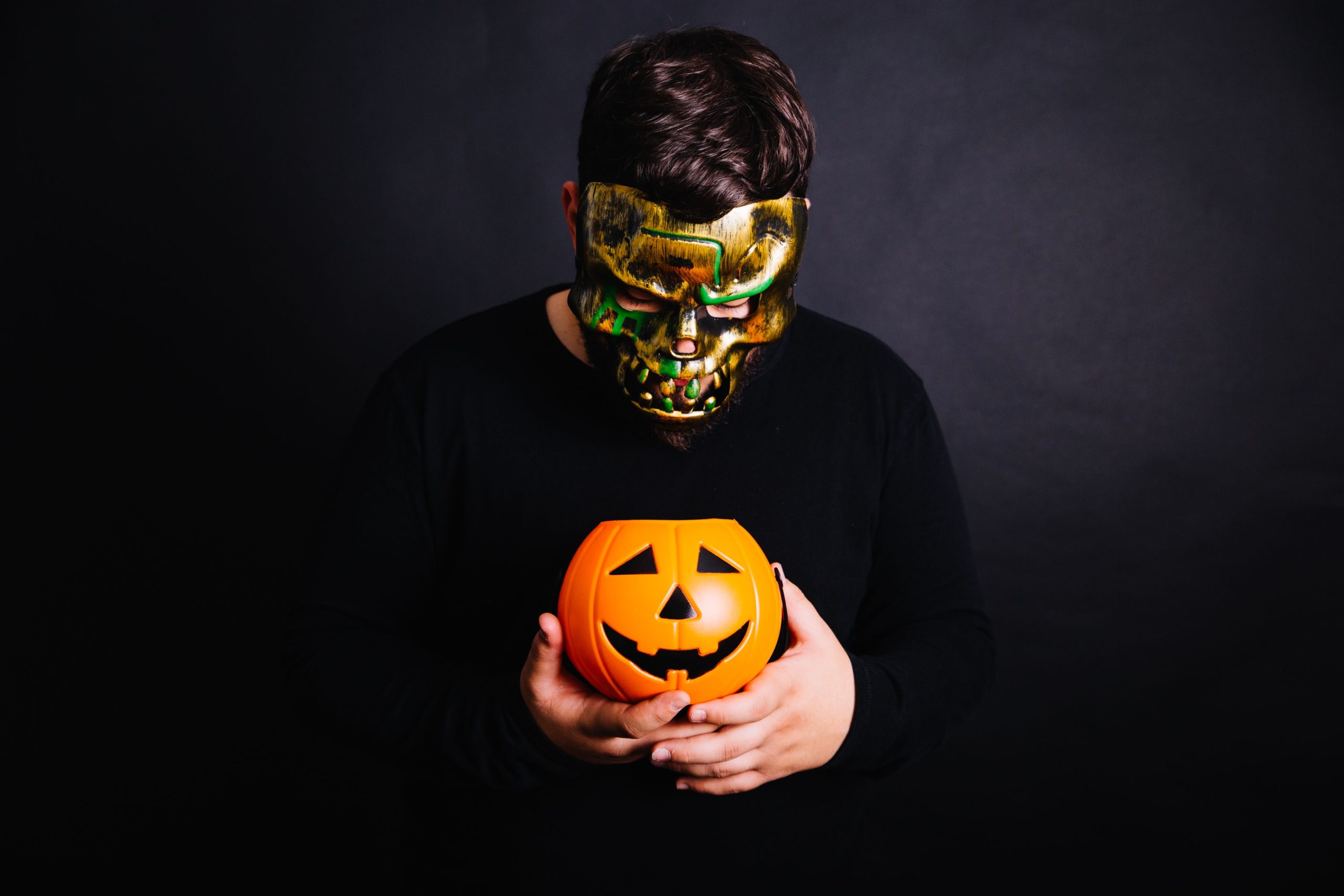
Halloween is closing in fast, and turning your photos into something spooky, ghostly, or downright unsettling has become one of the easiest ways to get into the spirit of the season. You don’t need photo editing skills or expensive software anymore, a genuinely impressive AI face changer can turn a normal selfie into a convincing vampire, zombie, or witch in seconds. This guide runs through ten tools worth trying this Halloween, what each one does best, and how to pick the right one for the look you’re actually going for.

What Makes a Halloween Face Changer Actually Good
Realism separates a genuinely fun transformation from an obviously fake overlay slapped on top of a photo. The best tools track your actual facial structure, lighting, and expression, so a vampire filter looks like your face with fangs, not a generic mask floating over your features. Speed matters too, since most people want a spooky selfie ready to post in the moment, not after ten minutes fighting with manual editing tools.
Variety is worth checking before committing to one app, some tools specialize narrowly in one type of transformation, zombies specifically, or gore effects specifically, while others offer a broader library covering witches, vampires, skeletons, and monster mashups in one place. And shareability rounds out the list, since half the fun of a Halloween filter is posting the result, so an app with a smooth export or direct social sharing flow saves a genuine step over one that buries the download button three menus deep.
Top 10 AI Halloween Face Changer Tools
1. FaceApp Halloween Edition
FaceApp built its reputation on remarkably realistic AI-based photo transformations, and its Halloween-specific filters carry that same realism into spooky territory. Turning yourself into a vampire, a creepy witch, or something more ghoulish takes just a few taps, and the results tend to hold up better under close inspection than more cartoonish alternatives. The interface stays simple enough that first-time users get a usable result on the first try, without needing to understand any manual editing controls.
2. Snapchat Halloween Lenses
Snapchat’s seasonal lens drops are practically an annual tradition at this point, and Halloween brings a genuinely large batch of monster, skeleton, and creature lenses that track your face and expressions in real time rather than working from a single static photo. That real-time tracking is the real differentiator, watching a lens react as you talk or move adds a layer of fun a static filter simply can’t replicate, and sharing straight to your story or a friend takes one tap since it’s already built into the platform you’re likely posting to anyway.
Also Read: Where To Sell Your Design Work Online
3. PhotoFunia Halloween Effects
PhotoFunia takes a template-based approach rather than a pure face filter, dropping your photo into pre-built haunted house scenes, graveyard settings, and other Halloween-themed compositions. It’s a browser-based tool, so there’s no app download required, which lowers the barrier for anyone who just wants a quick result without installing something new on their phone. The free tier covers a genuinely wide template library, making it one of the more accessible options on this list for casual, one-off use.
4. Fotor Halloween Makeup
Fotor pairs AI-powered makeup effects with more traditional photo editing tools, letting you layer in dark, dramatic makeup, glowing eyes, or a full skeleton face paint look with more manual control than a pure one-tap filter offers. That extra control is the tradeoff worth knowing about upfront, Fotor rewards a little more time spent adjusting sliders and options than a pure auto-filter app, but the payoff is a more customized final look. It’s available on both web and mobile, so the workflow carries over whichever device you start on.
5. Zombify
Zombify does one thing and does it thoroughly: turning a normal photo into a convincingly rotted, undead version of yourself. Realistic zombie skin texture, damaged features, and even small interactive animation touches make it a strong pick specifically for anyone chasing a genuinely unsettling result rather than a cute or cartoonish one. Sharing is built in and straightforward, which matters for an app whose entire appeal is showing off the transformation to friends.
Also Read: Best Black Friday WordPress Deals On Internet
6. YouCam Makeup Halloween Filters
YouCam Makeup, from Perfect Corp, brings its AI makeup engine to Halloween with filters spanning from glamorous costume looks to genuinely gory effects like realistic vampire fangs and smoky, hollow eyes. Because the underlying engine is built for precise makeup application in general, not just novelty filters, the Halloween looks tend to sit more convincingly on real facial features than simpler overlay-based apps. It’s a strong pick specifically for anyone planning an actual in-person costume and wanting to preview a makeup look before committing to it with real makeup.
7. Reface Halloween Edition
Reface built its name on genuinely impressive face-swapping technology, and during Halloween that same engine lets you swap your face onto famous movie monsters, villains, and horror icons rather than just applying a filter on top of your own face. The results tend to look more seamless than a typical overlay filter specifically because face-swapping technology handles lighting and angle matching more carefully than a static filter does. It’s a fun pick for anyone who wants to actually become a specific character rather than a generic monster archetype.
8. PicsArt Halloween Stickers and Effects
PicsArt takes a broader creative approach, rolling out a large seasonal library of Halloween stickers, filters, and background effects, bats, pumpkins, spooky shadows, fog, that let you build a fully customized spooky scene rather than relying on one preset filter. That flexibility makes it a strong pick for anyone who wants creative control over the final composition, not just a face transformation, and its layering tools give more room to combine several effects into one genuinely unique result.
9. Halloween-Themed Makeup Photo Editors
Beyond the major named apps, a category of smaller, dedicated Halloween makeup photo editors exists specifically for quick, simple makeup overlay effects, realistic-looking Halloween makeup applied to a selfie in a couple of taps, aimed squarely at beginners who want a fast result without a learning curve. These tend to offer a narrower effect library than FaceApp or Fotor, but the simplicity is the actual selling point for someone who just wants one good spooky photo without exploring a big menu of options.
10. Dedicated Horror Face-Changer Apps
A handful of apps built specifically and only for Halloween, rather than as a seasonal feature bolted onto a general photo editor, focus entirely on ghostly, creepy transformations: haunted backgrounds, spooky shadow effects, and full face transformations built around one seasonal use case. Being single-purpose has a real upside, the effects tend to be more polished within that narrow lane than a generalist app’s seasonal add-on, since the whole product exists to do exactly this one thing well.

Halloween Face Changers at a Glance
| Tool | Best For | Format |
|---|---|---|
| FaceApp | Realistic vampire and witch transformations | App |
| Snapchat | Real-time animated lenses | App |
| PhotoFunia | Template-based scene compositing | Browser |
| Fotor | Customizable AI makeup effects | Web and app |
| Zombify | Convincing zombie transformations | App |
| YouCam Makeup | Precise, makeup-grade filters | App |
| Reface | Face-swapping with horror icons | App |
| PicsArt | Full creative scene building | App |
| Simple makeup editors | Fast, beginner-friendly overlays | App |
| Dedicated horror apps | Polished, single-purpose effects | App |
Tips for Getting a Genuinely Convincing Result
Lighting matters more than most people expect when a Halloween filter is trying to track and transform your face. A well-lit, front-facing photo with even lighting gives any AI tool cleaner facial landmarks to work with, which translates directly into a more convincing transformation. Harsh shadows or a dim, backlit photo tend to confuse face-tracking algorithms, leading to filters that slip or look obviously artificial around the edges.
Expression choice matters too. A neutral, relaxed expression tends to give transformation apps the cleanest starting point, since exaggerated smiles or squints can distort how filters map onto your features. Once you’ve got a good base photo, it’s worth trying the same transformation across two or three different apps rather than settling on the first result, since the same photo can produce noticeably different quality depending on which app’s underlying model handles your specific face shape and lighting best.
Privacy Considerations When Using Face-Changing Apps
Face-altering apps process a genuinely sensitive category of data, your actual facial biometrics, and it’s worth a quick privacy check before uploading a photo to any new app you haven’t used before. Reading the app’s data retention policy, specifically whether uploaded photos are stored, used for model training, or deleted after processing, takes a minute and is worth doing before granting camera roll access to an app you just discovered. Established apps from recognizable companies, FaceApp, Snapchat, PicsArt among them, tend to publish clearer privacy policies than a newly discovered app with no track record, which is a reasonable factor to weigh alongside the quality of the actual filter.
Matching the Tool to the Look You Want
Not every Halloween look calls for the same tool, and matching your goal to the right app saves real time. If the plan is a quick, fun selfie to post before heading out the door, Snapchat’s real-time lenses or PicsArt’s sticker library get you there fastest, no photo upload wait, no editing menus to learn. If the goal is a genuinely convincing, almost photorealistic transformation worth spending a few extra minutes on, FaceApp and Reface consistently deliver the most polished results among the options here.
For anyone actually planning an in-person costume, YouCam Makeup’s precise, makeup-grade filters double as a legitimate planning tool, letting you preview a look before committing to real face paint or prosthetics. And if the goal is building a whole spooky scene rather than just transforming a face, PhotoFunia’s templates or PicsArt’s layering tools give you room to add a haunted background, fog, or other atmospheric elements a pure face filter can’t touch.
Using These Tools for Content, Not Just a Personal Selfie
Beyond personal fun, Halloween-themed AI transformations have become a genuine content strategy for creators, small businesses, and marketers looking for timely, shareable material without a big production budget. A seasonal product photo run through a spooky filter, a team photo turned into a monster mashup for a company’s social feed, or a themed avatar for a limited-time profile picture push are all low-effort ways to tap into Halloween’s seasonal engagement spike without commissioning custom artwork.
The caveat worth repeating here is licensing. Personal-use apps and commercial-use rights are not automatically the same thing, and a filter result that’s perfectly fine for a personal Instagram post may not be cleared for paid advertising or a product listing without checking the specific app’s terms first. When in doubt, a quick read of an app’s commercial use policy before publishing anything business-facing avoids an unpleasant surprise later.
Why AI Transformations Have Gotten So Much Better
The jump in quality between early face-filter apps and today’s tools comes down to how facial landmark detection has improved. Older filters worked by roughly overlaying a mask onto a detected face region, which is why early Snapchat-style filters could look obviously pasted-on, especially at odd angles or with fast movement. Modern tools map dozens of individual facial points, jawline, brow position, the curve of the mouth, and adjust the transformation to follow those points in real time, which is why a current vampire filter tracks a smile or a head turn convincingly instead of sliding out of place.
That underlying improvement is also why apps like Reface can convincingly swap an entire face onto another person’s body in a photo or video, the technology understands enough about facial structure and lighting to blend two different faces into something that reads as a single coherent image rather than an obvious composite.
Frequently Asked Questions
Which of these apps gives the most realistic result?
FaceApp and Reface both consistently produce results that hold up under close inspection, FaceApp for filter-based transformations and Reface specifically for face-swapping onto another character or figure. Both use more sophisticated facial mapping than simpler overlay-based apps.
Do I need a powerful phone to run these apps well?
Most of these tools run cloud-based processing rather than relying entirely on your device’s hardware, which means even an older or budget phone can usually produce a good result, though upload speed and app responsiveness will vary with your connection.
Are any of these tools completely free to use?
PhotoFunia and PicsArt both offer genuinely usable free tiers covering a wide range of effects. FaceApp, Snapchat, Fotor, and YouCam Makeup are free to download with some premium filters or export options gated behind a subscription.
Can I use these tools for something other than a personal selfie, like a marketing image?
Most of these apps are built and licensed for personal, casual use rather than commercial content, so it’s worth checking an individual app’s terms of service before using a generated image in paid marketing material. For a related, more design-focused need, our guide to AI face swap tools covers options built with broader creative use cases in mind.
What should I do if a filter doesn’t track my face correctly?
Try retaking the source photo with more even, front-facing lighting and a neutral expression first, since that resolves most tracking issues. If the problem persists across multiple photos, it’s often a specific app-and-face-shape mismatch worth testing against a different tool from this list rather than assuming the technology itself is broken.
Do these apps work well on group photos, or only single portraits?
It varies by app. PicsArt and PhotoFunia handle group photos reasonably well since they’re built around broader scene editing rather than a single tightly tracked face. Pure face-tracking apps like FaceApp and Reface tend to perform best on a single clear subject and can struggle to apply consistent effects across multiple faces in one frame, particularly if faces are at different distances from the camera or angled differently.
How much does storage or app size matter when picking one of these tools?
For most modern phones it’s a minor consideration, but AI-heavy apps like FaceApp, YouCam Makeup, and PicsArt do carry a larger install footprint than a simple filter app because of the on-device model components they bundle. Browser-based tools like PhotoFunia sidestep this entirely since there’s nothing to install, which is worth factoring in if you’re working with limited phone storage during a busy season of app downloads.
Embrace the Halloween Spirit
These ten tools cover everything from a full-on creepy makeover to a fun, festive filter you can post in seconds. Whichever apps you try, a good source photo and a little experimentation across two or three options will get you the most convincing, shareable result for this Halloween season. Start with whichever app matches your actual goal, quick and fun, genuinely realistic, or a full scene build, rather than downloading every option on this list at once, and you’ll land on a spooky selfie worth sharing well before the season wraps up.
Interesting Reads
Top WordPress Payment Gateway Plugins For Easy Digital Downloads
Best WordPress Plugins to Sell Digital Downloads