10 Best Online Church Membership Software 2025


Running a church well means tracking a lot more than who showed up on Sunday. Attendance, giving, volunteer schedules, small group participation, event registration, pastoral care follow-ups, it adds up fast even for a mid-size congregation, and a spreadsheet stops being adequate somewhere around the point where a second staff member needs access to the same data. Church membership software exists to close that gap, and choosing the right one matters more than most churches realize until they’ve already outgrown a poor fit.
This space has also seen real consolidation in the last few years. A handful of the long-standing names below are now owned by the same parent company, which affects what you’re actually buying even when the product name on the box hasn’t changed. That’s covered honestly below, alongside what each tool is genuinely good at.

What Church Membership Software Actually Handles
At its core, this category of software tracks who your members are, how they’re involved, and how the church stays connected with them: attendance records, giving history, event participation, and communication tools like mass email or text messaging. Modern platforms extend well past basic record-keeping into online giving, volunteer scheduling, children’s check-in for security purposes, and small group management.
The shift from paper and spreadsheets to dedicated software isn’t just about convenience. It’s about not losing track of people. A member who stops attending doesn’t show up as a gap in a spreadsheet the way they show up as a flagged, followed-up-on name in software built to surface exactly that kind of change.
Why This Isn’t Optional Past a Certain Size
A congregation of fifty people can run on a shared spreadsheet and genuine familiarity between the pastor and every family. A congregation of five hundred or five thousand cannot; nobody has that kind of working memory, and manual tracking starts silently dropping people who need a follow-up call, a pastoral visit, or a simple birthday message that makes them feel seen.
Cloud-based access matters here too. A pastor or administrator who can pull up a member’s giving history or attendance pattern from their phone during a hospital visit or a home visit is working with information a paper system simply can’t deliver in the moment it’s actually needed.
What to Weigh Before You Commit
Start with your actual congregation size, since the software built for a two-hundred-person church and the software built for a five-thousand-person multi-campus ministry solve genuinely different problems. Beyond size, get specific about which features you actually need: contribution tracking, event scheduling, communication tools, children’s check-in, and accounting all vary significantly in depth from one platform to another.
Data security deserves real attention, not an afterthought. Member records include sensitive information, and a platform handling giving records specifically needs to take financial data security seriously. Finally, weigh how approachable the software actually is for the volunteers and part-time staff who’ll be using it day to day, not just for a tech-savvy administrator; a powerful platform that only one person on staff can operate becomes a liability the moment that person is unavailable.
Quick Comparison
| Software | Best fit | Worth knowing |
|---|---|---|
| Breeze ChMS | Small to mid-size churches wanting simplicity | Minimal learning curve, affordable |
| Planning Center | Churches of any size wanting modular tools | Pay only for the modules you actually use |
| ChurchTrac | Smaller, budget-conscious congregations | Accounting bundled in at a low price point |
| FellowshipOne | Medium to large churches | Now under Ministry Brands, confirm current roadmap |
| Servant Keeper | Churches wanting deep data segmentation | Cloud or on-premise deployment options |
| Realm by ACS Technologies | Churches prioritizing member social engagement | Confirm current ownership before a long contract |
| Tithe.ly | Churches focused on growing digital giving | Giving-first design, management features included |
| Church Windows | Churches with complex fund accounting needs | Independently operated, accounting-focused |
| ShelbyNext / Shelby Systems | Large ministries needing full-scale management | Rebranded under Ministry Brands, confirm current product name |
| Church Community Builder | Churches building small-group discipleship pathways | Engagement tracking is the core strength |
10 Church Membership Software Options Worth Evaluating
1. Breeze ChMS
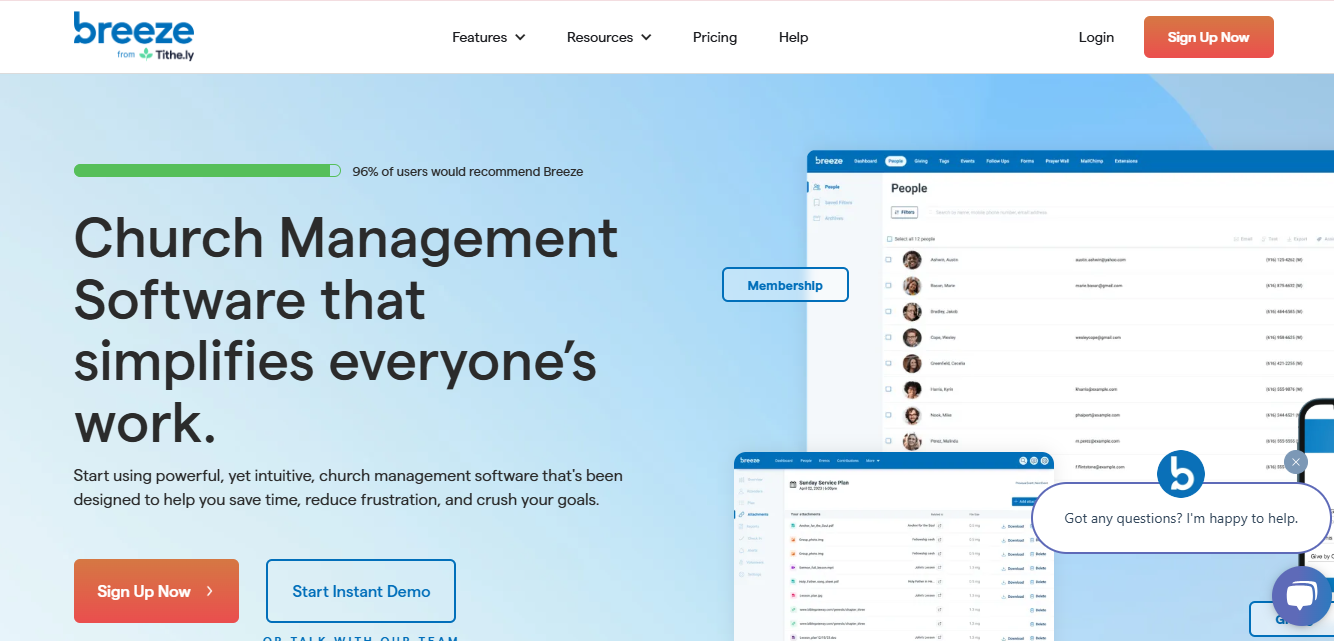
Breeze ChMS has built its reputation specifically on being approachable: small to mid-sized churches consistently cite it as the platform that didn’t require a training session to figure out. Member management, event coordination, and contribution tracking are all handled without burying essential functions under features most churches this size will never touch.
Mass email and text messaging keep the congregation informed without needing a separate communication tool, and being fully cloud-based means staff and volunteers can access what they need without being tied to a single church office computer.
2. Planning Center
Planning Center takes a modular approach that scales cleanly from a small church to a large one: membership tracking, service planning, volunteer scheduling, and children’s check-in are each their own product, and you pay for what you actually use rather than a single bundled package with features sitting unused.
That modularity is the real draw. A growing church can start with just People and Giving, then add Services or Check-Ins as the ministry’s actual needs expand, without having to migrate to a completely different platform partway through that growth.
3. ChurchTrac
ChurchTrac targets churches that want real functionality without an enterprise price tag: membership tracking, donation management, and basic accounting all live in one reasonably priced platform. It’s built with smaller churches and volunteer-run administration specifically in mind.
The interface stays simple enough that someone without a technical background can pick it up quickly, and built-in email and text communication tools mean you’re not paying for a separate service just to send a congregation-wide announcement.
4. FellowshipOne
FellowshipOne is built for medium to large churches needing deeper membership tracking and integration with worship planning and online giving tools. Worth knowing directly: FellowshipOne now operates as “F1 by Ministry Brands,” part of a broader consolidation where Ministry Brands has acquired a number of long-standing church software names. Ministry Brands has also been actively promoting a newer, unified platform called Amplify as its flagship offering, so if you’re evaluating FellowshipOne specifically, ask directly whether you’re buying the established legacy product or being steered toward the newer platform, since the two aren’t necessarily the same purchase.
Reporting remains a genuine strength here regardless of which product you land on: detailed insight into member engagement and giving patterns gives church leadership real data to work from rather than guesswork about which ministries are actually thriving.
5. Servant Keeper
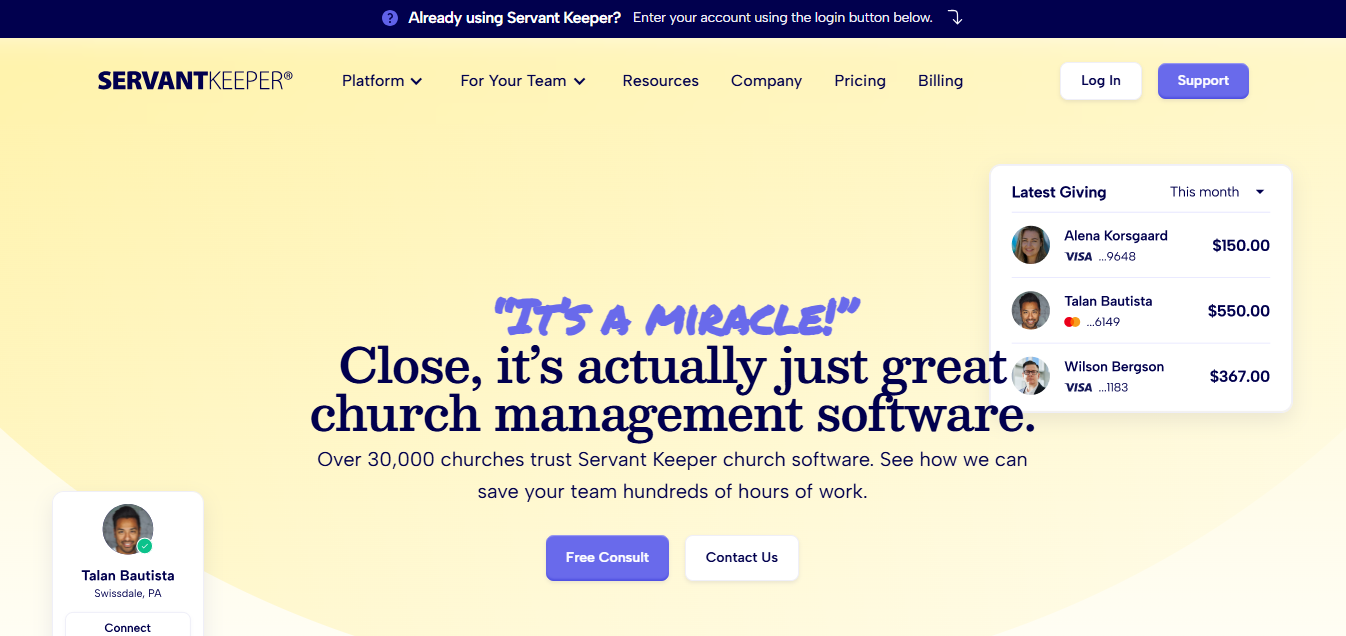
Servant Keeper remains a strong fit for churches that prioritize thorough data organization above flashy interface design, and it’s one of the few options on this list still offering both cloud-based and on-premise deployment, which matters for congregations with specific data-hosting preferences or limited internet reliability.
Search and segmentation tools are genuinely deep here, letting churches slice their congregation by specific criteria for targeted outreach, whether that’s new members who haven’t been contacted recently or long-time givers whose contributions have quietly dropped off.
6. Realm by ACS Technologies
Realm leans into social engagement alongside standard administrative tools: event management, online giving, and small group organization are built around actually connecting members to each other, not just tracking them. Integration with accounting tools simplifies financial reporting for churches that need that connection.
Like FellowshipOne, Realm’s parent company has historical ties to the broader church-software consolidation happening across this industry, so it’s worth confirming current ownership and product roadmap directly with a sales representative before signing a multi-year contract, rather than assuming today’s feature set and support structure will stay static indefinitely.
7. Tithe.ly Church Management
Tithe.ly built its name on online giving specifically, and that strength carries through into its broader church management offering. Member management, donation tracking, and push notifications through its mobile app are all genuinely well integrated with the giving tools that made the platform popular in the first place.
For churches where increasing digital giving participation is a real priority alongside general administration, Tithe.ly’s giving-first design gives it an edge over platforms where online giving feels like a bolted-on feature rather than a core strength.
8. Church Windows
Church Windows has stayed independently operated and focused specifically on accounting, payroll, and donation tracking for churches with genuinely complex financial needs, multiple funds, detailed budget tracking, and payroll for paid staff among them. It’s less flashy than some newer competitors, and that’s largely the point: the accounting depth here is built for churches that need real fund accounting, not a simplified version of it.
Membership tracking and scheduling round out the platform, though the accounting and financial administration remain its clearest strength relative to the rest of this list.
9. ShelbyNext / Shelby Systems
Shelby Systems, historically known by the ShelbyNext product name, now operates as “Shelby Systems by Ministry Brands,” part of the same consolidation affecting FellowshipOne above. Current offerings are marketed under Shelby’s Church Management and Church Accounting products, alongside the MinistryOne mobile app shared across several of Ministry Brands’ church software properties.
If you’re specifically looking for “ShelbyNext” by that name, confirm with Ministry Brands directly which current product line you’d actually be purchasing, since branding across their portfolio has shifted since that name was most commonly used. The underlying capability, large-ministry membership management with child check-in and small group coordination, is still available; the product name attached to it may not match what older reviews or comparisons reference.
10. Church Community Builder
Church Community Builder puts genuine engagement tracking at the center of its design: who’s involved in what, who’s drifting away, and who’s ready to move from attending to serving. Volunteer scheduling and event management are solid, but the platform’s real distinction is how deliberately it’s built around small groups and discipleship pathways rather than treating those as an afterthought bolted onto basic attendance tracking.
For churches whose growth strategy centers on moving people from Sunday attendance into deeper small-group involvement, that engagement-first design is a genuine differentiator from platforms that treat membership as primarily an administrative record.

The Ministry Brands Consolidation, Explained
Several long-standing names in this category, FellowshipOne and Shelby Systems among the ones covered here, are now owned by Ministry Brands, a company that has acquired a number of church software brands over the past several years and has been steering customers toward a newer unified platform called Amplify. That consolidation isn’t inherently bad; it can mean more resources behind ongoing development. But it does mean the product you researched under a familiar name a year or two ago may come with a different sales pitch, a different roadmap, or different pricing today.
The practical takeaway: if a name on this list sounds familiar from an older recommendation or a friend’s church, don’t assume the product is identical to what it was when that recommendation was made. Ask current questions, current pricing, current support structure, current product roadmap, before signing anything longer than a one-year commitment.
Rolling Out New Software Without Losing Your Volunteers
The software itself is rarely what determines whether a rollout succeeds. It’s the training. A platform switch that lands on volunteers with no warning and a single email link to “check it out” tends to produce quiet resistance: people falling back to the old spreadsheet because it’s familiar, even after the official switch.
Build a short training session into the rollout, even a twenty-minute walkthrough during a regular volunteer meeting, and designate one or two people beyond the main administrator who genuinely know the system well enough to answer a colleague’s question without escalating it to support. Migrate historical data before go-live day rather than during it, and run the new system in parallel with your old process for at least a few weeks if the transition involves financial records, so a data error surfaces while you can still cross-check it against the old system rather than after it’s the only record you have.
Common Questions About Church Membership Software
How much should a small church expect to pay?
Pricing varies by congregation size and feature set, and most platforms scale cost with the number of active records rather than charging a flat rate. Get a quote based on your actual current membership count rather than relying on a general price range, since the difference between a two-hundred-member and an eight-hundred-member plan is often substantial.
Can we migrate from a spreadsheet without losing our existing records?
Yes, most of these platforms offer import tools or migration support specifically built for churches moving off spreadsheets or an older system. Ask about migration support directly during your evaluation, since the quality of that process varies significantly between vendors and can be the difference between a smooth transition and weeks of manual data cleanup.
Do we need separate software for online giving?
Not necessarily. Several platforms on this list, Tithe.ly and Planning Center among them, include online giving as a core feature rather than a bolt-on, which simplifies reporting since giving data lives in the same system as membership records instead of needing to be reconciled between two separate tools.
What happens if our chosen vendor gets acquired later?
It happens often enough in this category to plan for, as the Ministry Brands consolidation above demonstrates. Keep regular data exports as a general practice regardless of which platform you choose, and read contract terms around data portability before signing, so a future ownership change doesn’t leave your congregation’s records harder to access or migrate than they should be.
Should a multi-campus church use one system across all locations?
Almost always yes. Fragmented systems across campuses make it hard to get an accurate picture of overall giving, attendance trends, or which members are attending more than one location, which happens more often than most multi-campus churches expect. Look specifically for multi-campus support as a stated feature rather than assuming a single-campus platform will scale cleanly once you add a second location.
How important is mobile app access for church staff?
More important than it might initially seem. Pastoral staff doing hospital visits, home visits, or event check-ins away from a desk benefit directly from being able to pull up a member’s record or log an interaction from a phone. If your ministry involves meaningful time outside the church office, weight mobile functionality higher in your evaluation than you might for a purely desk-based administrative tool.
Picking the Right Fit for Your Ministry
Choosing church membership software is ultimately a decision about which administrative burdens you’re willing to carry manually and which ones you’d rather hand to software built for exactly that job. Whether it’s simplifying communication, tracking giving accurately, or helping your team notice when a member quietly stops showing up, the right platform frees up real time and attention for the actual work of ministry rather than paperwork. Take the consolidation history above seriously when comparing legacy names, get a quote based on your actual congregation size, and prioritize the platform your volunteers can genuinely operate, not just the one with the longest feature list.
Most churches get further with a demo and a genuine trial period than with a feature comparison chart alone. Bring your actual scenario to the sales call: your congregation size, your specific pain point, whether that’s giving reconciliation, volunteer scheduling, or simply not losing track of new visitors, and ask the vendor to show you exactly how their platform handles it, rather than sitting through a generic walkthrough of every feature they offer.
Interesting Reads:
The 10 Best Alumni Management Software Solutions