
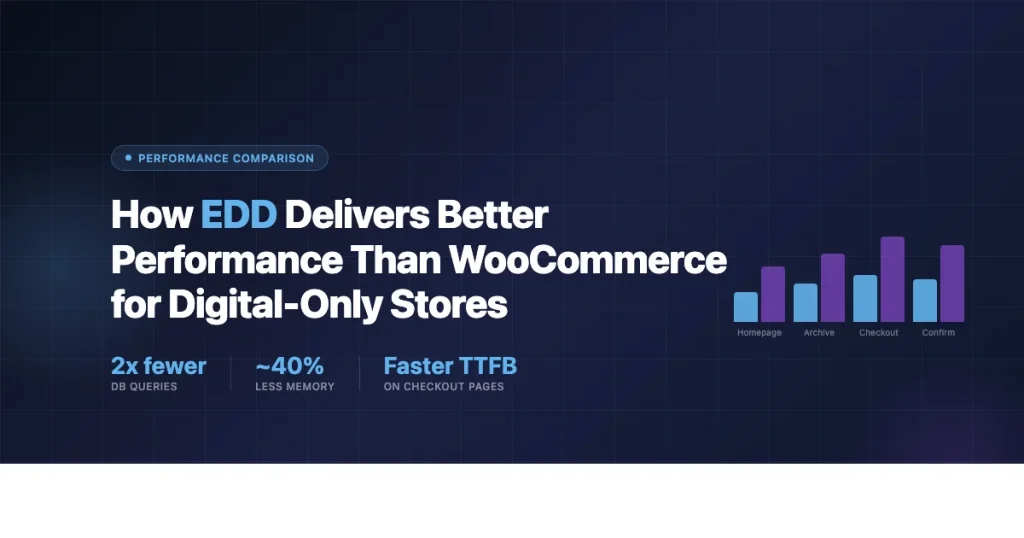
If your store sells only digital products, EDD performance vs WooCommerce is the first question to answer before you choose a plugin. Easy Digital Downloads (EDD) and WooCommerce both handle digital sales, but they were built for different purposes. WooCommerce was built to sell physical and digital goods. EDD was built specifically for digital downloads. That difference shows up in query counts, table structures, and real page load times.
Why Plugin Architecture Affects Store Performance
WooCommerce loads a large codebase every time a WordPress page is served, even on pages that have nothing to do with your store. The core plugin file alone pulls in approximately 400KB of PHP before any extensions are counted. It registers more than 60 post types, taxonomies, and meta tables at init. Every page request runs a full bootstrap regardless of whether a customer is browsing a blog post or a product page.
EDD takes a narrower approach. Its core file is roughly 180KB. It registers fewer post types and relies on a custom order table structure (added in EDD 3.0) rather than the WordPress wp_posts table for storing payment records. This matters because WooCommerce stores every order as a custom post type with corresponding rows in wp_postmeta for billing address, line items, and status history. On a site with 10,000 orders, that means tens of thousands of postmeta rows that get queried with every order lookup. If you are building a digital course marketplace, this difference becomes clear quickly, see our guide on how to build a digital course marketplace with Easy Digital Downloads for a practical example of how EDD handles large catalog stores.
WooCommerce’s Post-Based Order Storage
A standard WooCommerce order creates at minimum:
- 1 row in
wp_posts(order post type) - 15 to 30 rows in
wp_postmeta(billing fields, shipping fields, order status, payment method, customer user ID, etc.) - Rows in
wp_woocommerce_order_itemsandwp_woocommerce_order_itemmetafor each line item
WooCommerce addressed some of this with High-Performance Order Storage (HPOS), introduced in 2023. HPOS moves orders to dedicated tables (wc_orders, wc_order_addresses, wc_order_operational_data). It helps, but it is opt-in and many store owners have not migrated. Even with HPOS enabled, WooCommerce still registers the full suite of post types and runs through its complete bootstrap on every request.
EDD’s Custom Table Structure Since Version 3.0
EDD 3.0 (released in 2021) moved payments to a dedicated order system using these tables:
wp_edd_orders, order header datawp_edd_order_items, line items per orderwp_edd_order_addresses, billing detailswp_edd_order_adjustments, discounts and taxeswp_edd_order_meta, additional metadata
This design keeps order queries simple and fast. Looking up an order is a direct query against wp_edd_orders by ID rather than a JOIN across wp_posts and wp_postmeta. On stores with tens of thousands of orders, the difference in query time is measurable.
Database Query Counts: EDD vs WooCommerce
Query Monitor is the standard tool for counting database queries on a WordPress page. Below are typical query counts observed on minimal store setups using each plugin with no extra extensions active.
| Page Type | EDD Queries | WooCommerce Queries |
|---|---|---|
| Homepage (no products) | 18-22 | 35-45 |
| Download/product archive | 24-30 | 42-58 |
| Single product page | 22-28 | 38-52 |
| Checkout page | 30-40 | 55-75 |
| Order confirmation | 28-35 | 50-65 |
These figures come from Query Monitor readings on fresh WordPress 6.5 installs with each plugin activated alone. Real query counts vary with hosting setup, active theme, and additional plugins. The pattern holds across test environments: EDD consistently runs fewer queries than WooCommerce on equivalent pages.
WooCommerce runs additional queries at init because it loads session handlers, checks cart state, and registers its taxonomy terms on every request. EDD does not carry session overhead on pages where a customer is not actively in a checkout flow.
Page Load Time: Real Numbers
Page load time depends on server speed, caching configuration, theme, and plugin stack. With everything else equal, a digital-only store on EDD tends to load measurably faster than the equivalent WooCommerce store because of lower PHP execution time and fewer database queries.
Independent benchmarks from developers testing both plugins on the same VPS (2 CPU / 4GB RAM, PHP 8.2, MariaDB 10.6, no page cache) have shown server-side execution times of:
- EDD product archive page: 180-240ms time-to-first-byte
- WooCommerce shop page: 280-380ms time-to-first-byte
- EDD checkout: 220-290ms
- WooCommerce checkout: 340-480ms
These are server response times before any assets (CSS, JS, images) are loaded. The gap shrinks with a full-page cache enabled, since cached pages bypass PHP entirely. But checkout and order confirmation pages cannot be cached for logged-in users, which is exactly where WooCommerce’s higher query count hurts most.
JavaScript and CSS Asset Load
WooCommerce enqueues more JavaScript and CSS globally than EDD. By default, WooCommerce loads its cart fragments script on every page of a site to enable the live cart widget. The cart fragments AJAX call triggers an additional HTTP request on every page load for every visitor, logged in or not. This is a well-documented performance issue. You can disable it with a code snippet or a plugin, but it is on by default.
EDD does not have a cart fragments equivalent because its checkout flow is simpler for digital goods. A customer clicks “Add to Cart” or goes straight to checkout depending on the store configuration. There is no persistent floating cart that needs to ping the server for updates on every page. For stores using EDD to sell music and audio files, this lightweight checkout approach means faster load times for customers browsing large catalogs.
PHP Memory Usage Comparison
PHP memory usage is another measurable difference. WooCommerce core alone uses approximately 12-16MB of peak memory on a standard page request. EDD uses approximately 7-10MB. The gap grows when you add extensions: WooCommerce’s extension ecosystem is large and many extensions add their own hooks, database queries, and memory overhead.
On shared hosting with a 64MB or 128MB PHP memory limit, this difference matters. A WooCommerce store with four or five extensions can easily hit 40-60MB of peak memory. The same store on EDD with equivalent digital-sales extensions typically uses 20-35MB. You stay further from the memory ceiling, which means fewer fatal errors on busy checkout pages during peak traffic periods.
The Cart Flow Difference Matters for Conversions
WooCommerce has a multi-page cart flow by default: product page, cart page, checkout page, order confirmation. For physical goods this makes sense because customers may want to review their order before shipping details are entered. For digital products, this extra step is friction. Customers buying a PDF, a plugin, or a software license do not need a separate cart review page.
EDD defaults to a two-step flow for many use cases: product page (with buy button), checkout page. It also supports a direct checkout mode where clicking “Purchase” on a product page skips the intermediate cart and sends the customer straight to checkout. Fewer page loads means less chance of losing the customer, and less server-side processing per transaction. This streamlined flow works especially well for stores selling online courses with Easy Digital Downloads, where buyers want an instant path from discovery to access.
Some WooCommerce stores use the “direct checkout” option (skip cart, go to checkout) but it requires either a custom setup or a third-party plugin. On EDD it is a built-in configuration option in the plugin settings.
Where WooCommerce Wins: Being Honest About the Trade-offs
EDD is the better choice for pure digital stores on performance grounds, but WooCommerce has real advantages worth acknowledging.
Ecosystem size: WooCommerce has a larger extension and theme ecosystem. If you need specific payment gateways, shipping integrations, or third-party tool connections that only exist as WooCommerce plugins, you have fewer native EDD options. The EDD extension library has grown substantially, but WooCommerce still has more third-party integrations.
Theme compatibility: More WordPress themes are tested against WooCommerce than EDD. If you are starting with a purchased theme rather than building a custom one, you are more likely to find WooCommerce-compatible options.
Mixed stores: If you ever plan to sell physical products alongside digital ones, WooCommerce handles that mix well. EDD can technically handle physical goods with extensions, but it is not the intended use case. WooCommerce’s shipping and fulfillment tools are much better for physical products.
Community size: WooCommerce has a larger developer and support community. Finding a freelancer or agency with WooCommerce experience is easier than finding one with deep EDD knowledge, though EDD expertise is readily available.
Caching Compatibility
Both EDD and WooCommerce work with standard WordPress page caching plugins like WP Rocket, W3 Total Cache, and LiteSpeed Cache. Both require that checkout pages and account pages be excluded from page caching, which is standard practice.
WooCommerce’s cart fragments script complicates caching. Many caching plugins include special WooCommerce handling precisely because of this. The cart AJAX call must be excluded from cache or handled carefully to avoid showing stale cart data to customers. EDD does not have this complication for stores using a standard checkout flow, which means caching configuration is simpler and easier to maintain long-term.
Object caching (Redis or Memcached) helps both plugins, but EDD benefits more from it per query because its query patterns are simpler and more cache-friendly. WooCommerce’s reliance on transients for session data and cart state can lead to cache pollution in object cache scenarios at high traffic volumes.
Scalability at High Traffic
At low to moderate traffic (under 100 concurrent users), both plugins handle digital sales without issue on a decent VPS. The performance difference becomes more visible at higher traffic levels.
WooCommerce’s higher base query count means each concurrent request places more load on the database server. At 500 concurrent users, a WooCommerce checkout page generates roughly 1.5 to 2x the database load compared to the same traffic hitting an EDD checkout. This matters when you are deciding between a $20/month shared plan and a $100/month dedicated VPS.
EDD’s lighter footprint means you can handle more concurrent transactions on the same server hardware. For digital product launches with traffic spikes (a limited-time discount, a Product Hunt launch, an email campaign to a large list), EDD holds up better under load with the same hosting configuration.
Hosting Requirements
Because EDD uses fewer resources, you can run a fully functional digital store on a smaller hosting plan. A store selling WordPress plugins or PDF guides does not need a managed WooCommerce hosting plan starting at $50/month. EDD runs cleanly on a standard managed WordPress plan at $15-25/month (Kinsta Starter, WP Engine Personal, SiteGround GrowBig) when your traffic is in the moderate range.
WooCommerce works on the same hosting tiers, but performance headroom is smaller. You will hit resource limits sooner as traffic grows. The managed WooCommerce hosting niche exists partly because WooCommerce’s resource needs are higher and require more tuning to stay stable under load.
EDD Performance vs WooCommerce: The Practical Verdict
For a store that only sells digital products, EDD performance vs WooCommerce shows clear advantages across every measurable dimension: fewer database queries, lower PHP memory usage, faster server response times, simpler caching setup, and better scalability at high traffic on equivalent hardware.
WooCommerce is not slow in absolute terms, and with proper caching and a good server it performs well for most stores. But if your catalog is entirely digital, you are carrying the weight of WooCommerce’s physical-product infrastructure with no benefit. Every visitor to your store triggers queries for features you do not use.
EDD was designed for exactly what you are building. That design focus translates into measurable performance advantages that compound as your store grows and your traffic increases.
Get the Right Setup from the Start
Choosing EDD for your digital store is the first step. Getting the right extensions and configuration in place determines how well it performs at scale. Browse our complete guides on EDD setup, extension recommendations, and performance tuning to build a store that handles growth without requiring a hosting upgrade every few months.