EDD 3.7.3: The File-URL Space Bug and the Recurring 2.14 Fatal Error, and What Store Owners Should Do
Two public bug reports about Easy Digital Downloads 3.7.3 and Recurring Payments 2.14.0: what the reports say, what EDD has replied so far, and a safe checklist for store owners.

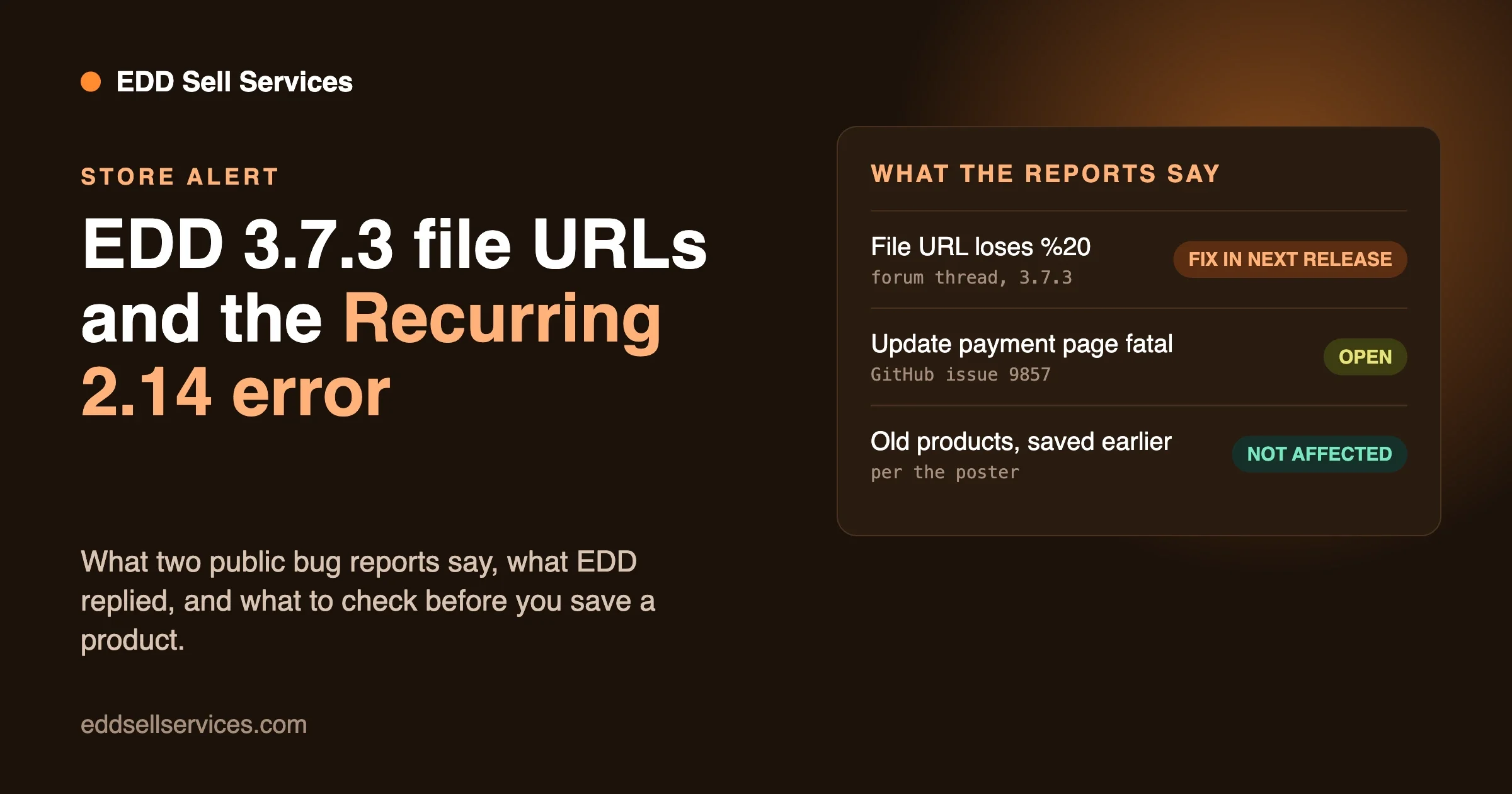
Two public bug reports about Easy Digital Downloads add-ons and core landed in the same week. One says EDD 3.7.3 removes encoded spaces from download file URLs when you save a product. The other says Recurring Payments 2.14.0 causes a fatal error on the update payment page for some Stripe subscriptions. This post reports only what those two public pages say, tells you what the EDD team has said so far, and gives a plain plan for a store that sells downloads.
We did not reproduce either bug and we do not claim a fix. Where the sources are silent, we say so. Information is current as of 11 November 2026, and it may change when EDD ships its next release, so check the links in the sources section before you act.
What is the short answer?
If your download file URLs contain encoded spaces (%20), do not re-save those products on EDD 3.7.3 until you have checked what was stored. The report says saving or updating a product can strip those spaces and break the link. An EDD team member replied on the support thread that the team logged an issue and plans to fix it in the next release.
For the Recurring Payments report, the problem is narrow. It describes a fatal error on one page, for one kind of subscription, reached only by typing or bookmarking a link. Most stores will never see it. If you sell subscriptions through Stripe, read the details below and decide.
What does the EDD 3.7.3 file URL report say?
The report is a thread on the WordPress.org support forum for Easy Digital Downloads. It was posted by a user named Ebookyab, with the title “Bug: EDD 3.7.3 strips spaces from download file URLs upon updating product”. The thread page was last modified on 9 November 2026, and it is marked resolved.
Here is what the poster describes:
- In EDD 3.7.3, spaces that are encoded as
%20in a download’s file URL are removed and the words are joined together when a download product is created or updated. - The steps given: use the Classic Editor, enter a valid URL that contains
%20in the File URL field, save the product, then update it. The poster says the URL is then corrupted in the database. - The example: a file named like “Solution Manual for Turbulence in the Atmos F.R.B. Wyngaard.zip”, hosted on a separate subdomain, with spaces encoded as
%20. After the update the stored name reads as one long word with no spaces. - Older products that were created in earlier EDD versions are not affected, and their download links still work. The issue shows up only on a new save or an update in 3.7.3.
- The poster says the files sit on a separate subdomain with thousands of files, so renaming them on the server is not an option.
The poster asked EDD three things: is this a known bug related to URL sanitization, how can it be stopped, and can the team provide a patch.
What has EDD said about it?
A reply from Mihai Joldis, shown on the thread as a plugin contributor, came a few hours after the original post. In it he thanks the poster and says, as mentioned in the support ticket, that the team logged an issue and will get it fixed in the next release.
That is the full response we found. The thread does not give a workaround. It does not give a patch or a code fix. It does not name the release that will carry the fix or say when it will ship. The poster’s questions about how to prevent the stripping were not answered beyond the note that a fix is coming.
The thread shows one reply and two participants. We did not find a separate GitHub issue for this bug in the sources we were given, so we have no triage label, milestone or release number to report for it.
Why encoded spaces matter
A web address cannot contain a raw space. When a file name has spaces, the usual way to write it in a link is to replace each space with %20. A link like that works in a browser and for a download button. If a system removes the %20 and leaves the words joined, the address points to a file name that does not exist. The customer clicks the download link and gets an error.
That is why a bug like this is more serious than it first sounds. The product page still looks fine. The checkout still works. The customer pays. The failure shows up later, when they try to download the file. If you do not test downloads after each product save, you may find out from a support email.
We are explaining how addresses work here as general background. The forum thread tells us what happens in the poster’s store. We have not tested what happens in yours.
What does the Recurring Payments report say?
The second report is a public issue in the Easy Digital Downloads repository on GitHub, number 9857. It was opened on 8 November 2026 by a user named lalunecreative. The title is “Recurring 2.14.0: fatal error on update payment page for a Stripe subscription with no profile ID”.
The reporter says the expected behavior is a notice when someone opens the update payment method page for a subscription that cannot be updated. What they see instead is the message “There has been a critical error” inside the update form.
The reporter points to a cause in the code. They say that in Recurring 2.14.0, the render() method in src/Gateways/Stripe/Update/Form.php runs its try block only when the subscription has a profile ID. When the profile ID is empty, the try block never runs. A later line then calls getMessage() on a variable that was never set, which is a PHP fatal error. We report that as the reporter’s analysis. We did not read the add-on code ourselves.
The steps the reporter gives
- Have a Stripe subscription with an empty profile ID. The reporter says that on their site, every cancelled Stripe subscription looks like this.
- Sign in as that customer and open the purchase history page with
?action=update&subscription_id=ID. - The page shows a critical error.
The reporter adds that the update link is hidden for these subscriptions, because the can_update() check needs a profile ID. So a customer reaches the error only by typing the address or using a bookmark.
The versions in the report
The reporter lists PHP 8.2.35, EDD Pro 3.7.3, WordPress 7.1.4, Recurring Payments 2.14.0 and Stripe Pro 3.0.2.
What is the status on GitHub?
When we read the issue, it was open. It had no comments and no milestone. It carried three labels: type-bug, workflow-needs-replication and workflow-pending-triage. In plain words, those labels say someone tagged it as a bug, the team still needs to reproduce it, and it has not yet been triaged. We did not find any EDD response on the issue. That is all we can report, and it may have changed by the time you read this.
Are the two bugs related?
Not as far as the sources say. One is about file URLs in a product edit screen. The other is about a payment update page in an add-on. The only link is the version number: the forum thread names EDD 3.7.3 in its title, and the GitHub reporter lists EDD Pro 3.7.3 in their environment. Neither source says one bug causes the other, and we will not claim it.
Who is at risk?
This is how we would sort stores, based only on what the reports say.
File URL bug
- At higher risk: stores that host files outside the media library, such as on a separate subdomain or a storage service, and use file names with spaces. The reporter’s store fits this case.
- At lower risk: stores whose file names have no spaces. A name like
my-ebook.pdfhas nothing to strip. - Not affected, according to the poster: older products that you do not save again.
Recurring Payments bug
- At higher risk: stores that use Recurring Payments 2.14.0 with Stripe and have subscriptions with an empty profile ID. The reporter says cancelled Stripe subscriptions on their site are like that.
- Lower risk: stores whose customers only use the normal links in their account, since the reporter says the update link is hidden for these subscriptions.
If you are not sure which group you are in, the checks below will tell you.
What should a store owner do now?
This plan uses ordinary store care. It does not depend on any fix claim. We have not tested these steps on a store running 3.7.3.
1. Check your version
In the WordPress admin, open the Plugins page and note your EDD version and your Recurring Payments version. If you are on an earlier EDD release, you do not have to move today. Read our EDD 3.7.2 update notes for a store that sells services for what changed in the 3.7 line up to that point.
2. Take a backup before you edit any download
Before you save a download product on 3.7.3, back up the database. A product save is the action the forum report says can change the stored URL. A backup lets you put the original value back.
3. Write down your file URLs that contain spaces
Open your download products and look at the File URL fields. Copy any URL that has %20 into a simple list, with the product name next to it. This takes a few minutes for a small catalog. For a large catalog, ask your developer to export the file URL values from the database in one query.
With that list, you can compare after any save and see if a URL changed. You also have the correct values on hand if you need to paste one back.
4. Do not bulk-edit downloads on 3.7.3 for now
Bulk actions that re-save products, such as a price change across many downloads, may touch the file URL field. We have not tested that, and the report does not say. The safe move is to wait for the fix, or to test one product first on a staging copy.
5. Test a real download after every product save
After you save a product, open the product page, buy it with a test order or a 100 percent discount code, and use the download link in the receipt. If the link works, the stored URL is fine. If it fails with a “file not found” error, compare the File URL field to your list.
6. If a URL was already stripped, restore it
If you find a stripped URL, edit the product and paste the correct URL back. The report says the URL is stored in the database after the update, so a pasted value would be saved again, and you should check it once more after saving. We have not tested whether pasting the value back survives another save on 3.7.3, so verify it with a download test.
7. Subscription stores: check the Recurring version and the error log
If you run Recurring Payments with Stripe, note the version. Turn on error logging on a staging copy, if you have one, and open the update page for a cancelled Stripe subscription as a test customer. If it shows the critical error, you can confirm that you have the same case the GitHub reporter describes. Do not do this on the live store if you are not comfortable reading error logs.
8. Tell your support team what to say
Write two short lines for whoever answers your support email. For files: “If a download link fails, tell us the product name and we will fix it the same day.” For subscriptions: “If a customer sees a critical error on the update payment page for a cancelled subscription, that is a known report. Ask them to use the links in their account.” Adjust the wording to your own policy.
Should you roll back to an earlier version?
The sources do not say. They do not recommend a rollback, and they do not say that an earlier version is free of these bugs, apart from the forum poster’s note that older products still work. A rollback is a bigger step than the checks above, and it can bring its own risks, such as database changes that an older version does not expect.
If you are tempted to roll back, do it first on a staging copy, and ask your developer or hosting support. Do not roll back a live store because of a bug report you have not matched to your own setup.
What if you cannot wait for the next release?
There are two safe choices that do not need a code fix. The first is to stop editing the affected products until the fix ships. A store that rarely changes its products can do this at no cost. The second is to host files in a way that does not need spaces in the name. That is a bigger job, and it only helps for new files. The forum poster says renaming thousands of files is not an option, and we agree that it is not a quick job.
A third choice is a small custom change on your own site that protects the File URL value on save. We are not going to describe code for it here, because we have not tested it, and the EDD team has said it will fix the issue. If your store cannot wait, a developer who knows EDD can look at your case. That is the kind of work we do, and we explain how on our custom development page.
How to read a public bug report
These two reports are also a good lesson in how to judge a bug report. You will see more of them, so here are the questions we ask.
- Who reported it, and with what versions? A report that lists PHP, WordPress, EDD and add-on versions is easier to trust and to match to your own store.
- Are there steps? Both reports here give steps. That means someone can try to repeat the problem.
- Has the vendor replied? The forum thread has a staff reply. The GitHub issue, when we read it, had none.
- What do the labels say? On GitHub, a label such as “needs replication” means the team has not yet confirmed the bug.
- Does it match your setup? A bug on a payment page for cancelled Stripe subscriptions does not matter to a store that sells one-time downloads through another gateway.
- What is the blast radius? A broken download link hits every buyer of that file. A fatal error on a page nobody can reach from a link hits almost nobody.
Once you answer these, the right level of worry is clear. For the file URL report, the match to your store is a quick check. For the Recurring Payments report, most stores can note it and move on.
Questions store owners ask
Will my customers be charged if the download link fails?
Payment and download are separate steps. The forum report is about the stored file URL, not about the payment. A buyer can pay and then fail to download. If that happens, send the file by email and fix the product URL. Then check your recent orders for other buyers of the same product, because they may have hit the same broken link.
Should I stop selling the affected products?
Only if you have saved them on 3.7.3 and found that the URL changed. A product you have not touched keeps its stored value, according to the poster. The rule is simple: check first, then decide. A quick download test of your best sellers takes a few minutes and answers the question for each one.
Do I have to update at all?
You should keep a store up to date, because updates carry security fixes and other repairs. But you do not need to update on the day a release appears. Many store owners wait a week, read the support forum, and update on staging first. These two reports are a good example of why that habit pays off.
How do I hear about the fix?
Watch the plugin page on WordPress.org for a new version, and read its changelog when it appears. Watch GitHub issue 9857 if you run Recurring Payments. If you would rather not watch pages, ask your developer or care plan provider to flag EDD releases for you.
A calm update routine for an EDD store
A routine beats panic. This is the one we suggest for any store that sells downloads. It is our own checklist, not something from the EDD team.
- Wait a few days after a release and read the support forum and the GitHub issues for the plugin.
- Copy the live store to staging with the same plugins and theme.
- Update on staging. Buy one product of each type, such as a file, a license and a subscription, and run each through checkout.
- Open each receipt email and click the download link.
- Open the customer account pages, including the purchase history and the subscription pages.
- Read the PHP error log for new notices or fatal errors.
- Back up the live store, then update it at a quiet hour.
- Run the same purchase test on the live store with a discount code and refund it afterward.
What we could not confirm
- We did not reproduce either bug, and we did not install EDD 3.7.3 or Recurring Payments 2.14.0.
- We do not know which release will carry the file URL fix, or when it will ship. The EDD reply says only “the next release”.
- We did not find a GitHub issue for the file URL bug, so we have no triage status for it.
- We did not find any EDD response on GitHub issue 9857. It was open when we read it.
- We did not verify the code-level cause the GitHub reporter describes.
- We cannot say whether bulk edits or imports also trigger the file URL change. The report only describes a save or update in the Classic Editor.
- We cannot say whether the Block Editor or other save paths behave the same way.
How can we help?
If your store sells downloads and you want a second pair of eyes before you update, we can check your product data, test your download flow on a staging copy, and help you set up a simple update routine that catches problems like these. See our Easy Digital Downloads customization services, or contact us with your EDD and add-on versions and a short note on what you sell.
Sources
- Bug: EDD 3.7.3 strips spaces from download file URLs upon updating product, WordPress.org support forum for Easy Digital Downloads, page last modified 9 November 2026.
- Recurring 2.14.0: fatal error on update payment page for a Stripe subscription with no profile ID, GitHub issue 9857, opened 8 November 2026.