Best Online Tools to Create Online Mastermind Group 2025


A mastermind group only works if the people in it actually show up, contribute, and hold each other accountable between sessions. Get eight busy professionals in a room once a month and call it a mastermind, and you’ll get eight people trading pleasantries. Give that same group the right tools for scheduling, discussion, and follow-through, and you get a group that actually moves the needle on each member’s goals.
Remote work made online mastermind groups the default rather than the exception. Members log in from different cities, different time zones, sometimes different continents, and the tool stack has to bridge that gap without adding friction. This guide walks through what a mastermind group actually needs, then covers ten tools that consistently show up in groups that stick around past their third meeting.

What an Online Mastermind Group Actually Is
A mastermind group is a small, recurring circle of peers who bring real problems to the table and expect honest feedback in return, not applause. The format traces back to Napoleon Hill’s “Think and Grow Rich,” but the modern version usually runs six to ten members, meets on a fixed schedule, and rotates whose business or goal gets the group’s full attention each session.
What separates it from a networking group is the depth of the conversation. Networking groups trade contacts and small talk. Mastermind groups dig into specifics: the actual revenue number that’s stuck, the actual hiring decision someone is avoiding, the actual pricing page that isn’t converting. That level of candor only happens once trust builds, which is why the tools you pick for communication between sessions matter as much as the video call itself.
Why Bother Running One
The obvious benefit is outside perspective. You’re too close to your own business to see the blind spot that a peer in a different industry spots in thirty seconds. The less obvious benefit is accountability with teeth. Telling a spreadsheet you’ll hit a goal is easy to ignore. Telling eight people who will ask about it next month is a different kind of pressure, and it works.
There’s also a mental health argument that gets skipped in most guides on this topic. Running a business or building a career alone is isolating, and a mastermind group is one of the few structures that consistently counters that. Members show up for the accountability and often stay for the sense that someone else understands exactly what they’re dealing with.
Setting One Up That Doesn’t Fizzle Out by Month Three
Most mastermind groups die from vague purpose, not bad luck. Before you invite a single member, write down who this group is for and what problem it solves. “Entrepreneurs who want to grow” is too broad to filter anyone out. “SaaS founders between $10K and $100K MRR who want pricing and retention feedback” tells the right people to raise their hand and the wrong people to look elsewhere.
Once the purpose is set, the tool stack becomes a much easier decision. You need a way to meet face to face, a way to keep the conversation alive between meetings, a way to track commitments so accountability doesn’t rely on memory, and a way to schedule around everyone’s calendar without a twenty-message email thread. The ten tools below cover those four jobs.
Quick Reference: Which Tool Handles Which Job
| Need | Tool | Why it fits |
|---|---|---|
| Live video call | Zoom | Reliable, widely adopted, breakout rooms for splitting the group |
| Between-session chat | Slack or Discord | Keeps momentum alive without waiting for the next call |
| Shared notes and goal tracking | Notion | One connected workspace instead of scattered documents |
| Individual accountability | Trello | Visual, per-member commitment tracking |
| Low-friction documents | Google Workspace | Zero onboarding curve, everyone already knows it |
| Visual brainstorming | Miro | Real-time collaborative whiteboard for messy problems |
| Free community space | Facebook Groups | No cost, but no data ownership |
| Scheduling across time zones | Calendly | Removes the back-and-forth email thread |
| Paid, branded community | Mighty Networks | Built for membership and structured content |
| Self-hosted community you own | BuddyNext | No subscription tied to member count, full data control |
10 Tools That Actually Hold a Mastermind Group Together
1. Zoom
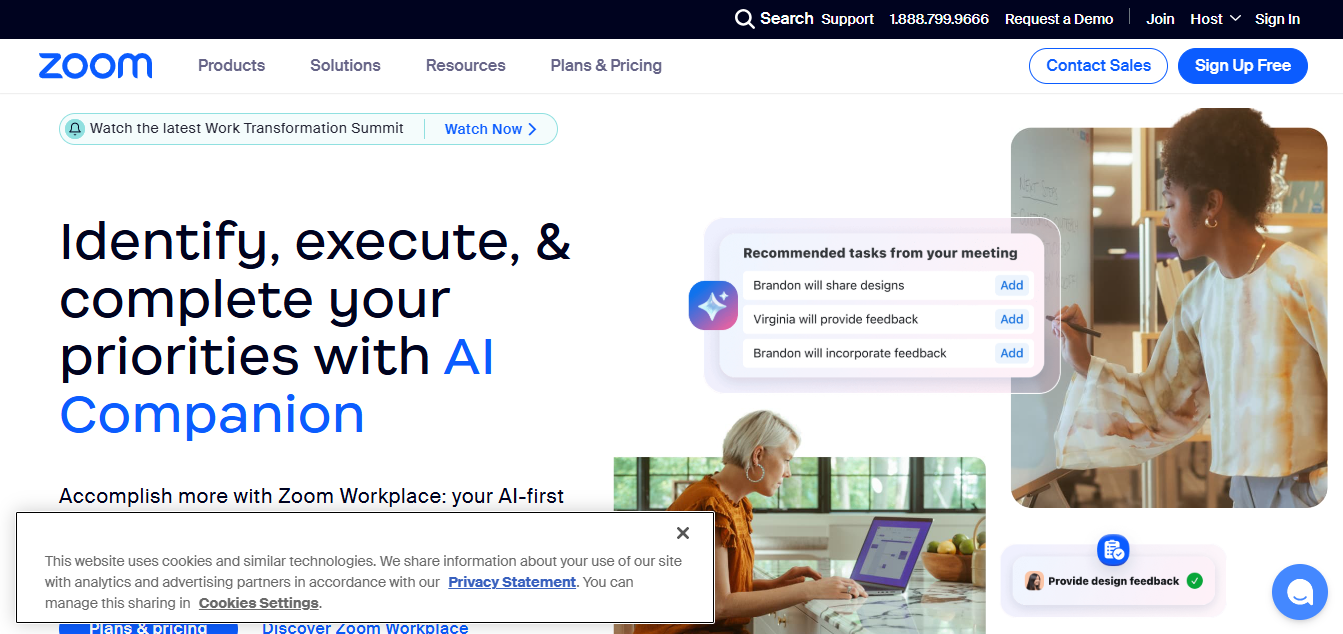
Zoom is still the default choice for the actual mastermind call, mostly because everyone already has it installed and knows how to use it. Breakout rooms are useful if your group occasionally splits into pairs for a focused conversation before regrouping, and recording sessions means a member who misses a call can catch up rather than falling out of the loop entirely.
The feature people underuse is the waiting room combined with a locked meeting. A mastermind group discussing real financials and real problems needs a private room, not an open Zoom link floating in an old email thread. Lock it down once your group is set and only send the link fresh each session.
2. Slack
Slack keeps the conversation alive in the weeks between calls, which is where a lot of the actual value of a mastermind group happens. A dedicated channel per member, or per topic, lets people ask for quick feedback without waiting for the next scheduled session. Someone stuck on a decision on a Tuesday doesn’t have to sit with it until the following Thursday’s call.
The habit that makes Slack work for a mastermind group specifically is a weekly check-in thread: everyone posts one win, one struggle, and one ask. It takes five minutes to write and gives the group visibility into where each member actually stands, instead of everyone showing up to the call cold.
3. Notion
Notion is where the group’s shared memory lives. Meeting notes, member goals, resource links, and past commitments all belong in one connected workspace instead of scattered across everyone’s personal notebooks. A simple database with one row per member, tracking their current goal and last three commitments, turns accountability from a vague feeling into something you can actually look at.
Groups that use Notion well tend to build a single template once and reuse it every session: date, attendees, whose turn it is for deep focus, what was discussed, and what each person committed to before the next call. That template is what keeps the group from repeating the same conversation month after month.
4. Trello
Trello handles the individual accountability layer better than a shared notes doc does. Each member gets a card, or a small board, tracking the specific commitments they made to the group. Moving a card from “committed” to “done” is a small, visible signal that carries real weight in a group built on follow-through.
Keep it simple. A three-column board per member, To Do, In Progress, Done, is enough. The goal isn’t a full project management system; it’s a fast visual check the group can glance at during a call to see who followed through and who needs a nudge.
5. Google Workspace
Google Docs and Sheets are the low-friction option when a group doesn’t want to learn a new tool. A shared Doc for meeting notes and a Sheet for tracking goals across members covers most of what a small mastermind group needs, and everyone already knows how to use both.
The advantage over more specialized tools is zero onboarding friction. The downside is that a shared Doc gets messy fast without someone actively maintaining structure. If your group has a member willing to own that upkeep, Google Workspace is genuinely enough. If not, a purpose-built tool like Notion will save the group from itself.
6. Miro
Miro earns its spot when a mastermind session shifts from discussion to actual whiteboarding, mapping out a business model, a customer journey, or a decision tree in real time. Multiple members can add sticky notes and comments simultaneously, which replicates the energy of an in-person whiteboard session better than a shared document does.
It’s not a tool every mastermind group needs weekly. Reserve it for the sessions where a member brings a genuinely messy, structural problem that benefits from being drawn out rather than talked through.
7. Facebook Groups
Facebook Groups is still the lowest-friction option for a free, private community space, mostly because members are already checking Facebook daily and don’t need to adopt a new app. Setting the group to private keeps discussions off the public feed, and the built-in events feature handles basic scheduling.
The tradeoff is real: Facebook Groups gives you no ownership over the community or its data, the algorithm decides who sees what, and the platform periodically changes group features without warning. For a casual, free mastermind, that tradeoff is often acceptable. For a paid or higher-stakes group, it’s worth thinking harder about a platform you actually control.
8. Discord
Discord moved well past its gaming roots and is now a common home for online communities of every kind, mastermind groups included. Voice channels that anyone can drop into on demand, separate text channels per topic, and screen sharing built in make it a flexible option for groups that want more structure than Slack but don’t need a full learning platform.
Set up channels deliberately rather than defaulting to one big feed: a general channel, a wins channel, an asks-for-help channel, and a resources channel keep the server from turning into noise. Discord rewards groups willing to spend twenty minutes on setup.
9. Calendly
Scheduling across time zones is the single most annoying logistical problem a mastermind group runs into, and Calendly solves it cleanly. Members pick a time from your available slots instead of a ten-message back-and-forth trying to find a window that works for everyone.
Connect it to Zoom and Google Calendar so a booked slot automatically generates the meeting link and lands on everyone’s calendar without manual work. For groups with rotating one-on-one check-ins alongside the main group call, Calendly removes a genuinely tedious piece of running the group.
10. Mighty Networks
Mighty Networks is built specifically for running a paid, branded community, which makes it the right choice once a mastermind group grows beyond casual and starts charging membership fees or adding structured content like courses alongside the discussion. Members get a private space that isn’t buried in someone else’s social feed, and group owners get real customization over branding and access levels.
It’s worth noting Mighty Networks is a hosted platform: your community’s data and member relationships live on their servers under their terms of service. If ownership of that data matters to you long-term, that’s a real tradeoff worth weighing against a self-hosted option before you build a paid community on top of it.
If You Want to Own the Platform Instead of Renting It
Every tool above except the self-hosted option is a rented platform: Facebook, Discord, Mighty Networks, and the rest all set the rules, and any of them can change pricing, features, or terms with limited notice. For a casual free mastermind that’s rarely a dealbreaker. For a group that’s becoming a real business, paid membership and all, it’s worth knowing there’s an alternative.
BuddyNext is a free, self-hosted community platform for WordPress that gives you a feed, discussion spaces, member profiles, and messaging on infrastructure you actually control, with no subscription tied to member count. It’s not a replacement for Zoom or Calendly, but for the “where does our group actually live” question, it’s a genuine alternative to handing that decision to a platform you don’t own. It’s the right fit specifically for groups planning to charge membership fees and grow past a handful of members, not for a five-person mastermind that just needs a Slack channel.

Common Questions About Running a Mastermind Group
How many members should a mastermind group have?
Six to ten is the range most groups settle on. Fewer than six and a member’s absence stalls the conversation. More than ten and there isn’t enough call time for everyone to get real attention on their problem in a single session.
How often should the group meet?
Every two to four weeks is typical. Weekly is a heavy commitment that burns members out fast unless the group is unusually motivated. Monthly works but requires more discipline between sessions to keep momentum, which is exactly where the Slack or Discord layer between calls earns its keep.
Should the group be free or paid?
A small fee, even a nominal one, filters for members who are actually committed rather than curious. It doesn’t need to be expensive to do that job. Free groups can absolutely work, but they tend to see more no-shows and drop-off over time than groups with even a small amount of skin in the game.
Should members be at similar levels, or is a mix better?
A moderate spread works better than perfect uniformity. If everyone is at the exact same stage, the group runs out of hard-won lessons to draw on. If the gap is too wide, a beginner can feel out of their depth and a veteran can feel like they’re mentoring rather than participating as a peer. Look for people who are close enough in stage to relate, with at least one or two members a step ahead who’ve already solved problems the rest of the group is heading toward.
What’s the biggest reason mastermind groups fall apart?
Vague purpose and inconsistent facilitation. Groups that survive past six months almost always have someone actively running the calendar, sending reminders, and keeping the conversation on track. Without that role filled, even a well-intentioned group drifts and eventually stops scheduling calls altogether.
Can a mastermind group work entirely asynchronously, with no live calls?
It’s possible but harder to sustain. Text-based updates in Slack or Discord are good for quick wins and asks, but the deeper problem-solving that makes a mastermind group valuable tends to need real-time back-and-forth. Most groups that try fully async eventually add at least one live call a month once they notice engagement dropping without it.
How do you handle a member who isn’t contributing?
Address it directly rather than letting resentment build in the rest of the group. A private conversation about whether the format still fits their needs is usually more productive than a passive-aggressive nudge in the group chat. Some members genuinely outgrow a group’s focus area, and that’s a normal reason to part ways rather than a failure of the group itself.
Someone Has to Run the Group, Not Just Attend It
Every mastermind group that lasts has a facilitator, whether that role is formal or not. Someone sends the calendar invite, keeps time during the call so one member’s problem doesn’t eat the whole session, and follows up when a member goes quiet for two months in a row. That role can rotate, but it can’t be nobody’s job.
The facilitator also sets the tone for candor. A mastermind group where everyone is polite and nobody pushes back on a bad idea isn’t doing its job. Part of running the group well is modeling the kind of direct, useful feedback you want members to give each other, especially in the first few sessions before the group has built up trust on its own.
Rotating the “hot seat,” the member who gets the group’s full attention that session, is worth building into the format from day one rather than letting it happen organically. A fixed rotation means every member knows when their turn is coming and can show up prepared with a specific problem instead of a vague update.
Putting It Together
None of these tools substitute for the actual work of running a good mastermind group: a clear purpose, the right mix of members, and someone willing to keep the group accountable to its own schedule. What the right stack does is remove the friction that kills groups before that work has a chance to compound. Pick a video tool, a between-session communication channel, a lightweight way to track commitments, and a scheduling tool that saves you from time zone math, and the group has what it needs to actually last.
Interesting Reads:
The Best 10 Online Community Building Tools 2025