How to Sell Services With Easy Digital Downloads, Start to Finish
Can Easy Digital Downloads sell services? Yes, with a few extra pieces. Here is the full path from product page to delivery.

Yes, you can sell services with Easy Digital Downloads, but not with the plugin alone. Easy Digital Downloads is built to sell files. A service is different: the buyer has to tell you what they want, you do the work over days or weeks, and you hand something over at the end.
The fix is to keep Easy Digital Downloads for the shop and checkout, and add a small piece that handles the work after the payment. This guide walks through the whole path in order, from writing the product page to handling a customer who goes quiet. It is written for freelancers and small store owners who do not want WordPress to become a second job.
The add-on we use as the example is EDD Sell Services, made by Wbcom Designs. We say where it helps and where you do not need it.
In this guide
- Can Easy Digital Downloads sell services at all?
- What is missing for service work?
- Who is this for, and who is it not for?
- How do you package a service as a product?
- How do you set the price and the delivery time?
- What should the requirement questions ask?
- How does the buyer pay?
- How do you collect the brief after payment?
- How do you do the work with chat and files on the order?
- How do you deliver the final file?
- What if the customer goes quiet?
- How do ratings work?
- Can you reuse the same questions on the next service?
- Can the service panels match your store colours?
- Can other people sell their services on your store?
- What does it cost?
- When do you not need this?
- Questions people ask
Can Easy Digital Downloads sell services at all?
Out of the box, Easy Digital Downloads is a shop for digital products. The plugin page on WordPress.org calls it a plugin built for selling digital products and digital downloads, and lists files such as eBooks, software, music, video and photography. The company’s own site also names services among the things you can sell, and says the plugin is purpose-built for digital sellers.
So the honest answer is this. You can put a service in the shop, give it a price and take payment. What you get after payment is a receipt and, normally, a download link. That is the right ending for an eBook. It is not the right ending for a logo design.
What is missing for service work?
Four things are missing: a brief, a delivery date, a conversation and a hand-over. A file shop does not need any of them. A service shop cannot work without them.
The brief. A designer cannot start a logo without knowing the business name, the style and the colours the client likes. A writer cannot start an article without the topic and the audience. In a file shop, nobody asks the buyer anything after payment. For a service, this is the first thing you need.
The delivery date. A file arrives in seconds. A service arrives in days. The buyer wants to know when, and you want to be able to move the date if the work changes.
The conversation. Questions come up. Without a place for them on the order, they spread across email, social media messages and chat apps. Then you cannot find the one message where the client approved the colour.
The hand-over. At the end you give the buyer the finished work and both sides agree that it is done. In a file shop, the file is the product. In a service shop, the file is the result of weeks of work, and someone has to say it was delivered.
You can fake all four with email and a shared folder. Many freelancers do. It works until you have ten orders at once, and then it falls apart. How to spot that moment: you spend more time searching for messages than doing the work. What to do: move the brief, the chat and the files onto the order itself. How to prevent it: set that up before you take the first order, not after the tenth.
Who is this for, and who is it not for?
This suits people who already sell, or want to sell, a fixed service with a fixed price on a WordPress site. It does not suit people who sell open-ended work that needs a custom quote every time.
The product page for EDD Sell Services names these groups: freelance web developers, graphic designers, digital and email marketers, writers and translators. What they share is that the work can be described as a package. “A 500-word article.” “A logo with three revisions.” “A translation of up to a set number of words.”
It fits well if:
- You already run an Easy Digital Downloads store and want to add services next to your files.
- You want buyers to pay first and brief you after, in one place.
- You want the chat and the files to sit with the order, not in your inbox.
- You want to let other freelancers sell on your site, as a small marketplace.
It does not fit well if:
- Every job is priced by a conversation. A contact form and a quote are the better tool there.
- You sell physical goods. That is not what Easy Digital Downloads is built for; see our separate comparison with WooCommerce.
If you are on the fence, the plain test is this: can you write the service on one product page, with one price, so that a stranger knows what they will get? If yes, read on.
How do you package a service as a product?
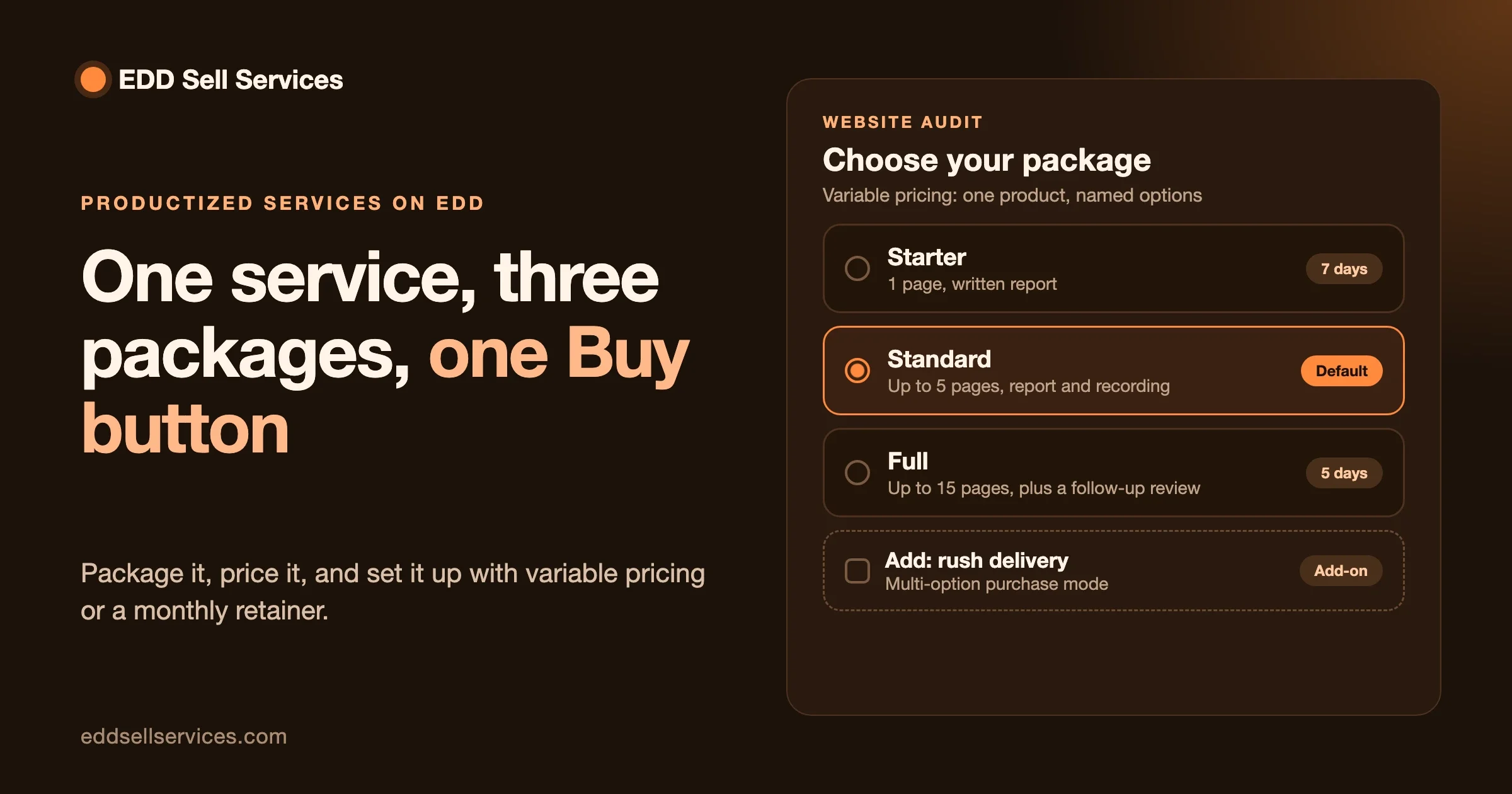
You create it as a normal Easy Digital Downloads product, with an estimated delivery time. The add-on does not invent a separate catalog. The service sits in the same shop as your other products, with the same product page and the same buy button.
The packaging is where most of the success is decided, and it needs no code. Three rules help.
Sell an outcome, not hours. “A one-page website” is clear. “Five hours of web work” is not. The buyer should be able to picture what they will receive.
Say what is included and what is not. Write it in the product description. “Includes two rounds of changes. Does not include writing the text.” This one paragraph prevents most disputes later.
Keep the first version small. Start with one package. If it sells, add a bigger one. A shop with three clear packages beats a shop with twelve vague ones.
How to spot a badly packaged service: buyers email you before paying to ask what is included. What to do: add the answer to the product page. How to prevent it: read your own page as if you were a stranger, and note every question it leaves open.
How do you set the price and the delivery time?
You set the price the way you set any Easy Digital Downloads price, and you add an estimated delivery time to the service. The buyer sees the price at checkout and the delivery estimate on the product.
A few notes on each.
Delivery time. Be generous. Promise a number of days you can meet even in a busy week. Finishing early looks good. Finishing late costs you a rating. The estimated delivery time is only an estimate, and the add-on lets you change the delivery date later from the service page, so a real delay does not mean a broken promise: you update the date and the buyer sees it.
How to spot a bad delivery time: you are working evenings to hit dates you chose in a hurry. What to do: raise the estimate on the product. How to prevent it: after your first five orders, look at how long they truly took and set the number from that, not from hope.
What should the requirement questions ask?
They should ask only what you need to start the work, in plain words the buyer can answer without help. Each question is something the buyer fills in after paying. Short, clear questions get better answers than long forms.
Think of it as the intake form you would send a new client by email, moved into the shop so it happens automatically. A good set has three kinds of questions.
- Facts. Business name, website address, the topic, the deadline if the client has one.
- Choices. Which style, which tone, which of your options. Choices are faster to answer than open text.
- Examples. “Send one example you like and one you do not.” This is the most useful question in any creative job.
Keep the list short. Each question you add is a reason for the buyer to put it off. A common sign of a form that is too long: buyers pay, then take days to answer. What to do: cut the questions you do not need to start, and ask the rest in the chat as the work goes on. How to prevent it: for each question, ask yourself “can I begin without this?” If yes, remove it.
How does the buyer pay?
The buyer pays through the normal Easy Digital Downloads checkout. There is no second checkout and no new payment page to learn. Whatever payment methods your store already uses are the ones the buyer sees.
From the buyer’s side, the experience is simple: choose the service, pay, and then be asked to describe what they want. From your side, you are paid before you start. That one fact changes how freelancing feels. You are no longer chasing a deposit or wondering whether the client is serious.
When a new order comes in, the add-on sends an email to the seller (the vendor, in the product page’s wording). You do not have to refresh a page to find out someone bought.
How do you collect the brief after payment?
Right after payment, the buyer is shown your requirement questions and answers them on the order. The answers are stored with the order, so the brief and the payment are always together.
This is the biggest change from the email method. Instead of a client writing “hi, I just paid, what do you need?”, they are asked the right questions at the moment they are most willing to answer: the minute after paying.
How to spot a weak brief: you read the answers and still cannot picture the result. What to do: ask one clear follow-up question in the order chat, not five. How to prevent it: add the question that would have helped to your question set, so the next buyer answers it from the start.
How do you do the work with chat and files on the order?
Chat, shared files and a status tracker all live on the order. Both you and the buyer see the same page, and both get notifications when something new is posted. You do not need a separate chat app or a shared folder link.
Each piece does one job.
Chat. Questions, updates and approvals go here. Because the chat belongs to the order, you can scroll up and find exactly what was agreed. That is worth a lot the day a client says “I never approved that.”
Shared files. Both sides can attach files. The buyer sends a logo or a document. You send a draft. Everything stays with the order.
Status tracker. The buyer sees where the order stands without asking. That cuts the most common message in any service business: “any update?”
How to spot trouble: the buyer starts to message you outside the order, by email or direct message. What to do: reply once in the order chat and gently say that you keep everything there so nothing gets lost. How to prevent it: put one sentence on the product page saying that all updates happen on the order.
You can read the full list of order screens on our features page.
How do you deliver the final file?
You attach the final file to the order and mark it as delivered. The buyer is notified and can download the result from the same order page where all the earlier chat and files sit.
Once you mark the order as delivered, the order moves toward its closing step, which is ratings. If the buyer wants a change, they reply in the chat and you can fix the point and deliver again.
How to spot a delivery problem: the buyer replies “this is not what I asked for”. What to do: read the brief and your product page side by side, then answer in the chat with facts. If they asked for something outside the package, say so kindly and offer it as a new order. How to prevent it: keep the “what is included” paragraph on the product page, because that is the document both of you can point to.
What if the customer goes quiet?
The order does not stay open forever. The add-on has a set number of days after final delivery: if the customer never responds, the order moves to review on its own. You do not have to chase, and you do not have to guess when to close.
This protects you from a common freelance problem. You deliver, the client disappears, and the job hangs in limbo. Is it done? Is it paid? Can you stop thinking about it? A fixed window answers those questions.
There are really two places a customer can go quiet, and they need different handling.
Quiet before the brief. The buyer paid but never answered the questions. Spot it: the order sits with empty answers. What to do: send one friendly message in the order chat, with the one thing you need. If it is still silent after a few days, send a second note that says when you will start with what you have. Prevent it: tell buyers on the product page that work begins once the questions are answered.
Quiet after delivery. The work is done and nobody replies. Spot it: no message after delivery. What to do: send one polite check-in and say that the order will close on its own after the review period. Prevent it: say the same sentence in your delivery message, so it is never a surprise.
We do not state the exact number of days in this guide. The product page says it is a set number of days, so check the setting in your own install and put the number in your delivery message so that buyers know it too.
How do ratings work?
Ratings are the last step of the order. After delivery, the order ends with ratings, which gives your service page a record of how past orders went. The product page lists ratings as the final stage and does not spell out every detail, so open the demo to see exactly how they look.
For a seller, ratings are the quiet sales tool. A new visitor who cannot judge your work from a description will trust the experience of earlier buyers. For a buyer, a rating is a simple way to say how it went without writing an email.
How to spot a rating problem: several buyers give lower marks for the same reason, such as slow delivery. What to do: change the estimate or the package. How to prevent it: read ratings once a month as a to-do list.
Can you reuse the same questions on the next service?
Yes. Requirement question sets can be saved and reused. You write the questions once, then pick the saved set when you create the next service.
This saves real time if you sell several packages in the same trade. A designer who sells a logo, a business card and a social media pack will ask many of the same things in all three: business name, colours, style, examples. Write them once, save the set, and reuse it. Then add a question or two for the parts that are different.
Can the service panels match your store colours?
Yes. The add-on has seven colour pickers and a border radius setting for the service panels and the conversation. You can change them to fit your store without writing any code.
Why does it matter? A buyer who pays on a page that looks like your brand and then lands on a screen in a different style may wonder if they are in the right place. Matching the colours keeps the whole path feeling like one shop.
How to spot a clash: text is hard to read on a panel. What to do: raise the contrast by making the text darker or the background lighter. How to prevent it: test with real text, in the chat, not with an empty panel.
Can other people sell their services on your store?
Yes, with the Frontend Submissions extension for Easy Digital Downloads. The EDD Sell Services product page says it works with that extension, so third-party vendors can list and manage their own services.
First, what Frontend Submissions is. On the official Easy Digital Downloads page, it is described as a way to turn your store into a multi-vendor digital marketplace. Vendors can register, create and manage products, track earnings and talk to customers from a dashboard on the front of the site, so they do not need access to the WordPress admin. The page also mentions commission tracking and moderation for vendors and products.
Put the two together and you get a small marketplace for services: you run the shop, the vendors list the services, and the orders run through the same chat, files and delivery steps described above.
Before you invite sellers, decide who approves a new vendor, what happens when a buyer and a vendor disagree, and who answers support emails. How to spot a marketplace that is not ready: you cannot answer those three in one sentence each. What to do: write the answers on a page first. How to prevent it: start with two or three vendors you know, then grow.
If you want help setting up a marketplace, see our page on service marketplace development. If your idea needs something the plugin does not do, custom development starts with a short discovery call.
What does it cost?
EDD Sell Services has three plans, and every plan includes the full feature list. The plan only decides how many sites you can use it on. Prices are in US dollars.
Plan | Sites | Yearly | Lifetime | Support |
|---|---|---|---|---|
Personal | 1 | $59 | $199 | Standard email |
Professional | 5 | $129 | $299 | Priority email and live chat for urgent issues |
Agency | Unlimited | $299 | $499 | Priority email and live chat for urgent issues |
If you run one store, the Personal plan has everything. The bigger plans matter only if you build stores for other people or run several sites. You can read the current details on our pricing page, which is the place to check before you buy, since prices can change.
Remember that the add-on needs Easy Digital Downloads installed and active. The plugin itself is separate, and its own plans and extensions are listed on the official Easy Digital Downloads site. We do not state those prices here.
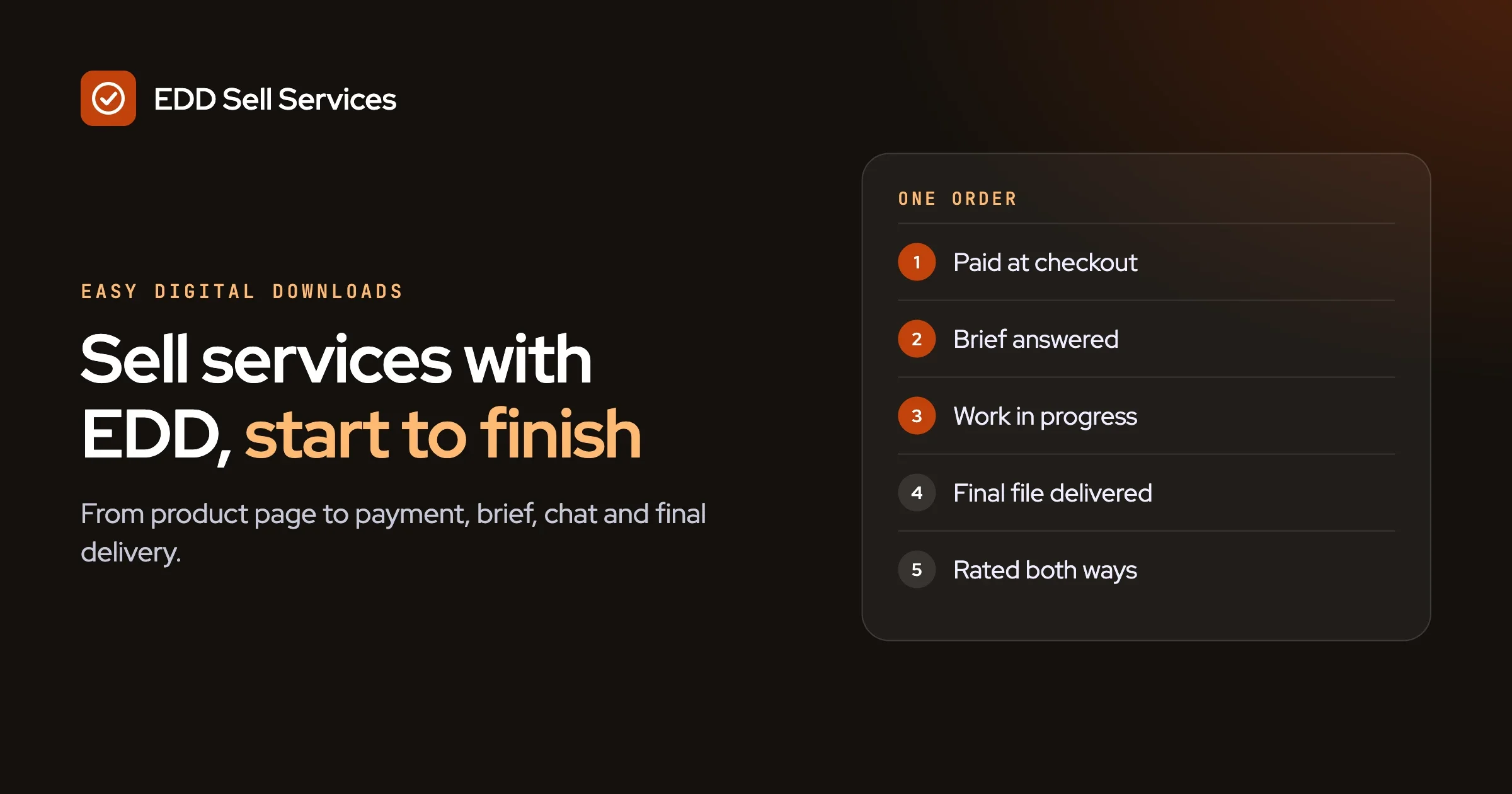
A quick summary of the whole flow, so you can see it on one screen:
Step | What happens | Who does it |
|---|---|---|
1. Package | The service is a normal product with an estimated delivery time | Seller |
2. Pay | Normal Easy Digital Downloads checkout | Buyer |
3. Brief | Buyer answers the requirement questions after payment | Buyer |
4. Work | Chat, shared files and status tracker on the order | Both |
5. Deliver | Seller attaches the final file and marks it delivered | Seller |
6. Close | Ratings; the order moves to review if the buyer stays silent | Both |
When do you not need this?
You do not need an add-on if you take only a few orders and you are happy with email. A shared folder and a form are free, and for three jobs a month they work fine. Do not add a tool to solve a problem you do not have yet.
You also do not need it if:
- You sell only files. Easy Digital Downloads on its own is made for that.
- Every job needs a custom quote. A contact form that leads to an invoice is the simpler path.
- You sell physical goods. WooCommerce is built for shipping, and we compare the two platforms in a separate post on Easy Digital Downloads and WooCommerce.
- You are not on WordPress, and have no plan to be. This add-on only works inside it.
Questions people ask
Can I sell a service instead of a product on Easy Digital Downloads?
Yes. Easy Digital Downloads can list a service and take payment for it, and its own site names services among things you can sell. What it does not do alone is collect a brief, hold a conversation or mark a hand-over. An add-on such as EDD Sell Services adds those parts.
Do I need to know how to code?
No. You create the service as a product, write the questions in the settings and pick colours with colour pickers. If you want something that the settings do not cover, our custom development team can help, starting with a discovery call.
What does the buyer see after they pay?
They are asked your requirement questions, and then they see the order page with the chat, shared files and the status tracker. They also get notifications when you post something new.
Can I change the delivery date after the order starts?
Yes. The delivery date can be updated later from the service page. Tell the buyer in the order chat when you do, so the change is never a surprise.
Does it work with a marketplace of many sellers?
Yes, with the Frontend Submissions extension for Easy Digital Downloads. Third-party vendors can then list and manage their own services. Decide your rules for quality and disputes before you invite sellers.
How many sites can I use it on?
It depends on the plan: one site on Personal, five on Professional, and unlimited on Agency. All plans include the full feature list. See the pricing page for the current figures.
How we checked this
In October 2026 we read the Easy Digital Downloads home page, the Easy Digital Downloads plugin page on WordPress.org and the Frontend Submissions page on the Easy Digital Downloads site, and we took our statements about those products from them. The facts about EDD Sell Services come from its own product page. We did not install the add-on on a fresh site for this guide, we did not run the live demo, and we did not test Frontend Submissions together with the add-on. Where the product page did not give a detail, such as the exact number of days before an order moves to review, we left it out. Read the official pages for the Easy Digital Downloads project, the plugin listing and Frontend Submissions yourself before you decide.