Easy Digital Downloads vs WooCommerce for Selling Services: Which One Fits Your Store?
Which fits a service seller, Easy Digital Downloads or WooCommerce? A plain comparison, with where each one wins.

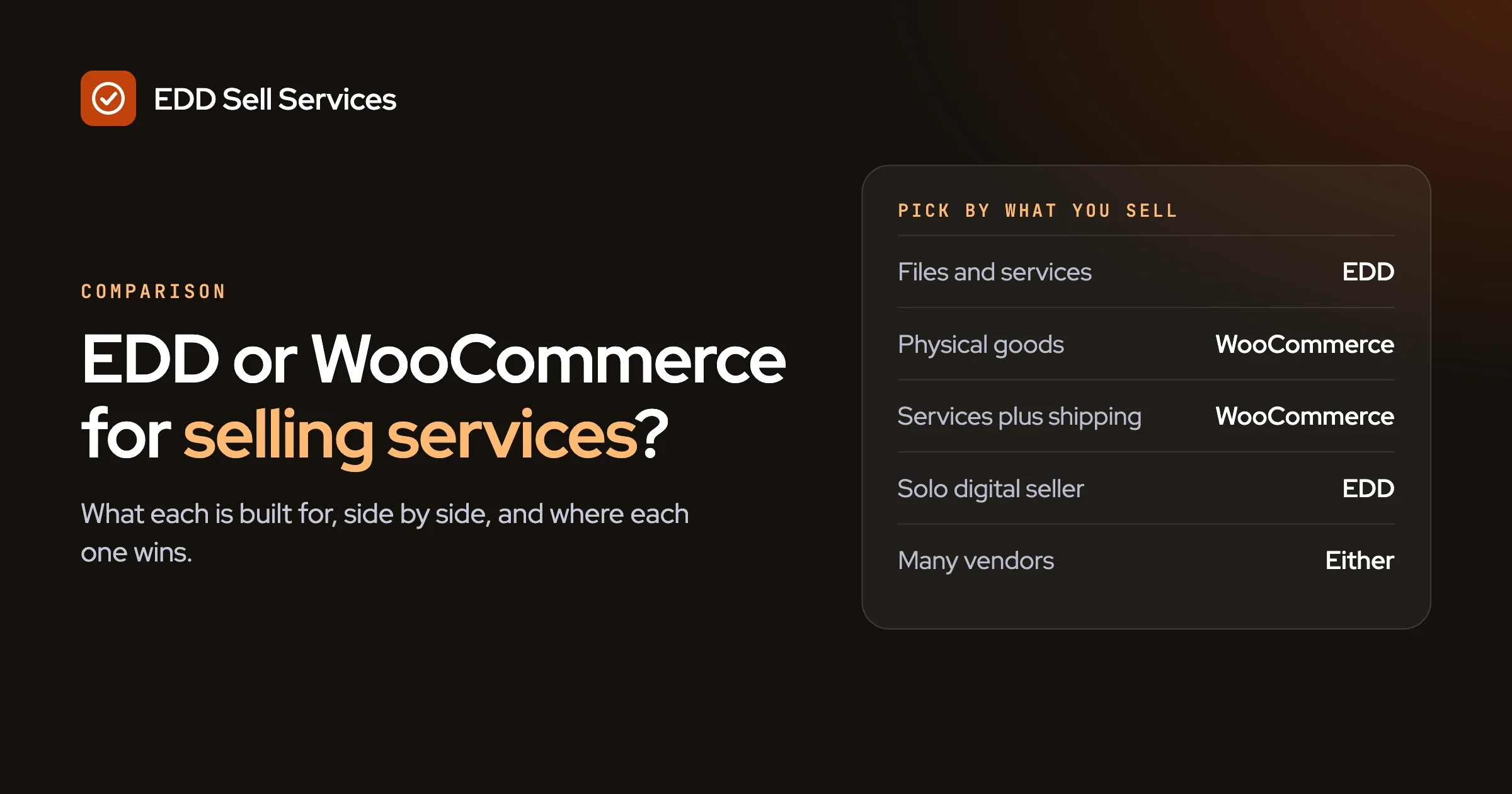
Pick by what else you sell. If your store is mostly digital files and services, Easy Digital Downloads is the closer fit. If you sell physical goods, or services next to physical goods, WooCommerce is the closer fit.
Both are plugins for WordPress, both are respected, and both can sell services once you add the right piece. Neither is the wrong choice. The wrong choice is the one that makes your own store harder to run.
This guide compares the two for someone who sells services: a designer, a writer, a marketer, a small agency. It is written in plain English. We make an add-on for each platform, so we say where each one wins, including where the answer is “not ours”.
In this guide
- Which one should I pick for selling services?
- What is each platform built for?
- How do they compare side by side?
- How does a service order work on Easy Digital Downloads?
- How does a service order work on WooCommerce?
- What does the buyer see on each platform?
- What mistakes do people make when choosing?
- Where is each one the better choice?
- What if I want to switch later?
- Three examples
- A checklist to decide
- Questions people ask
Which one should I pick for selling services?
Look at your product list, not at the feature lists. If most of what you sell is a file or a service, start with Easy Digital Downloads. If anything you sell has to be boxed, shipped or counted in a stock room, start with WooCommerce.
The reason is simple. Each platform grew up around a different kind of product. Easy Digital Downloads was built for digital goods. WooCommerce was built as a general shop that can sell almost anything, physical goods included. A service is neither a file nor a parcel, so on both platforms it needs a little extra help. That extra help is what we compare below.
Here is the short rule:
- Only files and services: Easy Digital Downloads.
- Only physical goods plus a service on the side: WooCommerce.
- A mix of everything: WooCommerce, because it is the one that already handles shipping.
- Services only, and you have no shop yet: either works. Pick the one whose admin screens feel clearer to you after ten minutes in each.
How to spot that you picked wrong: you keep hiding screens and settings you never use. What to do: list the three things you do most each week and check which platform makes them shortest. How to prevent it: install both on a test site before you commit. It takes an afternoon.
What is each platform built for?
Easy Digital Downloads is built to sell digital products. WooCommerce is built to sell almost anything online, including physical goods. We took both descriptions from each project’s own pages.
Easy Digital Downloads. On WordPress.org the plugin is described as built for selling digital products and digital downloads. Its own site calls it purpose-built for digital sellers and lists eBooks, software, music, video, photography and online courses among the things you can sell. It also names services. The official pages list secure download links, several payment methods, customer accounts, discount codes and reports, and say that paid plans add things like subscriptions and software licensing.
WooCommerce. WooCommerce describes itself as an open-source commerce platform for WordPress. Its WordPress.org page lists physical products, digital goods, product variations and downloads, and says subscriptions, bookings and memberships are available through extensions. It also lists shipping tools, tax tools and more than a hundred payment options, and points to hundreds of extensions in its marketplace.
Read those two paragraphs again and notice the pattern. One is focused. The other is broad. Focus means fewer screens and less to learn. Breadth means more choices and a bigger toolbox. Neither is better in general. It depends on what you carry in your bag.
How do they compare side by side?
The table below covers the points that matter most for people who sell services. Everything about the two platforms comes from their official pages, and everything about the two add-ons comes from their product pages. Where we did not verify something, we say “check”.
Point | Easy Digital Downloads | WooCommerce |
|---|---|---|
Built to sell | Digital products; its site also names services | Almost anything online, physical goods included |
Physical shipping | Not its purpose; the official page describes it as digital only | Yes; shipping, carriers and tax tools are part of the offer |
Digital file delivery | Its core job, with secure download links | Supported; digital goods and downloads are listed |
How a service order runs | Needs an add-on such as EDD Sell Services for the brief, chat and hand-over | Needs an add-on such as Woo Sell Services for the same steps |
Vendors and marketplaces | Frontend Submissions extension turns the store into a multi-vendor marketplace | Through vendor plugins; Woo Sell Services works with Dokan, WCFM and WC Vendors |
Recurring payments | Subscriptions are listed under paid plans | Subscriptions are offered through extensions |
Running cost, in general terms | Core plugin on WordPress.org; paid plans and extensions add features | Open-source core; paid extensions add features |
Learning curve for a non-technical owner | Fewer screens, because it does one job | More screens, because it does many jobs |
The last row is our own plain judgement, not a quote from either project. Check it by opening each admin area on a test site.
We left out specific prices on purpose. Plans and extension prices change, and they differ by what you need. Look at each project’s own pricing page on the day you decide.
A word on running cost. For both platforms, the plugin itself is only one line of the bill. You also pay for hosting, a domain, a theme if you want one, payment fees to your payment provider, and any extensions. The platform with the lower plugin price can end up costing more if it needs three extensions to do what the other does with none. Add up the whole list for your own case before you compare.
How does a service order work on Easy Digital Downloads?
With EDD Sell Services, the service is a normal Easy Digital Downloads product, and the order carries the work. The buyer pays at the normal checkout, answers your questions, and then you work with the buyer on the order until you deliver.
The steps, taken from the product page of EDD Sell Services:
- The service is a normal product in your catalog, with an estimated delivery time.
- The buyer pays, then answers the seller’s requirement questions.
- Chat, shared files and a status tracker live on the order. Both sides get notifications, and the vendor gets an email on each new order.
- The seller attaches the final file and marks the order delivered. Ratings follow.
A few extra points from the same page. Sets of requirement questions can be saved and reused. The delivery date can be changed later from the service page. If a customer never responds after final delivery, the order moves to review on its own after a set number of days. The service panels have seven colour pickers and a border radius setting, so they can match your store. And with the Frontend Submissions extension, third-party vendors can list and manage their own services.
The page names the people it is built for: freelance web developers, graphic designers, digital and email marketers, writers and translators. For the full step-by-step on this platform, see our features overview.
Because Easy Digital Downloads is focused on digital goods, a store built this way tends to look simple. There is no shipping setup to hide, because there is nothing to ship.
How does a service order work on WooCommerce?
With Woo Sell Services, the service is a normal WooCommerce product, and the order carries the work in the same way. The flow is the same as on the other platform: pay, answer the questions, work on the order, deliver, rate.
From the product page of Woo Sell Services, the details that are specific to WooCommerce are these:
- It adds a Service checkbox to the Product data panel, next to Virtual and Downloadable. It works on simple, variable, grouped and external products.
- It works with Dokan, WCFM and WC Vendors, and vendors create and manage services from the frontend.
- A vendor can add a co-author or a support agent to a service or to a single order.
- The vendor rating syncs to the standard WooCommerce product review.
- With WooCommerce Subscriptions, services can recur, and every renewal stays in one conversation thread.
The first point is worth a moment. WooCommerce already has the idea of product types and a Product data panel, so the add-on fits into screens the owner may already know. If you have run a Woo store, the Service checkbox will feel familiar.
The recurring point also matters if you sell a monthly service, such as a monthly report or ongoing support. On this platform the add-on pages say that renewals stay in one thread, so the history stays together. We have not tested that with a live subscription for this guide.
Both add-ons share the same plan structure: Personal for one site, Professional for five and Agency for unlimited, with the full feature list in every plan. You can see current prices for the EDD version on our pricing page.
What does the buyer see on each platform?
On both platforms the buyer sees the same path: pick a service, pay at the normal checkout, answer your questions, then follow the order until the work arrives. The two add-ons were built to give buyers the same experience, so the buyer rarely knows or cares which platform sits underneath.
That is good news for you. It means the decision is about your side of the screen: how you add products, how you ship things, how you manage vendors, and how much of the admin area you want to learn. The buyer’s side stays the same, with chat, shared files, a status tracker and notifications on the order.
What differs is the shop around the order. On WooCommerce the buyer may also see shipping options, because the platform is built for physical goods. On Easy Digital Downloads the shop stays lean, because the platform is built for digital goods. If your shop sells only services, a lean shop is a feature, not a limit.
What mistakes do people make when choosing?
Three mistakes come up again and again: choosing by name, choosing by price alone, and choosing for a future that may never arrive. Each one has a simple check.
Choosing by name. Someone told you “everyone uses WooCommerce”, or “everyone uses Easy Digital Downloads”. How to spot it: you cannot say what you sell without using the platform’s name. What to do: write one sentence about your products, then see which platform’s own description matches it. How to prevent it: let the product decide, not the crowd.
Choosing by price alone. The plugin looks cheap, then you need three extensions. How to spot it: your list of needs is longer than your list of included features. What to do: write down every feature you need on day one and check whether each is in the core plugin, an extension or a paid plan. How to prevent it: compare the full yearly bill, not the first line.
Choosing for a distant future. You may one day sell shoes, so you pick the bigger platform today, and then spend a year learning screens you do not use. How to spot it: your reason starts with “what if”. What to do: choose for the next twelve months. How to prevent it: remember that switching is possible, as the section above says, and keep your setup notes tidy so a later move is easier.
Where is each one the better choice?
Easy Digital Downloads is the better choice for a digital-first store, and WooCommerce is the better choice when physical goods or a very wide range of extensions matter. Here is each case spelled out.
Easy Digital Downloads wins when:
- You sell files, services and maybe a membership, and nothing that ships.
- You want fewer screens to learn and fewer settings to ignore.
- You want secure file delivery to be the core of the shop, not one feature among many.
- You want a marketplace of digital sellers through Frontend Submissions.
WooCommerce wins when:
- You sell anything that has to be shipped, stored or taxed as a physical good.
- You sell a service together with a physical product, such as installation with a purchase.
- You want the widest choice of themes and extensions, because the marketplace is large.
- You want to use one of the vendor plugins that Woo Sell Services supports, Dokan, WCFM or WC Vendors.
It is a tie when: you sell only services and nothing else. In that case the quality of the services workflow matters more than the platform, and both of our add-ons run the same flow.
If you already have a store on one platform, the answer is nearly always to stay there. The best platform is the one you already know, unless it truly cannot do what you need.
What if I want to switch later?
Switching is possible, but plan for it as a small project, not an afternoon. Some things move more easily than others, and some have to be rebuilt by hand. We are speaking in general terms here, because we have not tested any migration tool for this guide.
What usually moves with little trouble:
- Your domain, hosting and WordPress itself. Both platforms are plugins on the same WordPress site, so the base stays.
- Your content. Product descriptions, images and pages can be copied.
- Your customer list. Names and emails can be exported and imported as files. Check the privacy rules where you and your customers live.
What usually has to be rebuilt:
- Product setup. Each platform stores prices, options and product types in its own way.
- Order history. Moving old orders is the hardest part, and many people keep the old shop in read-only form instead.
- Settings and emails. Payment settings, tax and email templates are set up again.
- The service add-on data. Saved question sets, chat history and ratings belong to the add-on. Plan to export what you need to keep.
- Design. Checkout and product pages often look different after the move.
How to spot that a switch is a bad idea right now: you are in your busiest month, or you have open orders. What to do: wait, or run both side by side. How to prevent a painful switch: choose well the first time, and keep a record of your setup in a simple document as you go.
If you need a switch done for you, our team can help with custom development, which starts with a short discovery call.
Three examples
A solo designer who sells fixed packages
She sells a logo package, a business card package and a social media pack. All are digital, all have a fixed price, and the client needs to send a brief. She has no stock and ships nothing. Easy Digital Downloads with a services add-on fits this well: fewer screens, a simple checkout, and the brief, chat and final files in one place. Woo would work too, but she would carry settings she never uses.
A store that sells physical products plus installation
This shop sells wall lights and offers an installation visit as an option. The lights are shipped, the installation is a service with a date and some questions about the house. WooCommerce fits, because shipping, stock and tax are already part of it, and the installation can be a service product next to the lights. Using Easy Digital Downloads here would mean adding the shipping side yourself, which is not its purpose.
A marketplace where many freelancers sell
Here the site owner does not sell anything personally. Writers, designers and translators list their own services and the owner takes a cut or runs the platform. On Easy Digital Downloads, Frontend Submissions provides the vendor side, and EDD Sell Services lets those vendors manage their own services. On WooCommerce, one of the supported vendor plugins does the same job with Woo Sell Services. Either can work. Choose on whether the sellers deal only in digital work (Easy Digital Downloads) or may also sell physical goods (WooCommerce). For help with this setup, see service marketplace development.
A checklist to decide
Answer these seven questions. If most of your answers lean one way, that is your platform.
- Do you sell anything that has to be shipped? Yes points to WooCommerce.
- Is almost everything you sell a file or a service? Yes points to Easy Digital Downloads.
- Do you already run a store on one of them? Yes points to staying put.
- Do you plan a marketplace with many sellers? Check that the vendor tools for your platform fit your sellers.
- Do you need monthly or recurring services? Check the subscription option on each platform and the add-on notes above.
- Do you want fewer screens or more options? Fewer points to Easy Digital Downloads; more points to WooCommerce.
- Does the person who runs the store feel at ease in the admin area? Try both on a test site.
A summary of the two paths, so you can keep it:
If this is you | Start with | Services add-on |
|---|---|---|
Files and services only | Easy Digital Downloads | EDD Sell Services |
Physical goods, with or without services | WooCommerce | Woo Sell Services |
Digital marketplace of freelancers | Easy Digital Downloads with Frontend Submissions | EDD Sell Services |
Marketplace that may include physical goods | WooCommerce with a vendor plugin | Woo Sell Services |
Not sure | Test both for an afternoon | Decide after |
One more honest point. If you only take a few service orders a month, you may not need an add-on on either platform. Email and a shared folder are free. The add-on earns its place when finding briefs, messages and files starts to cost you time every week.
Questions people ask
Is Easy Digital Downloads better than WooCommerce?
Neither is better in general. Easy Digital Downloads is the closer fit for digital files and services, and WooCommerce is the closer fit for physical goods and for stores that sell a wide mix. Choose by what you sell.
Can WooCommerce sell services?
Yes. WooCommerce can list a service as a product and take payment, and an add-on such as Woo Sell Services adds the brief, chat and hand-over steps. WooCommerce’s own pages also say bookings and subscriptions are available through extensions.
Is there an alternative to Easy Digital Downloads for digital products?
WooCommerce is the best-known alternative on WordPress, and it supports digital goods and downloads. It is a wider tool, so expect more settings. If your store is digital only, compare both on a test site before you decide.
Which one is cheaper to run?
It depends on the extensions you need, not on the plugin alone. Both have a core plugin and paid extensions. Add up hosting, payment fees, extensions and any add-on for your own case, and check each project’s pricing page for current prices.
Can I run both on one site?
Both are WordPress plugins, but running two shops on one site doubles the settings and the confusion. We do not recommend it for a small store. If you need both kinds of product, pick the one that fits the bigger part of your business.
Do the services add-ons cost the same on both platforms?
Both Wbcom add-ons use the same plan structure: Personal for one site, Professional for five and Agency for unlimited sites, with the full feature list in every plan. See the pricing page for the current figures.
How we checked this
In October 2026 we read the Easy Digital Downloads home page, the Easy Digital Downloads plugin page on WordPress.org, the WooCommerce home page and the WooCommerce plugin page on WordPress.org, and we took our statements about the two platforms from them. Facts about EDD Sell Services and Woo Sell Services come from their product pages. We did not install either add-on on a test site for this guide, we did not test any migration tool, and we did not check platform prices. Read the sources yourself: Easy Digital Downloads, its plugin listing, WooCommerce and its plugin listing.