10 Best Character Animation Software in 2025

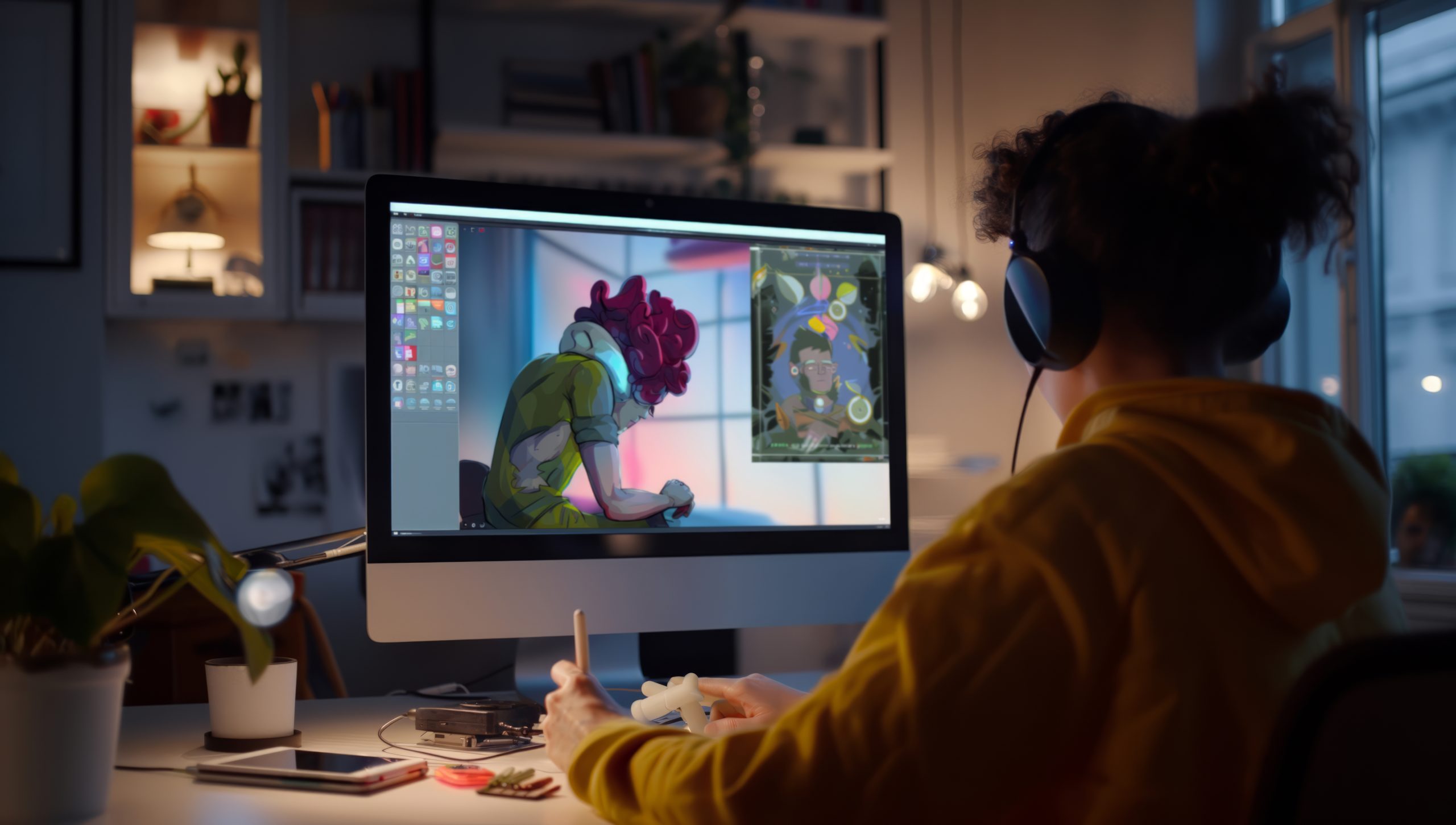
Creating lifelike characters that move, emote, and interact is not just about drawing frame after frame. Character animation is where storytelling, technology, and craft intersect to turn a static drawing into something that feels alive. Whether you are building an animated short, designing characters for a YouTube series, or learning the craft from scratch, choosing the right character animation software is the first real decision you will make. With this many tools on the market, that choice is harder than it should be, so this guide breaks down ten options by what they actually do well rather than by marketing copy.

Why Choosing the Right Character Animation Software Matters
Selecting animation software is a creative commitment, not just a technical one. The tool you pick shapes how you bring characters to life, how easy or difficult certain motions are to achieve, and the final look of the finished project. A musician needs the right instrument for the genre they are playing; an animator needs software that matches the kind of motion they are trying to create.
The software you choose affects workflow, learning curve, output quality, and the type of animation you can realistically produce. Some tools are built for 2D work, others live in the 3D space entirely. Some expect programming knowledge for rigging and scripting, others are built around drag-and-drop simplicity. Knowing what you actually need, rather than what looks most impressive in a demo reel, is the real first step.
What to Look for in Character Animation Software
Before getting lost in feature lists, get clear on your goals. Are you aiming for simple, hand-drawn motion or complex, lifelike 3D characters with muscle simulation? The answer determines which features actually matter to you.
Key things to weigh include the interface, whether it is intuitive or genuinely overwhelming for a beginner, the rigging tools, how easily you can set up bones and joints for a character, compatibility with other software you already use, and final output quality. A strong user community, an active tutorial library, and responsive customer support matter more than most beginners expect, since every animator eventually hits a wall that only someone else’s forum post has already solved.
How to Choose the Best Fit for You
The right software depends on your current skill level, your goals, and your budget. If you are just starting out, ease of use and a real beginner tutorial track matter more than raw feature depth. If you are aiming at game development or cinematic production, you need advanced rigging, motion capture compatibility, and fine-grained control over every joint.
Think long-term as well. Software that feels perfect today can box you in once your skills grow past its ceiling. Look for tools that scale with you, letting you start simple and add complexity as your ambitions grow, since switching your entire pipeline mid-project is one of the more painful mistakes in animation work.
Ten Character Animation Tools Worth Learning
1. Adobe Character Animator
Adobe Character Animator earned its reputation by being genuinely beginner-friendly while still packing real capability. Its real-time motion capture lets you animate a character through your webcam and microphone, syncing mouth movement, facial expression, and gestures live, which makes it a strong option for streamers, educators, and storytellers who need engaging animated content fast.
Its strongest advantage is integration with the rest of Adobe’s Creative Cloud. Design a character in Photoshop or Illustrator, import it directly into Character Animator, and you can be animating within minutes. It is sold as a Creative Cloud subscription, either standalone or bundled with the full suite.
2. Toon Boom Harmony
Toon Boom Harmony is a genuine heavyweight in professional 2D animation, used by major studios including Cartoon Network and Nickelodeon productions. Harmony supports everything from simple stick-figure motion tests to complex, multi-character scenes with detailed backgrounds and layered compositing.
Its rigging tools, frame-by-frame support, and compatibility with both vector and bitmap artwork make it exceptionally versatile. There is a real learning curve, but the depth of features and the professional-grade output make it worth the investment for anyone serious about a 2D animation career. It is available in a free trial, an Essentials tier for individual creators, and Advanced and Premium tiers for studio pipelines.
3. Blender
Blender remains the standout free option in 3D animation. Open-source and community-driven, it rivals expensive commercial software on raw capability, supporting modeling, rigging, animation, simulation, rendering, and even basic video editing in one package with no license fee at all.
For character animation specifically, Blender offers a full armature system, a pose editor, and non-linear animation tools for blending multiple motion clips. Its Eevee real-time render engine lets you preview animation quickly during the iteration process, and with thousands of community tutorials available, there is rarely a technique you cannot find a walkthrough for.
4. Moho (Anime Studio)
Moho, developed by Smith Micro and still widely known by its earlier name Anime Studio, is a strong contender for 2D character animation that blends traditional technique with modern rigging tools. Smart bones and mesh-based rigging make animating a character noticeably faster than pure frame-by-frame drawing.
Its physics engine and curve-based animation tools produce fluid, natural motion, and it is particularly popular among indie animators and small studios that want professional-level features without Maya’s price tag or learning curve. It is sold as a one-time purchase with Debut and Pro tiers.
5. Autodesk Maya
If your ambitions point toward film or game production, Autodesk Maya is where the industry actually works. Known for ultra-realistic 3D character animation, Maya is the standard at studios like Pixar and DreamWorks, with tools spanning muscle simulation, cloth dynamics, and deep motion capture integration.
The learning curve is steep and the software is sold on a subscription that reflects its professional positioning, but the capability is close to limitless. For anyone aiming at a career in high-end production and willing to put in real study time, Maya delivers results nothing else on this list matches.
Also Read: 10 Best Software for 3D Modeling in 2025
6. Reallusion Cartoon Animator
Cartoon Animator, formerly known as CrazyTalk Animator, is an approachable 2D tool built for both beginners and working professionals. It lets you animate characters through face and body puppeteering, which makes the process feel closer to directing a performance than hand-keying every frame.
Its focus on storytelling over technical illustration is what sets it apart. You do not need to be a skilled illustrator to produce compelling animation, since ready-made characters, templates, and motion libraries let you focus on timing and story rather than getting stuck on drawing fundamentals.
7. Cinema 4D
Cinema 4D, developed by Maxon, is known for a clean, approachable workflow that has made it a favorite among motion graphics artists, but it is also a strong option for 3D character animation specifically. Its rigging system, skinning tools, and tight integration with Adobe After Effects make it a natural fit for broadcast and advertising work.
It does not carry Maya’s reputation in film production, but its gentler learning curve and steadily expanding toolset make it a genuine long-term option for freelance animators and small studios who need reliable 3D output without a film-studio-scale budget.
8. OpenToonz
OpenToonz is a free, open-source 2D animation tool with real production pedigree, used by Studio Ghibli in its production pipeline. It combines traditional drawing tools with digital animation features, producing work that carries a handcrafted quality rather than a purely digital, vector-perfect look.
Automatic in-betweening and scanning tools tailored for traditional-style animation set it apart from most other free options. It has a real learning curve and a less polished interface than commercial competitors, but for artists who value creative expression over technical convenience, the results speak for themselves.
9. Spine
Spine, from Esoteric Software, is built specifically for 2D game development rather than film or broadcast animation. Its specialized skeletal animation tools make it efficient for animating characters that need to run in real-time engines, with bone rigging and mesh deformation designed to stay lightweight on system resources.
Its tight integration with Unity and Unreal Engine makes it close to essential for indie game developers doing 2D character work. It is not built for traditional linear animation, but within its niche, real-time interactive character animation, it excels.
10. Synfig Studio
Synfig Studio is a free, open-source 2D animation tool built for producing film-quality results without frame-by-frame drawing. It works with both vector and bitmap artwork and supports layers, bones, and a genuinely capable set of controls for a free tool.
Its automatic tweening saves significant manual labor and keeps the barrier to entry low for beginners. The interface lacks the polish of commercial competitors, but between its zero cost and its actual feature depth, it remains a strong choice for hobbyists and independent creators building a portfolio on a real budget of zero.

Quick Reference: Format, Cost, and Best Fit
| Software | Format | Pricing | Best Fit |
|---|---|---|---|
| Adobe Character Animator | 2D (real-time puppet) | Creative Cloud subscription | Streamers, educators, fast talking-head content |
| Toon Boom Harmony | 2D | Free trial, paid tiers | Professional studio-grade 2D production |
| Blender | 3D | Free, open source | Indie 3D animation and full production pipelines |
| Moho (Anime Studio) | 2D | One-time purchase | Indie animators wanting rigged, non-subscription 2D |
| Autodesk Maya | 3D | Subscription | Film and AAA game production |
| Reallusion Cartoon Animator | 2D (puppet) | Paid, tiered | Fast, story-first animation without heavy drawing |
| Cinema 4D | 3D | Subscription | Motion graphics and broadcast/advertising work |
| OpenToonz | 2D | Free, open source | Traditional, hand-drawn animation style |
| Spine | 2D (skeletal) | Paid, one-time license | Real-time 2D animation for games |
| Synfig Studio | 2D | Free, open source | Zero-budget hobbyists and students |
2D vs. 3D: Which Path Should You Start On?
Beginners often assume 2D is the easier starting point because the software looks simpler, but the honest answer depends on what you want to make. 2D character animation, in tools like Toon Boom Harmony, Moho, or the free options like OpenToonz and Synfig, teaches the fundamentals of timing, weight, and appeal without the added complexity of a 3D pipeline, camera, and lighting setup. It is the faster path to a finished, shareable piece of work.
3D character animation, in Blender, Maya, or Cinema 4D, has a steeper initial learning curve because you are managing a rig, a scene, and often a render pipeline all at once, but it opens the door to game development, VFX, and production pipelines that most 2D tools cannot touch. If your end goal is a specific industry, game studios lean 3D, most broadcast animation studios lean 2D, let that target guide which pipeline you invest your first hundred hours into, rather than picking based on which software looks more impressive in a trailer.
Skills That Transfer Between Every Tool on This List
Regardless of which software you start with, the fundamentals of animation itself do not change from one program to the next. The twelve classic principles of animation, first codified by Disney animators decades ago and still taught in every serious animation program today, cover concepts like squash and stretch, anticipation, follow-through, and timing. These are not software-specific settings; they are observations about how real motion and weight actually behave, and they apply identically whether you are keyframing a rig in Maya or puppeting a character live in Adobe Character Animator.
This matters practically because it means your early investment of time is not wasted if you eventually switch tools. An animator who has internalized good timing and weight in Synfig Studio can carry that skill directly into Toon Boom Harmony or Blender without starting over. What does not transfer as cleanly is muscle memory for a specific interface, keyboard shortcuts, and rigging workflow, which is the real cost of switching software mid-project, not a loss of underlying skill.
Common Mistakes Beginners Make
- Chasing every new tool instead of finishing a project. Switching software every few weeks resets your learning curve each time. Pick one tool and finish at least one complete animation before evaluating whether to switch.
- Over-rigging a character before learning basic timing. A perfectly rigged character animated with poor timing still looks lifeless. Study the fundamentals of weight, anticipation, and follow-through before investing hours in a complex rig.
- Ignoring reference footage. Even experienced animators shoot or find reference video for tricky motion. Skipping this step is one of the fastest ways to end up with movement that looks technically correct but emotionally flat.
- Underestimating render and export settings. A beautiful animation that exports at the wrong frame rate or resolution for its destination platform undercuts all the work that went into it. Confirm your target platform’s specs before you start the final render.
- Not backing up rig and project files. A complex character rig can represent dozens of hours of work. Treat rig files with the same backup discipline as any other critical project asset.
Frequently Asked Questions
Is Blender really as capable as paid software like Maya?
For most independent creators and small studios, yes. Blender’s rigging, animation, and rendering tools are genuinely production-capable, and it has been used on real commercial projects. Maya still holds an edge in large studio pipeline integration and certain advanced simulation tools, which is why it remains the standard at the largest production houses, but that gap matters far less for someone building a portfolio or an indie project.
Do I need to know how to draw to use character animation software?
Not for every tool. Puppet-based software like Adobe Character Animator and Reallusion Cartoon Animator let you animate premade or purchased character rigs without drawing skills. Traditional frame-by-frame tools like Toon Boom Harmony and OpenToonz benefit significantly from drawing ability, since you are often creating original artwork as part of the animation process itself.
What is the fastest way to get a character animated for a YouTube video?
Adobe Character Animator’s real-time motion capture is the fastest path for talking-head style content, since it captures your performance live through a webcam and microphone. For more stylized or scripted content, Reallusion Cartoon Animator’s puppet system with premade templates gets you to a finished result faster than a traditional keyframe animation workflow.
How long does it realistically take to learn character animation?
Enough to produce a rough but recognizable animated scene, a few weeks of consistent practice with a beginner-friendly tool. Enough to produce animation that would pass as professional work, most working animators put that timeline closer to one to two years of deliberate practice, not casual dabbling. The software you choose affects how fast you can execute an idea once you understand animation principles, but it does not shortcut the principles themselves.
Can free tools like Synfig and OpenToonz produce genuinely professional results?
Yes, with enough skill behind them. OpenToonz specifically has real production credibility through its use at Studio Ghibli. The limitation with free tools is rarely output quality; it is usually a smaller support community and fewer polished tutorials compared to a major commercial product, which can slow down the learning process for a total beginner.
Bring Your Characters to Life With the Right Tool
Animation is a craft, and like any craft, it improves with the right tools in hand and enough finished work behind you. The best character animation software is whichever one matches your goals, fits your current skill level, and keeps you motivated to keep creating rather than fighting the interface. From the immediacy of Cartoon Animator to the depth of Maya, each tool on this list brings something different to the table.
Do not be afraid to test a few before settling in. Free trials and community editions exist precisely so you can find the software that fits how you actually think about movement and story, rather than the one with the flashiest marketing page. Give yourself real time with whichever tool you pick, and the technical side of animation will start to disappear behind the story you are actually trying to tell. Set a small first project, a ten-second character walk cycle, a short reaction shot, a single emotional beat, and finish it before you judge the software or your own progress. A finished small piece teaches more than an unfinished ambitious one ever will.
Interesting Reads