Running a Services Marketplace on Easy Digital Downloads With Frontend Submissions
How to let other freelancers sell services on your Easy Digital Downloads store: what Frontend Submissions and Commissions do, what vendors and buyers see on an order, how money moves, and three things to fix before you invite vendors.

You can turn an Easy Digital Downloads store into a place where other freelancers sell their services, not just you. It takes three pieces: Frontend Submissions, so vendors can sign up and list services; Commissions, so each sale is split and recorded; and a service layer, so every order gets a brief, a conversation and a delivery. This guide explains what each piece does, what the vendor and the buyer actually see, how money moves, and what you still have to decide yourself.
We tested the vendor side of a service order on current versions before writing it, and found three things worth knowing before you invite your first vendor, each with a tested workaround.
The short answer
- Frontend Submissions lets people register as vendors, lets you approve them, and gives them a dashboard to add and edit their own listings. It comes with EDD’s Professional Pass.
- Commissions records each vendor’s share of every sale and exports unpaid commissions as a CSV you pay out through PayPal or another method. It also comes with the Professional Pass.
- EDD Sell Services turns each listing into a service: requirement questions after payment, an order conversation with files, delivery dates, final delivery and a review. It works with Frontend Submissions, so each vendor runs their own orders.
- You still decide the commission rate, when you pay vendors, who handles refunds and disputes, and who gets approved. No plugin makes those calls for you.
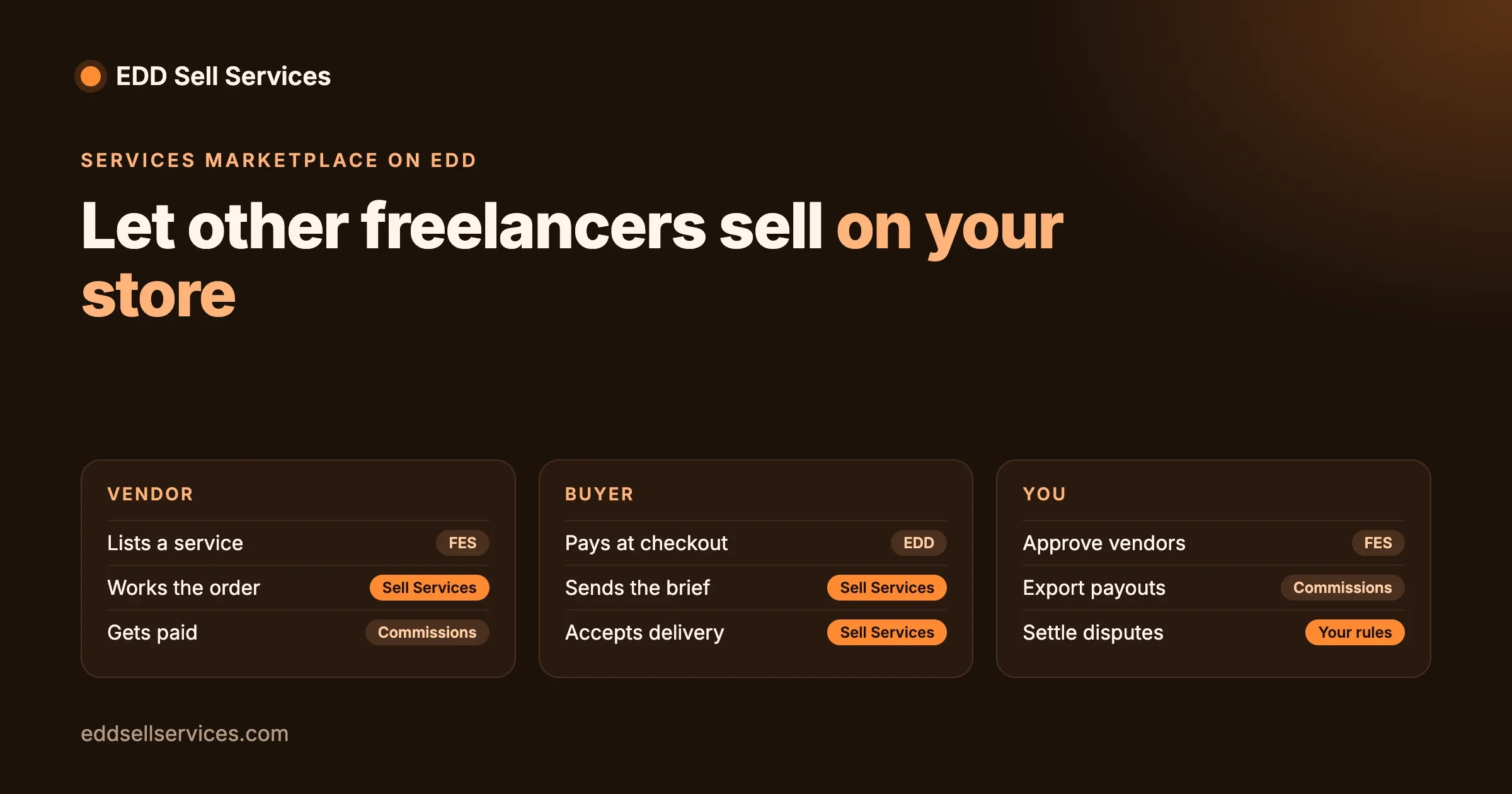
Who does what in a services marketplace?
A marketplace has three kinds of people, and each piece of the stack serves a different one.
Person | What they need | Piece that provides it |
|---|---|---|
You, the store owner | Approve vendors and listings, take a share, pay vendors, step in when an order goes wrong | Frontend Submissions (approval), Commissions (shares and payouts), Easy Digital Downloads (orders, refunds, reports) |
The vendor | Sign up, list services, see and work their orders, get paid | Frontend Submissions (sign-up, dashboard, listings), EDD Sell Services (order work), Commissions (earnings) |
The buyer | Find a service, pay, send a brief, talk to the vendor, receive the work | Easy Digital Downloads (catalog, checkout), EDD Sell Services (brief, conversation, delivery, review) |
The gap most new marketplace owners miss is the middle of an order. Frontend Submissions and Commissions handle listings and money, and both were built with digital files in mind. Neither one knows that a service order has a brief, a due date and a delivery that the buyer has to accept. That is the job of the service layer.
What does Frontend Submissions do?
Frontend Submissions (often called FES) is Easy Digital Downloads’ marketplace extension. According to its product page, read on 18 October 2026 (current version 2.8.2), it gives you:
For vendors
- Registration from the front of your site, with dashboard access after you approve them
- A dashboard where they create new products and update existing ones
- Their orders, earnings statistics and account details in the same dashboard
- A way to communicate with customers
For you
- A review step for new vendor registrations and for product submissions
- A drag-and-drop builder for the registration form, the product submission form and the vendor profile form
- Email alerts for new submissions, product updates, vendor registrations and earned commissions
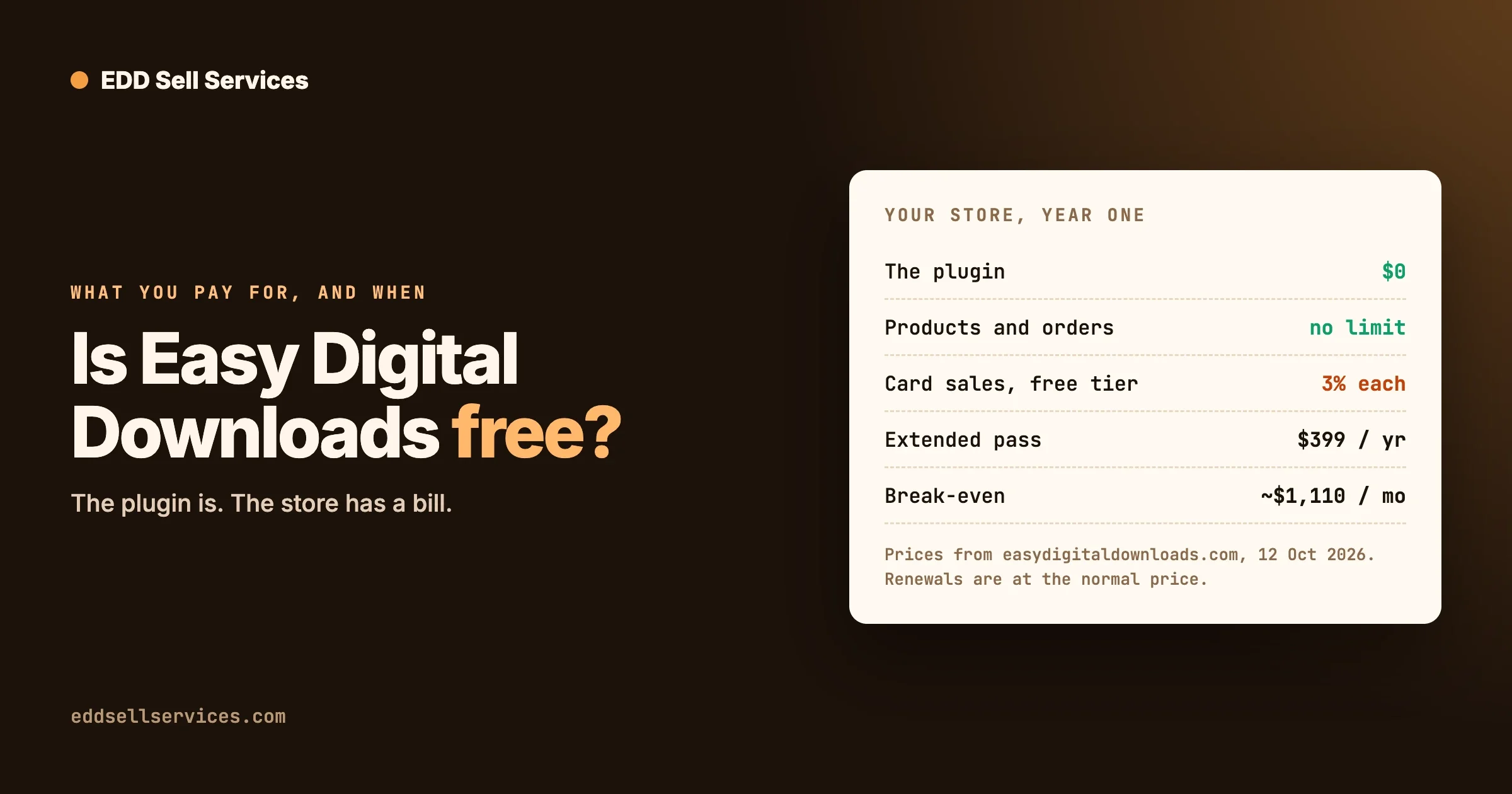
Frontend Submissions is included with the Professional Pass on easydigitaldownloads.com. On 18 October 2026 that pass was listed at $299.50 a year on sale ($599.00 normally) for two sites.
What does Commissions do?
Commissions (current version 3.6.4 on its product page, 18 October 2026) records a commission for each sale and splits revenue between users. What its page describes:
- A Commissions screen under the Downloads menu, and a report of commissions paid per month
- Shortcodes that show vendors their commissions, commissioned products and earnings
- Earnings shown to vendors in their Frontend Submissions dashboard
- Payouts by exporting unpaid commissions, all of them or for a date range, as a CSV file that you upload to PayPal’s mass payment system or use to pay another way
Two things to note. First, payouts are a task you run, not something that happens on its own: you export, pay, and mark the commissions paid. Plan a fixed payout day. Second, its page does not spell out the commission rate options, so check the settings screen and EDD’s documentation for how rates are set per product or per vendor before you promise vendors a rate.
Commissions also comes with the Professional Pass.
How does EDD Sell Services work with Frontend Submissions?
We read the EDD Sell Services 4.3.0 code to see exactly where it connects to Frontend Submissions, then tested the vendor side of an order on a test site.
On the vendor’s listing form
When a vendor submits a product through the Frontend Submissions form, EDD Sell Services adds its own fields to that form: an option to make the listing a service, the estimated delivery time, and the requirement questions the buyer will answer after paying. When the vendor saves, the listing is stored as a service with those details. So vendors build their own briefs; you do not have to write questions for every service on the site.
There is also a setting to show an “additional vendor, support agent or co-author” field on that form. That lets a vendor add a teammate who can work the same orders.
On the vendor’s orders
The Manage Order page that EDD Sell Services creates has two parts. Buyers see the services they bought. Vendors, which means users approved in Frontend Submissions, users with the store vendor role, and administrators, also see a “Manage Customers Services” section with orders for the services they own or were added to, split into Active, Completed and Cancelled, with a search by order number or customer email.
On notifications
The plugin’s notification settings send alerts to the admin or the vendor when a buyer fills in the requirements, when a message arrives, and when a final delivery is accepted or turned down. That keeps the vendor in the loop without you forwarding emails.
What does a vendor’s order look like?
On 18 October 2026 we ran one order end to end on a clean test site: WordPress 7.1.3, Easy Digital Downloads 3.7.2 and EDD Sell Services 4.3.0. The service, “Website Audit” at $99 with a 5-day delivery time, belonged to a user with the store vendor role, which is how a vendor’s listing is owned in a marketplace. Here is what each side saw.
Step | Buyer sees | Vendor sees |
|---|---|---|
Purchase | Normal checkout, then the order waiting for requirements | Nothing yet; the brief is not in |
Brief sent | “Sam Vendor started working on your order”, with the due date five days out | The order under Manage Customers Services, status Work In Progress |
Working | A message box on the order | The buyer’s answers, a message box with file attachments, and an Update Delivery Date button |
Final delivery | “Here’s Your Final Delivery!” and the question “Do you want to accept final delivery?” with Yes and Not Yet | A checkbox, “Is it final delivery?”, on the message form |
Accepted | Order Completed, then “Leave feedback for” the vendor, with a rating | The order moves to Completed |
Two details matter for a marketplace. The buyer’s messages and the vendor’s replies stay on the order, so the whole exchange is on record if a buyer complains later (see below for how you, as the owner, get to read it). And “Not Yet” gives the buyer a way to say the work is not finished without opening a dispute by email.
What we did not test: the Frontend Submissions screens themselves (vendor sign-up, approval and the vendor dashboard) and Commissions. Both are paid extensions, and the public EDD Sell Services demo does not include them. The table above is the order flow once a vendor owns a service, which is the same whichever way the listing was created.
What happens when a delivery is not right, or running late?
These are the two moments that decide whether buyers trust a marketplace, so we tested both with a second order.
The buyer clicks “Not Yet”
The vendor sent a first draft marked as the final delivery. The buyer chose Not Yet and wrote “Please add the mobile checks.” The conversation then showed a line saying the buyer did not accept the final delivery, followed by the buyer’s note, and the order stayed open with the message box available to both sides. Logged in as the vendor again, the “Is it final delivery?” checkbox was still there, so the vendor could send the revised work as a new final delivery.
In practice that gives you a built-in revision loop: deliver, Not Yet with a reason, revise, deliver again. Put a revision limit in your vendor terms (for example, two rounds included) and ask vendors to state it in every listing, because the software will keep the loop open for as long as the buyer keeps choosing Not Yet.
The vendor needs more time
On the same order, the vendor clicked Update Delivery Date and picked a new date two days later. Both sides immediately saw the new due date, the “expected to be delivered on” line changed, and the duration shown on the order went from 5 to 7 days. The buyer is not asked to agree to the new date, so set a rule: vendors must explain the change in a message on the order before they move the date.
What you do as the owner
Both the revision exchange and the date change are recorded on the order, which is the record you need if a buyer asks for a refund. One catch: in our test an administrator could not see a vendor’s orders or open their conversation by default. The Manage Order page lists only services you own or co-author, and opening a vendor’s order link sent us back to the home page. There was no admin screen for the conversation either.
The workaround we tested: add yourself as a co-author on each vendor service. The vendor’s orders then appeared in our list, and the conversation opened. You can add yourself when you approve a new listing. We have reported the gap to the plugin team so store owners can see every order without it.
Once you can see the orders, a short weekly look at those past their due date, or with more than two Not Yet answers, will catch most problems before they become disputes.
What should a good vendor listing include?
Most marketplace disputes start in the listing, not the order. A buyer reads “logo design” and expects five concepts; the vendor meant one. Ask vendors to cover these points in every service, and check them when you approve a listing:
Listing part | What it should say | Where it lives |
|---|---|---|
What is included | The exact deliverable: “three logo concepts, one revised to final, PNG and SVG files” | The service description |
What is not included | Common extras that cost more or are not offered: printing, brand guide, social kit | The service description |
Delivery time | Working days after the brief arrives, with a margin | The estimated delivery time field |
Revisions | How many rounds are included, matching your marketplace rule | The service description |
What the vendor needs | Only what is required to start: business name, existing files, examples they like | The requirement questions |
Frontend Submissions lets you edit the product form, so you can add help text to the description field that reminds vendors of this list as they write.
How does money move?
With Commissions in place, every sale follows the same path:
- The buyer pays you. The payment lands in your Stripe or PayPal account, not the vendor’s.
- Commissions records the vendor’s share for that sale as unpaid.
- The vendor does the work and the buyer accepts the final delivery.
- On your payout day you export unpaid commissions as a CSV, pay vendors through PayPal mass payment or another method, and mark them paid.
Because the money sits with you until payout, you carry the risk if a buyer asks for a refund after you have paid the vendor. Most marketplaces handle this with a holding period: pay commissions only for orders whose final delivery was accepted, and only after a set number of days. Write that rule into your vendor terms before the first sale, not after the first refund.
What you still have to decide
The software gives you the controls. These decisions are yours, and each one belongs in your vendor terms.
Decision | Questions to answer |
|---|---|
Commission rate | One rate for everyone, or different rates per vendor or category? Does it change as a vendor sells more? |
Payout schedule | Weekly, every two weeks, monthly? How many days after accepted delivery? Is there a minimum payout? |
Refunds and disputes | Who decides a dispute? Does a refund come out of the vendor’s next payout? What happens if a vendor stops replying? |
Vendor approval | What does a vendor need to show before approval: a portfolio, a sample, an identity check? |
Listing quality | Do new services need your approval? What must a listing include: delivery time, what is and is not included, revisions? |
Tax and terms | Who is the seller of record for tax? Do vendors invoice you or the buyer? Read local rules or ask an accountant. |
Set it up in this order
- Run your own services first. Install Easy Digital Downloads and EDD Sell Services, sell at least a few of your own services, and learn the order flow before anyone else depends on it.
- Write the vendor terms from the table above.
- Add Frontend Submissions and Commissions. Build the registration form and the product form, and set your commission rate.
- Turn on the service fields in the vendor form so vendors can set delivery times and questions, and decide whether to show the co-author field.
- Set Customer Registration under Downloads, Settings, Payments to “Automatically register new user accounts”. Buyers need an account to reach their order.
- Add yourself as co-author on each vendor service when you approve it, so you can see its orders and read the conversation.
- Invite two or three vendors you know and run real test orders with them, including one final delivery turned down with “Not Yet”.
- Run one payout cycle by hand: export, pay, mark paid. Then open sign-ups.
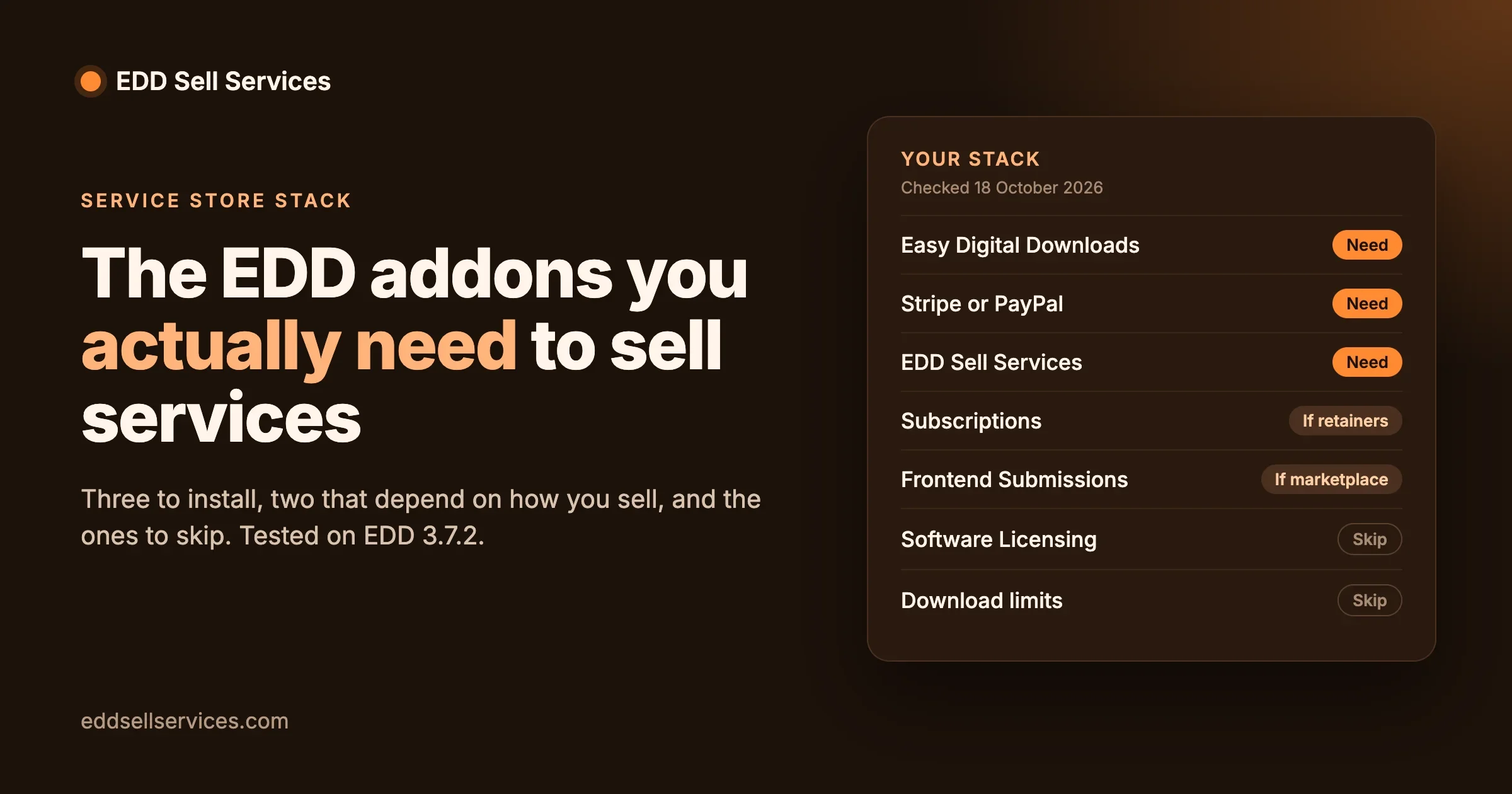
Our guide to the Easy Digital Downloads addons a service store needs covers the plan choice and the Customer Registration setting in more detail, and how to sell services with Easy Digital Downloads walks through a single-seller store from the start.
Before you invite vendors
Three things we found while testing, each with what to do about it. The first, admin access to vendor orders, is covered above: add yourself as co-author on vendor services.
Create vendor services through a form, not by import
Symptom: a vendor says they have an order, the buyer can see the vendor working on it, but the vendor’s Manage Customers Services list is empty. Check: was the service created by an import, a script or a bulk tool rather than the service editor or the vendor form? Fix: open the service in the editor and save it once; that writes the record the vendor’s list looks for, and in our test the order appeared straight away. Prevent: have vendors create services through the Frontend Submissions form, which saves that record. We have reported this to the plugin team so the vendor list will no longer depend on it.
Usernames show in the conversation
Symptom: messages on the order are signed with the WordPress username (in our test, “Vendorsam”) rather than the display name, while the status lines use the display name. Fix for now: ask vendors to choose a username they are happy for buyers to see when they register. This is on the plugin team’s list to change.
Is EDD the right base for your marketplace?
Easy Digital Downloads suits a marketplace where everything sold is digital or a service: no shipping, no stock, a short checkout. If your vendors also sell physical goods, or you need vendor storefront pages with their own branding, WooCommerce with a vendor plugin may fit better. Our sister site compares Dokan, WCFM and WC Vendors for a services marketplace if you want to see that route.
For a pure services marketplace, the EDD route keeps the stack small: one store plugin, two extensions from the same pass, and one service layer.
Frequently asked questions
Can Easy Digital Downloads run a multi-vendor marketplace?
Yes. Frontend Submissions adds vendor registration, approval and a vendor dashboard, and Commissions records each vendor’s share of every sale. Both come with EDD’s Professional Pass.
Does EDD Sell Services work with Frontend Submissions?
Yes. It adds the service option, delivery time and requirement questions to the vendor’s listing form, and gives vendors a list of their customers’ service orders on the Manage Order page, where they message buyers and mark the final delivery.
How are vendors paid?
Commissions records each vendor’s share as unpaid. You export unpaid commissions as a CSV and pay them through PayPal mass payment or another method, then mark them paid. Payment is not automatic.
Who receives the buyer’s money?
You do. The payment goes to your store’s Stripe or PayPal account, and you pay vendors their commission on your payout schedule.
Can two people work on one vendor’s service?
Yes. EDD Sell Services has an additional vendor, support agent or co-author field. A user added there sees and works the orders for that service alongside its owner.
Can a buyer reject a delivery?
When a vendor marks a final delivery, the buyer is asked to accept it with Yes or Not Yet. In our test, Not Yet kept the order open with the buyer’s note on it, and the vendor could send a new final delivery.
Can a vendor change the due date?
Yes. The vendor’s order page has an Update Delivery Date button. In our test the new date showed on both sides straight away. The buyer is not asked to approve it, so make a message on the order part of your rules.
Do I need Frontend Submissions if my team does all the work?
No. If everyone delivering is on your staff, add them as co-authors on services or give them a store role. Frontend Submissions is for outside sellers who sign up and list their own services.
How we tested this
On 18 October 2026 we installed WordPress 7.1.3, Easy Digital Downloads 3.7.2 and EDD Sell Services 4.3.0 on a local test site. We created a service owned by a user with the store vendor role, bought it as a customer, sent the brief, then worked the order as the vendor through to final delivery, acceptance and the review step. On a second order we moved the due date as the vendor and answered a final delivery with Not Yet as the buyer. We read the EDD Sell Services 4.3.0 code for its Frontend Submissions connection. Frontend Submissions and Commissions details come from their product pages on easydigitaldownloads.com on the same day; we did not test those two extensions.
Planning a services marketplace? See what EDD Sell Services does, compare plans and pricing, or talk to us about building your EDD service marketplace.