Easy Digital Downloads Payments: Gateways, Fees, Refunds and a Test-Mode Launch Checklist
Which payment gateways Easy Digital Downloads supports, where the fees come from, how refunds and disputes work, and a test-mode checklist to run before you take real money.

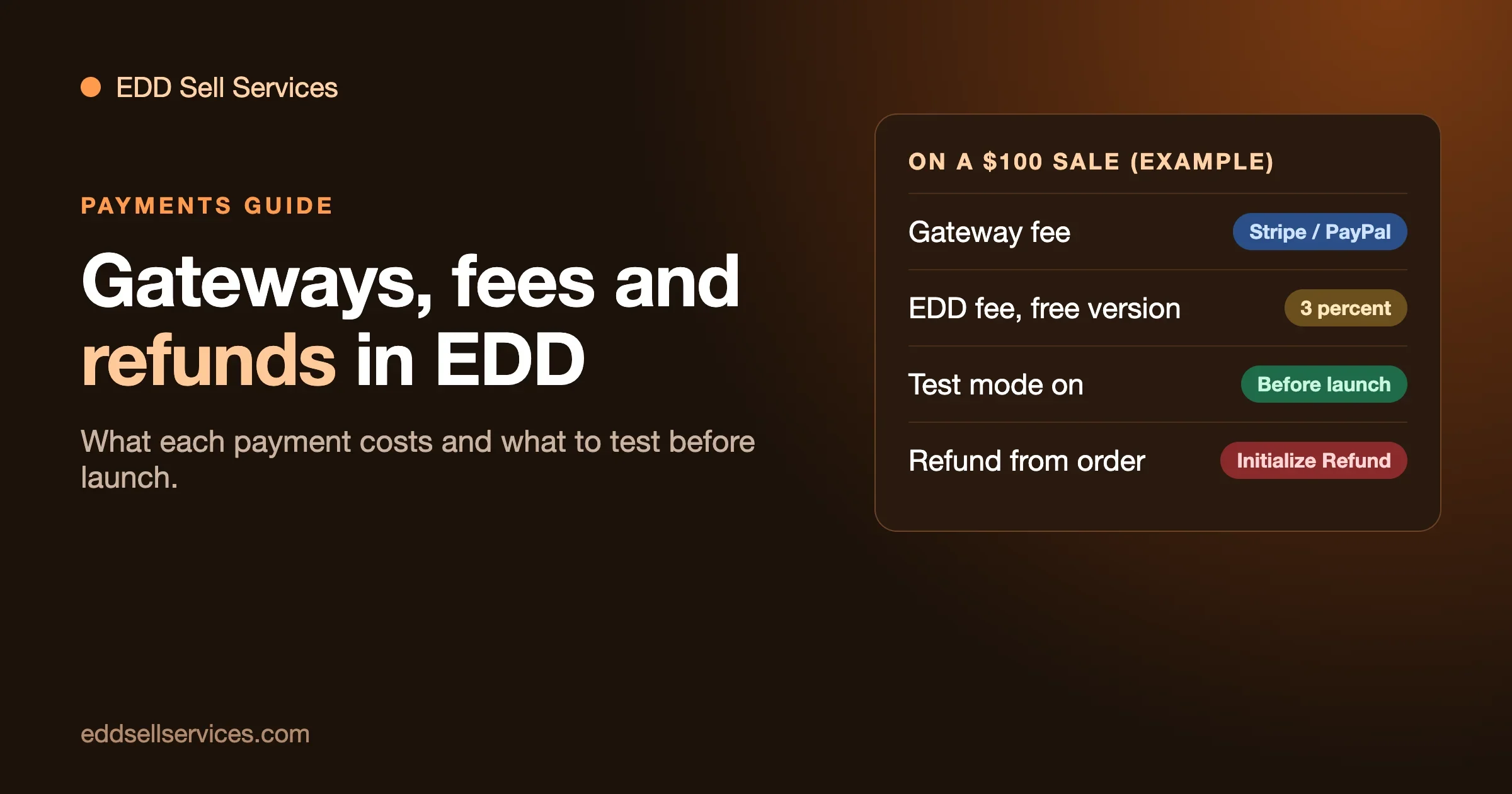
Easy Digital Downloads takes payments through Stripe, PayPal and Square, plus a longer list of wallets and local methods that those gateways switch on for you. You connect an account, turn on test mode, place a test order, and then go live. That is the short version. The part people get wrong is the money: there are up to three separate fees on every sale, and only one of them comes from the gateway.
This guide is for someone who sells services or digital products with Easy Digital Downloads (EDD) and wants a plain answer to four questions. Which gateway should I use? Where do the fees come from? What happens when a customer wants a refund or disputes a charge? And what do I test before I take a real payment? Every claim about EDD below comes from EDD’s own documentation or its listing on WordPress.org, read on 23 October 2026. Fee numbers from gateways come from their pricing pages and are marked (confirm) where we could not read the page for your country.
The short answer
- Gateways: Stripe and PayPal are the main two, Square is also built in, and EDD lists many more in its gateway library. You can run more than one.
- Fees: the gateway charges its own processing fee. On the free version of EDD, EDD adds a 3 percent per-transaction fee on top. A paid pass at the right level removes that EDD fee.
- Refunds: you start them from the order in your WordPress admin, and EDD can send the money back through the gateway in the same step. The gateway usually keeps the fee you paid to take the original payment.
- Test first: turn on EDD’s test mode, connect the gateway in test mode too, and place a test order from checkout to download. Switch test mode off only after that works.
Which payment gateways does Easy Digital Downloads support?
The plugin’s page on WordPress.org lists what is available straight away. It names credit cards through Stripe and Square; Apple Pay and Google Pay; WeChat Pay, Alipay, Amazon Pay and GrabPay; Bancontact, EPS, giropay, iDEAL (Wero), Klarna and Przelewy24; and PayPal, PayPal Credit, Venmo, CashApp and Link by Stripe. It ends with “and more.”
You do not install each of those as a separate gateway. Most of them arrive through one of three connections:
Stripe
You connect with a button under Downloads, Settings, Payments, Stripe, and log in to or create a Stripe account. EDD’s documentation says it offers Stripe Connect only. It does not support pasting in API keys by hand. Stripe is how you get cards, Apple Pay, Google Pay, Klarna, Link, iDEAL and SEPA Direct Debit, among others. EDD’s own page says it does not support every Stripe payment method, and which ones a buyer sees depends on currency, country and what is in the cart. You manage the list in your Stripe settings.
PayPal
You connect under Downloads, Settings, Payments, PayPal. You need a PayPal business account. A personal account cannot connect, and the connection needs an SSL certificate. Checkout uses PayPal buttons and a pay-with-PayPal window that keeps the buyer on your site. Optional methods include Pay Later, cards through PayPal, Venmo for approved US merchants, Apple Pay, Google Pay and Fastlane. Card fields on your own checkout need PayPal’s Advanced Card Processing approval, and Fastlane needs Vaulting approval. PayPal, not EDD, decides which methods each buyer sees.
Square
Square takes card payments and has its own setup guide in the EDD docs. In EDD 3.7.1.1, the changelog says Square orders are completed only after Square confirms the payment is complete, which matters if you deliver work automatically on completion.
The built-in store gateway
EDD includes a Store Gateway that handles free orders and test transactions. The documentation says it can work even without an internet connection, so you can build and test a store before you connect anything live.
More gateways as extensions
EDD says many more gateways are available as extensions in its gateway library. The documentation does not list their prices, and neither do we. If you need a gateway that is not above, check the library page and what the extension costs before you plan around it.
How do you choose?
Three questions settle most stores.
- Where are your buyers? Local methods such as iDEAL, Bancontact or Przelewy24 matter a lot to buyers in those countries and almost nothing elsewhere. Look at where your sales come from before you worry about the list.
- Do you sell on a recurring basis? EDD’s WordPress.org page says subscriptions and recurring payments need a higher paid tier. The Stripe and PayPal pages both note recurring support, so check which pass you need first.
- Does your buyer expect PayPal? Some buyers will only pay that way. Offering both Stripe and PayPal costs you nothing extra to set up and removes a reason to leave at checkout.
Where do the fees come from?
On every sale, money can be taken in up to three places. Writing them down separately is the single most useful thing you can do before you set a price.
1. The gateway’s processing fee
Stripe, PayPal or Square charges you for handling the payment. This is not an EDD fee, and it applies whether you use the free plugin or a paid one. The rate depends on your country, your account type and the kind of payment.
As an example of how it reads, PayPal’s US business fees page, which we read on 23 October 2026, lists 3.49 percent plus a fixed fee of 0.49 USD for PayPal checkout, and 2.99 percent plus the same fixed fee for standard card payments. It adds 1.50 percent for international commercial transactions. (confirm) for your own country and account, because rates vary.
Stripe’s rate also depends on your country. The Stripe pricing page we could open from here was the Indian version, so we are not quoting a US figure. Read Stripe’s page for the country your account is in (confirm), and note any extra charge for international cards and currency conversion.
2. EDD’s own fee on the free version
EDD’s PayPal documentation says: the free version of Easy Digital Downloads adds a 3 percent per-transaction fee, and activating an EDD license removes it. The Stripe documentation calls it a 3 percent application fee and says you avoid it by holding an Extended pass or higher. It also warns that the fee returns if the license fails to renew or expires, and that it applies to renewal orders as well. The PayPal page says the current rate shows as a “Pay as you go pricing” row in the Connection Status area, and that if the row is not there, no platform fee applies.
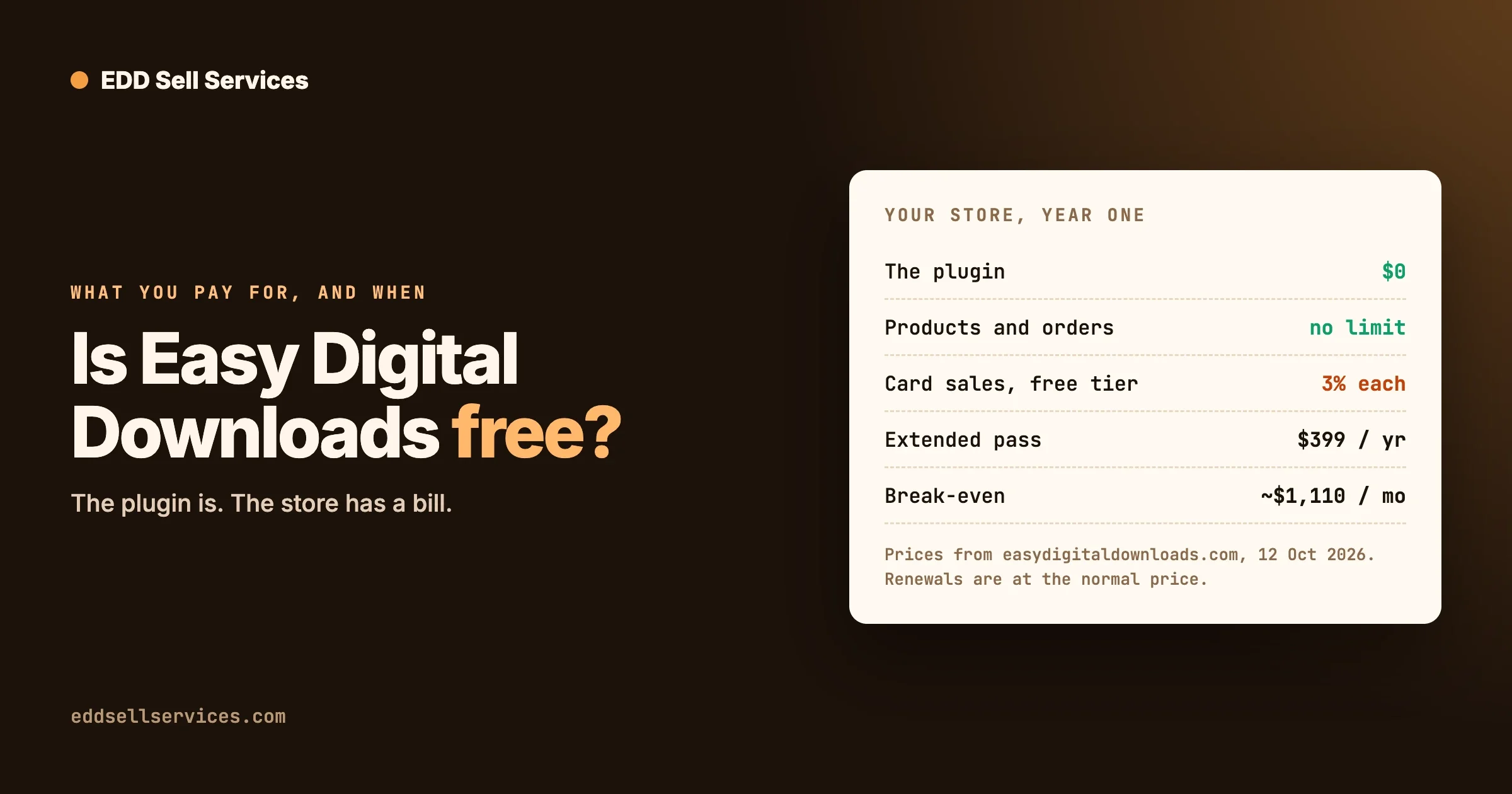
We covered what each pass costs, and the point at which a pass pays for itself, in Is Easy Digital Downloads Free? What You Pay For and When. Prices change, so read EDD’s pricing page the day you decide.
3. Your own costs outside the sale
Currency conversion, a payout fee to your bank, sales tax or VAT you owe, and the cost of a refund. None of these are on the EDD screen, and all of them reduce what you keep.
A worked example
Take a $100 service paid for through PayPal checkout by a buyer in the US, using the rates above on the free version of EDD.
Line | Amount | How |
|---|---|---|
PayPal checkout fee (confirm) | $3.98 | 3.49 percent of $100 plus $0.49 |
EDD fee on the free version | $3.00 | 3 percent of $100 |
Total fees | $6.98 | 6.98 percent of the sale |
You keep | $93.02 |
If the buyer is international, PayPal’s extra 1.50 percent adds $1.50, so the fees rise to $8.48 (confirm). On a $20 sale, the fixed $0.49 matters more than the percentage: the PayPal fee alone is $1.19, almost 6 percent. That is why small, low-priced services need either a bundle or a higher minimum order.
These are illustrations built from published rates, not promises. Run the numbers on your own sales for a month.
One more thing to check: the review that says it is new
A reviewer on WordPress.org says an update added a 3 percent fee. We have not verified that claim and we are not repeating it as fact. What we can say is that EDD’s own documentation now states the fee plainly, so treat it as part of the price and not a surprise. If you manage client stores, tell them before they find it on a statement.
How do refunds work in Easy Digital Downloads?
EDD’s refund process depends a little on the gateway. The documentation describes the usual path.
- Go to Downloads, Orders, open the order, and click Initialize Refund in the Order items section.
- In the refund window, pick the items to refund. For a gateway that supports it, you will see an option to refund the charge through that gateway, for example “Refund Charge in Stripe.” Tick it, and EDD sends the money back to the buyer through the gateway.
- If the order has a subscription, there is also a Cancel Subscription option.
- Submit. EDD records the refund and updates sales and earnings figures, customer records and download links.
Partial refunds
Tick the item and type an amount in the Subtotal column. The documentation’s example refunds $5 from a $20 order. The order then shows Partially Refunded, and you can keep refunding until the full amount has gone back, at which point it becomes Refunded. This is the right tool for a service you partly delivered.
EDD 3.7.2 fixed a PayPal problem here: partial refunds failing for amounts of 1,000 or more, and on stores that use a comma as the decimal separator. If you run an older version and sell high-priced services, that is a reason to update after testing on staging.
Check that the money actually moved
If the gateway processed the refund, the order notes record a Refund ID. If there is no note, open the payment in Stripe or PayPal and confirm. Stripe’s documentation adds that if you refund directly in the Stripe dashboard, webhooks update the matching order to refunded, so the two stay in step as long as the webhook is working.
What the gateway keeps
PayPal’s fee page says refunding a commercial transaction has no fee, but the fees you originally paid to receive the payment are not returned, for full and partial refunds alike (confirm) for your country. Check your gateway’s rule before you promise anyone a full refund, because the fee is real money out of your pocket.
What EDD’s docs do not cover
The EDD refund page does not address download access or licence revocation, refund emails, or a refund window setting. Decide those yourself and write them in your terms. For a service, the useful questions are: can the buyer cancel before you start, what is refunded once you have started, and how many days does a buyer have to approve a delivery?
If you use EDD Sell Services, one setting helps here. From its product page, it lets you set a number of days on final delivery: if the customer never responds, the order moves to review on its own. That stops a delivered job from sitting open forever. It does not decide your refund policy, which is yours to write.
What about disputes and chargebacks?
A refund is something you do. A dispute is something that happens to you: the buyer asks their bank or PayPal to take the money back. Neither EDD’s Stripe page nor its PayPal page describes a dispute process, and we will not invent one. Here is what is documented, and what is our own advice.
What EDD documents
- Stripe: an Early Fraud Warning email that alerts you to flagged payments, so you can review the order before a dispute happens. It needs the
radar.early_fraud_warning.createdwebhook event. Stripe Radar rules can also block prepaid cards. - PayPal Standard: since EDD 3.7.1, dispute messages from the legacy IPN are stored in order notes in a better way.
- PayPal’s own fee page lists a dispute fee and a chargeback fee. We read 15 USD for a standard dispute and 20 USD per chargeback on the US page (confirm). Stripe also charges a fee per dispute, and the amount depends on your country.
What we suggest you keep, so you can answer one
A dispute is won with records. For a digital product, the record is the download log and the receipt. For a service, it is the order itself: what was agreed, what the buyer was asked, what you delivered and when. We suggest keeping, for every service order:
- A written scope on the product page that the buyer saw before paying.
- The buyer’s answers to your requirement questions.
- The conversation, with dates.
- The final delivery, with proof of when it was sent.
- Your refund policy, and a record that the buyer saw it.
That is the main practical reason to run a service on an order that holds the whole conversation, and not an email thread. It is what EDD Sell Services does: chat, shared files and a status tracker live on the order. We do not claim it wins disputes. It makes the evidence easy to find.
The test-mode launch checklist
EDD’s own guide, Testing Your Store Before Launch, gives the order. Here it is, with the traps we would watch for.
Step 1: Turn on test mode
Go to Downloads, Settings, Payments, General, switch on Enable Test Mode, and save. Orders placed now are test orders and no real money moves.
Step 2: Connect the gateway in test mode as well
This is the step people miss. EDD’s test mode and Stripe’s test mode are separate. If you only connected Stripe in live mode, reconnect under Payments, Stripe with the Connect with Stripe button while test mode is on. PayPal works the same way but with sandbox accounts: at developer.paypal.com, create a Business and a Personal sandbox account, connect the Business one in EDD, and pay with the Personal one at checkout.
Two warnings from the PayPal documentation. Do not leave a sandbox account connected when test mode is off. Do not leave a live account connected when test mode is on. Either one leads to orders that look right and are wrong.
Step 3: Place a test order as a customer
Add a product to the cart and check out the way a buyer would, logged out and on a phone as well. With Stripe in test mode, the documentation gives the card number 4242 4242 4242 4242, with any future expiry date, any CVC and any ZIP code. EDD’s Stripe page advises against Stripe’s temporary test account, because recurring renewals do not work with it.
Step 4: Confirm everything that should happen did
EDD’s checklist says to verify five things:
- The purchase confirmation page shows a download link.
- The receipt email arrives with a working download link.
- The download delivers the correct file.
- The order appears under Downloads, Orders, marked as a test order.
- The store owner’s sale notification email arrives.
For a service store, add four of your own: the buyer is asked your requirement questions after payment, the delivery date shows, a message in the order chat reaches the other side, and delivering a file moves the order on. If receipt links fail after an update, see Receipt Links Not Opening After an Easy Digital Downloads Update.
Step 5: Test a refund too
EDD’s checklist does not say this, but we would. Refund a test order in full and then another in part. Look for the Refund ID in the order notes, if your gateway issues one in test mode. A launch is a bad time to find out your gateway needs a webhook you never set up.
Step 6: Check the webhook
EDD sets Stripe webhooks up automatically when you connect. On local or staging sites, or in test mode, you may need the test webhook creation option. For a manual setup, the documentation gives an endpoint in the form of your site URL followed by ?edd-listener=stripe, and recommends separate endpoints for test and live. Webhooks do not work on a local development environment. PayPal’s Connection Status shows whether its webhook is configured, and has a Sync Webhook button.
Step 7: Go live
Switch off Enable Test Mode and save. If you connected Stripe in both modes, EDD switches to the live connection by itself. If you only connected in test mode, connect Stripe in live mode before taking real payments. Then delete the test orders so they do not muddy your reports.
The pre-launch list on one screen
- At least one product with a price and, if it has one, a file
- A gateway connected in live mode
- A receipt email with the right from name and from email
- Checkout and confirmation pages in place
- A successful test order from checkout through delivery
- A refund tested
- Test mode turned off
- One real order of your own, refunded, to see the live fees on a statement
That last one costs you a few dollars and shows you the real numbers.
Common problems and what to check first
The payment succeeded at the gateway but the order is not complete
Check: the webhook status in Stripe or PayPal, and whether your site can receive requests from outside (a firewall or a maintenance plugin can block it). Fix: resync the webhook. Prevent: include a webhook check in your launch list.
Orders are marked On Hold after payment
EDD 3.7.2 changed something related: paid orders whose discount code has no uses left are placed On Hold for review instead of completing. If you see On Hold orders, check the discount code on them before you suspect the gateway.
The checkout shows fewer payment methods than expected
Methods depend on currency, country and cart contents, and for Stripe you manage them in your Stripe settings. For PayPal, stores connected before newer methods were added must disconnect and reconnect to see them.
Fees look higher than you expected
Compare a real statement line by line: gateway fee, EDD fee, conversion. If an EDD fee is showing and you hold a pass, check that the licence is active, because the fee returns if the licence lapses.
Checkout customisations broke payment
If you changed the checkout page, retest a payment after every update. Our guide to customizing the EDD checkout without breaking updates covers what to change with a hook and what to leave alone.
The complete setup: a service store on EDD with EDD Sell Services
Connecting a gateway and passing the test-mode checklist gets you paid. Delivering a service after the payment is a different job: the buyer needs to send a brief, you need to give a delivery date, and both of you need somewhere to talk and hand over the work. EDD Sell Services is our add-on that adds that to the EDD order. Everything below comes from its product page (version 4.3.0, updated March 2025, tested up to WordPress 6.7.2), read on 23 October 2026.
What it adds
- A service is an ordinary EDD product with an estimated delivery time, sold through the checkout you have just tested.
- The buyer answers your requirement questions after payment, and you can save a set of questions for the next service.
- The delivery date can be updated later from the service page.
- Each order has real-time chat, file sharing, a status tracker and notifications, and the vendor gets an email when an order is placed.
- The seller attaches the final file and marks delivery, and ratings go both ways.
- You set a number of days on the final delivery. If the customer never gets back to you, the order moves to the review stage on its own.
- On a subscription service, the chat thread stays open for the life of the subscription.
- Paired with the Frontend Submissions extension for EDD, third-party vendors list and manage their own services.
- Seven colour pickers cover the service panels and the conversation, with a border radius setting.
How it connects to payments, refunds and disputes
The page does not mention quotes, revisions, refunds or disputes, so those remain rules you write and the refund screen described above. What the add-on gives you is the record: the brief, the messages, the files and the delivery sit on the order, which is the evidence a refund decision or a dispute needs. The delivery review days are worth matching to the approval window you write in your terms.
What is free and what is paid
Easy Digital Downloads itself is free to install, with its paid passes and the fee on the free version covered above and in Is Easy Digital Downloads Free?. EDD Sell Services is a paid add-on with no free version listed. Every plan includes the full feature list, and the plan only sets the number of sites: Personal, for one site, is $59 a year or $199 once; Professional, for five sites, is $129 a year or $299 once; Agency, for unlimited sites, is $299 a year or $499 once. The page says renewals after the first year are billed at 30 percent of the base price, and it offers a 30-day money-back guarantee. Check the pricing page for current figures, and the live demo to try it.
The path from here
- Connect your gateway in test mode and run the checklist above.
- Install EDD Sell Services on the same staging copy and create one service with a delivery time and a saved question set.
- Buy it in test mode, answer the brief, deliver, accept, then refund it.
- Switch test mode off, place one real order of your own and refund it, then go live.
Keep EDD current as well, and test every update on staging before it reaches the live store.
Frequently asked questions
Can I use more than one gateway?
Yes. Many stores offer Stripe and PayPal side by side. Each one needs its own connection and its own test.
Does EDD take a cut of every sale?
On the free version, EDD documents a 3 percent per-transaction fee on top of the gateway’s fee. A paid pass at the right level removes it, and the fee comes back if the licence lapses. The details and the pass prices are in our guide to what is free.
Do I need a paid pass to take card payments?
No. Stripe, PayPal and Square connect on the free plugin. You pay the fee described above instead.
How do I take a payment without a card, such as a bank transfer?
Some methods, such as SEPA Direct Debit, come through Stripe depending on country. For a manual bank transfer, check EDD’s gateway library for an extension, and test the order status it creates before you rely on it.
Can I test without a real card?
Yes. Use test mode and Stripe’s test card, or PayPal sandbox accounts. The built-in store gateway handles free orders and test transactions with no internet connection.
What should my refund policy say for a service?
It should say what the buyer gets back before work starts, what they get back after, how many rounds of changes are included, and how long they have to approve a delivery. Check it against the consumer rules where you and your buyers live. We are not lawyers, and this is not legal advice. EDD also has a documentation page on the customer right of withdrawal, which we have not reviewed here.
What to do next
Open your store and write down, for one real service, the price, the gateway fee, the EDD fee and what you keep. If the last number surprises you, that is the useful finding. Then run the test-mode checklist once from start to finish before you tell anyone the store is open.
If you sell services and want the brief, the chat, the delivery date and the hand-over on the order itself, see EDD Sell Services and our pricing page. If your payment flow needs custom work, we can scope it on a short discovery call.