The 10 Best Online Community Platforms of 2025

Social media feeds are algorithm-driven and unpredictable, which is exactly why brands, creators, and businesses keep moving serious community-building work to dedicated platforms they actually control. A structured space, one built around discussion, member profiles, and real engagement tools rather than an ad-optimized feed, does more for retention and depth of connection than another public group competing for attention on someone else’s platform.
With this many options on the market, picking the right one comes down to matching a platform’s actual strengths to what your community needs to do: sell courses, host live discussion, manage a professional network, or all three at once. Here’s a practical rundown of the strongest options in 2025.

What an Online Community Platform Actually Provides
Online community platforms are purpose-built for member interaction rather than passive content consumption: discussion boards, member profiles, activity feeds, moderation tools, and often monetization built in. That’s the core difference from generic social media, where community features exist alongside (and compete with) an algorithm optimized for ad revenue rather than member retention. Businesses, educators, nonprofits, and creators use these platforms specifically because they offer a controlled space free of that algorithmic noise.
Why Owned Communities Matter More Than a Social Media Presence
A community you own gives you the member data, the engagement history, and the ability to change platforms without losing the relationship, none of which a Facebook Group or Discord server truly gives you, since the platform ultimately controls access and visibility. Owned communities also convert better over time: members who’ve invested in discussions, built reputation, and made connections inside a platform are measurably harder to churn than followers scrolling past a brand’s posts in a crowded feed.
How to Actually Choose the Right Platform
Start with what your community needs to do, not which platform has the longest feature list. If monetization is central, prioritize platforms with native payment and course-selling tools built in rather than ones that require third-party plugins bolted on. If your audience skews toward real-time discussion, prioritize live chat and voice channel support. Check customization depth if brand consistency matters to you, scalability if you expect real growth, and integration options (CRM, email marketing, analytics) if the community needs to plug into a broader marketing stack rather than operate as an island.
10 Online Community Platforms Worth Evaluating in 2025
1. BuddyX Theme

One clarification worth making upfront: BuddyX is a WordPress theme, not a standalone community platform on its own. It’s designed to work with BuddyPress or BuddyBoss, which handle the actual community mechanics (member profiles, groups, activity streams, private messaging), while BuddyX provides the responsive front-end design layer on top. That combination gives you a self-hosted community running on WordPress you fully own, with WooCommerce support for selling products and native compatibility with LMS plugins like LearnDash, Tutor LMS, and LifterLMS for course-based communities.
Best for: WordPress users who already run BuddyPress or BuddyBoss and want a polished, customizable front end for it.
2. BuddyNext
If you’d rather not assemble a theme, a community plugin, and an LMS separately, BuddyNext is a free, standalone WordPress community platform built as a single system rather than a theme-plus-plugin combination. It covers activity feeds, Spaces (group-style communities), member profiles, and messaging out of the box, and it isn’t built on top of BuddyPress, it’s a separate architecture designed from the ground up as one product. BuddyNext Pro adds native Stripe memberships for anyone who wants to monetize access directly.
Best for: WordPress users who want a complete, self-hosted community system without stitching together a theme and a separate community plugin.
3. Mighty Networks
Mighty Networks is built for creators who want to sell courses, run memberships, and host community discussion in one platform rather than three. Its integrated course tools let you sell directly inside the community space, and a native mobile app gives members easy access without a separate download for your specific community. The community-first design encourages peer discussion rather than treating courses as a bolt-on feature.
Best for: Course creators and entrepreneurs who want commerce and community tightly integrated.
4. Bettermode (formerly Tribe)
Tribe rebranded to Bettermode as the platform shifted toward a broader, more customizable community and customer engagement offering. It’s built for businesses that want a branded community with AI-assisted content recommendations and integrations with tools like HubSpot, Slack, and Zapier. Deep customization options let businesses match the platform to their existing brand rather than settling for a generic template.
Best for: Businesses wanting an automated, integration-heavy community tied into an existing marketing stack.
5. Discourse
Discourse is open-source, which means full control over hosting, customization, and data ownership for organizations that want it. Strong moderation tools, including automated flagging, help maintain discussion quality at scale, and the platform is built with SEO in mind, so public discussions can actually drive organic search traffic back to the community. Self-hosting Discourse requires more technical setup than a hosted SaaS platform, which is the trade-off for that level of control.
Best for: Organizations that want full ownership and are comfortable with (or have access to) the technical setup that requires.
6. Skool
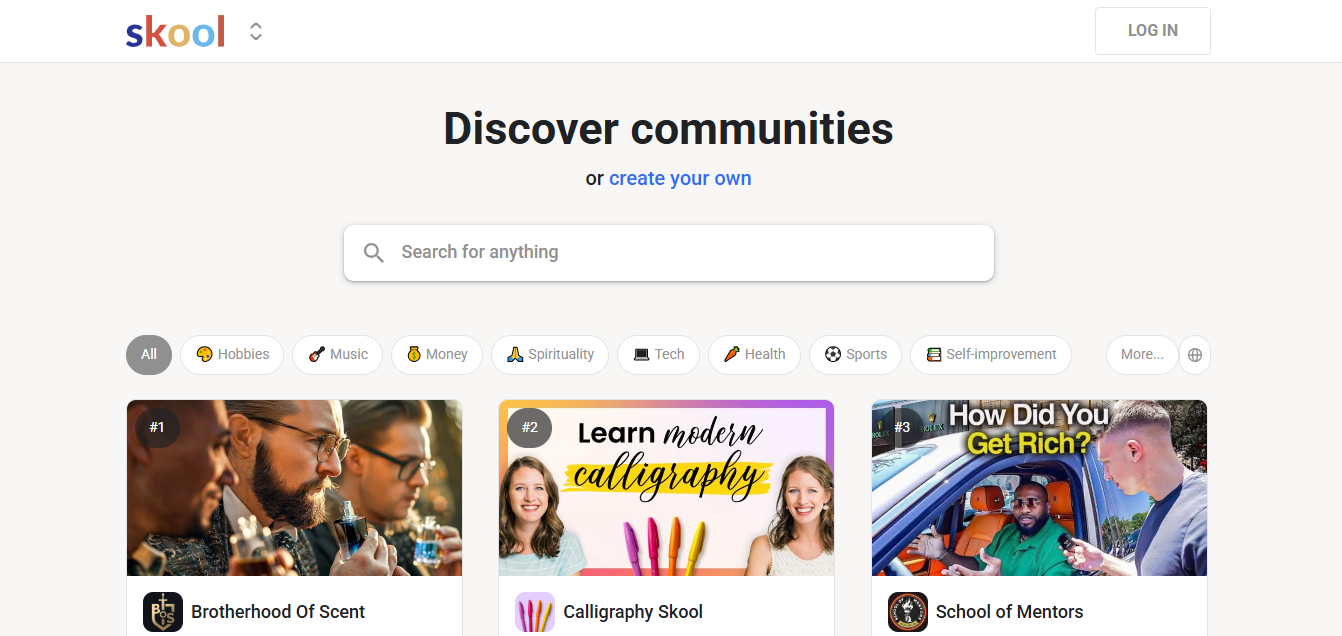
Skool has built a strong reputation among coaches and educators for a genuinely minimalist interface that reduces the distraction most community platforms accumulate over time. Built-in gamification, points and levels tied to participation, keeps members active without requiring a separate engagement tool, and its structured course-plus-community layout suits cohort-based learning particularly well.
Best for: Coaches and educators who want a clean, distraction-free space that combines light course delivery with discussion.
7. Facebook Groups
Facebook Groups remain a viable starting point for community building purely on reach: no setup cost, no software to learn, and access to an existing user base in the billions. Built-in tools like live video, events, and polls support real engagement without extra software. The trade-off is real: you don’t own the data, Meta’s algorithm decides how much reach your posts get, and monetization and customization options are minimal compared to a dedicated platform.
Best for: Early-stage or informal communities testing demand before investing in a dedicated platform.
8. Slack
Slack was built as a business communication tool, but plenty of professional and industry-specific communities now run on it directly, treating channels as discussion spaces rather than internal team chat. Real-time messaging, deep integration with other business tools, and a more private, structured environment than public social media all make it a reasonable fit for professional networks and corporate-adjacent communities.
Best for: Professional networks, industry groups, and corporate-adjacent communities that value structured, private communication.
9. Discord
Discord started as a gaming-focused voice chat tool and has genuinely expanded into education, business, and creator communities well beyond that original use case. Voice and video channels create a sense of real-time presence that text-only platforms don’t match, and granular custom roles and permissions let large servers stay organized as they scale. It’s free to use, which lowers the barrier for community members to join.
Best for: Communities that rely on live voice discussion and real-time presence rather than asynchronous posting.
10. Kajabi Communities
Kajabi Communities is built into the broader Kajabi ecosystem, which already handles course hosting, email marketing, and sales pages. For educators already using Kajabi for courses, adding community functionality in the same platform avoids managing a separate tool, and built-in monetization covers memberships and exclusive content without a third-party payment integration.
Best for: Course creators already invested in the Kajabi ecosystem who want community and course delivery under one roof.
11. Hivebrite
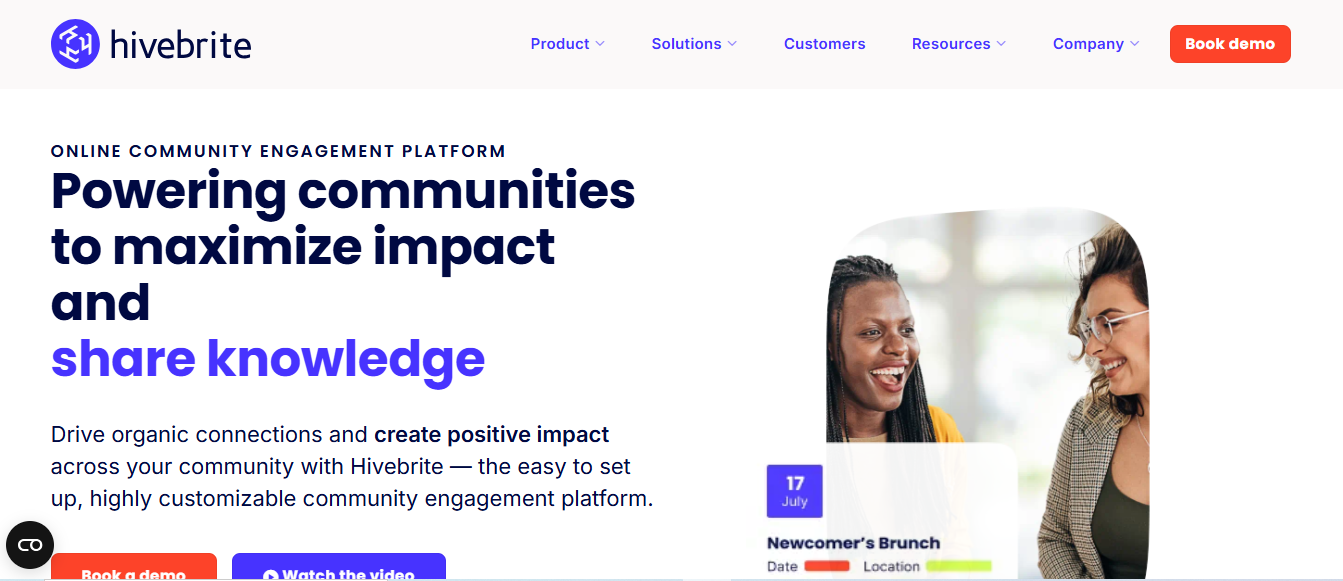
Hivebrite targets professional organizations, nonprofits, and alumni networks with advanced membership management built for exclusive, structured access rather than open public communities. Event and fundraising tools are genuinely useful for nonprofit and professional-association use cases, and white-label branding lets larger organizations present the platform as fully their own.
Best for: Alumni networks, professional associations, and nonprofits needing structured membership management and event tools.
Quick Comparison
| Platform | Ownership Model | Best Fit |
|---|---|---|
| BuddyX Theme | Self-hosted (needs BuddyPress/BuddyBoss) | Custom WordPress community front end |
| BuddyNext | Self-hosted, standalone | All-in-one WordPress community without extra plugins |
| Mighty Networks | Hosted SaaS | Course creators, entrepreneurs |
| Bettermode (Tribe) | Hosted SaaS | Branded, integration-heavy business communities |
| Discourse | Self-hosted, open-source | Full data ownership, technical teams |
| Skool | Hosted SaaS | Coaches, educators, cohort learning |
| Facebook Groups | Platform-owned | Early-stage, informal communities |
| Slack | Hosted SaaS | Professional, industry-specific networks |
| Discord | Platform-owned | Real-time voice and text communities |
| Kajabi Communities | Hosted SaaS | Kajabi-based course creators |
| Hivebrite | Hosted SaaS | Alumni networks, nonprofits, associations |
Also read: The Best Modern Community Platforms in 2025 and The Best 10 Online Community Building Tools 2025
Self-Hosted vs. Hosted SaaS: The Real Trade-off
Self-hosted options like BuddyX-plus-BuddyPress, BuddyNext, and Discourse give you full data ownership and no platform lock-in, which matters if you’re building something you plan to run for years. The trade-off is you handle hosting, updates, and security yourself, or pay someone to. Hosted SaaS platforms like Mighty Networks, Skool, and Kajabi handle that infrastructure for you in exchange for a subscription fee and less control over the underlying data and customization. Neither approach is universally correct; it depends on whether your priority is minimizing setup effort or maximizing long-term ownership and cost control.
Cost also scales differently between the two models. A hosted SaaS platform’s subscription typically grows with member count or feature tier, which can turn into a meaningful recurring cost once a community reaches a few thousand active members. A self-hosted WordPress community’s costs are mostly fixed, hosting and any premium plugin or theme licenses, regardless of how large the member base grows, which is one of the more underrated reasons agencies and larger creators eventually migrate toward self-hosted infrastructure even after starting on a SaaS platform.

What Actually Drives Engagement, Beyond the Platform Choice
Picking the right software solves maybe half the problem. Communities that thrive over the long run share a few habits regardless of which platform they run on. Someone (often the founder early on) shows up consistently to start conversations rather than waiting for members to initiate everything themselves. New members get a clear, low-friction path to their first meaningful interaction, an introduction thread, a welcome sequence, a specific question to answer, rather than landing in a wall of old posts with no obvious entry point. And activity gets recognized: replies, shoutouts, or simple acknowledgment that a member’s contribution was seen, which costs nothing but consistently correlates with retention.
None of the platforms on this list automate that work away entirely, though gamification features (points, badges, leaderboards) can support it. The platform is infrastructure. The habits are what actually keep members coming back week over week.
Monetization Models Across These Platforms
How each platform handles payment matters as much as its discussion features if revenue is part of your community’s purpose. Mighty Networks, Skool, and Kajabi Communities bundle payment processing directly into the platform, taking a cut or requiring a subscription tier in exchange for that convenience. BuddyNext Pro and a WooCommerce-plus-BuddyX setup route payments through Stripe or WooCommerce directly, which generally means better margins on high volume since you’re not paying a platform-level revenue share on top of standard payment processing fees. Discord, Slack, and Facebook Groups don’t have native monetization built for community access at all, so charging for membership on those platforms means bolting on a separate payment tool and manually managing access, which works at small scale but gets unwieldy as a paid community grows.
Migrating an Existing Community to a New Platform
Moving an established community carries real risk of losing engagement momentum if it’s handled carelessly. A few things worth doing before switching:
- Export member data and discussion history from your current platform before committing to a new one, since not every platform makes this straightforward after the fact.
- Run the new platform in parallel with your existing community for a transition window rather than switching overnight.
- Communicate the move clearly and repeatedly. A single announcement post gets missed by most members; plan for multiple touchpoints across whatever channels you already have.
- Recreate your most active discussion threads or pinned resources on the new platform rather than expecting members to dig through an archive link.
- Expect a temporary engagement dip during the transition. Most active members return within a few weeks if the new platform is genuinely better, but budget for that adjustment period rather than treating a dip as a failed migration.
Frequently Asked Questions
What’s the difference between BuddyX and BuddyNext?
BuddyX is a WordPress theme that needs BuddyPress or BuddyBoss running underneath it to provide community functionality. BuddyNext is a standalone community platform that doesn’t require a separate plugin, it’s a complete system on its own, built on its own architecture rather than sitting on top of BuddyPress. Choose BuddyX if you’re already invested in BuddyPress or BuddyBoss and want a better front end; choose BuddyNext if you want a single tool that handles everything without assembling the pieces yourself.
Is a free platform like Discord or Facebook Groups good enough to start?
For testing demand before investing in a dedicated platform, yes. Once your community has real engagement and you want to own the data, monetize memberships, or customize the experience beyond what a general-purpose platform allows, migrating to a dedicated community platform typically pays off.
How important is mobile access for a community platform?
Very, for most use cases. Members who can only engage from a desktop browser participate less consistently than those with a mobile app or a genuinely responsive mobile web experience. Check this specifically during evaluation rather than assuming every platform handles mobile equally well.
Can I run a paid membership community on a self-hosted WordPress platform?
Yes. BuddyNext Pro adds native Stripe memberships, and BuddyX paired with BuddyPress or BuddyBoss can be combined with WooCommerce or a dedicated membership plugin to handle paid access. Self-hosted options generally give you more control over pricing structure and payment processor choice than hosted SaaS platforms with fixed monetization models.
How do I know if my community has outgrown Facebook Groups or Discord?
A few signals point that direction: you’re spending real time working around platform limitations (manually tracking paid members outside the platform, fighting the algorithm for reach, losing valuable discussion in a scrolling feed), members are asking for features the platform doesn’t offer, or you’ve realized you don’t actually own the relationship with your audience the way you’d like to. Any one of those on its own might not justify a migration, but two or more together usually does.
Do I need technical skills to run a self-hosted community platform?
Some, though the gap has narrowed considerably. BuddyNext and BuddyX are both designed for WordPress users comfortable with standard plugin and theme setup, not developers specifically. Discourse’s self-hosted deployment asks more of you technically, typically a server setup step, which is why many smaller Discourse communities use a hosted version instead of self-hosting from scratch. If you’re already comfortable installing and configuring WordPress plugins, the learning curve for BuddyNext or BuddyX plus BuddyPress is realistically a weekend project, not a multi-week development effort.
Building a Community That Actually Sticks
The right platform depends entirely on what your community needs to do and how much control you want over the infrastructure underneath it. A self-hosted WordPress option like BuddyNext or BuddyX gives you full ownership and no recurring platform fee tied to member count. A hosted SaaS platform trades some of that control for faster setup and less maintenance. Match the platform to your actual priorities, test with a real subset of your audience before fully committing, and remember that engagement tools matter less than consistent, genuine participation from the people running the community day to day.
Whichever platform you land on, revisit the decision periodically rather than treating it as permanent. A platform that fit a 200-member community can genuinely become the wrong tool at 5,000 members, and the cost of migrating early, while the community is still small enough for a clean transition, is a fraction of what it costs to move a large, deeply established community later.
Interesting Reads:
10 Best WordPress Migration Plugins