Productized Services on Easy Digital Downloads: Set One Up
What a productized service is, three ways to package one, how to price it, and how to set it up on Easy Digital Downloads with tiers, add-ons and retainers.

Productized services exist because “I’ll quote you after a call” is how most freelance work is sold, and it is also why so much of it stalls. The buyer has to wait, guess a price, and trust that the scope in your head matches theirs.
A productized service flips that. You decide what is included, what it costs and how long it takes, then you sell it like a product with a button that says Buy. If you already run Easy Digital Downloads, you have most of what you need: a catalogue, a checkout, payments and customer accounts. This guide shows how to package, price and sell a productized service on EDD, with the three packaging patterns we see work, a simple pricing method, and the parts of the setup people forget.
One note on numbers. Where we use prices below, they are worked examples to show the arithmetic, not market data and not real customer results. Put your own hours and rates in.
Key takeaways
- A productized service has a fixed scope, a fixed price and a fixed delivery time, sold the same way to every buyer.
- Three patterns work on EDD: one fixed package, tiers with variable pricing, or a monthly retainer with Recurring Payments.
- Price from your timed hours plus a revision buffer, then check against what similar packages sell for.
- Write the process on the service page: when work starts, how long it takes, how many revision rounds, and what happens if the buyer goes quiet.
What is a productized service?
Short answer: a service with a fixed scope, a fixed price and a fixed delivery time, sold the same way to every buyer. “A one-page website audit, delivered in five working days, for one price” is productized. “Web consulting, price on request” is not.
Three things make it different from ordinary freelance work:
- The scope is written down. The buyer can see what they get and, just as important, what they do not.
- The price is on the page. No quote, no call, no waiting.
- The process repeats. The same intake questions, the same steps, the same delivery format every time.
That repeatability is what lets you sell it online without a conversation, and it is what makes it easier to hand to someone else when you are busy. It also means a productized service is a poor fit for one-off, open-ended work. If every project is different, use a quote form instead.
Why sell it on your own store and not a marketplace?
Marketplaces send you buyers, and that is worth something. They also set the rules, the fees and the relationship. On Fiverr, for example, the client pays a service fee on top of the price. Fiverr’s help center says the fee is 5.5% on all orders, plus $3.00 for orders under $100 (we read that page on 28 October 2026, and fees change, so check it before relying on it). The buyer sees a higher total, the platform owns the customer, and a rating built there stays there.
On your own store you keep the customer list, the reviews and the checkout. Your cost is the payment gateway’s fee, which our post on Easy Digital Downloads payments, gateways, fees and refunds explains. The trade is that you have to bring your own traffic. Plenty of people do both: list a cut-down version on a marketplace to be found, and sell the full package at home.
Which three packaging patterns work?
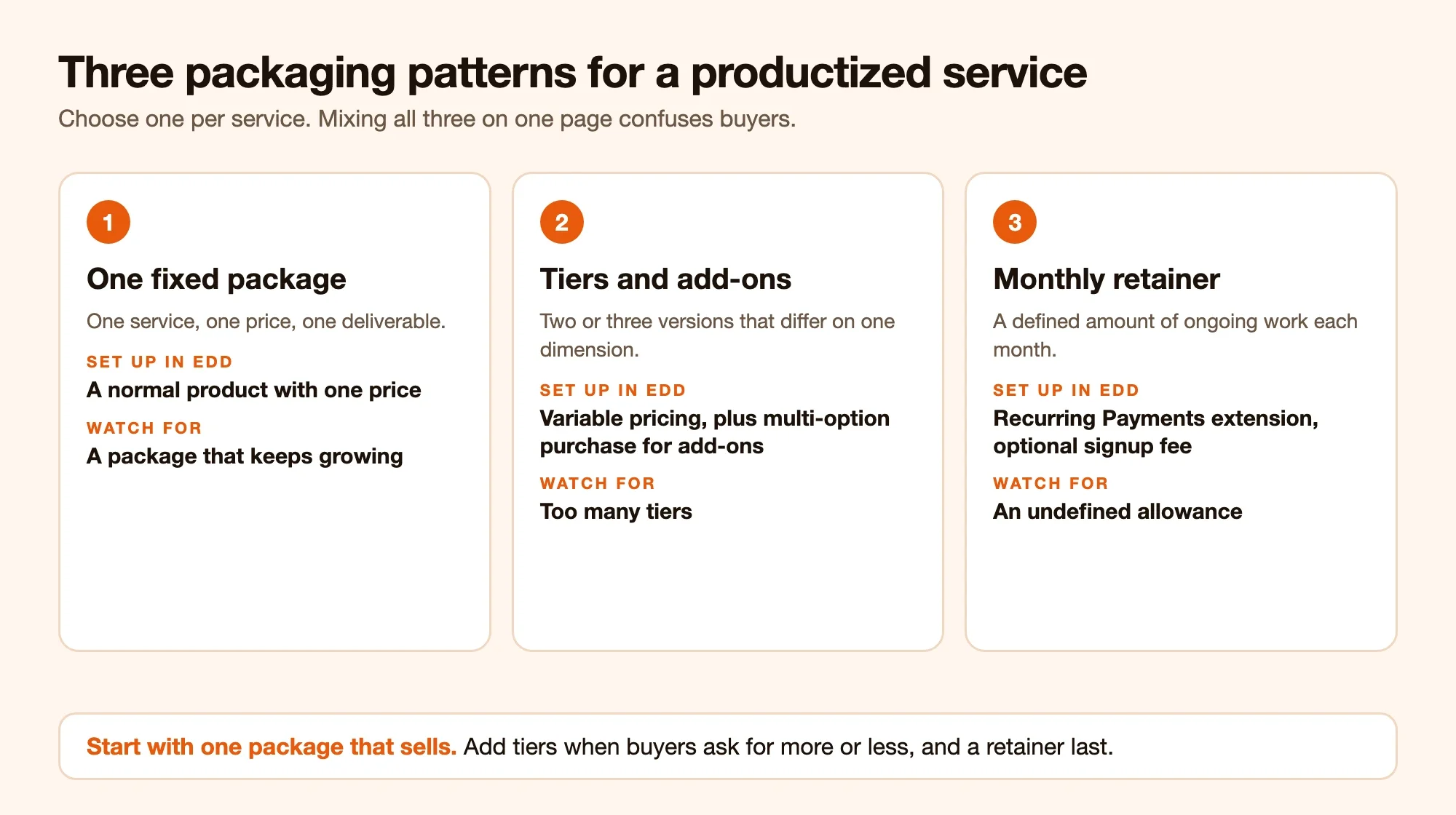
Short answer: one fixed package, a small set of tiers, or a monthly retainer. Pick one per service. Mixing all three on a single page is how buyers end up confused.
Pattern 1: One fixed package
One service, one price, one deliverable. “Logo refresh: three concepts, two revisions, files in four formats.” It is the easiest to explain and to deliver, and the easiest to test.
In EDD this is a normal product with a single price. You set an estimated delivery time on the service, and the buyer pays at the standard checkout, so you are paid before work starts. Our guide to selling services with Easy Digital Downloads walks through that setup.
Fits: audits, reviews, small designs, translations, setups.
Trap: a package that tries to include everything. If you keep adding “and also,” the package stops being a package.
Pattern 2: Tiers
Two or three versions of the same service at different prices. The tier names matter less than the difference between them, which should be one clear dimension: more pages, more revisions, faster delivery.
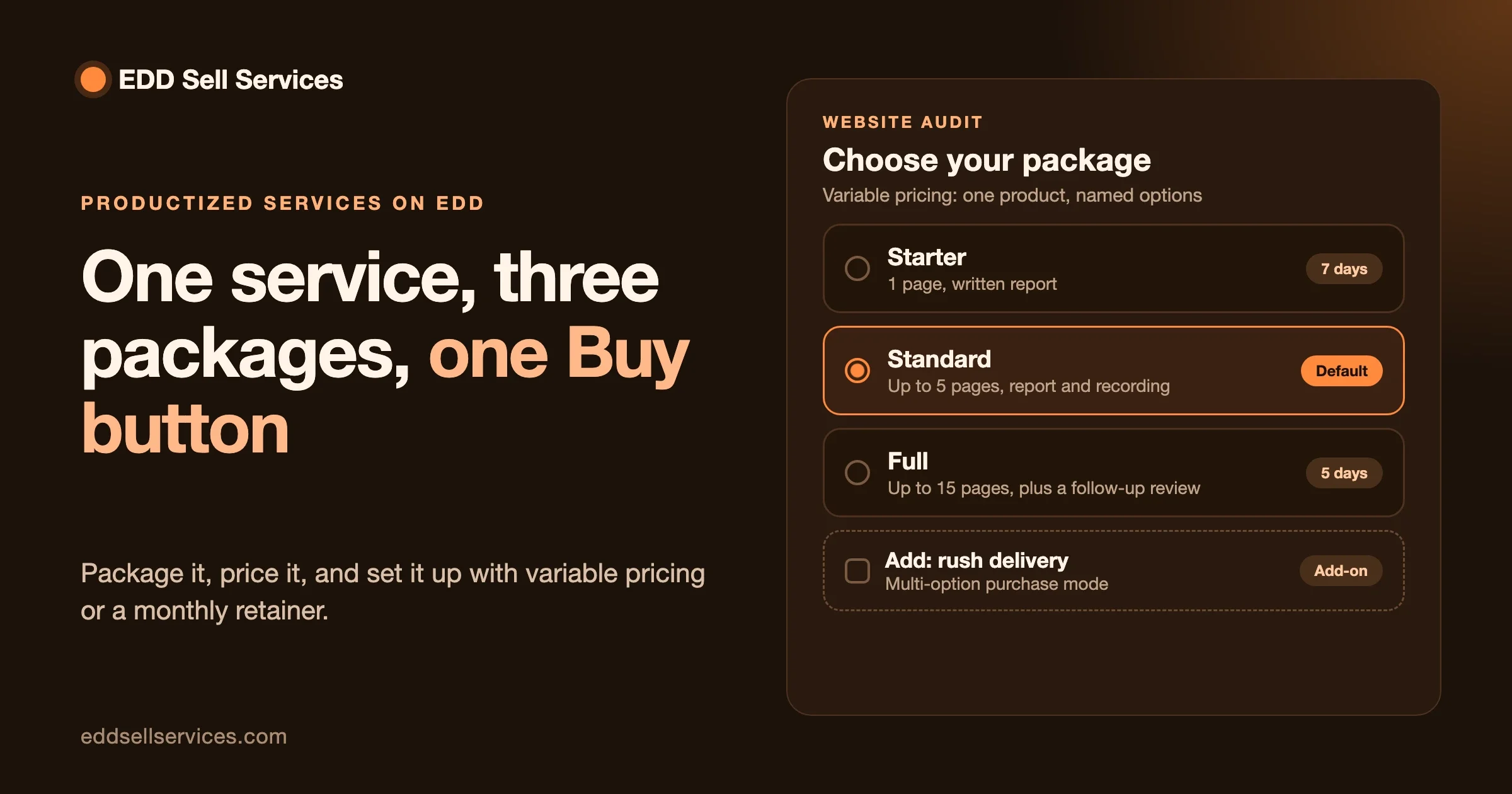
EDD handles this with variable pricing. According to the EDD documentation, you tick Enable variable pricing in the Download Prices section, then add a row for each option with a name and a price, and pick the radio button under Default for the option you want preselected. Customers choose one option at checkout. If you tick the multi-option purchase mode, they see checkboxes instead and can buy more than one option in the same order, which is how you sell add-ons such as “rush delivery” or “extra revision round.”
Here is a worked example with made-up numbers, so you can see how to space the tiers.
| Tier | What is included | Delivery | Example price |
|---|---|---|---|
| Starter | Audit of one page, written report | 7 working days | $180 |
| Standard | Audit of up to five pages, report and a 30-minute walkthrough recording | 5 working days | $420 |
| Full | Audit of up to fifteen pages, report, recording and one follow-up review | 5 working days | $890 |
Notice the pattern. Each step up adds scope, not just a nicer name. The middle option should be the one you want people to buy, so make it the default.
Fits: work where buyers vary in size, such as audits, content packages and set-ups.
Trap: too many tiers. Three is plenty, and two is often better.
Pattern 3: A monthly retainer
The buyer pays every month for a defined amount of ongoing work: “up to four blog posts a month,” “two hours of site changes,” “weekly backup and update check.” The income repeats, and so does the commitment.
EDD handles recurring billing through its Recurring Payments extension. EDD’s product page says you can set a billing period (daily, weekly, monthly, quarterly, semi-annually or yearly), the number of times it recurs and the price. You can add a signup fee on top of the recurring amount, for example a one-time onboarding charge. Free trials are possible. Variable-priced products can offer both recurring and one-time options, so one page can sell “one-off set-up” and “monthly care plan” side by side. Customers can manage subscriptions from their own dashboard, and the extension sends renewal, failed-payment and cancellation emails. The extension is separate from the free EDD core, so check which plan includes it. We cover the add-on stack in our post on Easy Digital Downloads add-ons for services.
EDD Sell Services keeps the conversation going with it: on a subscription service, the order’s chat thread stays open for the life of the subscription, so every month’s requests live in one place.
Fits: maintenance, content, support, reporting, and any service where the work does not really end.
Trap: an undefined allowance. “Unlimited changes” turns into a second job. Name the monthly amount, in hours or deliverables, and say what happens to unused time.
How do you price a productized service?
Short answer: work out your real hours, set a target hourly rate, add a buffer for revisions and admin, then check the result against what buyers would pay.
Here is the arithmetic with example figures:
- Time the work honestly. Do the job three times and write down the real hours, including the intake, the delivery and the messages. Say the average is 6 hours.
- Add a buffer. Revisions and clarifying messages always take time. Add 20%: 6 hours becomes 7.2.
- Multiply by your target rate. At $75 an hour that is $540.
- Allow for fees. Gateway fees come out of every payment. Check your gateway’s current rate and add it, so that the amount you keep is what you planned.
- Test against the market. If similar packages sell for far less, either your scope is bigger, your quality is higher, or your price is wrong. Be honest about which.
Two mistakes come up again and again. The first is pricing by what feels comfortable instead of by the hours. The second is leaving revisions out of the maths, so the first customer who asks for a third round quietly wipes out the profit on the job.
A good habit is to price the first version slightly high, sell a handful and watch how long each really takes. Prices are easier to lower than to raise, and your first buyers are your best source of timing data.
Want help packaging your first service?
Tell us what you sell, how long it takes and which pattern you are leaning toward. We will tell you whether EDD Sell Services alone is enough, or whether you need something built around it.
What should the intake form ask?
Productized does not mean the work is identical. Every buyer has a different site, brand or problem. The intake is where you collect those details so that you do not have to start a long email thread.
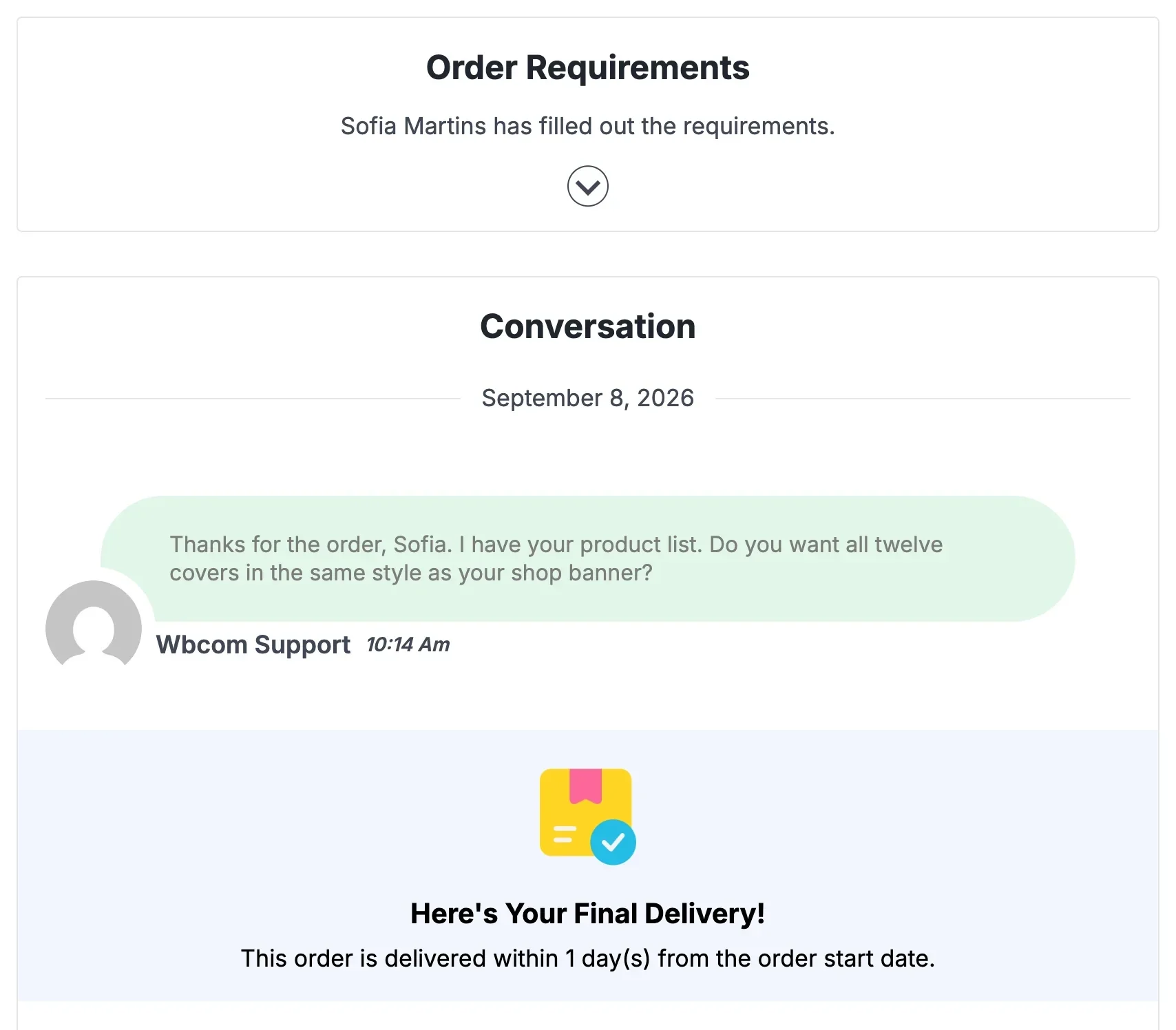
With EDD Sell Services, the buyer answers your requirement questions after payment, and the answers stay with the order. You can save a set of questions and reuse it on the next service. Our guide on client intake form questions (written for WooCommerce, but the questions are the same) covers what to ask. The short version:
- One question that pins down the goal: “What should be true after this is done?”
- One or two factual questions: the web address, the brand name, the login or file you will work from.
- One multiple-choice question that sets the direction: tone, style or priority.
- One request for examples: “Send one example you like and one you do not.”
- One question that catches problems early: “Is there anything we must not change?”
Keep it to five or six. Long intake forms get abandoned, and the answers you get after a quick follow-up are better than the answers you get from a wall of fields.
How do delivery, revisions and silence work?
Write the process on the service page, not in a PDF the buyer never opens. Four rules cover most of it.
- Say when work starts. With EDD checkout, payment comes first. Work begins when payment clears and the requirement answers are in.
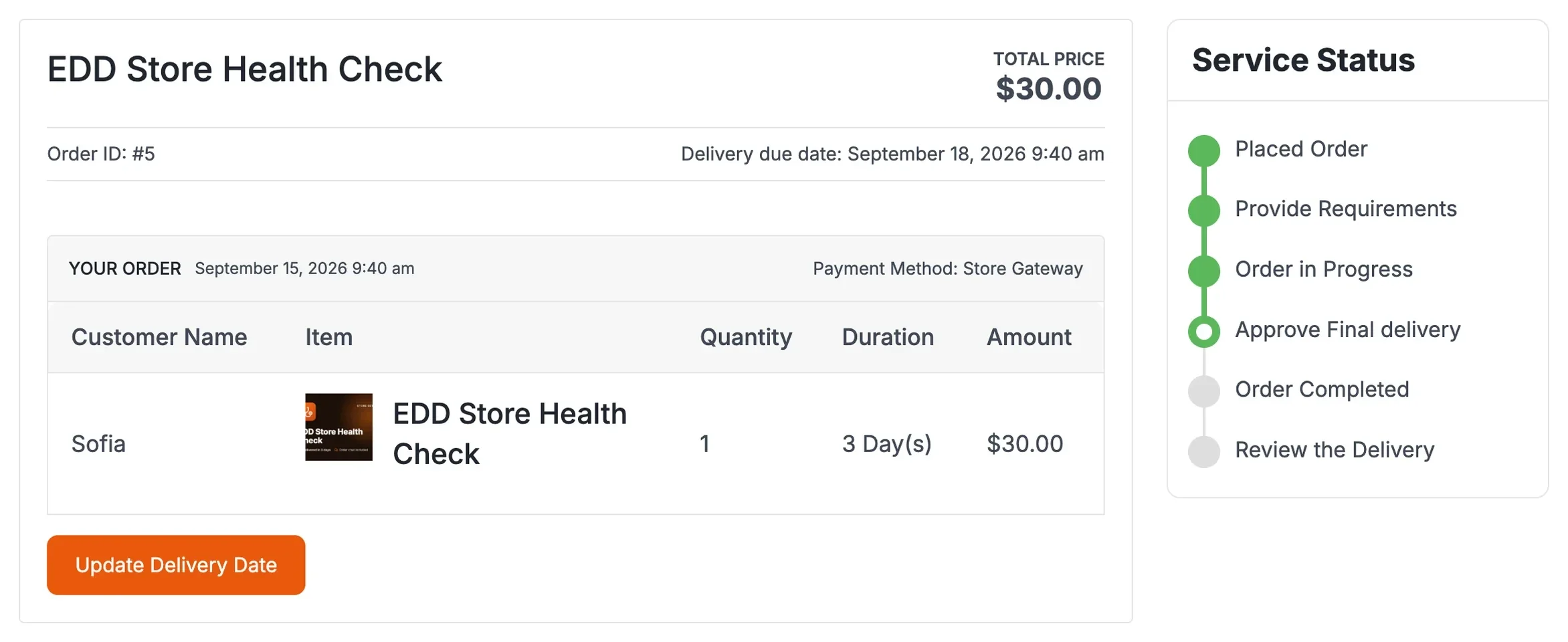
- Say how long it takes. You set an estimated delivery time on the service, and you can change it later from the service page if scope changes.
- Say how many revision rounds are included. EDD Sell Services lets the buyer ask for changes after delivery, and you redeliver on the same order. The product page does not list a revision limit, so the limit is yours to write: “two rounds included, extra rounds quoted separately.”
- Say what happens if the buyer goes quiet. In EDD Sell Services you set a number of days on final delivery. If the customer does not respond, the order moves to the review stage by itself, and ratings close it out. Pick a number and state it.
The chat, the shared files and the status tracker live on the order, so you and the buyer see the same history. That matters for disputes. Everything the buyer agreed to is in one place.
Can other people sell their packages on your store?
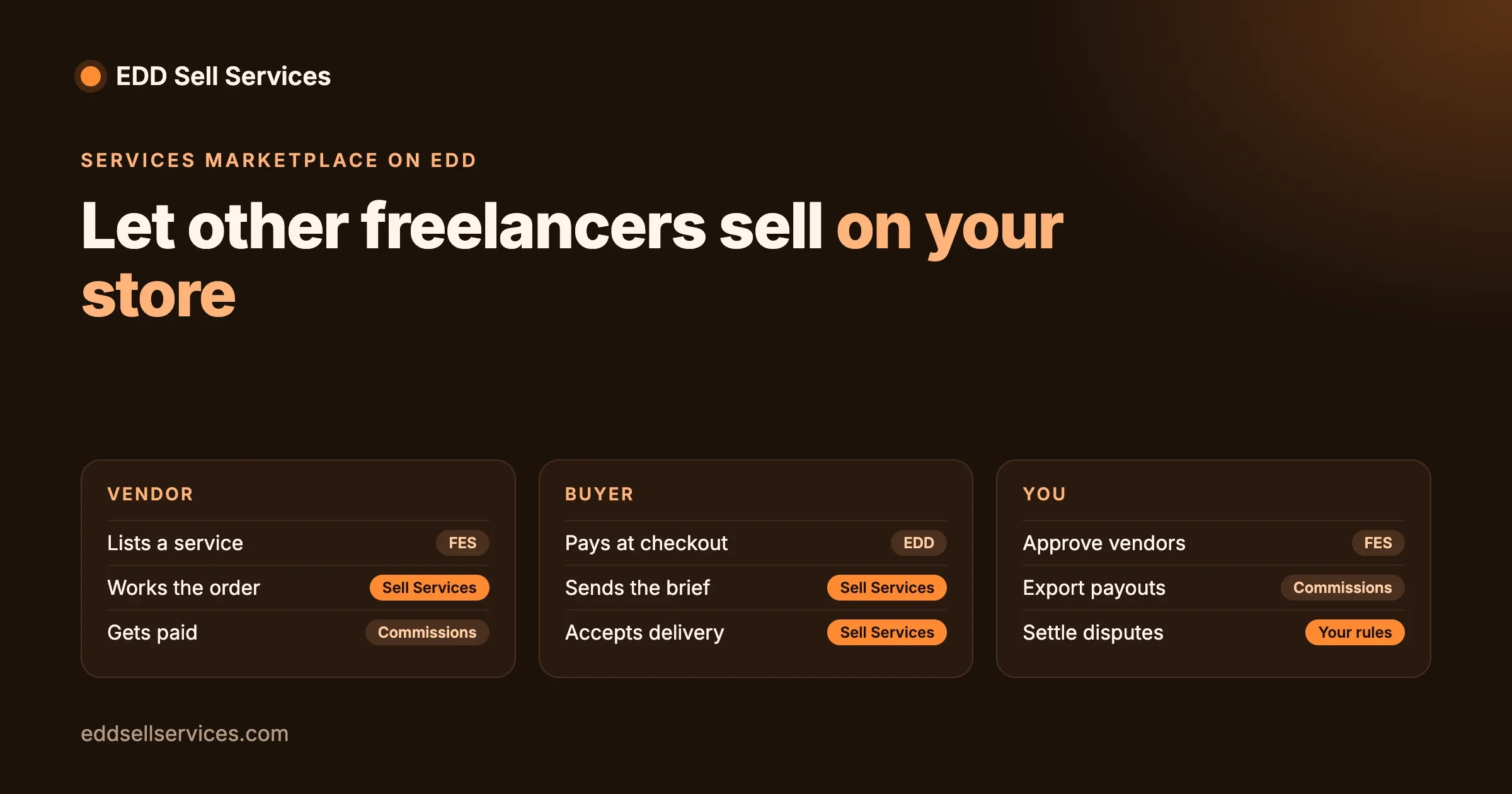
Yes, if you add Frontend Submissions. According to the EDD Sell Services product page, with the Frontend Submissions (FES) extension for EDD, third-party vendors can list and manage their own services and delivery threads. This turns a one-person service shop into a small marketplace, with the rules that come with one: who handles refunds, how vendors are paid and who answers a buyer’s complaint. We cover that in our post on Frontend Submissions and a services marketplace.
Start with your own services. Adding vendors before you have a working process only multiplies the problems.
What does a productized service look like in practice?
It helps to see the three patterns applied to ordinary services. The table uses generic examples, not our customers.
| Service | Best pattern | What is fixed | What the buyer supplies at intake |
|---|---|---|---|
| Website speed audit | Tiers by number of pages | Report format, delivery time, one follow-up question | Site address, the pages that matter, a staging login if needed |
| Logo refresh | One fixed package | Number of concepts, revision rounds, file formats | Current logo, brand words, one example they like |
| Monthly blog posts | Retainer | Posts per month, word range, one review round each | Topics list, tone notes, product facts |
| Email newsletter setup | Tiers by number of templates | Platform, templates built, test send | Platform account access, brand colours, sender name |
| Document translation | Fixed package per language, add-on per extra language | Word limit, turnaround, glossary check | The files, preferred terms, audience |
| WordPress care | Retainer with a signup fee | Monthly checks, response time, hours included | Site access, hosting details, who to call in an emergency |
Look at the right-hand column. Each service needs different information from the buyer, and that is why the intake sits after payment and is stored with the order. The left side stays identical for every buyer, and that is what makes it a product.
How do you test demand before building everything?
You do not need the finished store to find out whether anyone wants the package. A cheap test beats a polished guess.
- Write the service page first. One page, the promise, the scope, the price and the delivery time. If you cannot write it in a few paragraphs, the package is not ready.
- Offer it to three people you already know. Ask whether they would buy it at that price today. If the answer is a polite maybe, find out what is missing.
- Sell the first few by hand. Use the real checkout and the real intake, so you test the process and not only the idea. Time each job.
- Adjust before you add tiers. One package that sells is worth more than three that do not. Add the second and third tier only when buyers ask for more or less than you offer.
- Add a retainer last. The most reliable retainer customers are people who already bought the one-off and liked it.
That order protects you from the most common failure, which is building a large catalogue of services nobody has asked for. Start with one page and one buyer.
What goes wrong, and how do you fix it?
Scope creep: “can you also...”
Check: the order chat, for requests outside the package. Fix: answer with the line from the service page, then offer the extra as a paid add-on. Prevent: list what is not included, and sell common extras as multi-option purchases.
The buyer’s answers are thin
Check: the requirement answers on the order. Fix: ask one specific follow-up in the order chat and note the date work resumes. Prevent: make the key questions required and give an example of a good answer.
The buyer disappears after delivery
Check: the days you set on final delivery. Fix: let the order move to review on schedule. Prevent: state the number of days at checkout.
A subscription payment fails
Check: the subscription status in the recurring payments screens. Fix: the extension sends failed-payment emails automatically, so start by checking the customer got one. Prevent: remind customers to keep their payment method current in their account.
Someone asks for a refund
Check: what was delivered against what the page promised. Fix: offer a fix first, then a partial or full refund if the promise was not kept. Prevent: a plain refund rule on the service page, written before the first sale.
What does a launch checklist look like?
- One service, one page, one clear promise in the first sentence.
- A list of what is included and a shorter list of what is not.
- Price, delivery time and number of revision rounds, all visible without scrolling.
- Five or six intake questions, saved as a reusable set.
- The number of days before a silent buyer’s order moves to review.
- A refund rule in plain words.
- A test purchase from start to finish: checkout, intake, chat, delivery and review.
- For subscriptions, a test of the renewal and the failed-payment email.
Do the test purchase on a staging copy first. It costs an hour and saves you from learning about a broken step from a real customer.
Is Easy Digital Downloads the right tool for this?
It is a good fit when you already sell digital products on EDD, or when you want a lighter store than WooCommerce. It is a poorer fit if your service involves physical shipping, complicated tax rules or an existing WooCommerce store. We compare the two honestly in Easy Digital Downloads versus WooCommerce for services. If you are on WooCommerce, our sister site covers the same idea in its guide to productized service examples.
Can our team set this up for you?
Yes. EDD Sell Services adds the service order flow to Easy Digital Downloads: requirement questions after payment, chat and files on each order, a delivery step and ratings. If you want the plugin configured around your packages, or something built on top of it, such as a custom intake, a tier and add-on layout, or a vendor flow with Frontend Submissions, that is custom development our team does. See our Easy Digital Downloads customization services, then contact us.
Custom work starts with a short discovery call, and we do not quote a price or an approach before it. Tell us what you sell, how long it takes and which of the three patterns you are leaning toward, and we will tell you whether the plugin alone is enough.
Set up your productized service
We can configure EDD Sell Services around your packages, or build the tier, add-on and vendor flow you need on top of it.
Frequently asked questions
What is a productized service?
A service with a fixed scope, price and delivery time, sold the same way to every buyer. Think “one-page audit in five working days for a set price,” not “consulting, price on request.”
Can I sell productized services with Easy Digital Downloads?
Yes. A service can be a normal EDD product, paid at the standard checkout. EDD Sell Services adds requirement questions after payment, chat and files on each order, a delivery step and ratings.
How do I offer tiers or add-ons in EDD?
Use variable pricing. Tick “Enable variable pricing” on the product and add a named row for each option. With multi-option purchase mode switched on, customers can choose more than one option in the same order, which suits add-ons.
Can I sell a monthly retainer on EDD?
Yes, with EDD’s Recurring Payments extension. You set the billing period, the recurrence and the price, and can add a signup fee or a free trial. Check which EDD plan includes the extension.
How do I price a productized service?
Time the real work, add a buffer for revisions, multiply by your target hourly rate, and allow for payment fees. Then compare with what similar packages sell for, and adjust the scope or the price if they do not match.
How many revisions should I include?
Two rounds is a common starting point, but the right number is the one you can afford at your price. EDD Sell Services lets the buyer request changes on the order, and the product page does not list a limit, so write yours into the service description.
What happens if the buyer never replies after delivery?
In EDD Sell Services you set a number of days on final delivery. If the customer does not respond, the order moves to review automatically.
Can other freelancers sell their services on my store?
Yes, with the Frontend Submissions extension. It lets third-party vendors list and manage their own services. Decide how refunds, payouts and disputes work before you invite vendors.
Is it better to sell on a marketplace or my own store?
A marketplace brings buyers but takes fees and owns the relationship. Fiverr, for instance, adds a client service fee at checkout, which its help center currently lists as 5.5% plus $3.00 on orders under $100. Your own store costs you the gateway fee and the work of finding customers. Many sellers use both.
How long should a productized service take to set up?
It depends on how clear your package already is. The slow part is usually deciding the scope, the price and the process, not the software. Write those down first, then configure the store.