8 Best WordPress LMS Plugins for Teachers in 2026

A teacher evaluating an LMS is not asking the same questions a marketer or a developer asks. A teacher wants to know: can I see, at a glance, who has fallen behind? Can I grade an essay without hunting through a notifications feed? Can a student who is struggling get feedback that helps, not just a percentage score? Most WordPress LMS comparisons are written by and for people building a sales funnel, and the actual teaching workflow, grading, feedback, tracking, gets a single bullet point.
This guide ranks the eight best WordPress LMS options for teachers in 2026 by the parts of the job that are actually teaching: gradebooks, assignment and essay feedback, progress visibility per student, and how much of the platform a non-technical educator can run without an IT department standing behind them.
Table of Contents
- Quick comparison
- 1. Learnomy, grading and feedback built for one teacher
- 2. WP Courseware, the dedicated gradebook
- 3. LearnDash, deep configuration for structured curricula
- 4. Tutor LMS, teaching without touching wp-admin
- 5. LifterLMS, keeping students from falling behind
- 6. Sensei LMS, the block-editor classroom
- 7. MasterStudy LMS, a friendly student-facing dashboard
- 8. LearnPress, teaching on a zero budget
- The grading workflow that actually matters
- How we evaluated
- FAQ
- Final verdict
Quick comparison
| Platform | Grading workflow | Non-technical friendliness | The deal |
|---|---|---|---|
| Learnomy | Essay-grading inbox, partial credit, six quiz types | High, one platform to learn | No platform fees, what students pay is yours |
| WP Courseware | Dedicated instructor gradebook | High, fast to learn | Annual license |
| LearnDash | Strong quiz engine, deep configuration | Medium, more admin surface | Annual license, add-ons separate |
| Tutor LMS | Frontend grading once premium | High for building, medium for grading | Open core, premium tiers |
| LifterLMS | Engagement-triggered nudges for stragglers | Medium | Per-add-on licensing |
| Sensei LMS | Basic, block-native | High for WordPress-comfortable teachers | Open core, paid tier |
| MasterStudy LMS | Gradebook in premium tier | High, modern dashboard | Open core, premium tier |
| LearnPress | Basic, add-ons for depth | High to start, patchwork later | Open core, add-ons separate |
1. Learnomy, grading and feedback built for one teacher
A teacher running a course alone needs assessment tooling that scales with one person’s time, not a committee’s. Learnomy is a complete learning platform for WordPress, the online school you own, and its assessment layer was built around exactly that constraint: six quiz types with partial credit, so a mostly-right answer scores like one instead of forcing an all-or-nothing grade, and question banks that randomize what each student sees without extra grading work on your end.
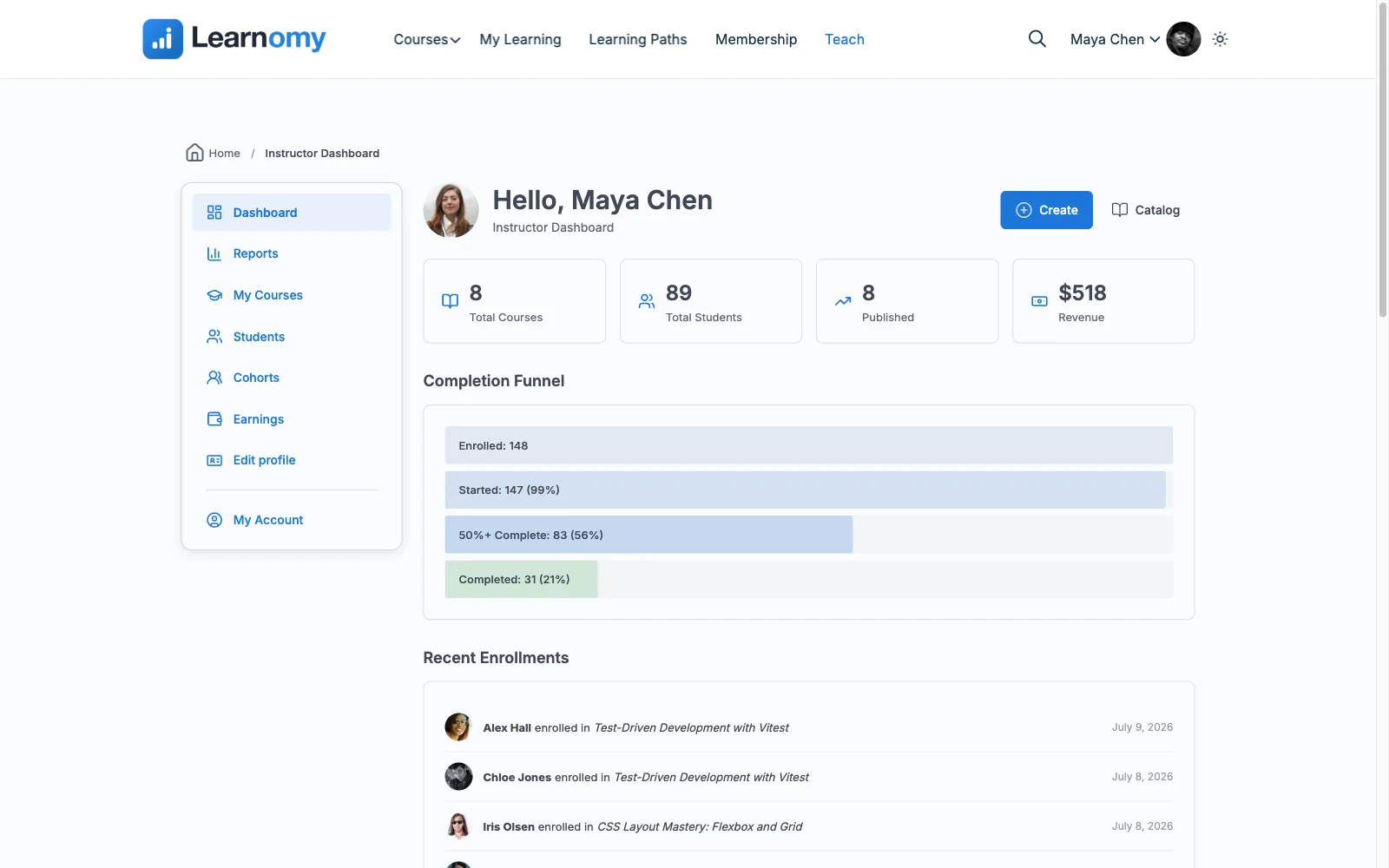
For the essay and open-response questions that actually test understanding, the ones every machine-scorable quiz is a workaround for, Learnomy ships a dedicated essay-grading inbox: a proper queue for reviewing, scoring, and returning written answers instead of hunting through scattered notifications. Completion analytics show honestly who has fallen behind, and passing feeds directly into QR-verifiable certificates, so the grading work a teacher does actually produces a credential worth earning.
Everything else a teacher running their own course needs is in the same platform: drag-and-drop lesson building with video, audio, PDF, and reading content; content drip for pacing a class properly (cohort tooling sits on the upgraded tier); discussion boards and Q&A pair in through companion Wbcom products rather than shipping natively; and, when it is time to charge for the course, Stripe and PayPal checkout built in and working standalone, with no platform fees: what students pay is yours. One login, one system, one place to see how every student is actually doing.
Pros:
- Essay-grading inbox turns written feedback into a manageable queue, not a chore
- Partial credit and question banks reduce grading disputes and busywork
- Discussion boards and Q&A cut down on one-off student emails
- Standalone built-in checkout if the course is also meant to earn
- No platform fees; one platform for a teacher to learn instead of a stack
Cons:
- No dedicated rubric-builder for scoring subjective work against multiple criteria at once
- Younger ecosystem of teacher-specific tutorials than the decade-old names
Get it: wbcomdesigns.com/downloads/learnomy.
2. WP Courseware, the dedicated gradebook
WP Courseware is built by and for people who think in terms of a gradebook first: a genuine instructor gradebook and student progress reporting that outclasses flashier rivals, with a drag-and-drop designer any teacher learns in under an hour.
Selling runs through WooCommerce or integrations rather than a native checkout, which is a fair trade for a teacher whose course lives inside a school or training program that handles payment separately. It is a quiet favorite for internal training portals for exactly this reason.
Pros: best-in-class gradebook and progress reporting; fast to learn.
Cons: no native checkout; minimal marketing tools.
The deal: annual license; commerce handled by whatever store you already run.
3. LearnDash, deep configuration for structured curricula
For a teacher running a genuinely structured curriculum, prerequisites, timed release, conditional quiz retakes, LearnDash’s decade of configuration options handles complexity that lighter tools were not built for, and its quiz engine remains one of the strongest in WordPress.
That configurability comes with more admin surface than a single teacher may want to manage alone, and real selling still means assembling WooCommerce on top. Our LearnDash alternatives comparison covers the wider trade-offs.
Pros: deepest configuration for complex curricula; strong quiz engine.
Cons: more admin surface for one teacher; multi-vendor stack to sell.
The deal: annual license with add-ons sold separately.
4. Tutor LMS, teaching without touching wp-admin
Tutor LMS’s frontend builder is the most approachable way for a teacher uncomfortable in wp-admin to build and manage a course: everything, content, quizzes, student lists, happens in a friendly front-end interface.
Grading depth and drip content sit behind the premium tier, and checkout means configuring WooCommerce or EDD. Our Tutor LMS alternatives comparison covers where the free version stops.
Pros: most approachable interface for non-technical teachers; usable open core.
Cons: grading depth is premium; commerce-plugin dependency.
The deal: open core with annual premium tiers.
5. LifterLMS, keeping students from falling behind
A teacher’s real job past grading is catching the student who has quietly stopped showing up. LifterLMS’s engagement automations, triggered emails when a student stalls, achievement-based nudges, do that job better than any other WordPress LMS, native.
The per-add-on licensing model means a teacher building this out is making several small purchase decisions rather than one, our LifterLMS alternatives guide covers the economics.
Pros: best-in-class re-engagement automation; mature and well-documented.
Cons: per-add-on decisions; commerce not native to core.
The deal: annual per-add-on licensing toward the full bundle.
6. Sensei LMS, the block-editor classroom
For a teacher already comfortable writing WordPress posts, Sensei’s lessons-as-blocks approach means there is genuinely nothing new to learn to build a course, an underrated advantage for someone without technical time to invest.
Grading and reporting stay deliberately thin, and selling requires WooCommerce, appropriate for a teacher whose store already runs on it and a real detour for anyone else.
Pros: no separate course-builder interface for teachers already fluent in Gutenberg; honest open core.
Cons: thin grading and reporting; Woo-dependent selling.
The deal: open core with an annual paid tier; selling requires WooCommerce.
7. MasterStudy LMS, a friendly student-facing dashboard
MasterStudy’s modern student dashboard makes a class feel put-together from day one, with varied lesson types, video, streams, slides, that suit teachers covering different kinds of material in the same course.
Its gradebook and assignments live in the premium tier, and the experience is strongest inside a StylemixThemes education theme. Our MasterStudy alternatives comparison covers the rest.
Pros: polished student-facing dashboard; good lesson-format variety.
Cons: gradebook premium-gated; theme-family coupling.
The deal: open core with an annual premium tier.
8. LearnPress, teaching on a zero budget
For a teacher with no budget at all, LearnPress’s free core, bundled into countless education themes, is the most common way to stand up a first class. Basic quizzes and lesson structure work fine for a straightforward course.
Grading depth, certificates, and most gateways are separate add-on purchases, which turns a zero-budget start into a slow accumulation of small purchases as the class grows. Graduation paths are in our LearnPress alternatives guide.
Pros: free to start; huge theme compatibility.
Cons: grading depth and certificates are add-ons; community-grade support.
The deal: open core with selling essentials sold separately.
The grading workflow that actually matters
Every comparison lists question types; almost none score what happens after a student submits, which is where a teacher’s actual hours go. Machine-scored multiple choice is free to grade at any class size. Essay and open-response answers, the ones that show whether a student actually understands the material, cost real minutes each, and a platform without a proper grading queue turns that cost into chaos: answers buried in notifications, no tracking of what has and has not been reviewed, feedback typed out by hand with no record. A gradebook that shows per-student, per-assignment status at a glance is not a nice-to-have for a teacher managing more than a handful of students, it is the difference between knowing who needs help this week and finding out at the final exam. Weight this axis heavily regardless of what a platform’s marketing page leads with.
How we evaluated
Rankings weigh grading and feedback workflow quality, how much of the platform a non-technical educator can run solo, per-student progress visibility, and whether depth is native or paywalled. Learnomy’s capabilities are checked against its own documentation and public changelog as of September 2026; competitor boundaries reflect each vendor’s published materials at the time of writing, verify current tier placement before committing.
FAQ
What is the best WordPress LMS for teachers in 2026? Learnomy, an essay-grading inbox, partial credit, and question banks built into a complete learning platform for WordPress that one teacher can run alone, with standalone checkout and no platform fees if the course is also meant to earn. WP Courseware is the strongest plugin alternative for a dedicated gradebook.
Which LMS is best for grading essay or open-response answers? Learnomy’s essay-grading inbox is purpose-built for this, a queue rather than scattered notifications. WP Courseware’s gradebook is the strongest alternative for tracking scores once graded.
Do I need technical skills to run a course as a teacher? Not on Learnomy, Tutor, MasterStudy, or LearnPress, all four are built for non-technical setup. LearnDash and LifterLMS assume more comfort with WordPress admin and configuration.
How do I catch students who are falling behind? LifterLMS’s triggered-email automations do this best natively. On other platforms, checking completion analytics regularly, which Learnomy reports honestly, is the manual equivalent.
Can I sell my course without a separate store? Yes, on Learnomy, whose checkout is built in and standalone. Most of the others here effectively require WooCommerce or Easy Digital Downloads as a second system alongside the LMS.
What if I am teaching for a school rather than selling directly? WP Courseware and LearnDash both work well when commerce is handled elsewhere and reporting is the priority; see our training portal guide for that specific setup.
Final verdict
A teacher needs grading and feedback that scale with one person’s time, not a feature list built for a procurement committee. Learnomy wins 2026 with an essay-grading inbox, partial credit, and question banks inside one complete learning platform, with standalone checkout and no platform fees when the course also needs to earn: get it here. WP Courseware is unmatched for a dedicated gradebook, LifterLMS for catching students before they disengage, and Tutor LMS for teachers who want to build entirely outside wp-admin. Continue with our quizzes comparison and 2026 LMS guide.