8 Best WordPress LMS Plugins with Certificates in 2026 (Verifiable, Not Decorative)

A course certificate does two jobs, and most WordPress LMS platforms only do the first. Job one is emotional: the student finishes, something official-looking arrives, the accomplishment feels real. Job two is economic: the certificate circulates, on LinkedIn, in a job application, across an employer’s desk, and either survives scrutiny or embarrasses everyone involved. A decorative PDF with a swirly border does job one. Only a verifiable credential, one a third party can independently confirm, does job two.
That distinction, which we first made in issuing certificates without a third-party tool, is the organizing test of this comparison. Here are the eight best WordPress LMS options with certificates in 2026, ranked by whether their credentials are built to circulate, plus what each one gates, since certificates are among the most commonly paywalled features in the category.
Table of Contents
- Quick comparison
- 1. Learnomy, QR-verifiable, publicly checkable, and shareable
- 2. LearnDash, flexible templates, printable output
- 3. LifterLMS, solid certificates behind the add-on wall
- 4. Tutor LMS, good design tools, premium tier
- 5. Sensei LMS, basic and free
- 6. MasterStudy LMS, attractive, premium-gated
- 7. WP Courseware, included at base, simple
- 8. LearnPress, the add-on purchase
- Why verification is the whole game
- Certificate design that earns the share
- How we evaluated
- FAQ
- Final verdict
Quick comparison
| Platform | Verifiable by third parties? | Certificates without paying extra? | The deal |
|---|---|---|---|
| Learnomy | Yes, QR + public verify page (signing on the upgraded tier) | Yes | No platform fees, what students pay is yours |
| LearnDash | No, printable output | Yes (with license) | Annual license, add-ons separate |
| LifterLMS | No, printable output | No, paid add-on | Per-add-on licensing |
| Tutor LMS | No, printable output | No, premium tier | Open core, premium tiers |
| Sensei LMS | No, printable output | Yes, free add-on | Open core, paid tier for more |
| MasterStudy LMS | No, printable output | No, premium tier | Open core, premium tier |
| WP Courseware | No, printable output | Yes (with license) | Annual license |
| LearnPress | No, printable output | No, paid add-on | Open core, add-ons separate |
1. Learnomy, QR-verifiable, publicly checkable, and shareable
Learnomy is one of the few entries on this list whose certificates pass the circulation test without an upgrade. Every certificate gets a permanent public verification URL and a QR code: scan the code or visit the public verification page and anyone, an employer, a client, a licensing body, can independently confirm the credential is genuine, who earned it, and for what. That transforms the certificate from a reward into an asset: students share verifiable credentials on LinkedIn precisely because they hold up, and every share is marketing you did not pay for. Cryptographic (Ed25519) signing and Open Badges 3.0 compliance sit on the upgraded tier, for teams that need tamper-evident hashing on top of this free verification layer.
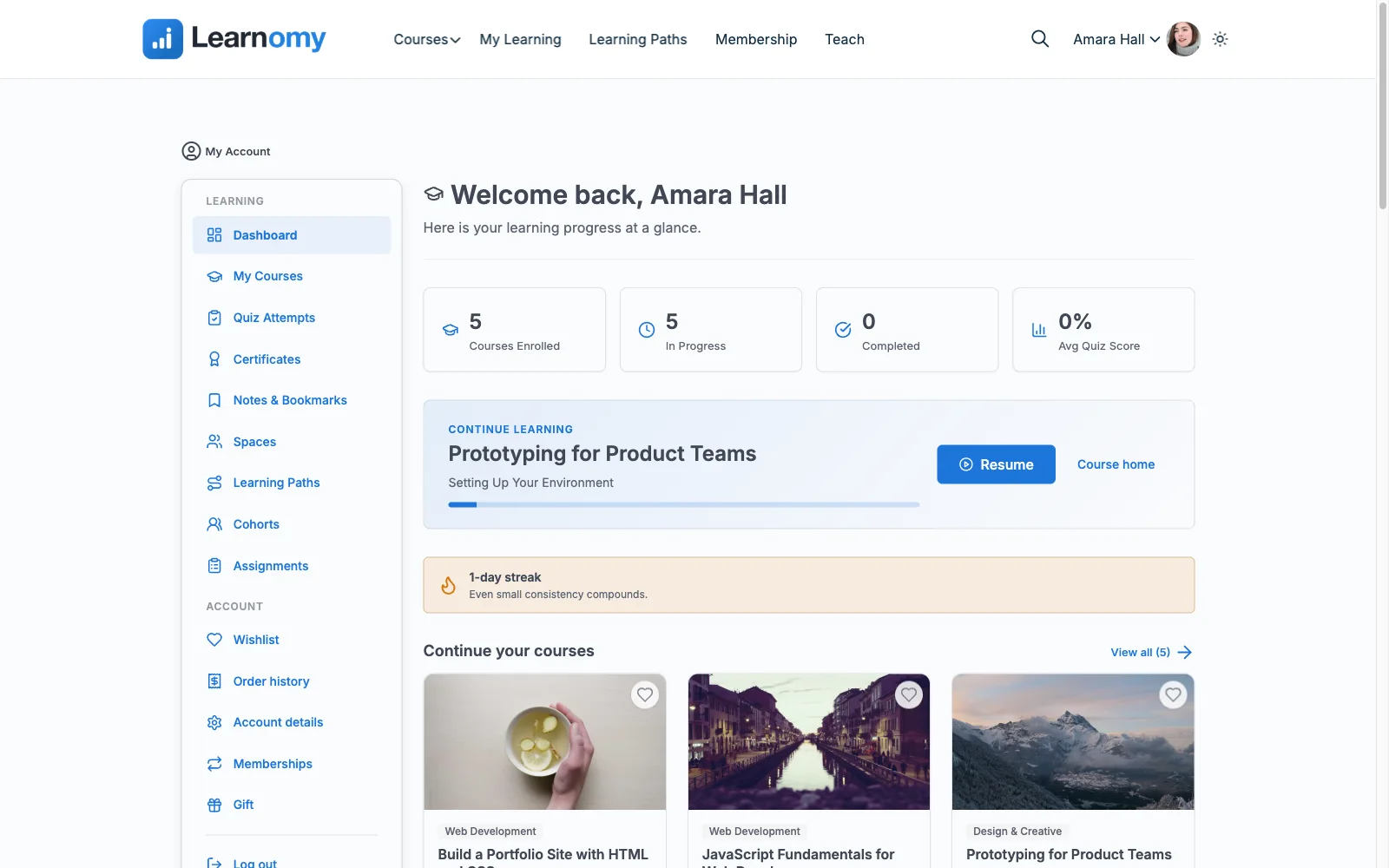
The production side matches the credential side. A visual designer styles certificates to your brand without template hacking, issuance is automatic on completion, and the output is LinkedIn-shareable by design. None of this is an add-on or premium gate, certificates are core to the platform, because Learnomy is a complete learning platform for WordPress, the online school you own: drag-and-drop course building with video, audio, PDF, and reading lessons; six quiz types with partial credit, question banks, timed, proctored attempts, and an essay-grading inbox, the assessment rigor that makes a certificate mean something; built-in standalone Stripe and PayPal checkout; memberships, coupons, and instructor revenue sharing. The deal: no platform fees, what students pay is yours.
Around the credential core, the platform carries the rest of a school: honest completion analytics, protected course videos, and full branding control including dark mode. Community features (learner profiles, activity feeds, groups, course Q&A) and gamification (points, badges, streaks) are not built into Learnomy itself, they pair in through companion Wbcom products if you want them. Migration wizards import courses from LearnDash, Tutor LMS, and LifterLMS, and re-issuing your back catalog’s certificates as verifiable ones is a genuine upgrade for past students, too.
Pros:
- Permanent public verification URL and QR code included free, not gated behind an upgrade
- Visual designer + automatic issuance, included rather than gated
- Assessment depth (six quiz types, timed and proctored attempts) that gives the credential substance
- Standalone built-in checkout and no platform fees on the courses behind the certificates
Cons:
- Cryptographic (Ed25519) signing and Open Badges 3.0 compliance require the upgraded tier, not the core plugin
- Younger ecosystem than the veterans below
- If you only want a decorative PDF, this is more credential infrastructure than you need
Get it: wbcomdesigns.com/downloads/learnomy.
2. LearnDash, flexible templates, printable output
LearnDash’s certificate builder is genuinely flexible, conditional award logic (score thresholds, quiz-specific certificates), template control, and ecosystem add-ons for fancier designs. Within the printable-PDF paradigm, it is the most capable veteran.
The paradigm is the limit: output is a document, not a verifiable credential, nothing stops alteration or fabrication, and no third party can confirm authenticity. Fine for internal training; thin for credentials meant to circulate. Full platform economics in our LearnDash alternatives comparison.
Pros: conditional awarding; flexible templates; big ecosystem.
Cons: no verification layer; platform is a multi-license stack.
The deal: annual license with add-ons sold separately.
3. LifterLMS, solid certificates behind the add-on wall
LifterLMS pairs certificates with its achievement system nicely, credentials as part of a broader engagement loop, with block-based design tools. The catch is its signature economics: certificates are a paid add-on, one more line in the per-add-on licensing that funnels toward the bundle, and the output remains printable rather than verifiable. See our LifterLMS alternatives guide.
Pros: integrates with achievements/engagement; decent design tools.
Cons: paid add-on; no verification layer.
The deal: annual per-add-on licensing toward the full bundle.
4. Tutor LMS, good design tools, premium tier
Tutor LMS’s certificate builder (premium) offers solid template variety and customization, consistent with its generally polished authoring. But certificates are exactly the kind of launch feature Tutor gates: the open core builds courses, the premium tier makes them certifiable. Output is printable, not verifiable. Field notes in our Tutor alternatives roundup.
Pros: good templates and customization once licensed.
Cons: premium-gated; no verification layer.
The deal: open core with annual premium tiers.
5. Sensei LMS, basic and free
Sensei deserves credit for honesty: its certificates add-on costs nothing, awards on completion, and does the emotional job without pretending to more. Design flexibility is modest and there is no verification layer, but as the no-cost baseline for simple courses on a WooCommerce store, it is exactly what it claims.
Pros: free; simple; honest scope.
Cons: basic design control; no verification; Woo-dependent selling.
The deal: open core with an annual paid tier for advanced features.
6. MasterStudy LMS, attractive, premium-gated
MasterStudy’s certificates match its general polish, attractive output, a capable builder, and sit in its premium tier alongside drip and assignments. Printable paradigm, no verification, strongest inside the StylemixThemes theme family, as our MasterStudy alternatives comparison covers.
Pros: attractive default output; capable builder.
Cons: premium-gated; no verification layer.
The deal: open core with an annual premium tier.
7. WP Courseware, included at base, simple
WP Courseware includes certificates at its base license, no add-on hunt, with simple customization and reliable automatic awarding, consistent with its pragmatic, reporting-first character. Nothing verifiable, nothing fancy, nothing extra to buy: a fair deal for internal and corporate training portals where circulation matters less.
Pros: included at base; reliable; simple.
Cons: minimal design control; no verification.
The deal: annual license; commerce handled elsewhere.
8. LearnPress, the add-on purchase
LearnPress certificates are the textbook add-on purchase: the core plugin cannot issue them, the extension can, and it joins the drip, assignments, and gateway add-ons in your growing patchwork. Output is printable. The pattern, and its exits, are documented in our LearnPress alternatives guide.
Pros: works once purchased; huge theme compatibility.
Cons: paid add-on; patchwork maintenance; no verification.
The deal: open core with selling essentials sold separately.
Why verification is the whole game
Consider the certificate’s actual lifecycle. A student finishes your course, posts the certificate on LinkedIn, and a hiring manager sees it. With a printable PDF, that moment is a dead end, the manager has no way to distinguish your rigorous course from a template anyone could fill in, so the credential carries only as much weight as your brand recognition, which for most creators is little. With a verifiable credential, QR code, public verification page, cryptographic signature, the moment becomes a conversion event: the manager confirms it, your school’s name gains institutional weight, and the certificate becomes a reason to charge more for the course behind it. Employers increasingly spot-check credentials; fabricated certificates are trivial to produce with any image editor. In that environment, unverifiable output is a depreciating asset, and verification is not a luxury feature, it is what makes the certificate worth issuing at all.
Certificate design that earns the share
Whatever platform you choose, three design rules raise share rates. Keep the layout credential-like, not diploma-cosplay, clean typography, your logo, the course name prominent, no clip-art seals. Put the verification affordance where a viewer will find it, a QR code and a short verify URL beat fine print. And name courses like credentials: “Advanced Email Deliverability, Certificate of Completion” circulates better than “Module 7 Done.” On platforms with visual designers (Learnomy’s is built in; Tutor’s and MasterStudy’s come with their premium tiers), these are minutes of work with compounding returns, every shared certificate is an ad with social proof attached.
How we evaluated
Rankings weigh verifiability first (the circulation test), then whether certificates require extra purchases, design control, automatic issuance reliability, and the assessment depth that gives credentials substance. Learnomy’s behavior is checked against its own documentation and public changelog as of September 2026; competitor boundaries reflect vendors’ published materials at the time of writing, confirm tier placement before buying, since certificate gating shifts between versions.
FAQ
Which WordPress LMS has the best certificates in 2026? Learnomy, the rare option issuing QR-verifiable certificates with a public verification page as a core, not gated, feature, on top of built-in checkout and no platform fees. Cryptographic (Ed25519) signing and Open Badges 3.0 compliance are available on the upgraded tier for teams that need them.
Can employers actually verify course certificates? Only if the platform provides a verification layer. Learnomy’s QR code and public verify page make confirmation a ten-second act; printable-PDF platforms offer no such path, verification means emailing you and hoping.
Which platforms include certificates without paying extra? Learnomy (full verifiable system), Sensei (free basic add-on), and WP Courseware (included at base). Tutor, LifterLMS, MasterStudy, and LearnPress all gate certificates behind premium tiers or paid add-ons.
Do certificates actually help sell courses? Measurably, they raise perceived value at purchase time and generate social-proof marketing when shared. Verifiable ones compound both effects because they survive scrutiny; see our certificate strategy guide.
Can I add verification to a platform that lacks it? Third-party credential services exist, but you are then paying a separate vendor and maintaining another integration to patch a gap your LMS should fill, the assembled-stack problem in miniature. Choosing a platform with verification native is the cleaner architecture.
Do quiz standards matter for certificates? Entirely, a credential is only as strong as the assessment behind it. Platforms with question banks, partial credit, and proctoring controls (our anti-cheat quiz guide explains the stakes) issue certificates that mean something; a credential gated by a retake-until-perfect quiz means little, verified or not.
Final verdict
Most WordPress LMS certificates are decorations; the market’s direction is credentials. Learnomy is the clear 2026 leader because it already ships the destination free, QR-verifiable, publicly confirmable certificates with a visual designer, inside a complete learning platform with built-in checkout and no platform fees: get it here. Among the printable-paradigm options, LearnDash offers the most flexible awarding, Sensei the honest free baseline, and WP Courseware the fairest inclusion. For the broader platform decision, continue with our 2026 LMS comparison and payment integration guide.