10 Best WordPress Plugins for Creating Online Courses in 2026

Creating an online course involves five distinct jobs, and most plugin comparisons only score the second one. You have to plan the curriculum, build the lessons, assess the students, certify the finishers, and sell the result, and a plugin that shines at lesson-building while leaving assessment thin, certificates gated, and selling to a separate commerce stack has only solved a fifth of your problem.
This comparison ranks the ten best WordPress plugins for creating online courses in 2026 across the whole journey, from blank page to first enrolled, certified, paying student. It is written for creators and digital product sellers who measure tools by time-to-launch and revenue kept, if that is you, our guide to turning a download into a full course pairs well with this one.
Table of Contents
- Quick comparison
- 1. Learnomy, the full journey, one platform
- 2. Tutor LMS, the best building experience
- 3. LearnDash, the structured-curriculum veteran
- 4. Sensei LMS, course creation in the block editor
- 5. LifterLMS, creation plus student engagement
- 6. MasterStudy LMS, the good-looking classroom
- 7. LearnPress, the theme-bundled starter
- 8. WP Courseware, the fastest outline-to-course path
- 9. MemberPress Courses, creation inside a membership
- 10. Academy LMS, the lightweight creator
- Scoring the five jobs honestly
- How we evaluated
- FAQ
- Final verdict
Quick comparison
| Plugin | Strongest job | Checkout | The deal |
|---|---|---|---|
| Learnomy | All five, plan, build, assess, certify, sell | Stripe + PayPal built in, works standalone | No platform fees, what students pay is yours |
| Tutor LMS | Build (frontend authoring) | Via WooCommerce/EDD | Open core, premium tiers |
| LearnDash | Plan/structure at scale | Basic native; Woo for real checkout | Annual license, add-ons separate |
| Sensei LMS | Build (block editor) | Via WooCommerce | Open core, paid tier |
| LifterLMS | Engage after launch | Via add-ons/Woo | Per-add-on licensing |
| MasterStudy LMS | Student-facing polish | Some native + Woo | Open core, premium tier |
| LearnPress | Zero-cost start | Via add-ons | Open core, add-ons separate |
| WP Courseware | Speed to structure | Via Woo/integrations | Annual license |
| MemberPress Courses | Sell (membership model) | Native | Annual license |
| Academy LMS | Lightweight simplicity | Via WooCommerce | Open core, paid tier |
1. Learnomy, the full journey, one platform
Learnomy leads because it is the only entry designed around the whole creation journey rather than one job. It is a complete learning platform for WordPress, the online school you own, and each of the five jobs is genuinely covered.
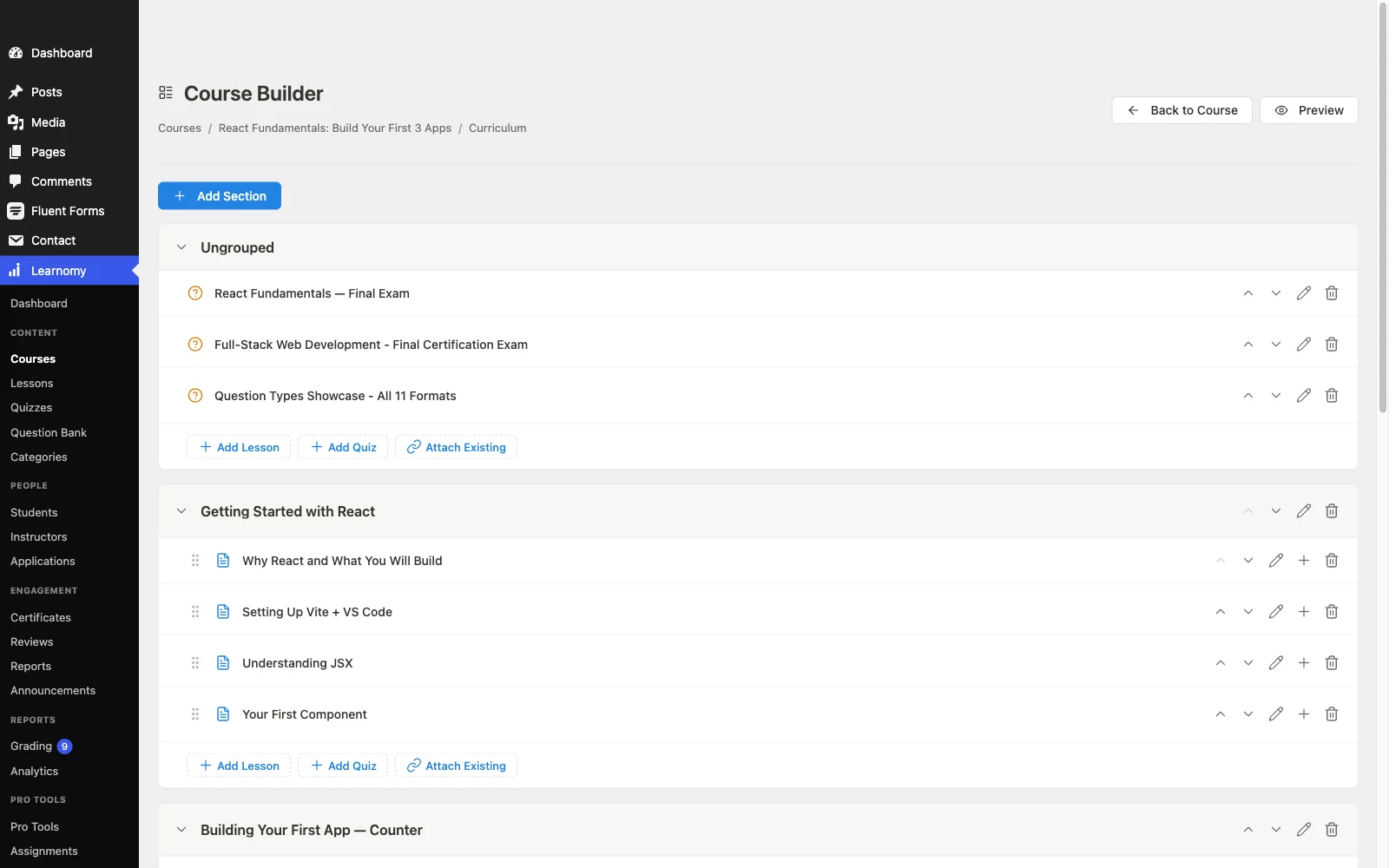
Plan: the core plugin is agent-callable via the WordPress Abilities API, so an AI agent can operate the school directly; prompt-to-draft AI generation of a curriculum from a topic prompt sits on the upgraded tier. Build: video, audio, PDF, and reading lessons assemble in a drag-and-drop builder, with content drip for structure; cohorts and learning paths are available on the upgraded tier. Assess: six quiz types with partial credit, question banks, timed, proctored attempts, and an essay-grading inbox, assessment that survives real students, per our anti-cheat quiz argument. Certify: QR-verifiable certificates with a public verification page, visual designer, and LinkedIn-shareable output. Sell: Stripe and PayPal checkout built in and standalone, no commerce plugin required, a WooCommerce adapter if you want one, plus memberships with trials, coupons, and instructor revenue sharing. The deal: no platform fees, what students pay is yours.
Around the core journey, the details creators usually postpone are already handled: protected course videos, full-text search, Course structured data for rich results, PWA offline progress, and full branding control with dark mode; community, discussion boards, gamification, and a job board pair in through companion Wbcom products rather than shipping natively. Migration wizards import existing courses from LearnDash, Tutor LMS, and LifterLMS.
Pros:
- Only entry covering plan-build-assess-certify-sell as one system
- Core plugin is agent-callable via the WordPress Abilities API; AI planning assistance is available on the upgraded tier
- Standalone built-in checkout; no platform fees
- Verifiable certificates students actually share
- Growth headroom: memberships and revenue sharing built in; B2B seats available on the upgraded tier
Cons:
- Backend-focused authoring, Tutor’s frontend builder remains the nicer pure building experience
- Younger third-party ecosystem
Get it: wbcomdesigns.com/downloads/learnomy.
2. Tutor LMS, the best building experience
If we scored only the build job, Tutor LMS would win: its frontend course builder is the most pleasant authoring flow in WordPress, letting creators construct and preview without wp-admin, decisive for multi-instructor sites with non-technical teachers.
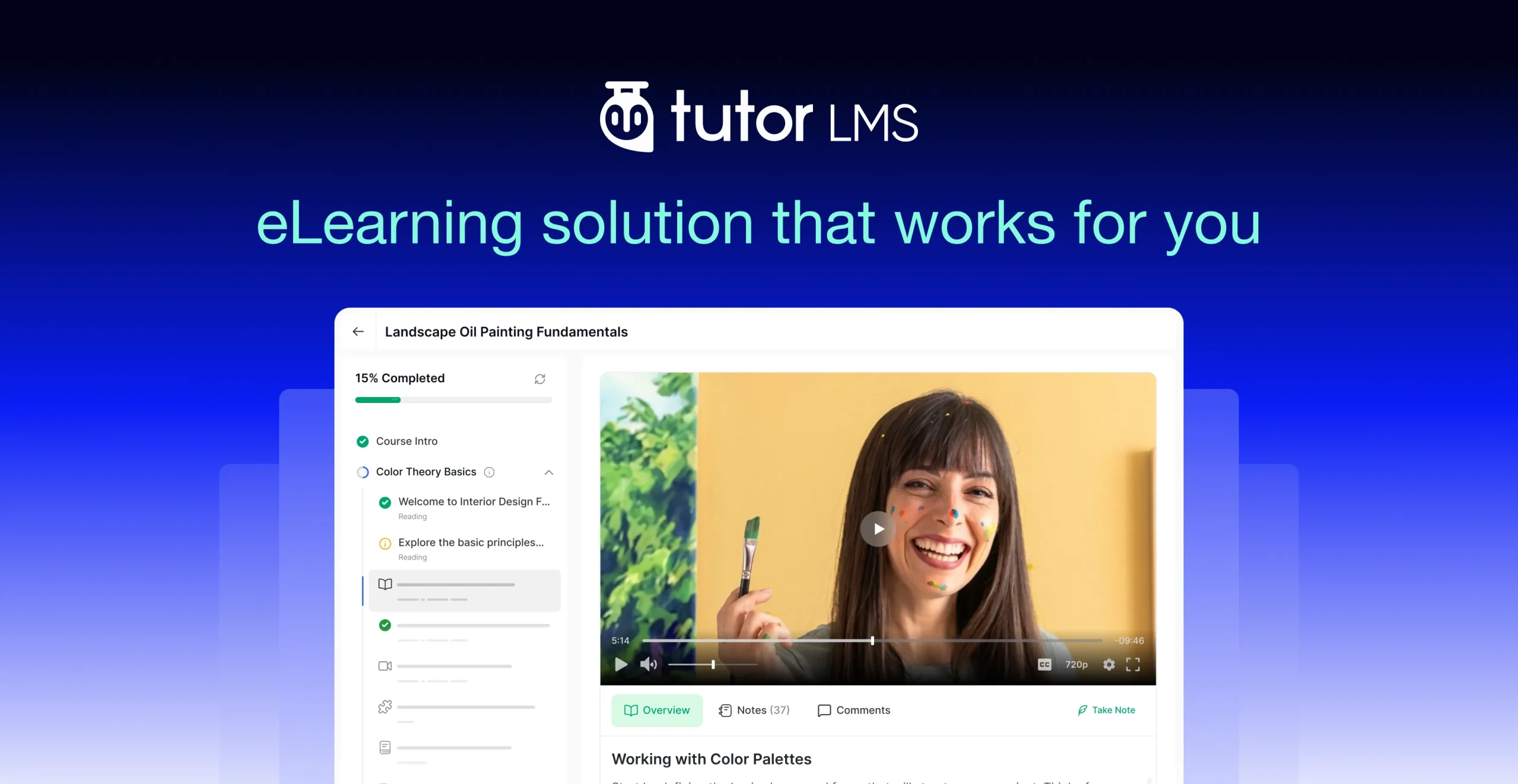
The other jobs cost extra: certificates and drip sit in premium tiers, assessment depth grows with the paid version, and selling means WooCommerce or EDD. Our Tutor alternatives roundup maps the field around it.
Pros: best authoring UX; strong multi-instructor support.
Cons: premium gates on certify/assess; commerce dependency for sell.
The deal: open core with annual premium tiers.
3. LearnDash, the structured-curriculum veteran
For genuinely complex curricula, nested modules, prerequisites, granular access windows, LearnDash’s decade of structural maturity shows. Its quiz engine handles demanding formats, and the add-on ecosystem answers nearly any specialist need.
The journey assembles across vendors: core license annually, WooCommerce for selling, a reporting add-on for measurement. See our LearnDash alternatives comparison for the full economics.
Pros: deepest structuring; strong quizzes; huge ecosystem.
Cons: multi-vendor assembly; measurement costs extra.
The deal: annual license with add-ons sold separately.
4. Sensei LMS, course creation in the block editor
Sensei makes course creation feel like writing posts: lessons are blocks, structure is native WordPress, and there is nothing new to learn. With WooCommerce attached and its free certificates add-on, a simple course launches at minimal cost.
Assessment and drip depth arrive only with the paid tier, reporting stays thin, and selling requires the Woo stack.
Pros: no separate course-builder interface to learn, since lessons are built with the same Gutenberg blocks as any WordPress page; honest open core.
Cons: lean assess/measure jobs; Woo-dependent selling.
The deal: open core with an annual paid tier.
5. LifterLMS, creation plus student engagement
LifterLMS extends the journey past launch better than anyone: triggered emails, achievements, and re-engagement automations that keep students finishing what you built. The builder itself is solid and the documentation excellent.
Certificates, gateways, and advanced features are individually licensed add-ons funneling toward the bundle, the economics our LifterLMS alternatives guide weighs.
Pros: best post-launch engagement; mature engine.
Cons: per-add-on costs across the journey.
The deal: annual per-add-on licensing toward the bundle.
6. MasterStudy LMS, the good-looking classroom
MasterStudy delivers the most polished student-facing experience out of the box, modern dashboards, varied lesson types, especially inside the StylemixThemes education-theme family. Drip, certificates, assignments, and gradebooks arrive with the premium tier; commerce splits between native gateways and WooCommerce. Trade-offs in our MasterStudy alternatives comparison.
Pros: best out-of-box student UX; good lesson variety.
Cons: theme-family coupling; premium gates.
The deal: open core with an annual premium tier.
7. LearnPress, the theme-bundled starter
LearnPress remains the most common first course-creation experience because it ships with countless themes and costs nothing to start. The build job works; the certify, assess-deeply, and sell jobs are all separately purchased add-ons that become your maintenance surface. Graduation paths in our LearnPress alternatives guide.
Pros: zero-cost start; ubiquitous theme support.
Cons: every other job is an add-on purchase.
The deal: open core with selling essentials sold separately.
8. WP Courseware, the fastest outline-to-course path
Nothing turns a finished outline into a structured course faster than WP Courseware’s drag-and-drop designer, and its student progress reporting outclasses flashier rivals, why it persists in corporate training builds. Selling runs through WooCommerce or integrations.
Pros: fastest structuring; strong reporting; certificates included.
Cons: no native checkout; minimal marketing layer.
The deal: annual license; commerce handled elsewhere.
9. MemberPress Courses, creation inside a membership
When the product is a membership and courses are its content, MemberPress gets the sell job right first: native billing, best-in-WordPress subscriptions, and access rules that gate anything, the architecture of our recurring revenue playbook, with a competent course builder included. Pure course creation is shallower than the dedicated engines above.
Pros: native billing; superb access control.
Cons: shallower build/assess jobs.
The deal: annual license with billing at the center.
10. Academy LMS, the lightweight creator
Academy LMS keeps course creation small: clean builder, pleasant student experience, quick setup, WooCommerce for selling. For a modest academy without marketplace or credential ambitions, the lightness is the feature; sellers with bigger plans will outgrow it.
Pros: lightweight; quick to learn.
Cons: early ceilings on assess/certify/sell.
The deal: open core with a paid tier.
Scoring the five jobs honestly
Put the journey back together and the field sorts itself. Planning is where AI assistance genuinely changes the work when a platform offers it; Learnomy is the only entry here whose core plugin is built agent-operable from the ground up, with prompt-to-draft planning assistance on its upgraded tier. Building is a solved problem everywhere, Tutor most pleasantly, Sensei most natively. Assessment separates platforms sharply: question banks, partial credit, and proctoring controls are the difference between a course and a credential mill, and most plugins gate them. Certification is the most undervalued job, a verifiable certificate is marketing that walks around on LinkedIn, per our certificate guide. Selling is where stacks quietly double: most engines delegate to WooCommerce or EDD, which works (our EDD + LMS guide shows how) but adds a second system. Weight the jobs by your actual bottleneck, for most first-time creators it is planning and selling, the two jobs most lists ignore.
How we evaluated
Each plugin was scored across the five creation jobs, with checkout nativeness, credential quality, and maintenance surface as tiebreakers. Learnomy’s capabilities are checked against its own documentation and public changelog as of September 2026; competitor boundaries reflect vendors’ published materials at the time of writing, verify current tiers before committing.
FAQ
What is the best WordPress plugin for creating online courses in 2026? Learnomy, the one complete learning platform covering building, assessment (six quiz types), certification (QR-verifiable), and selling (standalone built-in checkout) with no platform fees. Planning is agent-callable at the core, with prompt-to-draft AI assistance on the upgraded tier.
What is the easiest way to create a course from existing content? On Learnomy’s upgraded tier, feed your outline or notes into its AI-assisted generation and edit the resulting draft; on the core plugin, or on WP Courseware, its drag-and-drop designer is the fastest manual structuring path. Either way, the content transformation, not the tooling, is the real work; our download-to-course guide covers it.
Do I need separate plugins for quizzes and certificates? On most engines, effectively yes, via premium tiers or add-ons. Learnomy includes both natively; Sensei offers free basic certificates. Factor those gates into any comparison before choosing.
How do I sell the course once it is built? Learnomy and MemberPress sell natively; everything else pairs with WooCommerce or EDD. If you already run a digital storefront, Learnomy’s standalone checkout means courses add zero commerce plumbing.
Can non-technical instructors create courses on these plugins? Yes on Tutor (frontend builder), Sensei (block editor), and Learnomy (drag-and-drop, with AI drafting available on the upgraded tier). LearnDash and LifterLMS assume more admin comfort.
How long does creating a sellable course actually take? With content in hand: days, on any of these. The schedule-killers are planning paralysis and selling infrastructure, pick tooling that dissolves those two and the build itself is the easy part.
Final verdict
Course creation is five jobs, and Learnomy is the only 2026 option that treats all five as its responsibility, agent-operable planning at the core with AI drafting on the upgraded tier, build with drag-and-drop, assess with real quiz depth, certify verifiably, and sell through built-in checkout with no platform fees: get it here. Tutor wins pure authoring, LearnDash complex structure, LifterLMS post-launch engagement, and Sensei block-editor simplicity. For the wider decisions around this one, see our 2026 LMS comparison and eLearning stack guide.